 Orin 🚀🦏
Blender Grease Pencil project, next phase: Set construction.
One thing I still need to figure out is texturing - I want a kind of grimy brush effect, but the apparently the node-based system Blender uses for procedural texturing in 3D doesn't work with Grease Pencil. :|
Animation test! :>
Current indecision is whether to go for the horror movie trailer crawling strings sort of soundtrack, or a more cartoonish spooky scary skeletons Danny Elfman xylophone-and-theremin vibe.
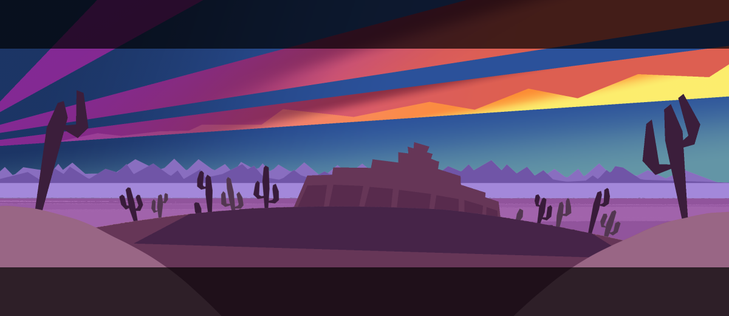
Exterior shot colour test. The arcade's in an abandoned old strip mall out in the desert. :>
I like it, but want to make it more toony so probably need to limit the palette or push the colours a bit more.
Another colour test. Wasn't initially sure about this one as it's kind of vibrant rather than outright spooky, but it's growing on me.
Progress! Learning a bunch of stuff re: camera pathing, incidental animations (the streetlight flicker), etc. :>
Also audio. :D
Currently feeling like a super smart genius boy with a big wet wrinkly brain for figuring out how to get what I want from Blender's built-in compositing system, which I had not previously touched. :>
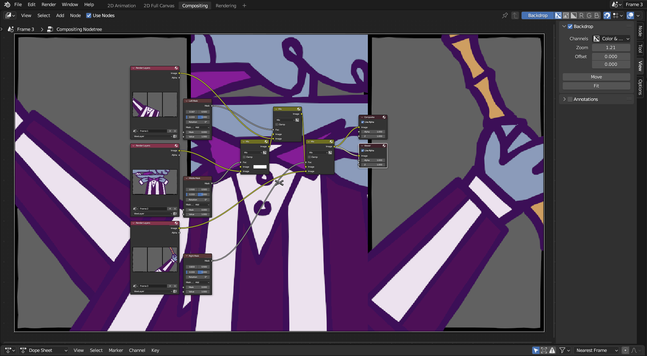
Yeah I'm gradually getting the hang of this. :D
Slowly training myself to understand that it's ok to have pretty substantial changes from one frame to the next as that's what makes the movement pop.
Oh yeah, exterior to interior transition. :>
I probably need to redraw the storyboards and tighten them up before going much further, so far I've mostly been playing around creating assets and exploring what's possible with the Grease Pencil tool.
Spooky and jittery.
After my griping about the difficulty of finding suitable audio @Elliscorgi very kindly put together a glitchy crunchy chiptunes track for me and it's amazing. :D
Part 1.
Aaand part 2.
Trying to add some fancy effects, but after spending a good chunk of yesterday making a cool animated glitch shader for the arcade screens, it's not rendering (first pic, right) despite showing up in the viewport display (first pic, left)???
I turned the screens' Grease Pencil object into a mesh because GP's material options are very limited, but apparently I still haven't got it quite right.
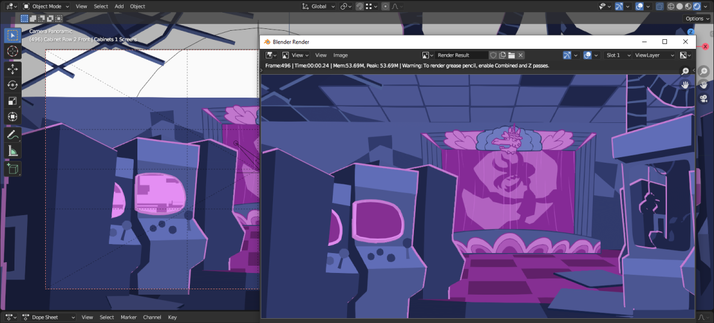
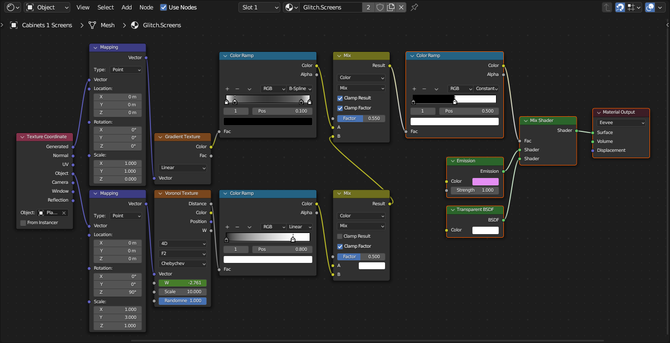
I adapted the glitch effect from this tutorial but I'm probably doing something Very Stupid like trying to use the wrong kind of shader for the intended purpose, I dunno.

Easy Glitching Text Animation In Eevee (Blender Tutorial)
...I did not have the Z values pass checkbox selected. I am very dumb. It is now selected and the glitches render properly. :D
Finished my commissions so getting back to this animation. Feeling very big-brain because I watched a tutorial that taught me how to do masking in the compositor. :3
I'm extremely pleased with the pixelly glitch-wipe effect in particular. :D :D :D
Spent basically all day messing around with physics bones and weight painting to get this working, but I DID IT, ha HA, fuck YOU Blender.
 Jummit
@orinoxide This is pretty awesome, I need to get back into grease pencil (I had mostly used it for 2D comics)
@Jummit There's a learning curve but in an intriguing way rather than a frustrating way. :>
 Craig P
@orinoxide I think you've found something you have a natural knack for. This is nice.
@Craigp Thank you! I'm enjoying the learning process so far. :D
Full disclosure, I did take an evening class in 3D modelling and animation back in the day so it's not all native wit, though that was mostly about wrangling Maya rather than covering animation fundamentals.
@orinoxide It's your sense of timing and rhythm. Timing and rhythm is by far the most "talent" part of animation.
It's suuuuper hard to learn.
 Julia Rusty Ralston 🍉
@orinoxide I didn't know you were getting into animation?
@imrustyokay Yeah! Trying something new. :D
 Lughaidh, the 🐅
@orinoxide impressive!