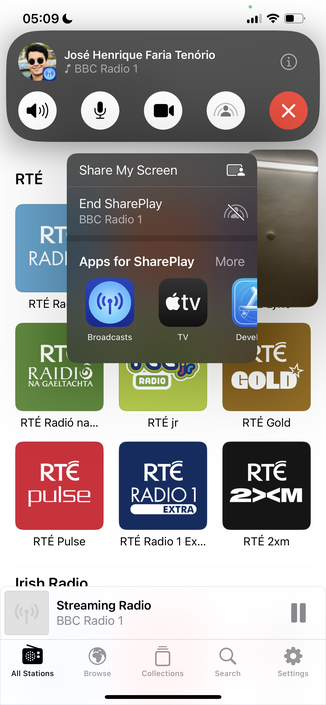
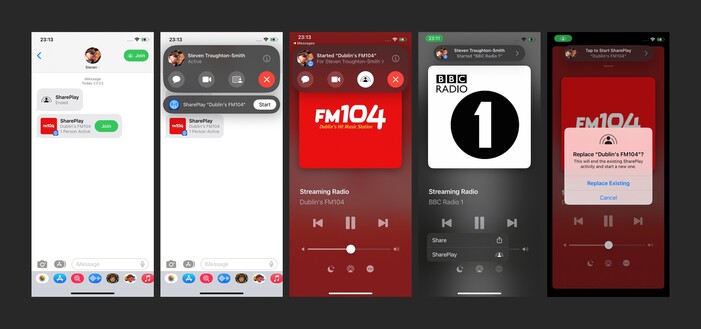
Getting into the WWDC groove by investigating SharePlay support in @broadcastsapp. It’s trivially easy to implement, and it seems to just work
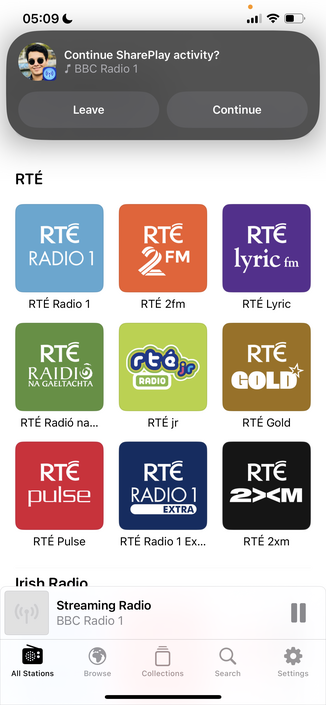
Bumped @broadcastsapp to v3.2 to account for the new watch app and SharePlay support, so I can bundle them together. Making sure to keep the scope of this update pretty small, as it's not intended to draw out into an iOS 17 update over the summer
I am still figuring out how other apps implement SharePlay, but I'm reasonably happy with how it works in @broadcastsapp now in this initial version. You can start up a session over iMessage, then any participant can start playback of a station. Station name/address/artwork is shared directly through SharePlay, doesn't need to already be in your library. Could make for a fun 'watch party' mode for audio-only streams like podcasts or live events
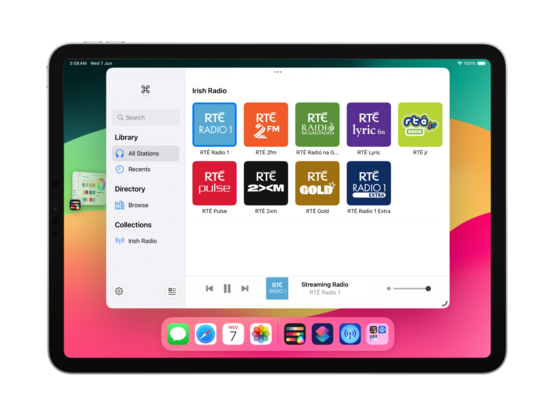
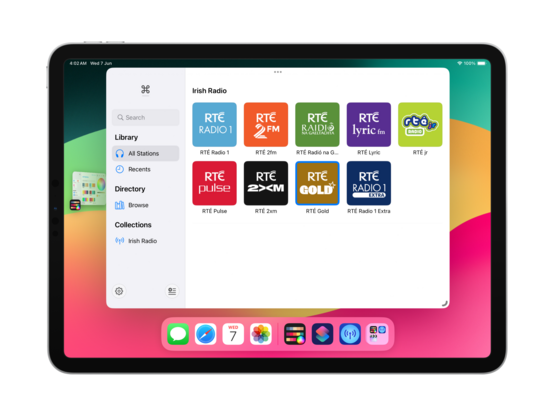
There's no visionOS SDK yet, but I can prepare for the ornaments API by making the @broadcastsapp layout more flexible. This may lead to bigger UI changes down the road to the iPad version, which I'll probably roll into a v4.0? For now, it's just decoupling some layout elements
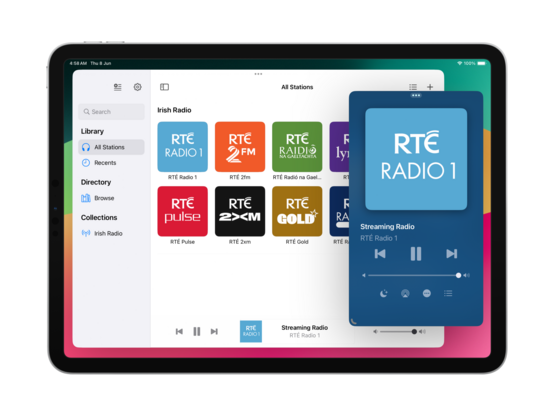
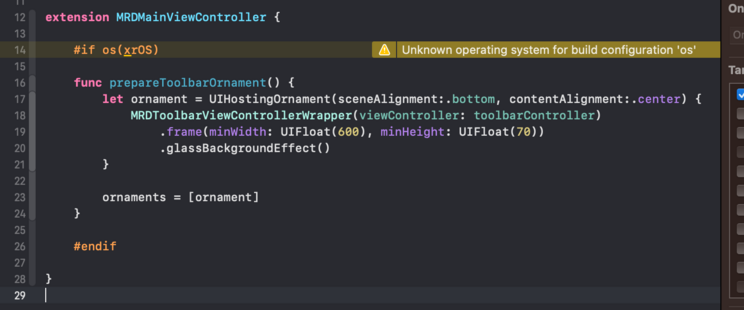
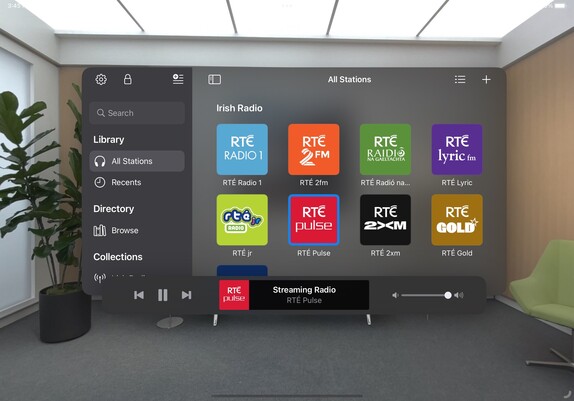
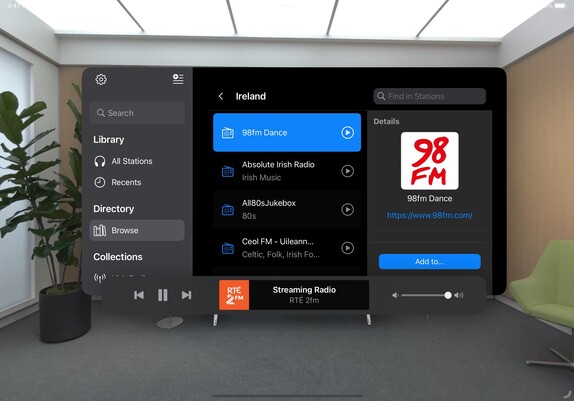
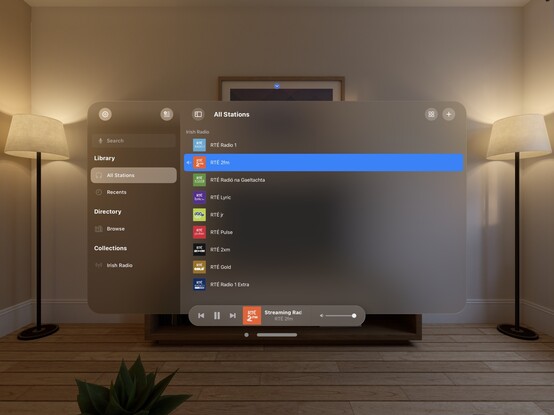
On visionOS, I expect to place the @broadcastsapp playback toolbar in an ornament (simulated at the bottom of the window here instead), and the Now Playing screen to open as a new window — like the Mini Player on macOS. It took just a little bit of rewiring, and expanding code I had for Mac Catalyst, but getting these changes in now should hopefully mean when I build and run upon release of the visionOS SDK that everything ‘just works’
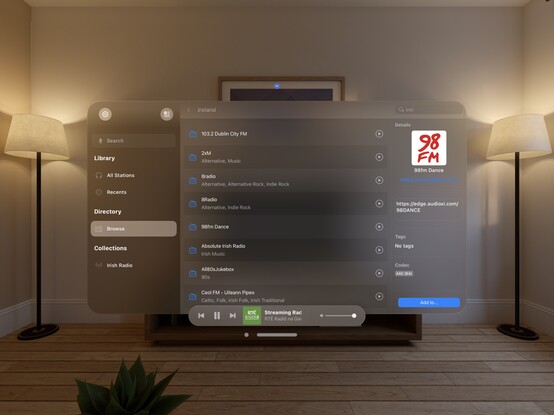
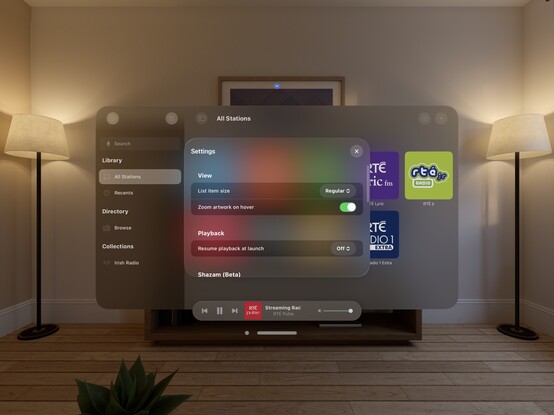
The redesign continues; I added a 'reality' device idiom (that corresponds to iPad) so I can test all my visionOS code paths at will. I'm trying to match what we saw of the visionOS Music app, and predict the navigational layout structure I'll need to light up properly when the SDK launches. I even have my ornaments prepped and ready, just ifdef'd out 😂
I added an AppKit target to the @broadcastsapp codebase just to experiment, and of 245 source files only 11 are portable 💀 All the pre-existing SwiftUI code is uncompilable, because even basic things like size classes don't have a macOS equivalent or translation. I continue to believe that the AppKit SwiftUI target is simply a dead end and needs to be rolled into the Universal app platform instead. I don't want to continue with this bringup experiment at all
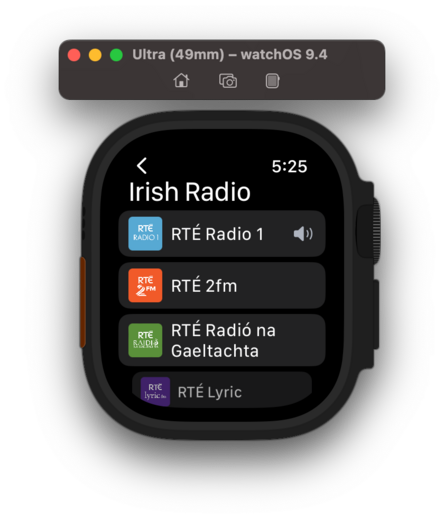
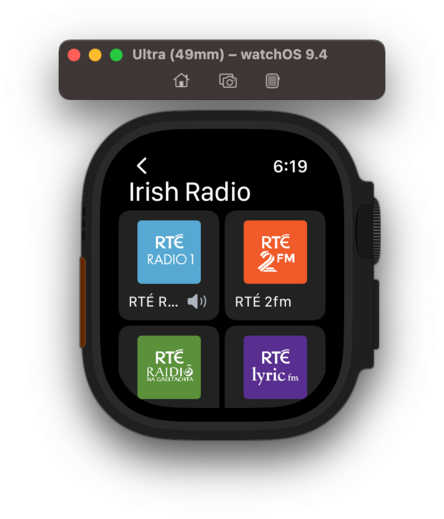
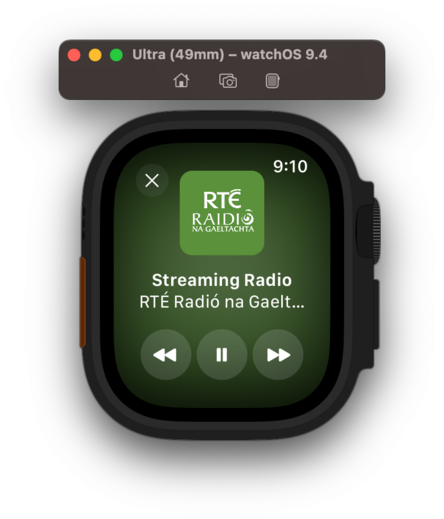
If WWDC had got me thinking about SwiftUI again, even slightly, working on the @broadcastsapp watch app has definitively dissuaded me. I'm so unhappy with the development experience that I would discontinue the watch app in a heartbeat if it didn't have users. Every element is a battle, and I've wasted so much time trying to get it to work 'correctly’; if I had UIKit, I would have been done in a day and shipped months ago. Almost at the point where I git revert everything and go back to WatchKit
I think that's what I'm gonna do; shelve the updated watch app for the time being. There are other updates I want to ship and I don't want this holding me back, plus I don't have an actual Watch to do testing on anymore for such a significant revamp so it's probably for the best. Broadcasts v3.2 with SharePlay can continue on without it
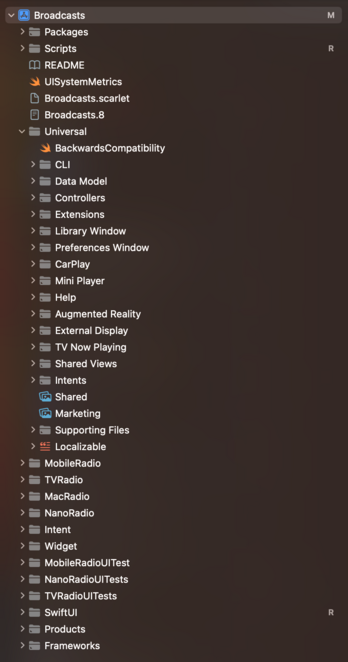
Finally after 4 years I've renamed the Broadcasts Xcode project to 'Broadcasts’, and given the whole project structure a cleanup 😄
Tweaked my xrOS test scene to more closely simulate visionOS, so I can prototype my layouts and make sure the right code paths are firing
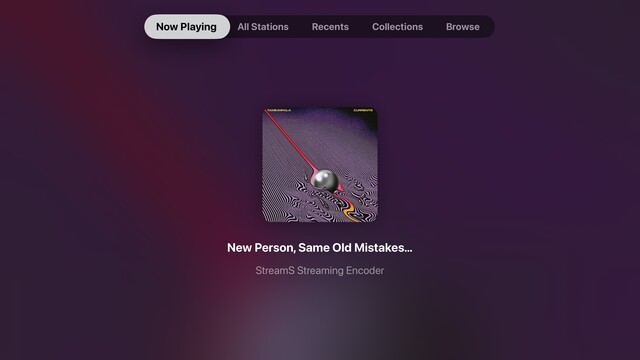
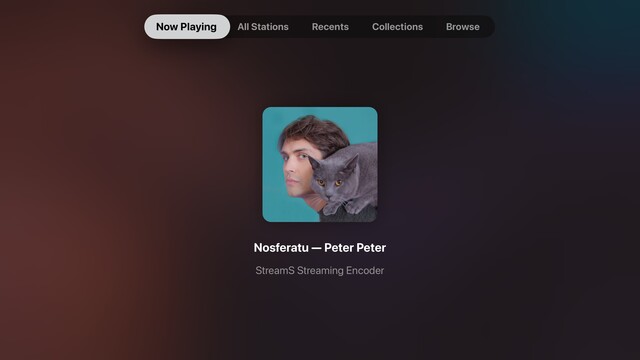
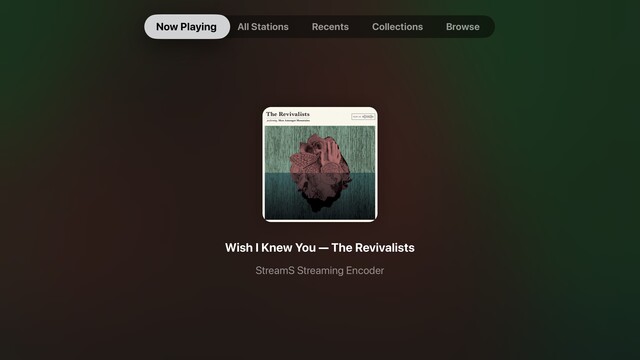
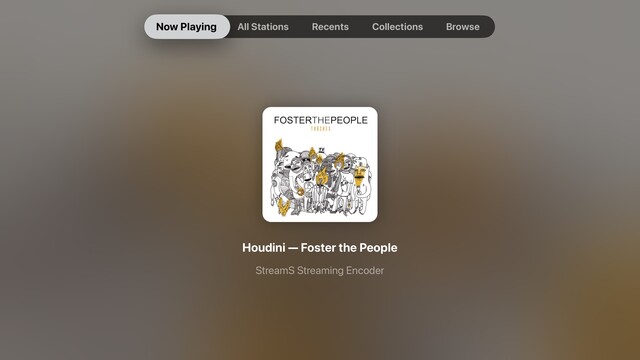
While I have a little downtime, I’m giving the tvOS app a look over to see what more of the Broadcasts experience I can expose. The Station Browser is a tough one, as it has a lot of non-tvOS-safe UI elements, but I'm doing the basics in getting things compiling at the very least. Now Playing though has been a frequent request
Though it's not actually visionOS, my little prototyping view controller is proving invaluable at reminding me which other parts of my UI need to be updated to not use static background colors. It's nice to have a core app structure that is flexible enough to cope with all these changes, for once. Having lived through the dark, painful years of rewriting iOS 6 designs for iOS 7+ and a dozen new device sizes, this is pretty refreshing
I put together this prototype over a year ago, and it's kinda neat that my floating toolbar wasn't too far off what they actually did in visionOS

This is a special moment for me, so I'll share it with you too: this is the first launch of @broadcastsapp natively on visionOS. It's alive! 🧟

Lots of work to do, but this is promising
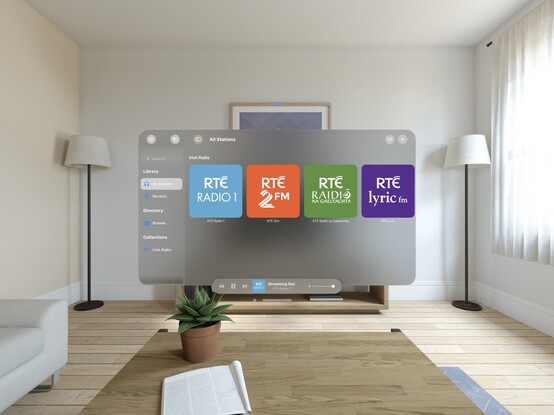
I'd be lying if I said I wasn't completely overwhelmed by how much effort I see before me to try and support visionOS properly across any one of my apps, nevermind all of them 😵‍💫
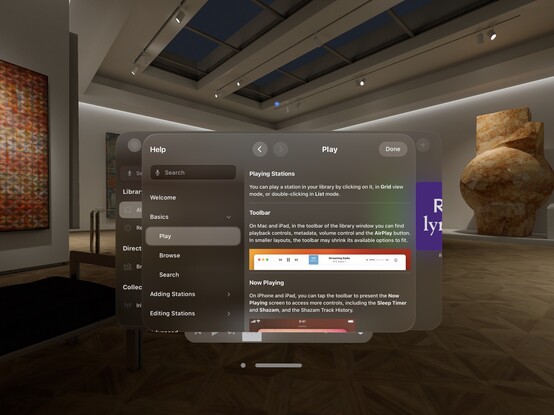
Kinda neat that my Help framework just works out of the box on visionOS 😄
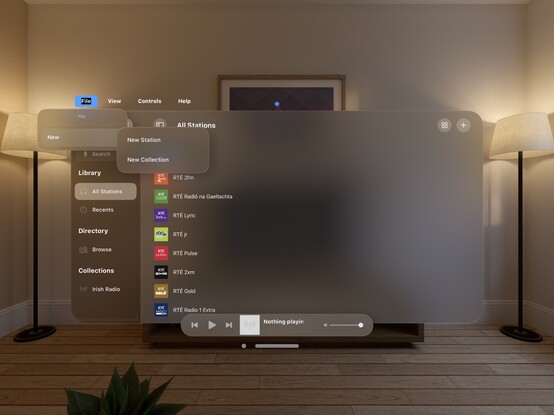
My fun little experimental menu bar view kinda feels like it could work on visionOS. I should stick it into an ornament…

I’m pretty darn glad Vision Pro isn't shipping in September, that's for sure 😅

Even so, I'm pretty happy so far with the bringup process
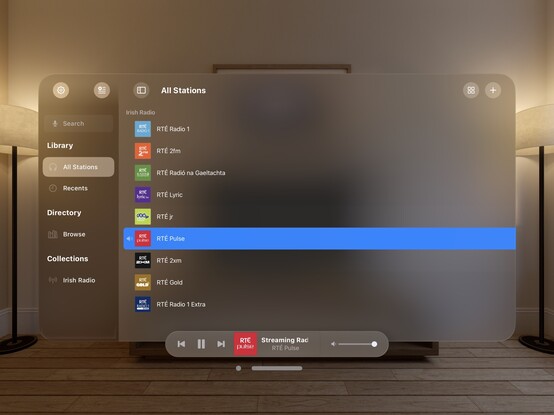
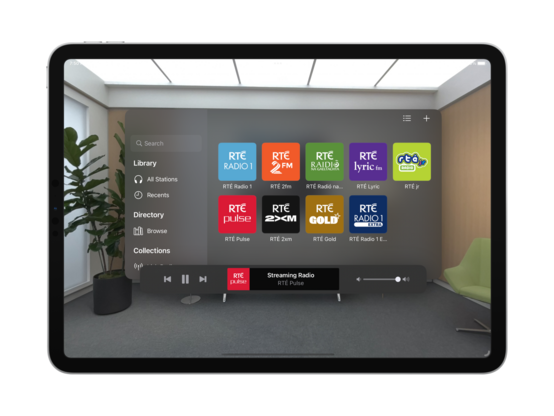
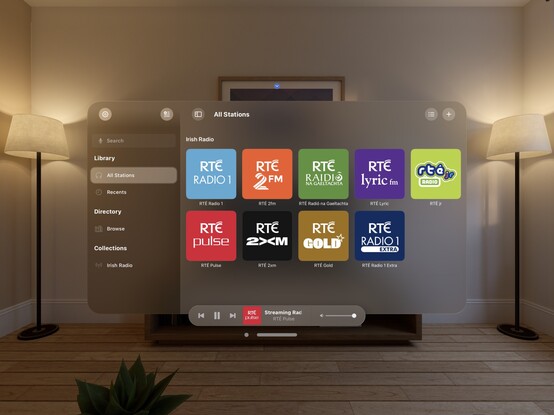
Now all my codepaths are in order, @broadcastsapp is pretty much fully-functional on visionOS. There's still plenty to learn re metrics, control sizes, and best practices, but what you see here is pretty close to what I would expect to ship at launch. It's going to take a while for me to build up a mental model of how visionOS apps work, so this design will evolve over the rest of the year
Just quick demonstration of what multi-windowing in @broadcastsapp might do on visionOS — main UI in one room, mini player in another. It would really be cool if music came from a physical source location, or if I could even have different stations playing in different rooms. In the sim, at least, all audio is piped through the main speakers and seems sourceless 🤔
The miniest player

@stroughtonsmith now hand track it to a wrist like a watch!

(Kidding aside, looks great. I can start to see how it’ll fit in the real world)

@stroughtonsmith That’s awesome! Is that pinned to the desk with ARKit? Or a regular window shrunk down and manually placed?
@_Davidsmith just a regular window, placed by hand!
@stroughtonsmith 😍 lovely, I love how it just blends into the desk as though it were sitting in the table
@stroughtonsmith So cool! That seriously makes me wish the hologram tech from The Expanse was real.
@stroughtonsmith would that be persistent? Like each time I put on the headset it’s there?
@stroughtonsmith BIG fan of something so MINI

@stroughtonsmith *reaches into his change pocket..*

“Ever wonder what this pocket’s for?”

@stroughtonsmith Interesting idea! The Diorama sample app shows how to use the different sound sources: positional, directional, or global. If you attach your sounds as a positional sound to an entity in a RealityView, then it should do what you say there. Maybe get a 3D model of a radio, attach the sound to it, and place it somewhere in the simulator 😀
@stroughtonsmith this is interesting to me. I was wondering if the windows can persist in a specific room in the house, and how to recall it in the event you’re, opening the window at a hotel room, for example.
@stroughtonsmith Is there an API that can constraint the newly opened window size? Or is the after manual resize? On my side of experimentation, it seems window always open at the default size, regardless what parameters I set on it…
@khaost @stroughtonsmith yea I couldn’t figure that out either
@qzervaas @stroughtonsmith if you're on SwiftUI, it seems using .windowStyle(.plain) and manually attach a `glassBackgroundEffect` can get the the free size window. Based on https://mastodon.social/@harlan/110590548856981061
@khaost @stroughtonsmith oh nice. I was using volumetric to achieve this but this seems like a better way.
@khaost @stroughtonsmith is there a way to have two windows from the same app open simultaneously?
@qzervaas @khaost as many as you want, in the shared space
@stroughtonsmith @khaost that was my understanding, just couldn’t figure out how!
@khaost windowScene.sizeRestrictions or whatever it is in SwiftUI
@stroughtonsmith Thanks! Looks like `windowResizability` is currently annotated as not available in SwiftUI 🙃
@khaost well that's dumb. Not only does the OS support min/max sizes, but programmatic resizing too
@stroughtonsmith Yeah hope they can fix that… the more I play with the SDK, the more I feel going with UIKit for 2D experience might still be favorable than going with SwiftUI 😅
@stroughtonsmith @broadcastsapp wow my app is significantly less complicated than yours and it doesn’t even look half as good as yours on visionOS
@stroughtonsmith @broadcastsapp honestly this already looks stunning 🥰
@stroughtonsmith @broadcastsapp that looks incredible. I wasn’t interested until I started seeing developers like yourself already into and what’s possible
@stroughtonsmith yeah I’m feeling that too!
@stroughtonsmith it looks so pretty just floating there.
@stroughtonsmith @broadcastsapp still trying to get the new Xcode beta downloaded - this is awesome, congrats :)

@stroughtonsmith do you know if it has complex gesture recognition? MKBHD mentioned that if you just look at a search box and speak, it started transcription without any physical input

I’m wondering if you could look at a filter icon, and make a hand motion/gesture to activate certain presets?

@Techronic9876 dedicated app spaces can do skeletal hand tracking. You have to enter an app to enable that, I believe — it doesn't just work in your shared space
@stroughtonsmith @Techronic9876 This makes sense since Apple will have its own defined gestures and apps like games and others will have the chance to define other gestures based on the videos I saw.
@stroughtonsmith please expand a few more folders so the world can learn how the experts structure their applications 👀
@Ezhik then it won't fit in a screenshot 😜
@stroughtonsmith this is what visionOS' panoramic views are for!
@stroughtonsmith @broadcastsapp Haven’t tried it myself, yet. But I’ve heard that debugging with actual watch hardware is much better in Xcode 15. Night and day, better.
@stroughtonsmith anytime i touch my widget code i wish i could use auto-layout 😓
@Joekw @stroughtonsmith SwiftUI has infected Apple and has driven out understandable code and instead hides the layout engine behind magic. Which works fine for super basic stuff but anything complicated just doesn't feel like it's worth the effort to fight with SwiftUI.