
::: Wishing to move away from Google / Android?  

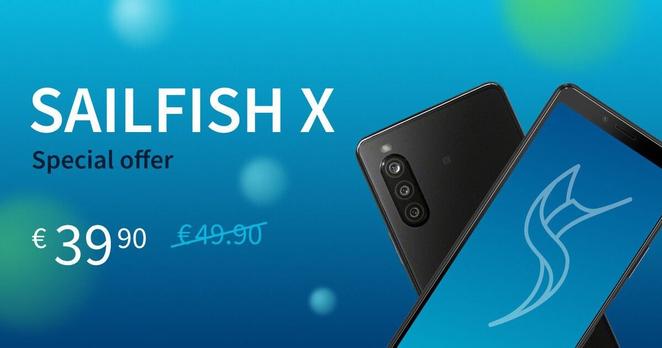
Now would be a convenient occasion too - to celebrate Sailfish OS 4.5 release, Jolla offers Sailfish X for discounted price!

A premium mobile Linux to smartphone for €39,90 @ https://shop.jolla.com  

Pure Sailfish OS can also be used FOR FREE (without few extra features).

Early subscribers get Sailfish OS 4.5 now - THE FINAL RELEASE for all in 1-2 weeks.

#Jolla #celebration #mobile #Linux #Sailfish #SailfishOS #SailfishX #offer #discount #Shop #phone #smartphone

Jolla shop

@Linux does that include accessibility features? I mean, is orca or something similar supported on there? if so, how does it work?
Accessibility: Screen magnification and friends

Hello! I only discovered Sailfish OS a little while ago and I was extremely mindblown when I learned about it. The interface looks so, SO good! This might just be the most matured “Linux on mobile distro” that I have seen so far. It looks very userfriendly and the porting guide was amazing - I read the whole 63 pages. It was a fantastic read. Now, I have been looking for a way to get away from iOS. These days, I am trying out an Android phone (Razer Phone 2 - which is my porting target) and it...

Sailfish OS Forum
@Linux that basically says that some zoom features are a thing, but screenreaders not at all, other focus assist like features aren't mentioned. So yeah, it sounds interesting, but a11y is currently inexistent. But then, orca doesn't work with touchscreens at the moment, but I'm trying to fix that by using evdev and other hackish interfaces, or maybe a wayland specific protocol. However, bottom of the line though, sailfish OS can't yet be used by people with no vision at all. Also, not all qt software is accessible, for example kde has been a mess for a very long time, till they decided a11y is an important goal.

@bgtlover

Maybe to contact the devs on these matters to bring them / make them much much better - to enable Linux usage for everyone.

Maybe also check out Accessible Coconut (especially meant for visually challenged users on desktop).

=> https://linuxrocks.online/@Linux/109400889717656196

#Accessible #Coconut #visually #impaired #Linux #special #needs #help #developers #blind #blindness #challenged #AccessibleCoconut #desktop

Linux ✅ (@[email protected])

::: Visually challenged Linux users! Even blind can see; visually impaired Linux users keep facing unnecessary struggle. Possible answer? Accessible Coconut. Ever heard about it? Right. This OS from INDIA aims to help visually impaired. Rudra Saraswat (Ubuntu Unity) is from that innovative new superpower of IT, too. Before, to think it, it was FINLAND with its IRC, Erwise, Linux, SSH, MySQL, Nokia, SMS (Matti Makkonen), Polar wireless wearables (1977), list goes on.. Accessible Coconut deserves attention for sure. Indian devs truly care & think broadly. Please, help if able / spread word 🙏 => https://zendalona.com/accessible-coconut #Accessible #Coconut #visually #impaired #Linux #special #needs #help #developers #fundraiser #blind #users #Zendalona #India

LinuxRocks.Online
@Linux accessible coconut is nothing more than an outdated ubuntu I think, with most of the software something I don't need or use, its own update script, a policy of not updating it with apt for fear of breakage, and not much in the way of actual accessibility. In short, while I'm sure the maintainer has best interests at heart, in most cases there's no need for specialised distros like accessible coconut. For example, raw debian, ubuntu with the mate flavor or even archlinux with mate desktop and afew customisations is very accessible, and those are all mainline distros. Sure, I will indeed contact the devs, once i figure out a solution to the problem that works well enough to be deployed, then accessibility won't be an issue, or something.

@bgtlover

Accessible Coconut is specifically a Linux distribution for visually impaired people from the get go, whereas regular Ubuntu is not.

Accessible Coconut would benefit on reports, feature requests and other improvement suggestions, for sure. Maybe you could offer them as person who uses computers as dependent on them 👍

It is not outdated so now - the new release based on the latest Ubuntu LTS is available:

https://sourceforge.net/projects/accessible-coconut/files/Accessible-Coconut-22.04.01-beta/

#Accessible #Coconut #visually #impaired #Linux #special #needs #help #developers #blind #blindness #challenged #AccessibleCoconut #desktop

Accessible-Coconut - Browse /Accessible-Coconut-22.04.01-beta at SourceForge.net

A GNU/Linux operating system accessible for visually impaired.

@Linux so, they did update it after all, I thought the distro will join the dead ones, good that didn't happen at least. However, about it being special because it's tailored for the visually impaired, that's their branding, and while there's nothing wrong with that, when it comes to actually useful software for the visually impaired, there isn't much you can't find in normal ubuntu. For example, boot from the live medium of ubuntu mate, press alt+meta+s when you hear the sound that signifies boot completed, you'll instantly hear speech and be ready to install it independently, same with running. Hell, I'm running arch over here, and while the genux distro is an arch derivative with the same goals, what it has doesn't really add to the accessibility experience, aside from probably stuff like ocrdesktop, but that stuff can be installed easily through pacman.
@Linux If a distro wants to call itself not only accessible, but tailored specifically for us and to actually deliver on what it says, it has to add lots more things, not just put afew extra packages here, make afew settings there and call itself that. For examples of what it should do, a good start would include probably configuring or making a wayland compositor to behave better with accessibility applications eg screenreaders, replacing some mate pannels with more accessible counterparts or switching to a wayland desktop for example kde plasma, making electron force the accessible renderer by default, it only requires some changes in a config file, stuff like that. However, my personal opinion is that nowadays, most major distros have accessibility included, at least enough of it that we don't need specific stuff anymore. For example, till afew years ago, archlinux didn't have a speaking mode, now it does and I can install the raw distro, in stead of having to rely on talking arch.

@bgtlover

Well absolutely and most definitely there is so much work to do.

If you'd (and other visually challenged Linux users) reach the developers out (with a memo or so via your needs and experience) we'd get probably to the next levels with this visually impaired specialized distribution.

Accessible Coconut FORUM: https://groups.google.com/g/accessible-coconut

Download: https://sourceforge.net/projects/accessible-coconut/files/Accessible-Coconut-22.04.01-beta/

#Accessible #Coconut #visually #impaired #Linux #special #needs #help #developers #blind #blindness #challenged #AccessibleCoconut #desktop

Accessible-Coconut - Google Groups

@Linux that's the thing, I don't think we need special distros anymore, those days are long gone, most of the bigger distros people are basing on work no problem. However, indeed there are issues with the current accessibility stack and support by developers in the linux community, but that's mostly not to blame on any single distro, rather on the way things are currently, and that's what has to change. Therefore, we are trying to make that needed big change, in small, and not so small incremental steps. For example, me and other developers are working on a new linux screenreader called odilia, focused on speed, efficiency and a stable core with modern features other platforms have had for a long time. The link is here:
https://odilia.app
Note though, the site doesn't get updates because we're too busy writing the code and stuff, and the software itself is quite unstable rn, so I don't recommend to use it as a daily driver just yet.
Home | Odilia Screen Reader

Welcome to Odilia! Odilia is a new screen reader for the Linux desktop. It’s written in Rust, for maximum performance and stability. On top of what screen reading features we already have on Linux, we intend to add roughly the following: Addons You’re no longer limited to built-in functionality! Install addons from third-party developers to extend Odilia with new commands and abilities. Or, if you’re a developer, write your own in one of several languages.

@Linux There are other things we're doing, for example I'm trying to design an accessibility specific wayland protocol, so that assistive technologies could interact with the applications more easily, as well as more information about screen coordinates of a window or control can be given by the compositor, for the technologies such as zoom or magnifier, but it can also have other uses, aka 2d sound to represent where on the screen a control is. In any case, progress is slowly being done, but for now most of us, the few of us that there are anyway, are focusing on the bigger picture, making the linux desktop experience mostly usable for everyone, regardless of disability.
@Linux Now, if accessible coconut would come with something some specific kinds of people beyond just the disability would need, considering that the foundation is laid solid already, then it's a specialised distro doing some good for its neesh, but that's because the foundation is already done, then we would be on par with our sighted peers, because that's what most distros are, you don't need a specific distro to do a specific thing that you can't get in any other place, and that's what we're trying to make more possible than ever as well, you shouldn't have to either be on the big distros or do lots of manual setup mostly gotten by word of mouth because that's not documented and few things are anyway, it should be a choice. Many things are already much better, but it can be even better

@bgtlover

Nice! Looking forward on odilia.app going places, new heights (and many distros!) 👍