 David Boyd
 James Thomson
I thought Mastodon was being a bit quiet, despite following more people - turns out I’ve been stuck in “Media Only” filter mode in @ivory for literally months.
 CTD
CTD@jamesthomson @ivory LOL - all those text only nuggets of wisdom, lost forever in the mastodons of time
 BenRiceM
@jamesthomson that doesn’t sound that bad tbh
@BenRiceM Honestly, it was quite nice.
 Lex Friedman
@jamesthomson @BenRiceM but Ben and I encourage you to scroll back and read all our old posts.
 Erika Ensign
@jamesthomson @BenRiceM
Don't bother with mine
 Joakim Eriksson
@jamesthomson what is media only?
@jocke It only shows posts that have an attached picture or video. Tap the search icon at the top right.
 Krister Renaud
@ivory @jamesthomson well, at least you discovered it in the end. Must have been strange.
@krenaud It was actually nice 🙂
 Preshit Deorukhkar
@jamesthomson @ivory Accidental Pixelfed
 Simon Rolfmore
@jamesthomson “I thought Mastodon more of a Twitter competitor than an Instagram one”
“…oh.”
“…oh.”
@cloudthethings I never even noticed that there was a lot of images!
 Eshu Marneedi
@jamesthomson @ivory Yeah they should really make that more obvious…
 Ivory by Tapbots
@EshuMarneedi Should be more obvious in the latest beta. 😊
 Andrew Laurence
 Phil
Phil 
 Jason Meaden
@jamesthomson @ivory My 2c worth (and that’s Australian cents .. so maybe one pence rounded), even if the little dot inside the magnifying glass was the same colour as the theme tint rather than monochrome, that would be more obvious that a filter is on without being gaudy.
 Heidi Helen Pilypas
@jamesthomson @ivory Oh, dear! 🙈
 Colin Devroe
@jamesthomson Secret productivity hack?
 Ged Maheux
@jamesthomson @ivory “Boy, people here on Mastodon sure do enjoy including pictures with their posts! That’s nice.”
 Joshua Blum
@jamesthomson The latest update is for you then, I guess. That how you found out? 😅 @ivory
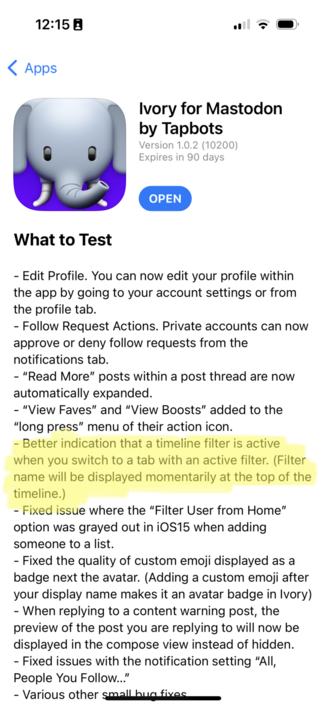
@joshuablum @ivory That is indeed how I found out!
 Federico Viticci
@jamesthomson James you missed all my hot takes
@viticci Did I miss them though?
 Anthony Allison
 Conor
Conor@viticci @jamesthomson he probably saw a patio intruder and an Android phone.
 Nate Gorby
@jamesthomson haha I noticed the same thing on mine yesterday. Not sure how I managed to switch it. Might have been a bug in the beta version?
@ngorby Glad it’s not just me!
 Dr. Juande Santander-Vela
@jamesthomson @ivory that’s why I always use more than one tool to read my timeline!
 Paul Haddad
 matsimpsk
@jamesthomson @ivory at least it has been pretty.
 dxzdb
dxzdb@jamesthomson @ivory so where is this setting in case we want that?
@dxzdb Tap the search icon at the top right of the main section.
@jamesthomson oh look at that! No wonder you didn’t notice.
 Sean Harding
@jamesthomson @ivory Wow, I feel stupid. I didn’t even know Ivory had filters. You mentioning it prompted me to find it (I assumed the magnifying glass icon was just for search…). Thank you!
@sharding I think I must have played with it right when I got the beta, and never figured out what I did until now.
 Miguel Arroz
@jamesthomson @ivory Same, but for having set the main filter to “local”. 😄 I was about to report a bug regarding missing posts when I realized it.
@arroz Oops :)
 John
John@jamesthomson @ivory same thing here. Thanks for posting. Would have never known otherwise.
 Michael Rowe
@jamesthomson I’ve not tried that.. may have to switch to it at times for less sensory overload.
@michaelrowe01 You get to it through the search at the top of the main section.
@jamesthomson Thanks! Time for a restful night
 Moritz Dietz
@jamesthomson @ivory Ha! So it’s not just me! 😄
 Zach Taffet
@jamesthomson @ivory I did the same as well. No idea how I enabled it.