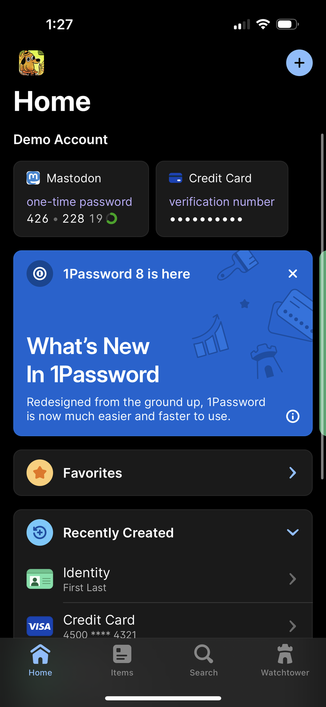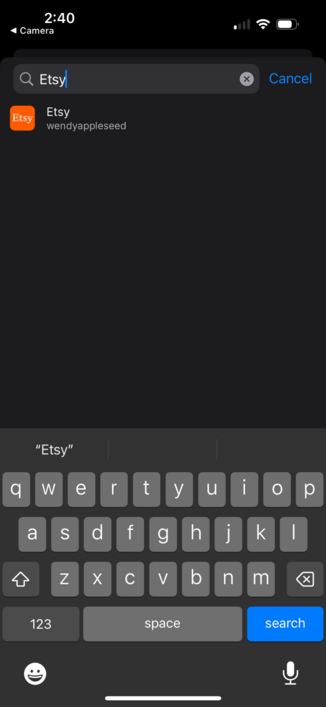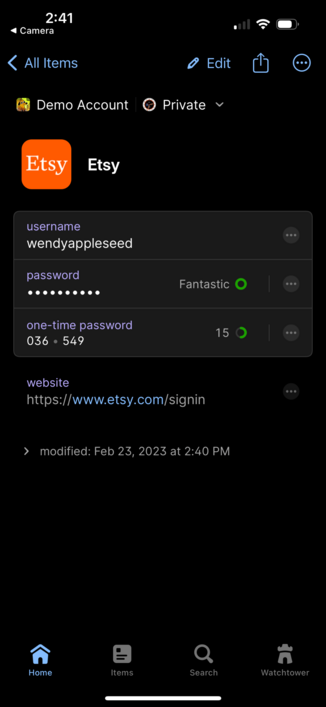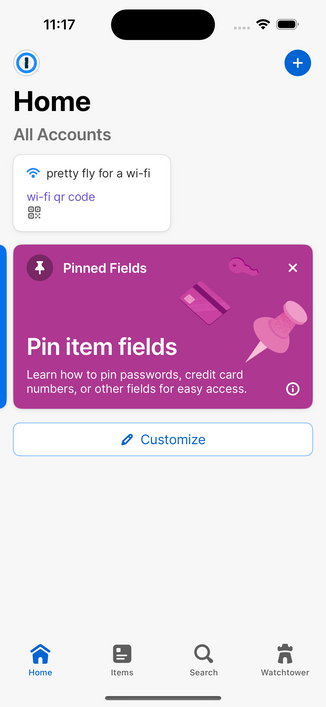
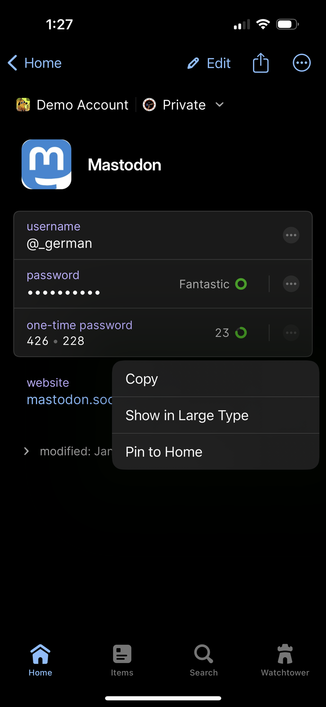
Did you know that in #1Password you can pin individual fields to the Home tab? It’s great if you need frequent access to a specific field like a one-time password.🧵
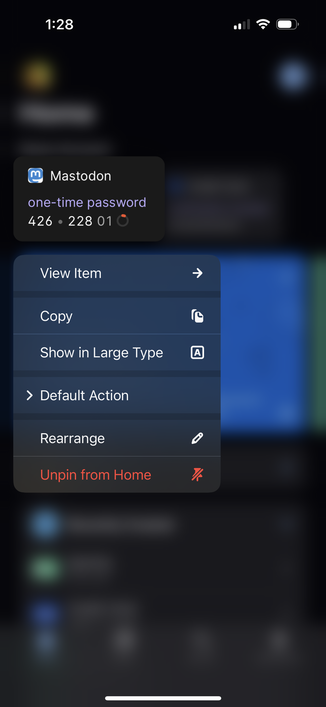
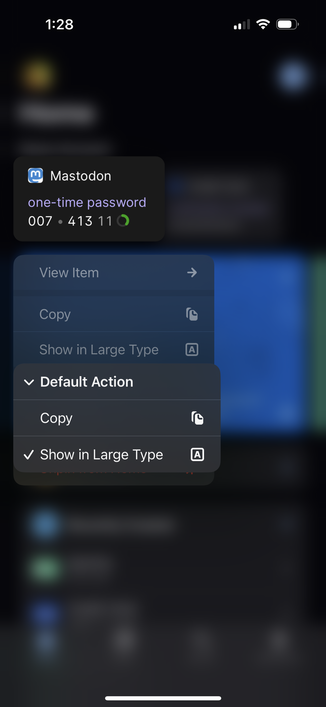
Did you know that in #1Password you can press and hold on Pinned Fields to get a whole bunch of options? You can even change what happens when you tap on it!

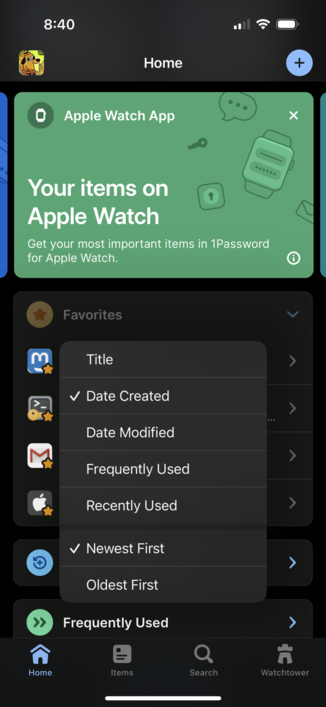
Did you know that in #1Password you can press and hold on the Favorites header to change the sort order? And of course 1Password will remember what you choose.

This was a highly requested feature from our community, so thank you to everyone for helping make 1Password even better! 💙
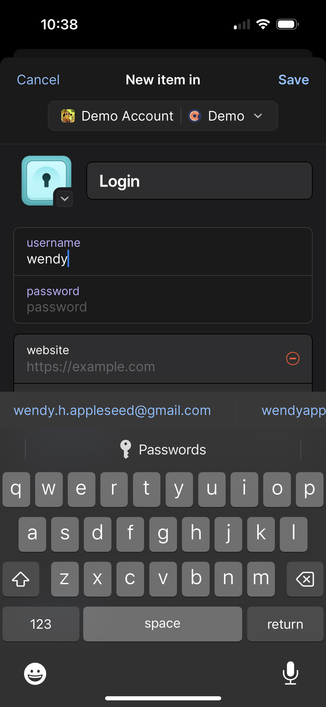
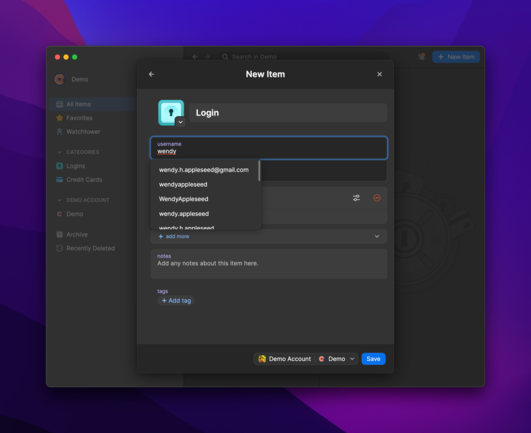
Did you know that #1Password will suggest your most commonly used usernames when you make a new login? This works great on mobile and desktop.
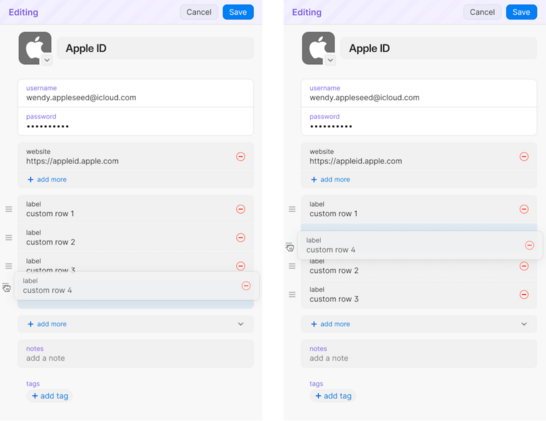
Did you know that #1Password is bringing Section and Field re-ordering to 1Password 8? Whether you’re on Mac, Windows, Linux, iOS, or Android, you’ll soon have a lot more control over the layout of your items.
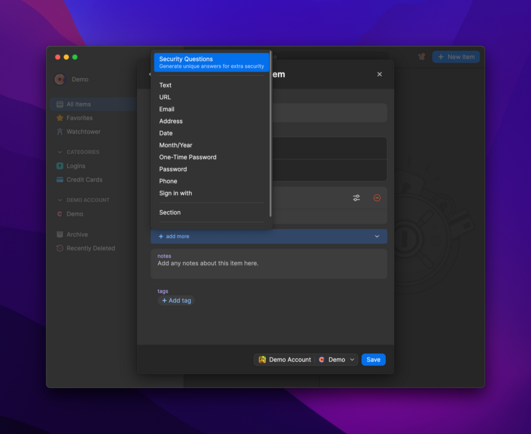
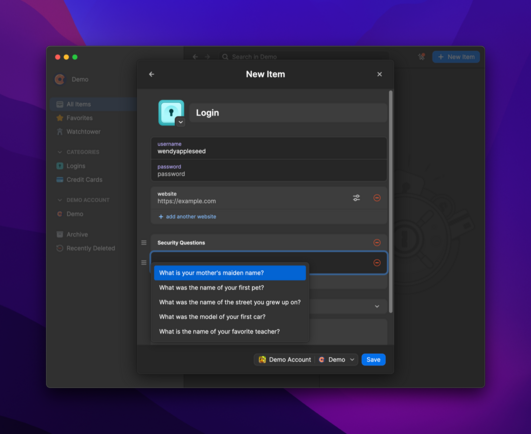
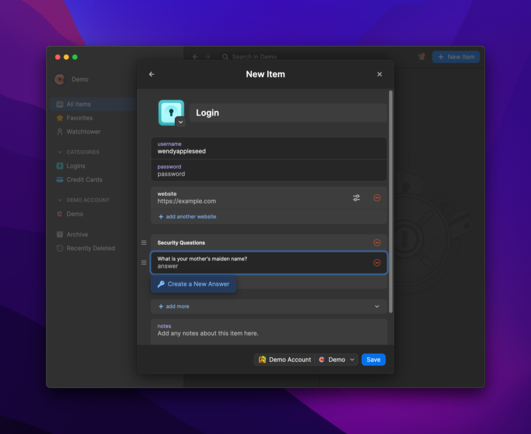
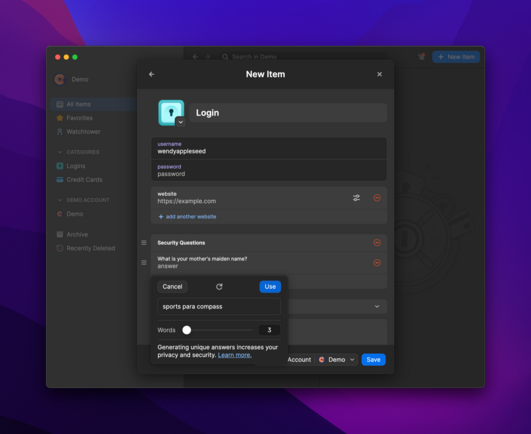
Did you know that #1Password can generate random answers to Security Questions? This makes it so easy to come up with privacy-protecting responses.Try it on mobile too!
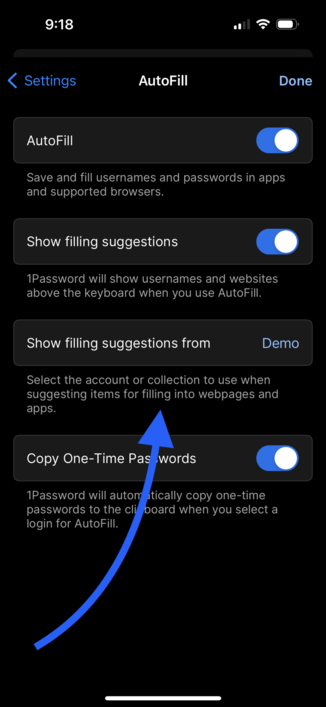
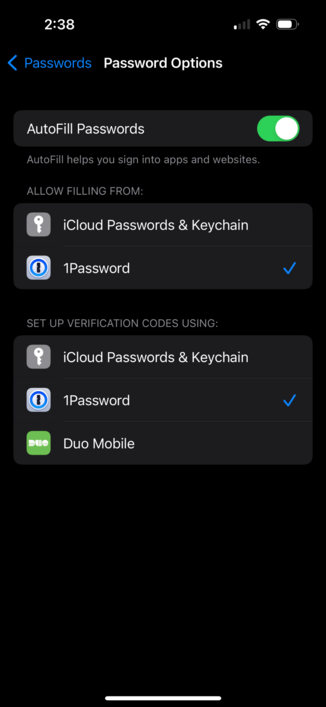
Did you know that #1Password for iOS has been given Password AutoFill super powers? Limit the suggestions on the QuickType bar to just those logins from a specific account or collection of vaults. No more logins from the Marketing team because they added you to their vault that time. 🦸
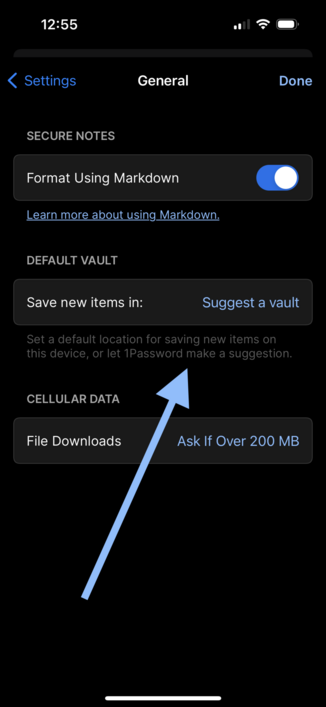
Did you know that the latest update to #1Password 8 includes a way for you to specify the default vault for new items? Pick a vault or let 1Password suggest one based on your current location in the app.

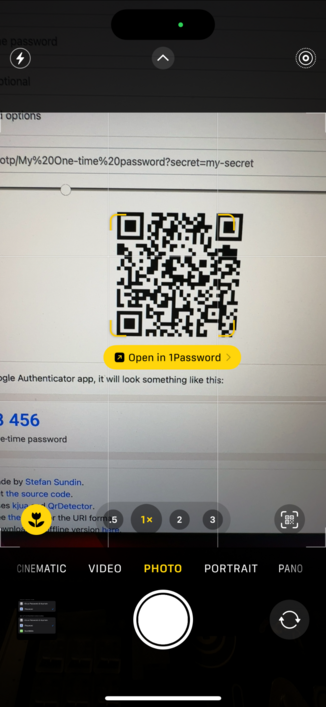
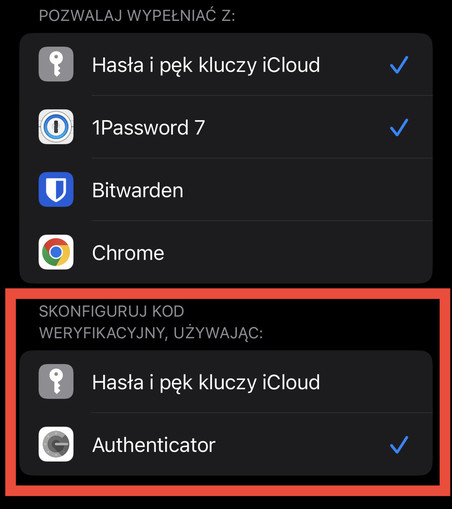
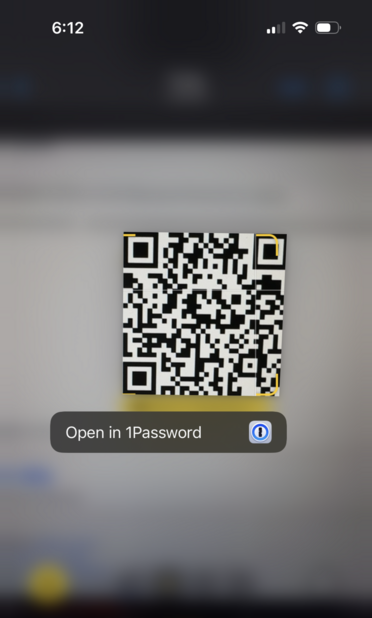
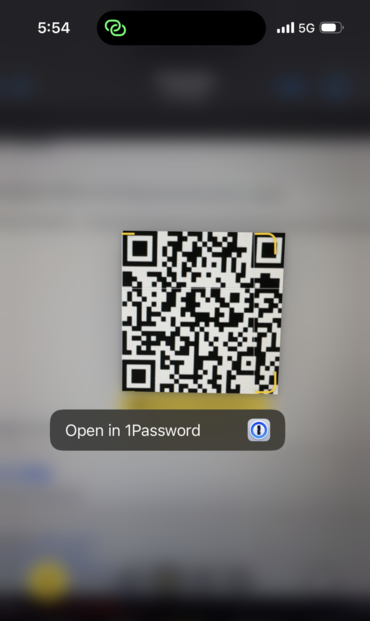
Did you know that #1Password 8 for iOS can now be set as the default app for opening two-factor URLs and QR codes?

Open with 1Password and select a login to have the one-time password attached automatically!
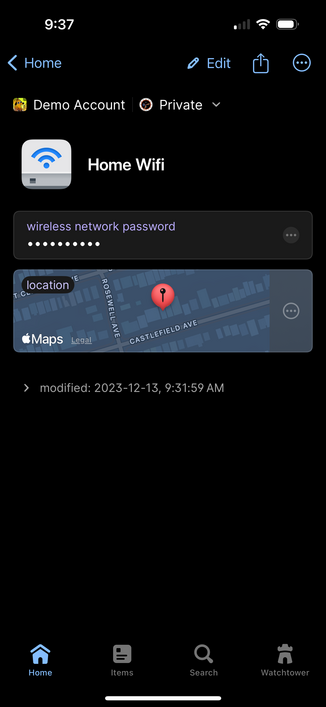
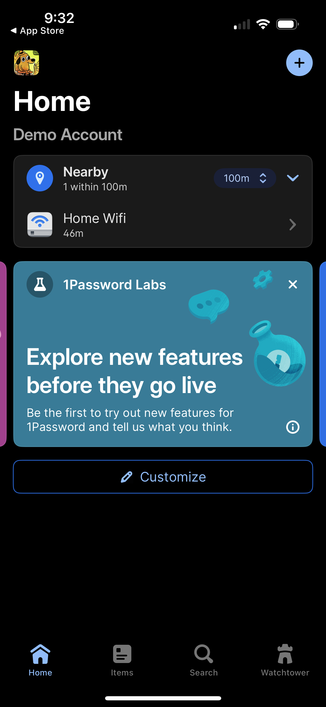
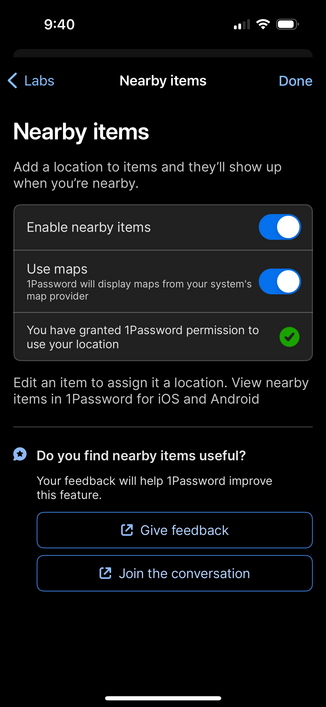
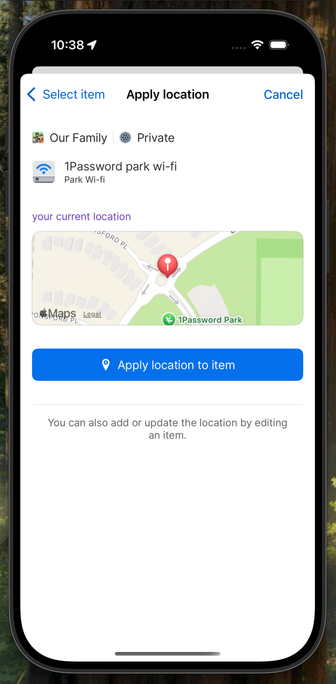
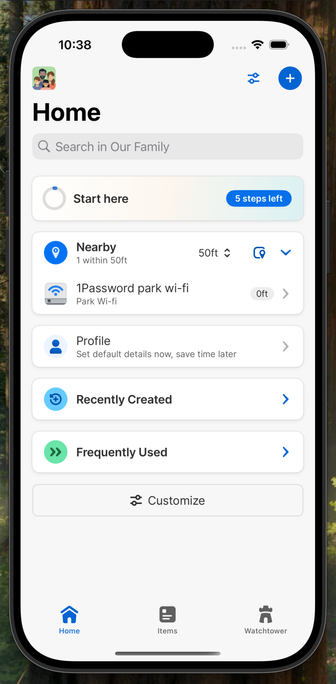
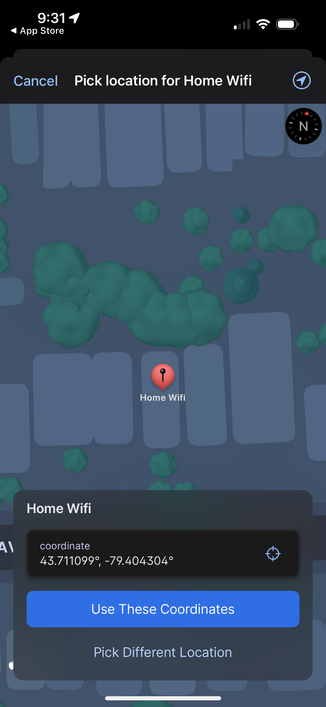
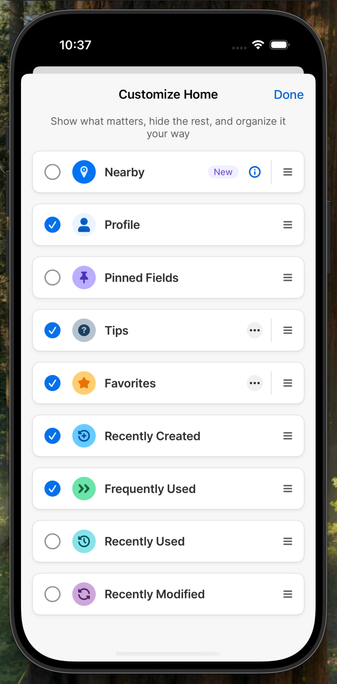
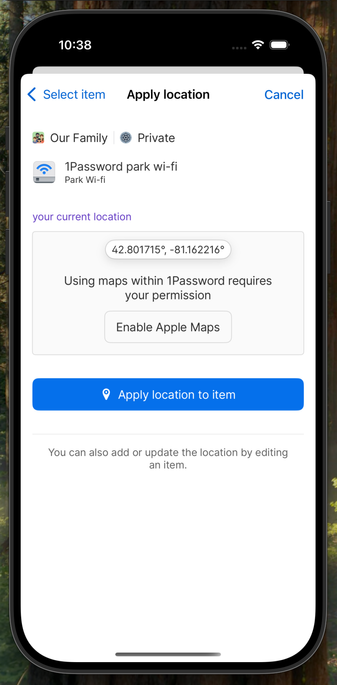
Did you know that in #1Password 8 you can now attach locations to items? Better yet, you can see a list of nearby items as soon as you open the app!

Don’t forget to enable this in Settings > Labs
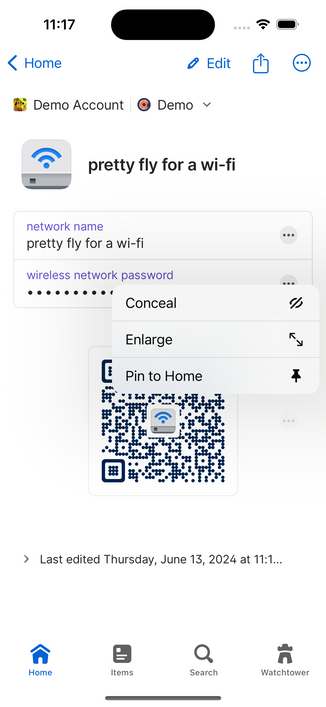
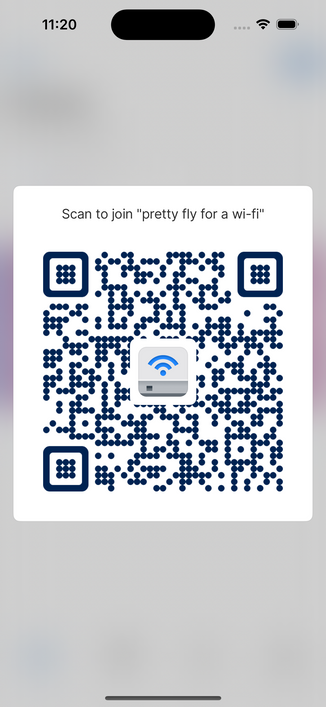
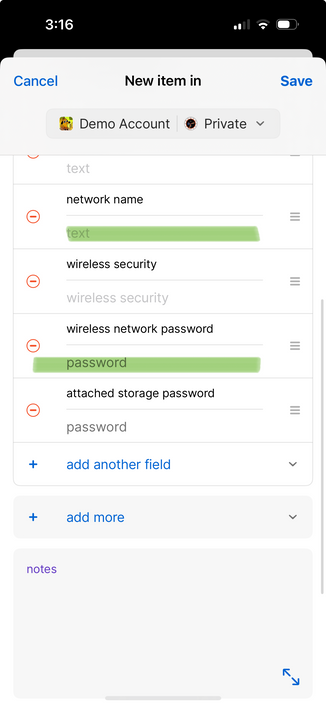
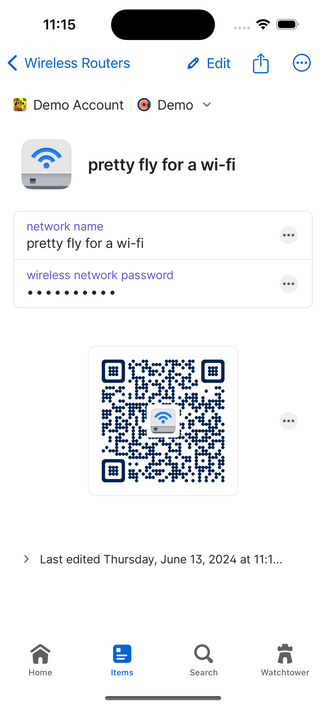
Did you know that now in beta, #1Password 8 can display a Wi-Fi QR code for your Wireless Router items?

Pin it to Home for quick access when a friend comes by and needs Wi-Fi access.
Did you know that #1Password 8 can now surface items based on your location?

We worked really hard to preserve your privacy: we never record locations outside of your encrypted items, "nearby" items are computed locally on your device, and even use of Maps is opt-in.

I use this to surface lock combinations I only use in certain physical locations, and for my Costco credit card whose PIN I keep forgetting. Now they pop up when I'm there.
@_german how do I tell 1PW that a given entry is a WiFi passcode?
@standev (assuming you’re running the mobile or desktop beta builds of 1Password), you’ll need to fill out the network name and wireless network password fields of a Wireless Router item
@_german aha, I had it built as a generic Password item.
@standev ah, yeah it’s a bit difficult for us to pull the necessary context out of the (more) generic Password item type, so we require a Wireless Router item. Hope it wasn’t too much trouble!
@_german not at all, I was just looking for the setting in the wrong place!

@_german
That looks awesome Andrew, but I’m a little disappointed that you’re abusing the error-correction by adding an image in the middle ;-)

(Sorry lad - that’s one of my pet hates!)

@matthew ~abusing~ leveraging 😄

I cranked up the error correction to account for the hidden space; you weren’t using those bits anyway 😇

@_german I actually did not know that 😮

@_german Yo that’s great! Y’all should definitely pop that up in one of those “what’s new” banner things.

I don’t think I saw that option before 👀
@nickmcguire That's a great ideal, I'll bring it up!
@_german @jonatan Awesome, thanks for the heads-up!
@_german about damn time!! thank you!!
@_german is there a good way to get a QR code on my phone to work in 1PW on my phone? So same device. Can’t use camera.
@mikequinn_ if you take a screenshot and add it to Photos, you can long-press on the QR code in photos
@_german Yeah man, I definitely knew this.
@_german Well, hot dog! Yes!! 🙌🏼
@_german @krzyzanowskim Awesome! Now please bring this to 1P 7 for iOS ;)

@_german
(I don't think I'll ever go over the idea of putting both of two factors in the same location tbh....)
#1password

@thibaultmol everyone has their own threat model. Our principal security architect wrote about this very topic: https://blog.1password.com/totp-for-1password-users/
TOTP support comes to 1Password | 1Password

1Password 5.2 for iOS and 1Password 4.1.0.538 for Windows are out, and they provide support for using Time-based One Time Passwords (TOTP).

1Password Blog
@_german i dont see this option, safari settings only show credit cards?
@renchap Try looking in Settings app > Passwords > Password Options
@_german how safe is it to have the password and the second factor in one place?
@justj that’s a great question and the answer depends on your personal threat model. Our principal security architect wrote about this very topic: https://blog.1password.com/totp-for-1password-users/
TOTP support comes to 1Password | 1Password

1Password 5.2 for iOS and 1Password 4.1.0.538 for Windows are out, and they provide support for using Time-based One Time Passwords (TOTP).

1Password Blog
@_german thank you for the link to that article 😊👍
@_german Well *now* I'm going to use that.
@_german Oh snap! Thank you for this tip!
@_german @lamperti damn, I never knew that this works from the camera app as well 😅
@JeroenSchaper @lamperti you can also long-press on a QR code in the Photos app
@_german @lamperti awesome! This’ll be very useful! 😁 Thanks!
@_german this feature is now available with #dashlane too!

@_german It looks like it works for @bitwarden too! Does the Bitwarden auth work if you have premium?

Best part was I didn't know you could turn off keychain!
@_german @krzyzanowskim That’s nice but not particularly a good idea. Password and OTP are supposed to be two independent factors and thus to be stored in separate places. If 1Password gets hacked you will loose both factors
@ulazdins @krzyzanowskim I think it really depends on your personal threat model. Our principal security architect wrote about this very topic: https://blog.1password.com/totp-for-1password-users/
TOTP support comes to 1Password | 1Password

1Password 5.2 for iOS and 1Password 4.1.0.538 for Windows are out, and they provide support for using Time-based One Time Passwords (TOTP).

1Password Blog
@_german so glad to see this! I’ve accidentally saved stuff to my work vault a few times.
@film_girl hope it’s useful for you! Don’t forget to change it (if needed) on your different devices. The setting doesn’t sync because you may not want the same default vault on your day phone and your night phone.
@_german Does this mean that you're all packed for your trip?
@_german thank you! I’ve wished for this and didn’t know it existed.
@gregbarbosa my pleasure, I hope it helps! Let us know if you run into trouble.