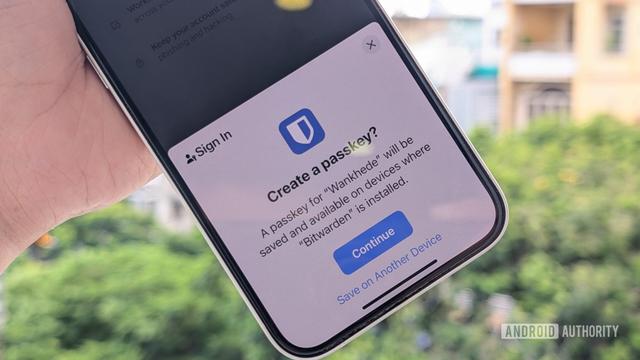
@internic @WeirdWriter I've found #1Password to have an excellent passkey experience on both PC and Android and they're big proponents - they manage a directory of web sites and apps that have implemented them. I think their Apple equivalents are also well regarded.
Coming from #KeepassXC and #Bitwarden, I've been casually using #1Password for a while and have to admit that their user interface (Chrome Plugin, WebApp) is absolutely *terrible*. Apparently their UX team has no clue what to do with a password manager. I never thought that I as a security person are going to hate a password manager but man, they really did it...

Apple have committed a number of own-goals lately, but most self-respecting developers still try their best to adhere to certain standards regarding the Mac user experience.

@1Password, on the other hand, have taken it upon themselves to ignore the user's specified highlight colour and just make it blue. The stated reason for this is so that it provides 'a more consistent and polished experience across all platforms, ensuring that 1Password looks and feels the same whether you're using it on your Mac, Windows PC, or in your browser'. Decide for yourself how believable this sounds.

The jarring visual dissonance that occurs when this bright blue thing pops up when you need to enter a password has to be experienced to be believed.

Bad enough that they're jumping onto the 'AI' bandwagon, but this level of ignorance on the part of a major developer about the macOS user experience is stunning. They can fix this or lose at least this customer.

#1password #mac #macos #ui

And Tower works beautifully with #1Password dev tools, too! #iosdev #macdev #macos
Just heard back from #1Password support regarding one of my support issues. It is very refreshing to hear from a company who not only know about JAWS, but whose representative knows what the JAWS default settings are, and is testing what we are discussing. That makes a lovely change and it means we can have a very sensible discussion.

Ein Glück, bin ich doch schon damals als #1Password in die Cloud zug, weg davon.

Davor war das eine tolle App! Damals noch Mac only. Jahrelang zufriedener Nutzer gewesen.

Jetzt steht auf der Homepage:

„Den Zugriff für Menschen, KI-Agenten und Maschinenidentitäten vereinheitlichen“

NEIN! Einfach: NEIN!

I have now spent almost a week with the #1Password app, and I have to say, I really don't know how I lived without it. It's one of my top apps I use every day, like Fast-SM and FastPlay. Since I got them, I haven't used anything else for the tasks at hand. What a year it has been in terms of discovering apps.

I have created some JAWS scripts for 1Password, but the scripting is minimal because it's not especially necessary. The one tip I can pass onto anyone is to use Quick Access, Control+Shift+Space. There is enormous power behind that keystroke, perhaps more than you would think.
It allows me to open a secure note in a virtual view, and it does not have the disadvantage of opening it up in the full 1Password app where focus is often lost when moving out of, and into, the app. I did script around that focus issue but I've removed it because of Quick Access.
I can also launch web sites from Quick Access and copy usernames and passwords for areas where the browser extension is not supported.

As I say, I have modified JAWS behaviour a small amount in some areas But I would recommend the app to anyone. In summary, it gives me anything all in one place: web sites I need to launch and log into together with all my notes. I've got a lot added to it now to make it very functional both for personal and professional use. I know principally it is meant to be a password manager, but it's saving me a whole heap of time in many other areas.

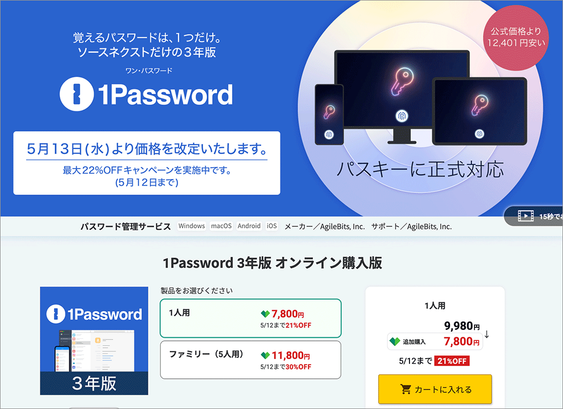
Übermorgen wird der Preis von #1Password für unseren Family Account auf ca. 84€ pro Jahr erhöht.
Wir verlegen den #DID vor und migrieren heute Abend final zu #Vaultwarden.
So a solution to the #1Password issue of JAWS announcing the word, Mark, has been discovered.
It doesn't explain why the app is highlighting these words, but it does mean that we don't need to hear about it.
I have put this into the JAWS scripts which I will make available for anyone to download if they wish, probably in a week or two.

Further note sent to #1Password support.
Hi,

I’ve been able to reproduce the “mark” announcement issue outside of 1Password using a minimal HTML test case.

Specifically:
When text is wrapped in either a `<mark>` element or an element with `role="mark"`
And presented in a read-only “viewer”-style container
JAWS announces “mark” and “end mark” during line-by-line navigation

This suggests that in 1Password:
The Secure Notes viewer is intermittently exposing “mark” semantics
Likely due to unintended or stale highlighting (I also observe occasional colour changes)

Since this occurs even when:
Markdown is disabled
The note contains only plain text

It appears that the issue is not content-related, but rather due to how the viewer component renders or updates its accessibility tree.

I have written code to simulate this at
https://hartgenconsultancy.com/test

Mark Test – Hartgen Consultancy