Some advise for new peeps on Mastodon:

The people you're following would generally *love* to follow you back IF you:
* Post an #Introduction toot and pin it
* Fill out your profile's bio
* Put in a profile picture

Whenever I get a follow request and there's no profile pic, no bio, no intro, and no toots posted yet in general, I don't follow back, because I don't know anything about that person. It's like being introduced to a person wearing a bag over their head. ;)

#Boost please :D
s/advise/advice/
derp! I've only been speaking English fluently for 40 years, derp!
Thank you for that info. So the mobile client doesn’t yet have all the functionality? (And there are multiple mobile clients to choose from? Does anyone recommend one as being the most complete? Mine seems to be missing a lot.)

@RL_Dane

That is a piece of great advice!

@RL_Dane great advice thank you.. still finding my feet here

@RL_Dane

Q: *how* do I pin a post? I’ve googled and nada

@vocalginge

Depends a lot on which client or frontend you're using, but if it's the actual standard mastodon web interface, you just hit the … on the bottom of the post and select "Pin on profile."

Most mobile clients don't have ALL of the features, so definitely try just going directly to your instance with a web browser when you can't find a feature you're looking for.

I've also verified that the mobile-friendly web-frontend https://pinafore.social offers the pin feature.

Home · Pinafore

An alternative web client for Mastodon, focused on speed and simplicity.

@RL_Dane Thx. Was able to do so on web interface. :)
@vocalginge @RL_Dane yup. I ran into the same issue on the Android app as well. Some teething issues are to be expected.
@No_Sympy @vocalginge @RL_Dane
Me too. Going to try using a pc browser.
@RL_Dane how do I pin a message?
R. L. Dane (@[email protected])

@[email protected] Depends a lot on which client or frontend you're using, but if it's the actual standard mastodon web interface, you just hit the … on the bottom of the post and select "Pin on profile." Most mobile clients don't have ALL of the features, so definitely try just going directly to your instance with a web browser when you can't find a feature you're looking for. I've also verified that the mobile-friendly web-frontend https://pinafore.social offers the pin feature.

Fosstodon
@RL_Dane @planet4589
Immediately added an intro... 😉
@RL_Dane @planet4589
Only, due to privacy reasons, I don't like to add a picture of myself.

@werdenfels @planet4589

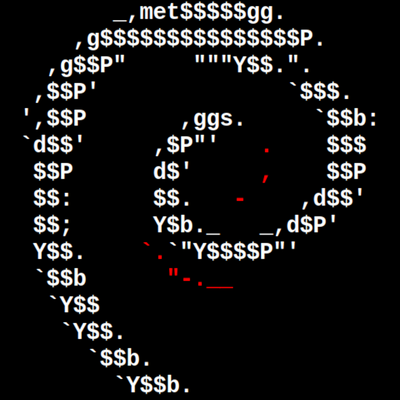
Oh, your profile doesn't have to be a photo of yourself or even a photo at all (mine is a screenshot from a terminal! ;)

Just something that visually describes you, or even that is visually distinctive is enough.

Take @tulpa, ... please! (lol, you know I think you're awesome, dude)

@RL_Dane @planet4589 @[email protected] thanks, but no, I'm not awsome. Just an ordinary person.

@werdenfels @planet4589 @tulpa

Actually, that was addressed to @tulpa, since I was poking fun, but you're awesome, too!

Ordinary *IS* awesome. The sublime is almost always subsumed in the mundane.

Cheers.

@RL_Dane That’s why you have such a clear profile picture of yourself. Thanks! 😀

@jossluijsmans

Well, at least you know I like #Debian!

Actually, I need a new one. It'll still not be an actual photo of myself, because that's just (not) how I roll ;)

@RL_Dane How does one pin a post? I’m using the Mastodon app for iOS.

@CautionWIP

A lot of the mobile apps don't have all of the features of the web interface. Go to your instance's website directly, or use the lightweight front-end https://pinafore.social

@RL_Dane
#newhere
Hey Dane; thank's for the advise:)
Allow me one question:
what is the advantage of a pinned toot over a description in the bio?

@Hasenkoettel

Mainly that it shows up right next to your bio and gives you more room.

Also, that people actually search using the #introduction hashtag, so you'll be discovered a bit more.

@RL_Dane yes this absolutely! I keep having to check names on Twitter because there’s nothing in the bio
@felicityhannah @RL_Dane I just arrived here. How does one pin a post?
@felicityhannah @RL_Dane I had to switch from the app to the website, but I worked it out. Anyway, thanks for the tips.
@RL_Dane you are the first I’ve encountered who has information in the About tab. It’s a useful template.
@RL_Dane thanks! Catching up quickly… or slowly. New world 🌎
@RL_Dane It’s crazy our first instinct is the benign account has the earmarks of a foe. I had a sleazy troll in the first few hours of joining. The same person got to a few people.
@KimIsHere @RL_Dane , I've had just one creeper so far in the few days I've been here. That's pretty remarkable by social media standards.
@RL_Dane quick question, if you don’t mind… how do I pin a toot? Still figuring this out, thanks!
@bellhistory @RL_Dane Same here! It’s not obvious how to do that.
@RL_Dane I always forget to do a "intro" on new sites. I tend to just jump into conversations with both feet. I did finally get a pic small enuf to use for my profile and posted a bio but intro... Maybe tomorrow if I have time.

@annaraven

Give the void kitteh head pats for me.

@RL_Dane
Hi, I mostly just follow for the great content posted by those I follow. Sure, I do comment, but do not really mind if I'm followed by others. Is that considered rude or unfriendly?

@ltz

Not at all!

Lurk to your heart's content! 😅

@RL_Dane trying to do these things. Having problems getting things to save and getting server error messages. Thank you for the tips though! I’m sure I’ll get it sorted out eventually!

@SpraklesBooth

Could be your instance is inundated right now. Choices:

1) Wait
2) Donate to hosting
3) Switch instances

I'm personally more of a fan of 2) 😅

@SpraklesBooth

Sorry for the crazy late reply. Tusky was saving messages it failed to send to drafts and I didn't realize it until now. :E

@RL_Dane Thanks. Will do. Having difficulty uploading a profile pic that fits the servers requirements at the moment. And not sure how to pin. Will keep at it.
R. L. Dane (@[email protected])

@[email protected] Depends a lot on which client or frontend you're using, but if it's the actual standard mastodon web interface, you just hit the … on the bottom of the post and select "Pin on profile." Most mobile clients don't have ALL of the features, so definitely try just going directly to your instance with a web browser when you can't find a feature you're looking for. I've also verified that the mobile-friendly web-frontend https://pinafore.social offers the pin feature.

Fosstodon
@RL_Dane thanks for that info, next I must get to my intro toot.
@RL_Dane I followed your directions.

@RL_Dane

How do you pin a toot?
[I'm using the Mastodon Android app, if that's relevant.]

@JeffreyBSmith

You have to use the web interface, or https://pinafore.social

Many mobile apps lack many features.

Home · Pinafore

An alternative web client for Mastodon, focused on speed and simplicity.

@RL_Dane I can see why that might be the case but if you look at people’s posts you get an idea of who they are and what they’re about. I’m one of those people who doesn’t like to enter data about myself but I hope that doesn’t put you off!

@julz

Sure, it doesn't have to be all-or-nothing. If someone has interesting posts but no bio, they'll still get a follow.

But sometimes you're in a rush and don't get a chance to look at the posts. The bio and the avatar is your first introduction to whomever you've followed.

The bio can be one sentence. Just something about you.