New blog post!

Do you like Lego? Do you like Linux? I think I've found the most Lego-ish Linux of the bunch: Gentoo Linux!

Using the Gentoo minimal install image and Reading The Fine Manual, I show the choices I make to create an encrypted Root-On-ZFS minimal Linux system with "just enough" to provide a solid foundation to build upon further: whether that be setting up a desktop, laptop, or server.

https://www.dwarmstrong.org/gentoo-install-zfs/

#Gentoo #Linux #ZFS #ZFSBootMenu

Just Enough Gentoo ☯ Daniel Wayne Armstrong

Libre all the things

@dwarmstrong I love #zfsbootmenu but haven't quite got the hang of using boot environments with it. I find parts of the documentation a little opaque in places and I've been using #ZFS since it was #Solaris-only...

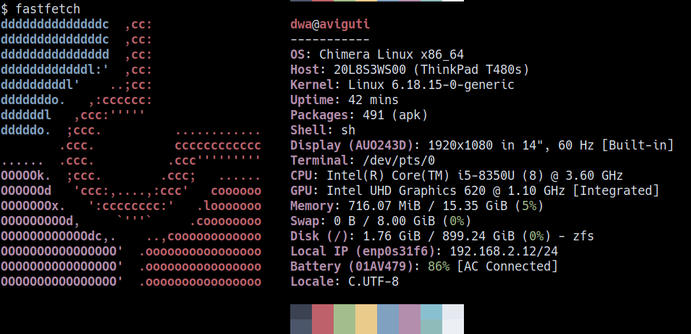
Today I used ZFSBootMenu + zfs snapshot/rollback functions for the first time to restore a machine back to its original state at first boot of a Chimera Linux system (when I had immediately taken a snapshot).

Worked like a charm. Its probably old hat to the pros but I was very pleased!

Back to experimenting!

#ZFS #ZFSBootMenu #Chimera #Linux

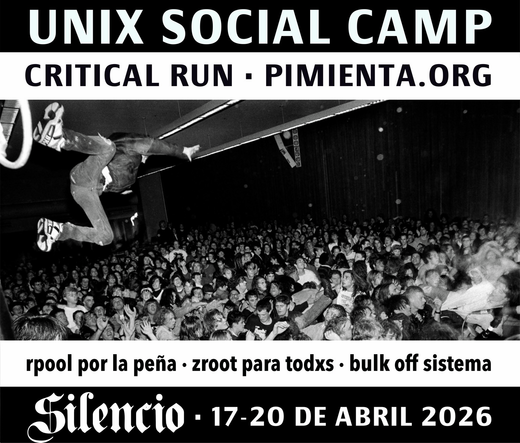
Introducing USC <CR> editions 🤘
#zfs #incus #zfsbootmenu #debian

Updated post!

Chimera Linux is a delightful community-driven distribution built from scratch that does things differently: `musl` instead of the typical `glibc` for C library, `dinit` over `systemd` for system init, and a userland derived from FreeBSD core tools.

I show the choices I make to create an encrypted, minimal system with "just enough" to provide a solid foundation to build upon further:

https://www.dwarmstrong.org/chimera-install-zfs/

#ChimeraLinux #ZFS #ZFSBootMenu

Just Enough Chimera Linux ☯ Daniel Wayne Armstrong

Libre all the things

Chimera Linux does things differently: the distro is built from scratch, musl instead of glibc, init is dinit, FreeBSD userland, ...

Fresh install on my Thinkpad using OpenZFS and ZFSBootMenu. Curious to explore further. I'm thinking of a setup where Chimera is my desktop and FreeBSD on a home server.

#ChimeraLinux #musl #dinit #FreeBSD #ZFS #ZFSBootMenu

@mcc @whitequark I run root on ZFS and #zfsbootmenu on my two primary devices (desktop and laptop) and I've been very happy. Native encryption on my laptop, compression on everything. NAS FS is also zfs and I rely on incremental snapshot send for off-site backup. Rsync used to take 15 minutes just to calculate changes that need to be sent, this is essentially instantaneous now.

So after a week with #zfs and #zfsbootmenu on my #alpinelinux install I must say both are real gems.

Example: I made a backup of my datasets on USB SSD. You just change few zfs properties and you have not only a backup but also full, working copy of your entire system in the drawer. In case something goes wrong you can boot from it and have a great rescue system with all tools you can imagine. If a tool you need is not there you just do "apk add ...".

Yesterday I migrated my #alpinelinux install to #zfs and #zfsbootmenu. It was not too difficult even though I've done it from partition to partition on one drive. Although I wouldn't recommend it to a non techy person.
I even managed to compile zfs modules for my custom LLVM compiled kernels.

So not a big deal actually.
Looking at you @vermaden 

@joel I've not used it with Slackware but I can highly recommend #ZFSBootMenu - https://zfsbootmenu.org/ They don't have an installation guide but I'm sure it can be done...
Overview — ZFSBootMenu 3.1.0 documentation