𝗩𝘂𝗲𝘁𝗶𝗳𝘆:
#Vue #Material #Framework #Vuetify
https://thewhale.cc/posts/vuetify
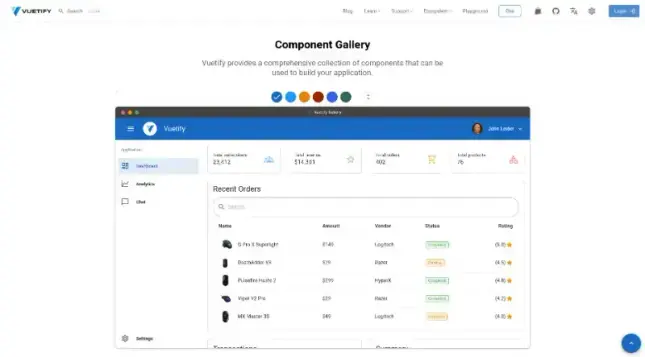
Material component framework for Vue.js Vuetify is an open source MIT project.
𝗩𝘂𝗲𝘁𝗶𝗳𝘆:
#Vue #Material #Framework #Vuetify
https://thewhale.cc/posts/vuetify
Material component framework for Vue.js Vuetify is an open source MIT project.
I read the doc and I'm able to show the tooltip OR the popup, but when I try to activate both that doesn't work.... 😓
I've been able to work on Rack Root some more lately, and been spending a lot of time writing tests for the backend. At some point, I'm going to need to make sure I'm covering ALL the code paths, especially the ones that raise exceptions.
I didn't quite do test-driven development, but I do have most branches of the logic covered for a lot of scenarios. I'm up to 67 tests so far, but I'm sure I'll be over 100 once I add more functionality like associating IPs to devices.
For now though, I'm finally getting to write some of the frontend code to handle DHCP ranges on a given subnet. It does feel good to get back into that code.
#programming #rackroot #python #pytest #opensource #fastapi #vuetify
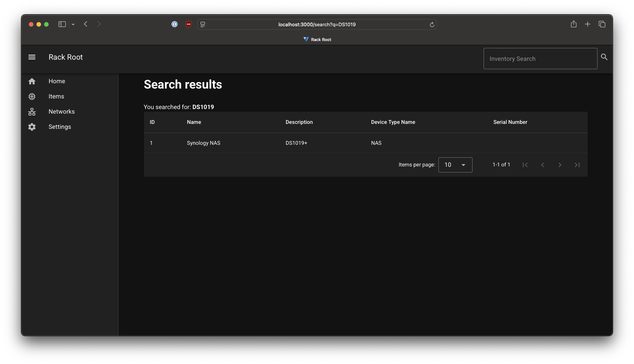
Search results are working now, all the way through to the front end!
I was curious if I needed to worry about HTTP encoding/decoding of things like spaces/%20, but it looks like everything from the frontend to the backend is helping me with all of that. Search results are coming back as expected, though notably not partial string matches. To find the string DS414 for example, you need the whole DS414 and not just 'DS', which isn't the behavior I want. That'll be the next thing to fix.
I am also going to need to fix how the backend is talking to the database, which may mean fixing all of the fields to be lowercase/snake_case instead of camelCase. I discovered that when I was working on the triggers for finding these search results. My preference would be to name the database field somewhere in the Column(...) definition instead of refactoring most of my API calls, but we'll see what SQLAlchemy has for me there.
Then I'll add search support for networking/DHCP and I can get past this hurdle.
#http #programming #vuetify #fastapi #postgres #sqlalchemy #rackroot #homelab
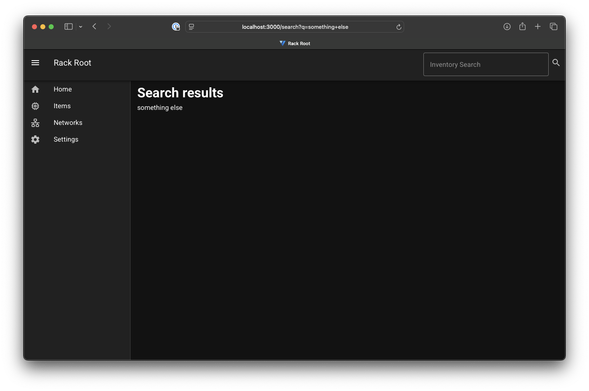
Rack Root update: tonight I finally got the search page working and passing parameters the way I need it to. There's a search box in the top right hand corner that will take in a given string and (eventually) go ask the API for objects that match the search terms.
This took a while to put together since entering a search term will redirect you to `/search?q=foo` and that renders properly the first time. With Vuetify however, if you enter another search term while on that page, the app sees you're already on `/search` and doesn't update the values on the page, even though the search parameter is different.
The solution was thankfully found in a GitHub issue (linked below) where other people were looking for the same kind of functionality. This also taught me about the Navigation Guards that Vue/Vuetify come with to handle page navigation/movements. The app knows when you're on the same page and will make decisions based on that.
During my testing I just echoed the search parameter back to the user, but now that the hard part is done, I just need to write the API for it and render that on the frontend. Surely there won't be any complications with asking the API for multiple different objects back... that'll really test my database and python skills.
https://github.com/vuejs/router/issues/1257#issuecomment-2072052011
#rackroot #programming #homelab #justkeeplearning #vuetify #webdev #developer #fastapi #python
It's been a while since I've posted an update for Rack Root, but I've actually made some progress on it lately.
I've finished my refactor to use SQLAlchemy for the database connections and also (finally) figured out how I want to join tables together and relate things.
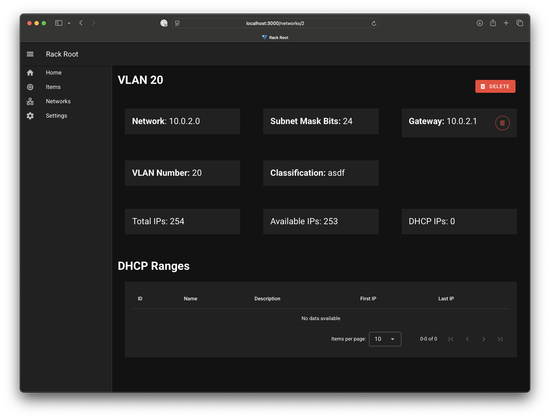
I also changed some API endpoints. For example, if you look for /network/$id/gateway and there's no gateway, you get a 404. I also changed the UX around gateways. When you make a new network, there's no gateway assigned, so that part of the page has a green + icon. When you set a gateway, that icon is now a red delete icon. Those update the field and icon dynamically without having to refresh the whole page.
The new networks page also will look at the result and see if you got an HTTP 201. If so, you get redirected to the new page. Else, you get an error message. I'm not sure if I want to add more detail to that, it would require the frontend to parse and guess what went wrong. Maybe that's an assignment for another day.
Finally, there's a new Delete network button on the network detail page.
#rackroot #homelab #vuetify #fastapi #sqlalchemy #frontend #backend #fullstack #pytest

Nuxt2からNuxt3にバージョンアップした話
https://dev.classmethod.jp/articles/nuxt2-nuxt3/
"But to watch #AgathaAllAlong you should've seen #WandaVision, and to understand what's happening there, you shoud've seen a bunch of #MCU movies."
"Okay, which ones?"
"Well…" *hacks together a #Vuetify application* "At least those with the exclamation mark."
(Keep in mind I'm no designer. And no, I don't have a link, this is a HTML file on my local machine. Also, characters are selected based on their relevance for Endgame or WandaVision.)