 Shawn Brink
#VisualStudioCode version 1.126 release available #VSCode
https://www.elevenforum.com/t/visual-studio-code-version-1-126-release-available.47733/
https://www.elevenforum.com/t/visual-studio-code-version-1-126-release-available.47733/

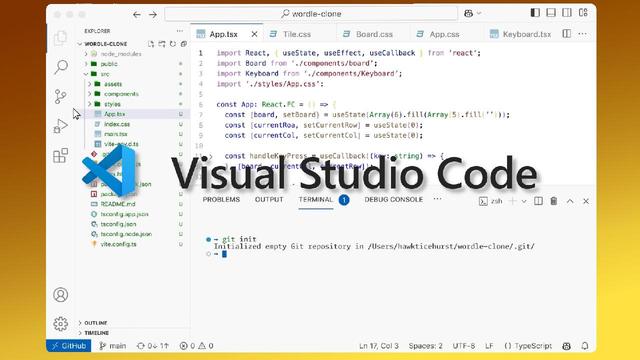
Интегрированная среда разработки (IDE): практическое руководство
Интегрированная среда разработки — это гораздо больше, чем просто текстовый редактор с подсветкой синтаксиса. Это центральный узел, в котором...
#DST #DSTGlobal #ДСТ #ДСТГлобал #SublimeText #Vim #Atom #IntelliJIDEA #Eclipse #PyCharm #Xcode #IDE #Текстовыередакторы #GitHub #PyCharm #VisualStudioCode #Компиляторы #программноеприложение #инструментыразработчика
Источник: https://dstglobal.ru/club/1241-integrirovannaja-sreda-razrabotki-ide-prakticheskoe-rukovodstvo


I use Visual Studio Code in one project, mainly because it's a mix of scripts and various languages. The thinking was that it can handle many languages well.
Nope. It's a clusterfuck when it comes to actually knowing absolutely anything about the languages or my code base. Auto completion never surfaces relevant stuff, rarely even variables declared one line above or function parameters. It's like coding with Emacs in 1995, except Emacs was better at the actual editing.


A Record-Breaking Patch Tuesday for June 2026
https://krebsonsecurity.com/2026/06/a-record-breaking-patch-tuesday-for-june-2026/
#InternetInformationServices #NightmareEclipse #VisualStudioCode #LatestWarnings #TheComingStorm #CVE-2026-45586 #CVE-2026-49160 #CVE-2026-50507 #SecurityTools #SatnamNarang #TimetoPatch #AdamBarnett #GreenPlasma #YellowKey #Tenable #Rapid7
https://winbuzzer.com/2026/06/07/vs-code-1123-turns-ai-sessions-into-project-memory-xcxwbn/
Microsoft has released VS Code 1.123 with portable AI session history, /chronicle commands, and an extension-update delay for safer daily agent workflows.
#VSCode #VisualStudioCode #Microsoft #GitHubCopilot #AICoding #AIAgents #AIAssistants

 DST Global
 Jan Ekholm
 KrebsOnSecurity RSS
 Scripter
 Winbuzzer
 Eric-Oliver Mächler