@avatastic then the setup with #OBSstudio should be even easier as you don't need to fiddle in the #v4l2loopback device...

https://www.youtube.com/watch?v=86IRVp7Bpqo

You're welcome!

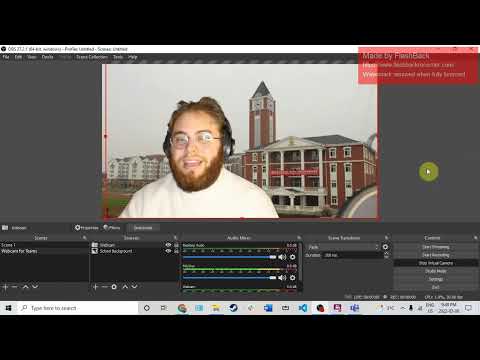
How to use OBS to change your Background in Microsoft Teams

YouTube

@avatastic No, that's because the cutout filter is designed to barely exceed human rounded heads.

- You may want to use #v4l2loopback + #OBSstudio with a #GreenScreen to manually add a different background and pipe that in as #Webcam footage.

This is how a lot of folks do it...

Dos horas invertidas en "arreglar" #v4l2loopback porque no conseguía hacer funcionar la cámara virtual de OBS en el navegador...

¡Y no era problema de v4l2-loopback!
 

Bueno sí, un poco, pero la solución no funcionaba porque únicamente estaba haciendo pruebas en #Jitsi... Y resulta que Jitsi es demasiado quisquilloso con los parámetros de cámara para detectarlas (por ejemplo, no las reconoce si se configuran a más de 30 FPS o con un formato de video distinto a YUYV 4:2:2). Otras aplicaciones web de videollamada funcionaban sin necesidad de verificar esos parámetros.

En fin, todo sea por la ciencia...

If anyone, using Fedora Linux 42, has issues with OBS-Studio and the Virtual-Camera mode:

That's because of an incompatibility between OBS-Studio 31.0 and the v4l2loopback Kernel module in version 0.14.0.

The fix for that is in obs 31.0.3, which is on the way from testing to stable right now. Should be offered as an RPM update within the next days.

Fedora Bugfix Update:
https://bodhi.fedoraproject.org/updates/FEDORA-2025-85fcdbf461

Upstream Bug: https://github.com/obsproject/obs-studio/issues/11891

#linux #fedora #obs #v4l2loopback

FEDORA-2025-85fcdbf461 — bugfix update for obs-studio — Fedora Updates System

management of Fedora Project updates

Writing down this for myself for the most part to get idea what to write to the cover letter later on.

My RFC driver model for v4l2-loopback will be centered around /dev/video_loop. It has only single ioctl (OOT driver has three), which has N input parameters (describing metadata for the video device) and exactly two output parameters:

1. capture_fd: communications end point for the virtual capture device. Created using anonymous inode.
2. output_nr: /dev/video{output_nr} is the V4L2 device for the output.

There is no query ioctl because any sane program should at minimum know what resources it creates and should not have privilege in the first place to peak others resources.

There is no remove ioctl because close(capture_fd) destroys /dev/video{output_nr}

Neither overlay nor dma-buf support in the initial version (should be reviewed from basis that these can be extended later on).

#linux #kernel #video4linux #v4l2loopback
I didn't remember that for #obs to show the *start virtual camera* button, you had to install and load #v4l2loopback first.
@olmitch jist don't turn on the camera at all or use #V4L2loopback to play a "conference nodding video" instead.

@redcat @schenklklopfer +9001%

Protip: "Office Nodding" als Schleife per #V4L2loopback für den Kamera-Feed einblenden für all die #Webcam-Fetischist*innen...

Thanks to #v4l2loopback, #ffmpeg, and https://github.com/nhtua/greencam, I have finally managed to cobble together a GPU-powered virtual green screen effect in #OBS Studio for #Linux that doesn't sacrifice the ability to display the unaltered camera stream. 🤘
GitHub - nhtua/greencam: a virtual green backdrop for OBS Studio

a virtual green backdrop for OBS Studio. Contribute to nhtua/greencam development by creating an account on GitHub.

GitHub