 Hackaday [Unofficial]
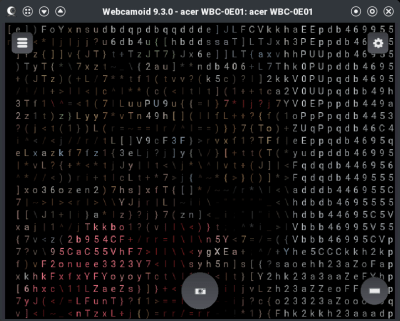
Linux Fu: Fake Webcams, GUI Edition
https://fed.brid.gy/r/https://hackaday.com/2026/06/03/linux-fu-fake-webcams-gui-edition/

Linux Fu: Fake Webcams, GUI Edition
https://fed.brid.gy/r/https://hackaday.com/2026/06/03/linux-fu-fake-webcams-gui-edition/
@avatastic then the setup with #OBSstudio should be even easier as you don't need to fiddle in the #v4l2loopback device...
https://www.youtube.com/watch?v=86IRVp7Bpqo
You're welcome!
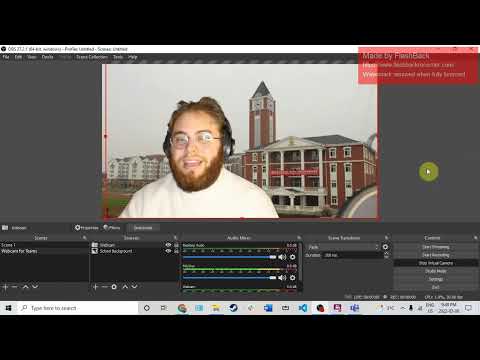
@avatastic No, that's because the cutout filter is designed to barely exceed human rounded heads.
- You may want to use #v4l2loopback + #OBSstudio with a #GreenScreen to manually add a different background and pipe that in as #Webcam footage.
This is how a lot of folks do it...
Dos horas invertidas en "arreglar" #v4l2loopback porque no conseguía hacer funcionar la cámara virtual de OBS en el navegador...
¡Y no era problema de v4l2-loopback! 
Bueno sí, un poco, pero la solución no funcionaba porque únicamente estaba haciendo pruebas en #Jitsi... Y resulta que Jitsi es demasiado quisquilloso con los parámetros de cámara para detectarlas (por ejemplo, no las reconoce si se configuran a más de 30 FPS o con un formato de video distinto a YUYV 4:2:2). Otras aplicaciones web de videollamada funcionaban sin necesidad de verificar esos parámetros.
En fin, todo sea por la ciencia...
If anyone, using Fedora Linux 42, has issues with OBS-Studio and the Virtual-Camera mode:
That's because of an incompatibility between OBS-Studio 31.0 and the v4l2loopback Kernel module in version 0.14.0.
The fix for that is in obs 31.0.3, which is on the way from testing to stable right now. Should be offered as an RPM update within the next days.
Fedora Bugfix Update:
https://bodhi.fedoraproject.org/updates/FEDORA-2025-85fcdbf461
Upstream Bug: https://github.com/obsproject/obs-studio/issues/11891

 Nicolas Delsaux
 F3715H
 Leo 🇲🇽
 Larvitz
 Jarkko Sakkinen
 aluaces
 Kevin Karhan