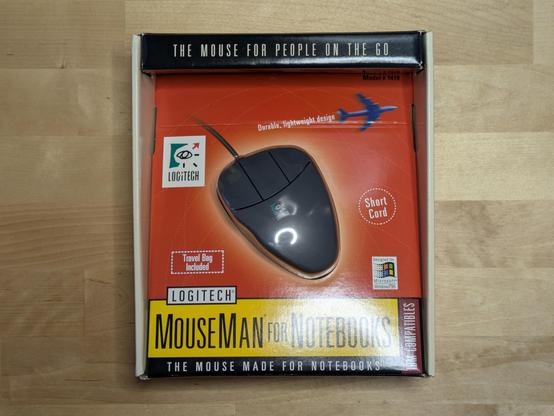
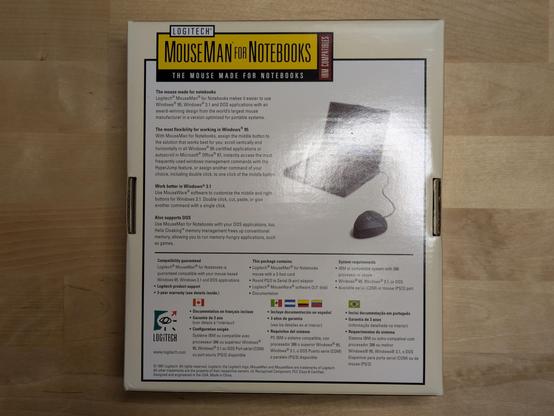
Here's what the #Logitech ML38 more normally looked like. This is the Logitech MouseMan for Notebooks - exactly the same mouse internally as the Sensa models, but with a shorter cord for more convenient laptop use. Check out that vintage Logitech logo! #retrocomuting

NetBSD 10.x kernel MATH_EMULATION

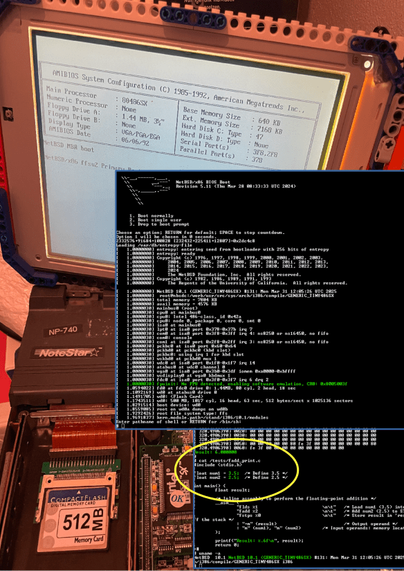
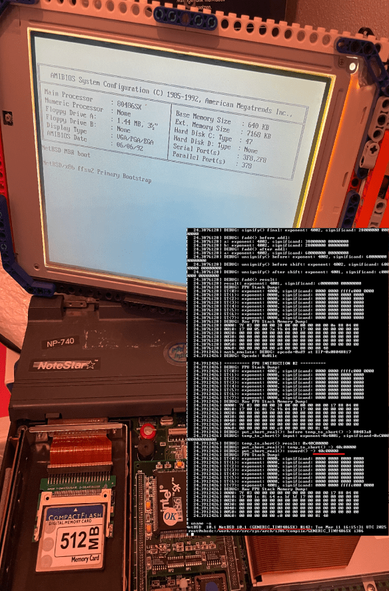
This is my battle-worn, falling-apart laptop rocking an #i486SX CPU from the early ’90s. It’s so ancient that it doesn’t even have an FPU (Actually, that’s not true, they just cut-out FPU from i486DX to make CPU cheaper)! Anyway, I’ve always dreamed of running a modern UNIX-like OS on it.

So, I spent some time resurrecting math emulation in the #NetBSD-10.x kernel, and guess what? I did it! But here’s the kicker—the very moment I finished compiling the kernel, ready to test my work, my laptop decided to stop recognizing the Enter key. Just like that. Now, I have no idea if my FPU emulation actually works or not!

So, #retrocomputing folks—if anyone out there has an i486SX machine and is willing to give this a spin, I’d really appreciate it!

UPD: 11.03.2025: Significant progress

  • FPU-emulation code is triggered by the kernel – done
  • First successful addition operation using FPU instruction: fadd 3.5 + 2.5 for single precision short real – done
  • All other instructions and formats to be checked and probably fixed.
  • UPD: 31.03.2025: Results delivered to the user

    Today the simple, yet correct, calculation results were successfully delivered to the user!

    UPD 2025.04.27:🚀 First Release is Here! 🚀

    I’m excited to announce the first release of i486SX_soft_FPU — a software FPU emulator for the classic Intel 486SX CPU, running on NetBSD 10!

    This project brings floating-point support back to life for 486SX machines, even though modern NetBSD versions no longer natively support processors without a hardware FPU.
    If you’re into retrocomputing, operating system hacking, or just love old-school hardware, check it out!

    👉 Project page: https://github.com/mezantrop/i486SX_soft_FPU
    Contributions, feedback, and testing are all very welcome!

    Let’s keep these vintage machines alive! 🔥🖥️

    #retrocomputing #NetBSD #486SX #opensource

    UPD 2025.05.03: 86Box

    Just successfully tested #NetBSD-10.1 with #i486SX #FPU_emulation on #86Box

    #486SX #86Box #FPUEmulation #FPUEmulation #i486SX #NetBSD #opensource #retroComuting #retrocomputing
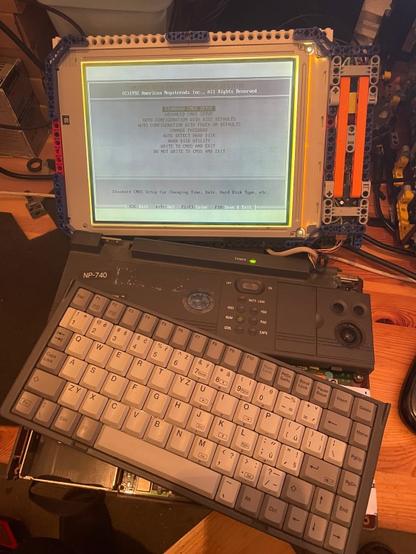
    There’s at least three or four other things on the list but I need/want this one for Amiga Ireland in January. #Amiga #RetroComuting

    My Christmas project is, I think, to rebuild my 030 A500 into the new case I won in the AmiGameJam, including finally assembling and installing the A314-CP. Probably do an upgrade to Workbench 3.2 latest as well.

    #Amiga #RetroComuting

    @Remittancegirl I’ll offer my small amount of advice which is: Mastodon allows you to follow hashtags. So if you're interested in, say, retro computing then following the #retrocomuting tag will let you see posts (and people) you might not otherwise know were there. It's a superb feature.

    #introducuction #retropc #retrocomuting
    Здарова, русская феди. На этой странице вы сможете читать про мои вылазки за ретро железом. Также будут и другие заметки, анонсы по теме.

    Пожалуй сразу и начнём. История про сервер мать на 603 сокете.

    Гуляю я прекрасным летним деньком по своему default_city.
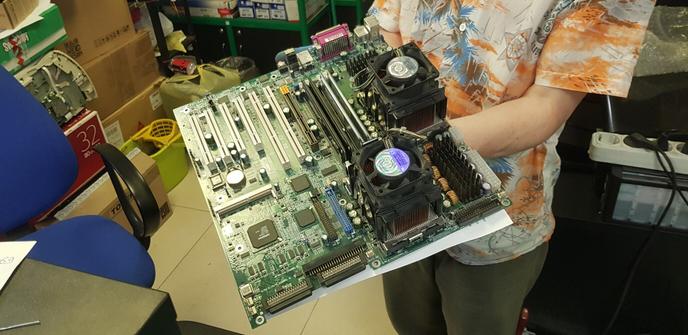
    Центр. Витрина мастерской. Двухпроцессорная зелёная штука. Взгляд, искра.
    "Плата для витрины и не продаётся" - сказал голос в голове, но я всё же решил узнать, могу ли приобрести. На удивление, предложили за неё 500р (несколько человек уже интересовались, но узнав какой тут сокет - отказывались).
    Попросил проверить мать :) но т.к без доп 8pin питания ничего не заработало, я скинул цену до 250р.
    Удачно погулял, скажу я вам :))

    По итогам получил мощную основу для сборки 2002г c двумя Xeon 2Ггц, 768мб RDRAM.
    Осталось только вытащить со старого сервера подходящий бп и можно заводить.

    To be continued

    @rf

    Success!! Ok, here's what I did to create an .iso file that I could open on a Windows VM:

    1. Insert disc, open Disk Utility
    2. Select disc
    3. File > New Image > [disc]
    4. Format = DVD/CD master
    5. Convert .cdr file to .iso file in Terminal:

    hdiutil convert /home/username/original.cdr -format UDTO -o /home/username/destination.iso

    #RetroComuting #VintageComputing #RetroGaming #DOSBox #FreeDOS

    Consoles and Competition

    Reviewing the history of video games explains why Sony is dominant today, and why Microsoft is actually introducing competition, not limiting it.

    Stratechery by Ben Thompson