Nextcloud Vs Pydio
🎯 Overview: What Are Pydio and Nextcloud?
Nextcloud
- Nextcloud is a suite of client-server software that lets you build your own file-hosting service. It’s free and open-source under the AGPLv3 licence. Wikipedia+1
- It supports a multitude of clients: desktop (Windows, macOS, Linux, FreeBSD) and mobile (Android, iOS). Wikipedia+1
- More than “just file storage and sharing”, Nextcloud aims to be a full-blown collaboration platform: you can integrate online office suites (like Collabora Online or OnlyOffice), collaboration tools, calendars, contacts, chat/video (via plugins/apps), and more. Wikipedia+2SaaSHub+2
- In short: think of Nextcloud as a self-hosted “swiss-army knife” for productivity + storage + collaboration.
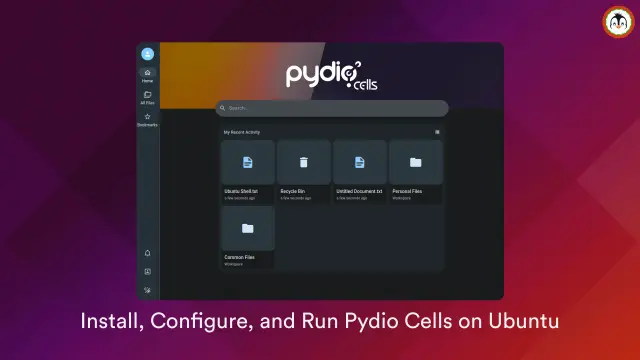
Pydio Cells
- Pydio (Cells) is likewise open-source (AGPLv3) and self-hosted — so your data remains under your control. Wikipedia+1
- Originally known as Pydio (formerly “AJAXplorer”), Cells is positioned as a secure, enterprise-grade document-sharing and management platform. pydio.com+1
- It aims to combine ease-of-use (from “Dropbox-style” simplicty) with the control of a private cloud. pydio.com+1
- Key strengths promoted: large file support (even 5 TB+ per file), advanced workflow automation (no-code “Flows”), robust security (ACLs, encryption, SSO/LDAP/OAuth), versioning, detailed metadata, user/workspace access controls, and the ability to scale flexibly (on-prem, hybrid, cloud, distributed storage). pydio.com+2pydio.com+2
- In short: Pydio is more “document management + secure file sharing + enterprise collaboration,” with a focus on control, compliance, and flexibility for heavy-duty needs.
So both aim at roughly the same problem space: storing, sharing, syncing, collaborating on files — but they differ in emphasis, target use case, and trade-offs.
🔧 Features — Capabilities & What You Get
Here’s a side-by-side of what each offers (or tends to excel at).
✅ Nextcloud: The Feature-Rich All-Rounder
Some of the standout capabilities of Nextcloud:
- File syncing, sharing and versioning: You can sync files across multiple devices and platforms; share internally or publicly; set permissions, generate public URLs, manage sharing rights, etc. Wikipedia+2Wikipedia+2
- Collaboration “beyond files”: Because Nextcloud supports integrations — office suites (Collabora/OnlyOffice), calendars, contacts, tasks — you get a full groupware feel. Wikipedia+2OpenApps+2
- Communication tools: With plugins/apps, you can have chat, video calls, real-time collaboration — making this more than just a “file server”. OpenApps+2SaaSHub+2
- Granular permissions: User and group management, read/write permissions, sharing controls, and more. Nextcloud can be hooked into LDAP/Active Directory or other authentication backends. Wikipedia+1
- Security & privacy features: Encryption (at rest and/or end-to-end, depending on configuration), strong access controls, WebDAV, robust support for multiple database backends (SQLite, MySQL/MariaDB, PostgreSQL for metadata and sharing data). Wikipedia+1
- Large community & plugins: Nextcloud boasts a large ecosystem of third-party plugins/apps. Meaning: need something extra? There’s probably a module for it (or you can write one).
- Scalability—from home to enterprise: Whether it’s your home server, a small team drive, or a big org with hundreds/thousands of users, Nextcloud scales.
So, if you want “everything and the kitchen sink” — and maybe the kitchen too — Nextcloud gives you a lot of tools out-of-the-box (or via app-store).
✅ Pydio Cells: Focused, Controlled, Enterprise-Grade
Pydio has a slightly different emphasis. Its strengths tend to arise when you want serious control, big files, compliance, or structured document workflows:
- Large file and data support: Pydio promotes support for large files — up to 5 TB and more. This is not trivial if you handle big media, datasets, or heavy documents. pydio.com+1
- Workflow automation (“Cells Flows”): Built-in no-code automation engine to define workflows: document lifecycle management, approval chains, retention rules, metadata tagging — ideal for enterprise document management, regulatory compliance, or automated processes. pydio.com+2pydio.com+2
- Metadata & document management features: Beyond just files and folders, Pydio lets you manage metadata, set up structured access control per workspace/project/client, configure advanced permissions, lifecycle, versioning, etc. pydio.com+2Wikipedia+2
- Security & compliance focus: Encryption (TLS/SSL for transport, server-side encryption, optional end-to-end depending on config), strong access controls, audit logs, workspace isolation — which matter if you deal with sensitive data, regulated industries, or simply don’t want your cloud service provider knowing your business. pydio.com+2stayingalive.in+2
- Flexible deployment: Self-hosted or hybrid, distributed storage, private cloud — giving complete control over where data lives. pydio.com+2pydio.com+2
- Simplicity (for file sharing + storage): Pydio’s interface is often pitched as more “intuitive for non-technical users” than a full-blown groupware suite, especially if you just want file sharing, storage and controlled distribution. pydio.com+2Wikipedia+2
Thus, Pydio feels like a “serious file-and-document management platform, for those who care about structure, control and large-scale or sensitive workloads.”
⚠️ Trade-offs & Weaknesses — Where Each Trip Up (or Might Annoy You)
It’s rarely all sunshine and seamless syncing. Both have trade-offs. Let’s examine where they might irritate you (or your server admin) — yes, even while wearing rose-tinted specs.
Nextcloud: Sometimes the Jack of All Trades… But Heavy
- Resource usage and complexity: Because of the breadth of features (especially if you enable many apps/plugins), Nextcloud can become heavy, resource-hungry (CPU, RAM, storage). Some users report setup and maintenance can be “cumbersome” if you want enterprise-grade reliability. SaaSHub+2Wikipedia+2
- Potential performance issues under heavy load: Particularly with large file transfers, many users, or heavy use of extra apps, performance may degrade or require careful tuning. SaaSHub+2jkd.komdigi.go.id+2
- Bloat & what you might not need: If all you want is simple file sync/share, the full Nextcloud experience may feel like using a submarine to cruise across the canal when a rowboat would do. Far too many features you never open.
- Dependency & update overhead: More components, more compatibility concerns — database backends, PHP/JS versions, plugins, etc. This can lead to maintenance overhead, especially if self-hosting for a small number of users or a modest server. SaaSHub+1
In short: Nextcloud is powerful — maybe a bit too powerful if you don’t need all that power. It’s like the Swiss army knife that also doubles as a submarine.
Pydio Cells: Laser-Focused — But Might Be Too “Serious” for Some
- Less of a “kitchen sink” approach: While Pydio covers core file sharing, storage, collaboration, and document management, it doesn’t necessarily give you everything that Nextcloud can — especially in terms of groupware functionality (calendars, contacts, built-in chat/video unless you integrate, etc.). The emphasis is on documents and files. pydio.com+2Wikipedia+2
- Smaller community/ecosystem compared to Nextcloud: That means fewer third-party plugins or “apps”, less variety in extensions, fewer community-driven add-ons and maybe fewer quick hacks to tailor to niche needs — compared to the broad Nextcloud ecosystem.
- Potential complexity for automation / admin: The “power features” (metadata, workflows, ACLs, automation) are great — but you may need more admin-skill or planning to make them work properly. If you just want “drop a file and share link”, this may feel like overkill.
- Less “all-in-one collaboration suite”: If what you really want is something like a self-hosted “Dropbox + Google Docs + Slack + Trello + Calendar + Contacts” — you might miss some of the bells and whistles that Nextcloud (plus apps) delivers.
- Depending on your setup, maybe less seamless syncing or desktop integration: While Pydio supports desktop/mobile clients and WebDAV etc. Wikipedia+1 some anecdotal feedback from self-hosters suggests that filesystem integration or syncing may need a bit more care than more “consumer-ready” services. For example, on certain storage backends, users have noted that Pydio may obfuscate file names when storing them (depending on configuration), which can be a pain if you expect “plain old file system layout.” > “when you setup storage and you select flat file system the obfuscation of filenames occurs.” Reddit
So: Pydio is powerful — for “serious business and document management”, but may feel like using a forklift truck to move a loaf of bread if your needs are modest.
🧑🤝🧑 Use-Cases: When to Pick Which — A Cheeky Decision Matrix
Let’s play “matchmaker” and think about scenarios based on what you want.
Need / ScenarioBetter suited toWhyHome / personal cloud; sync files between phone, laptop, maybe share with family/friends
NextcloudIt offers desktop/mobile clients, good-enough web UI, “set-and-forget” sync + share. All you need without complicated workflow logic.Small to medium team doing general collaboration: shared files, calendars, basic document editing, communication
NextcloudIt’s a one-stop shop: file storage + built-in or plugin-based collaboration (office docs, chat, calendar). You get convenience and flexibility.Small business / home office needing to self-host but wanting ease-of-use and basic sharingEither — depending on priorities. If you value simplicity, maybe Pydio; if you value flexibility and “anything you might need later” then Nextcloud.Pydio gives easy secure sharing; Nextcloud gives headroom to grow.Enterprise / organisation with regulatory/compliance needs, large files (e.g. media, design, video, large datasets), document lifecycle, metadata, structured permissions, audit logs
Pydio CellsIts strengths are in large file support, metadata-based document management, workflow automation, SSO/LDAP, detailed access controls, audit logs. Perfect for GDPR/HIPAA/NIS2-type needs.
pydio.com+2pydio.com+2Organisation that wants “everything under one roof”: files, chat/video, calendar, contacts, tasks, online docs — especially if you already rely on many tools
NextcloudBecause of its extensible architecture and vast ecosystem of plugins/apps.Data sovereignty / privacy / hybrid or on-prem deployments, with a need to control exactly where data lives
Either, but
Pydio slightly edges for enterprises with compliance demands;
Nextcloud wins for flexibility, especially if you want to expand into groupware.Both are self-hosted & open-source; Pydio emphasises enterprise compliance, Nextcloud emphasises extensibility and flexibility.Large file transfers (media projects, archives, large datasets)
Pydio5 TB+ per file support, robust large-file handling.
pydio.com+1Running on modest hardware / minimal resources (e.g. small VPS, old server)
Pydio (maybe)
or Nextcloud, depending on features used.Pydio’s lighter core feature set may be easier to accommodate; Nextcloud may get heavy if lots of apps are enabled.
🧠 Technical & Admin Considerations (i.e. What Will Your Server Admin Do When You Sleep)
If you’re hosting either on your own server (or VPS, or private cloud), there are operational aspects to keep in mind.
Nextcloud
- Needs a database backend (SQLite, MySQL/MariaDB or PostgreSQL) in addition to your file storage, if you want full sharing, permissions, metadata support. Wikipedia+1
- Enabling many apps/plugins increases memory/CPU usage, may require PHP tuning, caching, maybe even web-server tuning — especially under heavy load or many users.
- Maintenance and updates can be more involved — you have to watch compatibility (PHP versions, plugins, dependencies), run database migrations if needed, ensure backups and security patches.
Pydio Cells
- Workflow automation, metadata, and detailed ACLs give you great control — but only if configured properly. That means more planning: think through user roles, workspaces, storage backends, access policies.
- Large-file support and distributed storage is brilliant — but you need enough disk space, and maybe thoughtful storage architecture (e.g. using S3-compatible storage, or distributed storage across nodes).
- Authentication / identity integration (SSO, LDAP, OAuth2, SAML) is available — useful for enterprises — but that means more complexity up front (configuring directory services, syncing users/groups, permissions).
- Less “bloaty” than Nextcloud, but some features (chat, video, built-in collaboration) are not central — if you need them, you might have to DIY or integrate external tools.
In short: Pydio offers a more “controlled, planned, enterprise-style” admin experience, while Nextcloud gives flexibility — but requires more upkeep if you lean into its full potential.
📊 What Do Users & Reviewers Say? — Strengths & Weaknesses From the Trenches
There are some public comparison reviews and user feedback that help illustrate real-life trade-offs. For example, a comparison chart from a third-party review rated Pydio slightly ahead of Nextcloud in device-syncing capability (9.0 vs 8.2), but Nextcloud ahead for file-sharing ease (9.0 vs 7.5). G2
The same review suggests Pydio may have a slight edge in “file following” (useful for teams tracking changes), but that Nextcloud’s “performance and reliability” score is higher overall (8.3 vs 7.2). G2+1
According to a 2023 academic-type article comparing the two: Nextcloud offers more features (documents, calendar, contacts, real-time collaboration), while Pydio — being more lightweight — is sometimes faster than Nextcloud, and particularly useful on less powerful servers. jkd.komdigi.go.id
But the same article notes that Pydio tends to have fewer built-in extras (less “bloat”), and is often more suitable if your focus is file sharing and secure storage rather than comprehensive groupware. jkd.komdigi.go.id+2pydio.com+2
From community anecdotal feedback (on Reddit and elsewhere), some folks like Pydio for reliability with large files — especially when Nextcloud’s desktop client or syncing gets glitchy under load. For instance:
“Pydio uploads LARGE files without the errors … additional pita tuning required for Nextcloud.” Reddit
But others complain Pydio can be “too heavy” or “overkill” if you don’t need the advanced features; or find the interface less friendly if you want “just drag and drop and share”. Reddit+1
So as with any tool: what you hear depends a bit on what (and how much) you expect it to do.
😄 The Fun Bits — (Not Very) Serious Pros & Cons, With a Wry Smile
Because we can’t resist a bit of fun.
- Nextcloud is like a big, noisy Swiss Army tent: it’s got a screwdriver, cork-screw, tent pegs, a stove, a full iron-on-demand, and maybe a minibar. Useful — but lugging it around feels like you’re transporting a small house to the campsite.
- Pydio is more like a sleek filing cabinet with fingerprint lock, built-in shredder and labelled drawers. It doesn’t try to be your kitchen, your lounge or your entertainment centre; it’s all about documents and control.
If Nextcloud were a car, it’d be an estate: roomy, versatile, good for a family road-trip with lots of luggage, but maybe thirsty on fuel. Pydio would be a well-designed van for a logistics firm — not flashy, but built to carry heavy loads efficiently, with crates neatly stacked and locked.
Honestly, if you value flexibility, potential, and a “grow-as-you-go” mindset — Nextcloud is a bit like adopting a puppy: full of possibilities, sometimes naughty, but with love and care it grows into something useful.
If instead you want control, structure, and reliability — like a seasoned old Labrador who knows the route, sits quietly in the boot of the van, and doesn’t eat your sandwiches — then Pydio might be your companion.
🏁 Verdict: Which Should You Use?
There’s no absolute “winner” — only what works best for you (or your organisation). But here’s a rough summary:
- Choose Nextcloud if: you want a flexible, feature-rich, all-in-one solution; you value convenience, collaboration tools, and potential for expansion; you don’t mind investing effort in setup and maintenance; you want to serve a mix of file sharing, docs, chat, calendar, etc.
- Choose Pydio Cells if: your priority is robust, secure file/document storage and sharing; you require large file support, metadata, access control, automation workflows; you care about data sovereignty and compliance; you want control, stability and predictability over bells and whistles.
- If in doubt, perhaps try both (on small sample datasets or with test users) — because they’re both open-source and self-hostable. Think of it as a test-drive before you commit — like trying a sedan and a van before you choose to move house.
🧮 TL;DR (But We Did the Long Read Anyway)
- Nextcloud = flexible, feature-rich, multipurpose, “everything but the kitchen sink” solution. Great for groupware, collaboration, mixed use (files + calendar + chat + documents).
- Pydio = lean(er), more focused on document/file management, control, large-size support, compliance, structured workflows — ideal for enterprises, studios, groups handling big files or sensitive documents.
- Both are open-source and self-hosted — so your data stays yours.
- Trade-offs come with both: Nextcloud can get heavy and complex; Pydio might feel too “serious” or bare-bones if you just want simple sharing or chat.
- Best to match their strengths to your actual needs — not to some idealised “one-cloud-to-rule-them-all”.
#comparison #nextcloud #pydio #selfHosting
 Lioh
Lioh


 Court Guinness

 Winni Neessen
 EuZèbe 🎧
 GNU/Linux.ch
 Ubuntu Shell
 Junicast
 TOV
TOV
 Thomas