 Jungsi
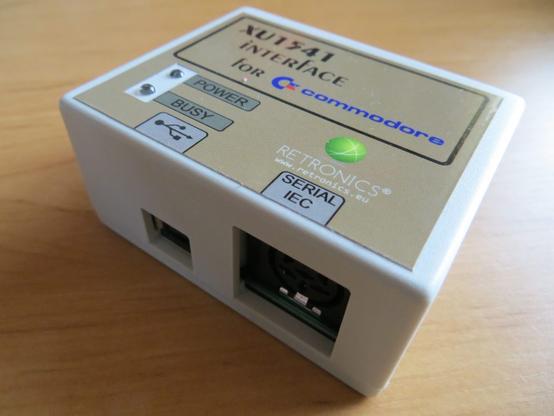
Neuer Artikel auf Jungsis Corner: XU1541 am Windows-11-PC. Ich zeige, wie ich Commodore-Floppies (1541 etc.) mit OpenCBM sichere, worauf man beim Pfad (amd64 bzw. je nach CBMXfer-Version i386) achten muss und welche typischen Fehlerbilder es gibt, inklusive comdlg32.ocx-Thema.
https://www.jungsi.de/xu1541-commodore-64/
 The Oasis BBS
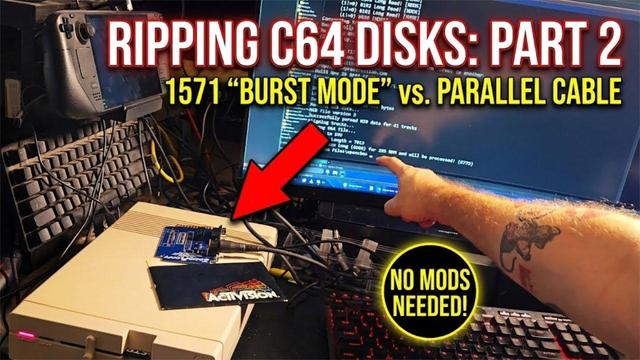
1571 Burst Ripping: Fast ZoomFloppy Disk Copies
#Commodore64 #C64 #Commodore1571 #ZoomFloppy #OpenCBM #Nibtools #DiskImaging #RetroComputing #Ultimate64 #FloppyDisks
https://theoasisbbs.com/1571-burst-ripping-fast-zoomfloppy-disk-copies/?fsp_sid=1016
#Commodore64 #C64 #Commodore1571 #ZoomFloppy #OpenCBM #Nibtools #DiskImaging #RetroComputing #Ultimate64 #FloppyDisks
https://theoasisbbs.com/1571-burst-ripping-fast-zoomfloppy-disk-copies/?fsp_sid=1016
 root42
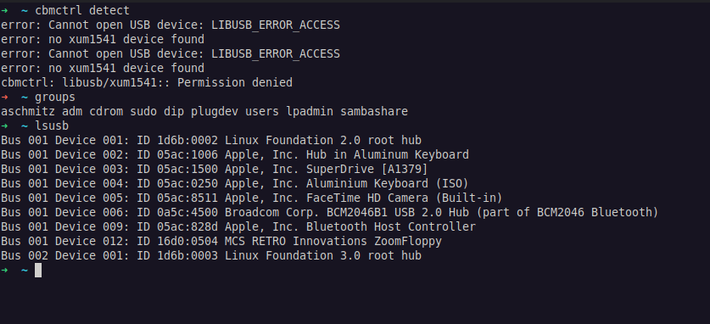
Hm, running #opencbm on #linuxmint is a bit more difficult than expected. I installed OpenCBM via brew, as there are no debian packages for it, it seems. This worked fine under macOS, but on Mint it seems that even though I am in plugdev, the XUM1541 ZoomFloppy is not accessible as a regular user. What magic do I have to do here? Some udev rules?
C64 Nibble Archiving: Rip Physical Disks for Your Commodore 64 Ultimate
#Commodore64 #C64 #C64Ultimate #1541 #RetroComputing #DiskImaging #D64 #G64 #ZoomFloppy #OpenCBM #Nibtools #Maverick
https://theoasisbbs.com/c64-nibble-archiving-rip-physical-disks-for-your-commodore-64-ultimate/?fsp_sid=856
#Commodore64 #C64 #C64Ultimate #1541 #RetroComputing #DiskImaging #D64 #G64 #ZoomFloppy #OpenCBM #Nibtools #Maverick
https://theoasisbbs.com/c64-nibble-archiving-rip-physical-disks-for-your-commodore-64-ultimate/?fsp_sid=856
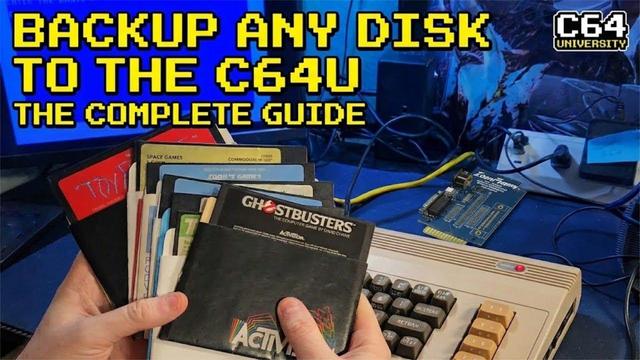
 subetha
Today I tried to build and install OpenCBM on my laptop running Linux Mint 21.3 (Virginia) by using this guide for version 0.4.99.104 from 2022:
https://opencbm.trikaliotis.net/opencbm.html
It turned out that the link to the tarball was outdated and some prerequisites were missing. I'm not much of a Linux geek, but if you're using Mint and just want it to work, my steps might help you.
1. I installed these applications using the Software Manager:
Build-essential
cc65
2. I installed these debian packages using the Synaptic Package Manager:
libusb-1.0-0-dev
libncurses-dev
3. The source code tarball can now be downloaded here:
https://github.com/OpenCBM/OpenCBM/archive/refs/tags/v0_4_99_104.tar.gz
The next steps in the manual worked without any problems for me and I was able to successfully connect my drive (1541-II) with the laptop using a XUM1541 adapter.

 valo
valo Dirk Wouters
XoomFloppy als USB-Kabel
Die ZoomFloppy war mir immer viel zu groß. Daher habe ich in der Vergangenheit einige Projekte gestartet, um das Ganze auf eine wesentlich kleinere Größe zu reduzieren.
Warum überhaupt ein externes Gerät verwenden, wenn das Diskettenlaufwerk dire…
#1541 #1571 #1581 #C128 #c64 #Cable #commodore #Commodore64 #Device #diy #Extension #opencbm #PC #PCB #Printer #Project #usb #XoomFloppy #XUM1541 #ZoonFloppy


XoomFloppy als USB-Kabel
Die ZoomFloppy war mir immer viel zu groß. Daher habe ich in der Vergangenheit einige Projekte gestartet, um das Ganze auf eine wesentlich kleinere Größe zu reduzieren. Warum überhaupt ein externes Gerät verwenden, wenn das Diskettenlaufwerk direkt mit dem USB-Anschluss verbunden werden kann? Natürlich könnte das auch einfach ein Aprilscherz sein...
OpenCBM unter Arch Linux installieren
Mit dem Tool OpenCBM ist es möglich, alte Commodore Peripherie, wie Drucker und Diskettenlaufwerke, an aktuelle Computer anzuschließen und zu nutzen. So ist es unter anderem möglich, auf dem PC […]
#arch #commodore #diskettenlaufwerk #drucker #linux #opencbm #peripherie
https://dirkwouters.de/opencbm-unter-arch-linux-installieren/

OpenCBM unter Arch Linux installieren
Mit dem Tool OpenCBM ist es möglich, alte Commodore Peripherie, wie Drucker und Diskettenlaufwerke, an aktuelle Computer anzuschließen und zu nutzen. So ist es unter anderem möglich, auf dem PC gespeicherte Images von alten Disketten wieder zurück auf eine reale Diskette zu bringen.
Kleines Update für das XoomFloppy Pro
Aufgrund einiger Rückmeldungen habe ich das XoomFloppy Pro ein wenig angepasst. Offenbar wird der Centronics-Anschluss für den IEEE-488-Port mehr benötigt, als ich dachte. Deshalb habe ich versucht, mit minimaler Vergrößerung der Platine, diesen noch…
#CBM #commodore #drucker #Festplatte #GPIB #IEC #IEEE488 #Kabel #opencbm #parallel #Pro #SFD1001 #SpeedDOS #VC1541 #XoomFloppy #XUM1541 #ZoomFloppy
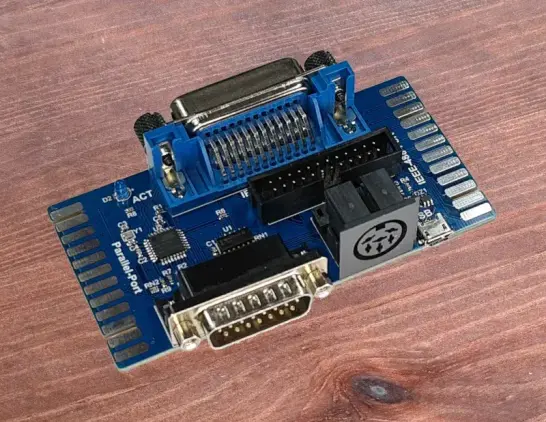

Kleines Update für das XoomFloppy Pro
Aufgrund einiger Rückmeldungen habe ich das XoomFloppy Pro ein wenig angepasst. Offenbar wird der Centronics-Anschluss für den IEEE-488-Port mehr benötigt, als ich dachte. Deshalb habe ich versucht, mit minimaler Vergrößerung der Platine, diesen noch unterzubringen. Das Ergebnis ist die XoomFloppy Pro II.