 Uncle hadsn
 Geekland
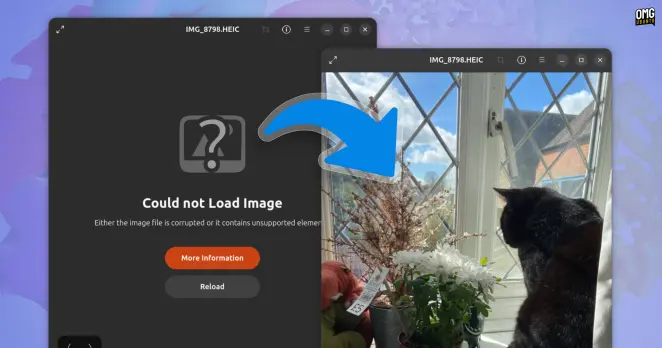
Fix HEIC images not loading in Ubuntu 26.04 LTS #how_to #news #heic #heif #loupe #ubuntu_26.04_lts
https://www.omgubuntu.co.uk/2026/05/fix-heic-images-not-loading-ubuntu-26-04
 Joana Simoes
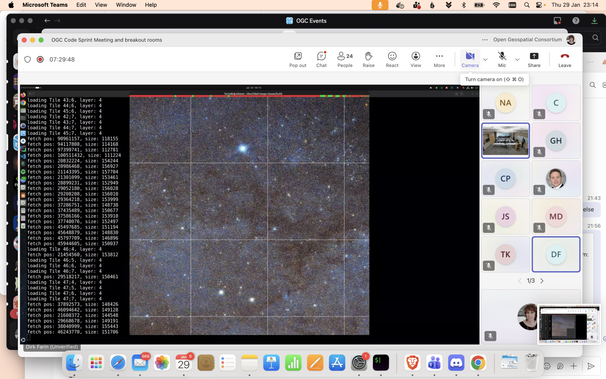
Adding Location to GIMI and HEIF with GeoHEIF: tutorial at #codesprint28 #OGC #CodeSprint #geoint #HEIF #geovation
 Custard! 🍮

 ARGVMI~1.PIF
Right. That's in the `libjxl-gdk-pixbuf` package.
All in all, the #Debian packages containing gdk-pixbuf image loaders are:
* heif-gdk-pixbuf: #HEIF
* libavif-gdk-pixbuf: #AVIF
* libgdk-pixbuf-2.0-0: ANI, BMP, GIF, icns, ICO, PNM, QTIF, TGA, TIFF, XBM, XPM
* libjxl-gdk-pixbuf: #JPEGXL
* librsvg2-common: #SVG
* libwmf-0.2-7-gtk: WMF
* webp-pixbuf-loader: #WebP
 Habr
HabrСовременные форматы изображений или почему мы до сих пор на JPEG?
Формат JPEG появился в 1992 году и стал де-факто стандартом хранения фотографий в интернете. Спустя более 30 лет появляются всё более эффективные и продвинутые альтернативы: WebP, AVIF, JPEG XL и другие. Однако даже в 2025 году JPEG продолжает доминировать. Почему так происходит, несмотря на очевидные преимущества новых форматов? В этой статье мы проведем обзор форматов и разберёмся в причинах.

 Tommi 🤯
So I have hundreds of videos of ~1 minute recorded from my phone ~10 years ago, and they generally don’t have that great compression, nor they are stored in a modern and advanced video format.
For archiving purposes, I want to take advantage of my workstation’s mighty GPU to process them so that the quality is approximately the same, but the file size would be strongly reduced.
Nevertheless, compressing videos is terribly hard, and way more complex than compressing pictures, so I wouldn’t really know how to do this, what format to use, what codec, what bitrate, what parameters to keep an eye on, etc.
I don’t care if the compression takes a lot of time, I just want smaller but good looking videos.
Any tips? (Links to guides and tutorials are ok too)
Also, unfortunately I am forced to use Windows for this (don’t ask me why 🫠), but I know nothing about Windows because I hate it. Practical software suggestions are very much welcome, too!
#ffmpeg #help #askFedi #codec #AVI #H265 #H264 #movie #video #videoCompression #compression #encoding #HandBrake #heif #heic #avif #mp4 #mkv #Wondows
#WebP の対応ってそんな要るか? 自分で作った画像をアップロードしたいのであれば、(JPEG, GIF, PNGの御三家を覗くと) #SVG や #HEIF のサポートが必要なのでは? https://misskey.niri.la/notes/a7qss5xn62
 techUpdate.io
Tipp: Bilder mit macOS ohne Zusatzsoftware konvertieren
https://techupdate.io/apple/tipp-bilder-mit-macos-ohne-zusatzsoftware-konvertieren/50216/
#apple #macos #bildbearbeitung #finder #jpeg #png #heif #techtip #mactipps