Bryan King
The Flashforge AD5X “Lemon” Report: Silent Hardware Swaps and Firmware Failures
1,200 words, 6 minutes read time
The Flashforge community has been rocked by a series of critical hardware and software failures surrounding the Adventurer 5M (AD5X) series, leading to widespread “lemon” allegations and formal Better Business Bureau (BBB) complaints as of May 2026. A silent transition from a “Version 1” (V1) toolhead—distinguished by its USB-style connector—to a “Version 2” (V2) pinned-header design has left early adopters unable to source compatible replacement parts, effectively bricking machines under a year old. Simultaneously, recent official firmware updates (v5.0.4 and v2.0 series) have introduced catastrophic “update loops” and communication errors, such as the dreaded E0120, which severs the link between the user interface and motor controllers. For the serious enthusiast, these developments aren’t just a minor glitch; they represent a fundamental breakdown in product support that forces a choice between staying on legacy hardware or risking a total system failure.
The Engineering Gap: V1 vs. V2 Hardware Explained
The technical disconnect between V1 and V2 hardware is arguably the most volatile topic in the workshop today. Early AD5M and AD5X units were built with a proprietary USB-style interface for the toolhead, a design that Flashforge has since abandoned in favor of a traditional pinned header system. This change is permanent and electronically incompatible; you cannot simply “plug and play” a new V2 extruder into an older V1 machine without a specific adapter or a full motherboard swap—components that many users report the manufacturer is refusing to provide. It is like trying to force a metric bolt into a standard nut; the physical and electrical “thread” simply doesn’t match. Because global inventory has shifted almost entirely to V2 parts, V1 owners are finding themselves at the end of a very short rope when their original extruders eventually fail.
The “Update Loop” and Firmware Instability Crisis
The software side of this investigation is equally grim, with the latest “stability” patches doing anything but stabilizing the user experience. Reports of “Error E0120” and “E0007” have spiked, often occurring immediately after a Wi-Fi-initiated firmware update. These errors effectively sever the link between the printer’s brain and its muscles, leaving heaters and motors unresponsive while the screen remains mockingly operational. Some users have found a “greasy” workaround by manually flashing legacy firmware via a specifically formatted 16GB USB drive, but even this isn’t a guaranteed fix if the update has already corrupted the MCU’s communication protocol. It is a high-stakes game of “firmware roulette” that no owner should have to play, especially when the update screen feels like a ticking time bomb for your production schedule.
The Customer Support Wall and Warranty Friction
For many men in the 3D printing community, the frustration isn’t just about the hardware—it is about the perceived lack of transparency and a “wall of non-communication” from official support channels. Users who reach out for warranty claims frequently describe a loop of being asked for endless photos and videos, only to be told that the necessary V1 parts are out of stock or that the machine is “exceeding the warranty period” based on arbitrary internal dates. This friction has triggered a surge in BBB complaints where users are openly discussing bank chargebacks and legal recourse. When your primary production tool fails, you expect a wrench and a solution, not a series of automated emails telling you to “try printing again” while your nozzle is literally gouging the bed.
Identifying Your Build: The 60-Second Toolhead Inspection
Knowing which version of the Adventurer 5M you have is now a mandatory pre-flight check for any serious project. To verify, you must remove the magnetic front toolhead cover and inspect the point where the wide ribbon cable meets the extruder board. If you see a port that looks like a USB-C socket, you are in the V1 “danger zone” for future parts availability. If you see a row of exposed metal pins or a standard plastic header block, you have the updated V2. It is a simple check that takes less than a minute, but it determines whether you can buy off-the-shelf spares from Amazon or if you are tethered to the manufacturer’s dwindling legacy stock. If you’re on V1, it is highly recommended to disable “Auto-Update” immediately to prevent a software-induced bricking.
Navigating the Future of Your 3D Printing Investment
The broader significance of this investigation lies in what it says about the “move fast and break things” culture of budget-friendly 3D printer manufacturers. While the AD5X offers impressive speed and an attractive entry point, the silent hardware revision and unstable firmware serve as a reminder that long-term support is a luxury, not a guarantee. Moving forward, the community is watching closely to see if Flashforge will offer a “motherboard upgrade kit” to bring V1 owners into the V2 ecosystem properly. Until then, the burden of vigilance remains with the user to ensure their equipment doesn’t become a high-tech paperweight due to a single incompatible wire or a faulty lines of code.
Call to Action
Are you currently staring at an “Error E0120” or struggling to find a V1 replacement part? Your data helps us build a stronger case for the community. Leave a comment below with your printer’s manufacture date and current firmware version, or subscribe to our newsletter for immediate alerts if a firmware “rollback” tool or V1-to-V2 adapter kit is released. You can also contact me directly to share your warranty stories—let’s keep the pressure on for the support we paid for.
SUPPORTSUBSCRIBECONTACT MED. Bryan King
Sources
- Better Business Bureau: Flashforge USA Recent Consumer Complaints (2026)
- Reddit: Firmware 5.0.4 Update Issues and “Update Loop” Reports
- Reddit: Warranty Denials and Multi-Fault “Lemon” Discussions
- Flashforge Wiki: Official AD5M Troubleshooting and Error Code List
- Reddit: Investigating Error E0120 After Firmware Updates
- Flashforge Hardware Comparison: V1 vs V2 Technical Breakdown
- Official Flashforge USA Warranty Terms and Conditions
- GitHub: Forge-X Unofficial Klipper Mod for AD5M/AD5X
- Trustpilot: Current Flashforge Global Customer Satisfaction Trends
- Reddit: AD5X Flashforge Desktop & Firmware Update Issues (May 2026)
- Reddit: AD5X Bricked after Update — Error E0120 Investigation
- PSA: Community Warning Against Latest AD5X Firmware Updates
- Reddit: AD5X “Update Loop” and Offline Connectivity Fixes
- Reddit: Troubleshooting Failed Wi-Fi Connectivity on AD5M
- Reddit: AD5M Hotend Assembly V1 vs V2 Physical Differences
- All3DP: Original Adventurer 5M Review and Technical Specs
- 3DPrint.com: Flashforge News and Industry Coverage
- Flashforge Official User Forum: Community Support Threads
- Flashforge Adventurer Series User Group (Facebook)
- Reddit r/3Dprinting: General Community Hardware Alerts
- FCC ID Search: Flashforge Wireless and Hardware Certifications
- Reddit: AD5X Extruder Clog V1 Problems & Replacement Scarcity
- Reddit: Flashforge Customer Service is a Joke – Warranty Struggles
- Reddit: Is the AD5M Worth It in 2025/2026?
- Reddit: New Firmware Adventurer 5M Pro – User Feedback
- YouTube: AD5M Extruder Tear-downs and Replacement Guides
- Reddit: Adventurer 5M Fan Noise Fix – V1 vs V2 Differences
- Reddit: Flashforge Adventurer 5M V2 Board Swap Process
- Reddit: AD5M Pro Camera Not Working After Firmware Update
- Reddit: Flashforge 5M Auto Leveling Fail After Software Patch
Disclaimer:
The views and opinions expressed in this post are solely those of the author. The information provided is based on personal research, experience, and understanding of the subject matter at the time of writing. Readers should consult relevant experts or authorities for specific guidance related to their unique situations.
#3DPrinterGuarantor #3DPrinterHardwareRevision #3DPrinterMaintenance2026 #3DPrinterTeardown #3DPrinterTechSupport #3DPrintingCommunityAlerts #3DPrintingConsumerRights #3DPrintingDIYRepair #3DPrintingEngineering #3DPrintingHardwareMods #3DPrintingSideHustle #3DPrintingTroubleshooting #3DPrintingWorkshopGear #5GHomeInternet3DPrinting #AD5MProReview2026 #AD5MToolheadCompatibility #AD5XBedLevelingFix #AD5XFirmwareUpdateError #AD5XNozzleClog #AD5XPetProfile #AD5XRibbonCable #Adventurer5MProExtruder #Adventurer5MReliability #Adventurer5MV1VsV2 #amateurRadio3DPrinting #bricked3DPrinterFix #consumerProtection3DPrinting #digitalPublication3DPrinting #E0007ErrorCode #EastLansing3DPrinting #EntrataPetScreening3DPrinting #ErrorE0120Fix #FlashforgeAD5XInvestigation #FlashforgeBBBComplaints #FlashforgeBlogIdeas #FlashforgeCloudIssues #FlashforgeCustomerSupportGhosting #FlashforgeFirmwareRollback #FlashforgeFirmwareStability #FlashforgeHousingApplication #FlashforgeLicenseGrant #FlashforgeMotherboardSwap #FlashforgeNozzleReplacement #FlashforgeReturnPolicy #FlashforgeSilentHardwareSwap #FlashforgeSparePartsScarcity #FlashforgeUpdateLoop #FlashforgeUSAComplaints #FlashforgeWarrantyIssues #functional3DPrints #KlipperForFlashforge #Michigan3DPrintingCommunity #OrcaSlicerFlashforgeSettings #PETGPrintingTips #V1USBToolhead #V2PinnedHeader #WayneCountyWeatherAlerts #weatherSpotting3DPrints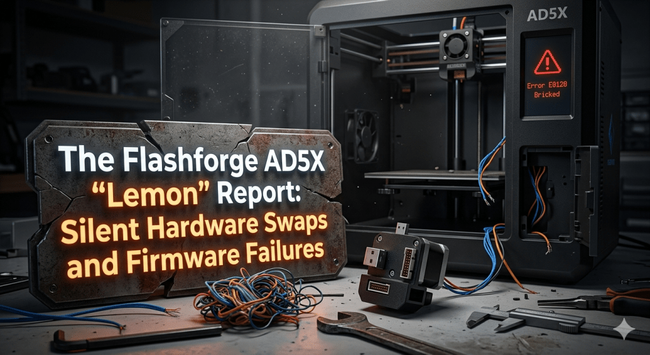

 Kernel Bob
 Petr Kratina
 𝘋𝘪𝘳𝘬
𝘋𝘪𝘳𝘬