Galaxy S24 and Z Fold/Flip6 One UI 8.5 beta builds spotted!

Last week, the Galaxy Z Fold/Flip7 series entered the One UI 8.5 Beta Program as an effort to expand the beta program to more flagship devices. This came 3 months after the Galaxy S25 series joined the program.

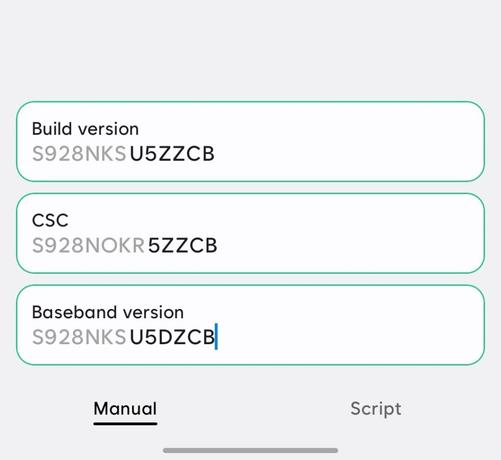
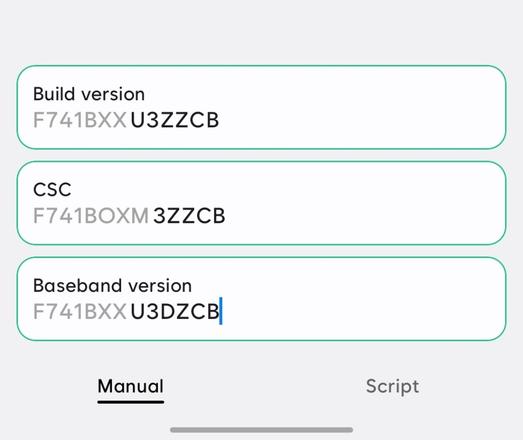
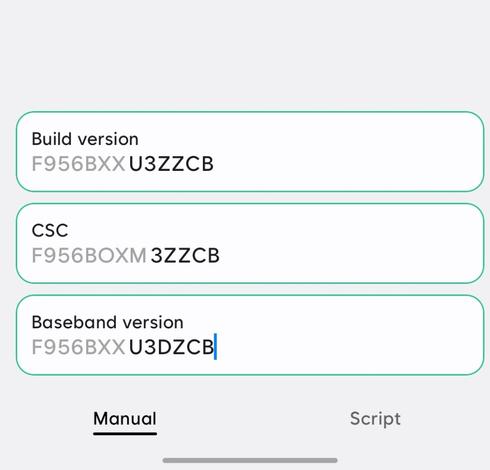
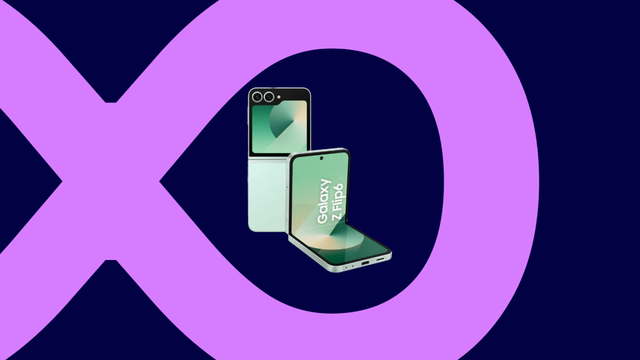
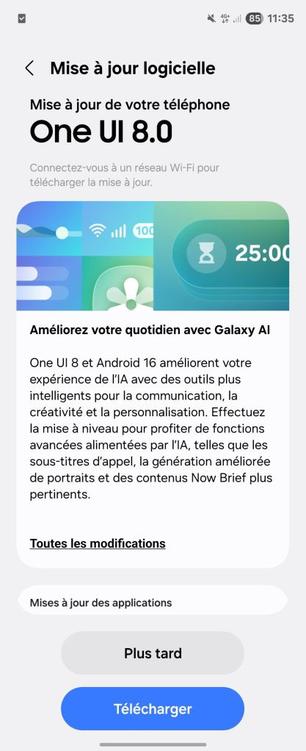
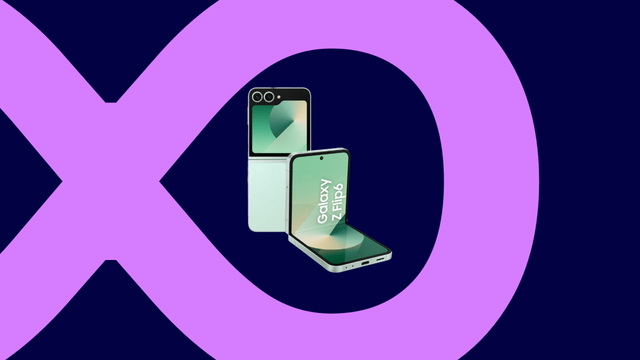
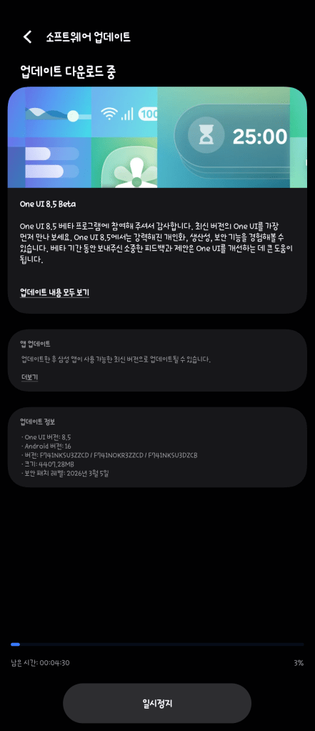
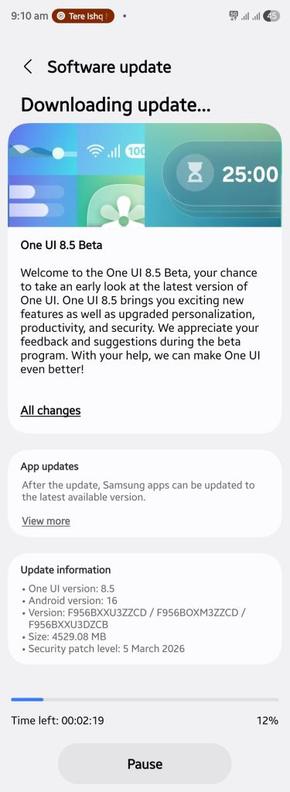
Today, a new development emerged, because the Galaxy Z Fold/Flip6 series and the Galaxy S24 series have started internally testing the One UI 8.5 beta builds, as spotted by Tarun Vats.

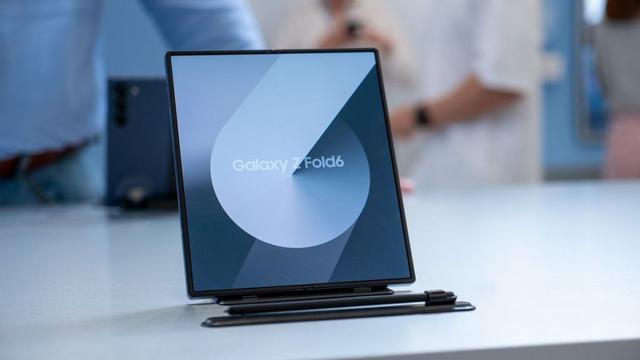
Galaxy S24 (left), Galaxy Z Flip6 (middle), Galaxy Z Fold6 (right)

This suggests that the One UI 8.5 beta program for these devices will be opened soon, for a subset of countries like Korea, USA, and India. The forums will be opened for these devices once the program officially starts, with the expected duration being in a week or two.

However, Samsung has also started testing the One UI 8.5 beta builds for both the Galaxy S25 FE and the Galaxy S24 FE, which is unusual for Samsung’s beta programs, as the FE variants are usually excluded from the program.

Galaxy S25 FE (left), Galaxy S24 FE (right)

Once the beta program opens for all these devices, we’ll inform you.

#Android #Flip6 #Fold6 #GalaxyS24 #GalaxyS24Series #GalaxyS24Ultra #GalaxyZFlip6 #GalaxyZFold6 #news #oneUi #S24 #S24Series #S24Ultra #S24U #Samsung #SamsungGalaxyS24 #SamsungGalaxyS24Series #SamsungGalaxyS24Ultra #SamsungGalaxyZFlip6 #SamsungGalaxyZFold6 #smartphone #Tech #Technology #update #ZFlip6 #ZFold6

Samsung releases the January 2026 security patch for the Galaxy Z Fold/Flip6 series

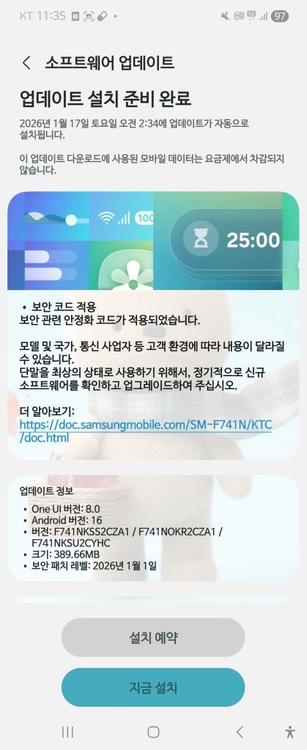
January 2026 is here, and Samsung have focused on releasing the January 2026 security patch for the majority of Galaxy users worldwide. As per their rollout schedule for security updates, Samsung have released the January 2026 security patch to the Galaxy Z Fold6 and Flip6 users, as well as the Korea-exclusive Special Edition, starting from the Korean version.

The following firmware information is found:

To update your Galaxy to this security update, follow these steps:

  • Open Settings, and navigate to System Update
  • Tap on Check for Updates
  • Press Download and Install
  • Wait until the download and the installation is complete, then press Reboot Now
  • Wait until the phone reboots successfully
  • Make sure that you’re connected to a stable and fast Wi-Fi network to avoid high mobile data fees. Never interrupt the update in any way, or problems could occur later. Make sure that you apply all available updates once you update your phone for maximum stability. An update might take 5 to 10 minutes to apply, depending on the device and the type of the update being applied.

    If you’re seeing “Your software is up to date,” this means that the update hasn’t reached your device yet. Keep checking for updates, as Samsung rolls it out gradually to all devices from country to country, usually starting from Korea.

    #Android #Android16 #AndroidB #AndroidBaklava #Flip6 #Fold6 #GalaxyZFlip6 #GalaxyZFold6 #news #oneUi #Samsung #SamsungGalaxyZFlip6 #SamsungGalaxyZFold6 #smartphone #Tech #Technology #update #ZFlip6 #ZFold6
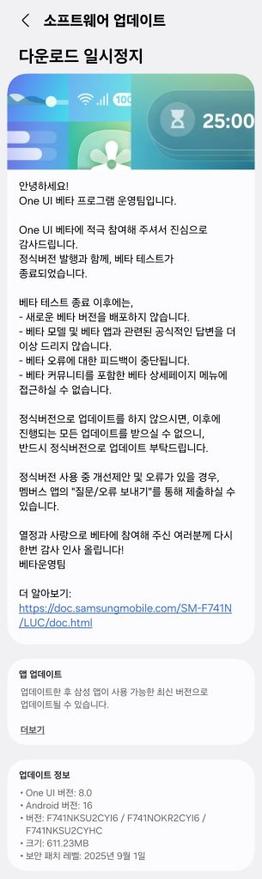
    Samsung Galaxy Z Fold Special Edition for Korea gets the One UI 8 update again!

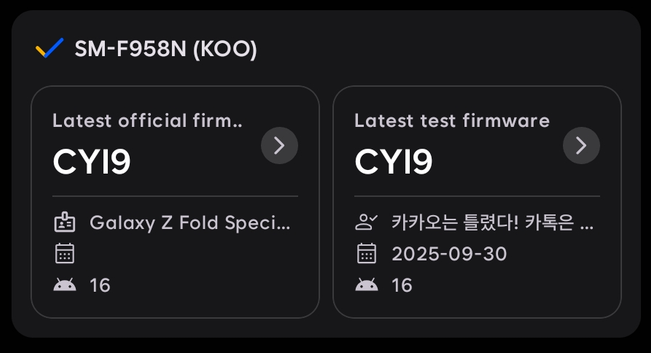
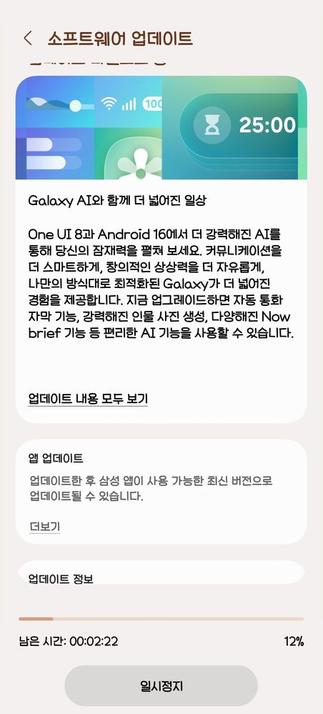
    We are excited to announce that starting from today, users can now download the One UI 8 update to their Galaxy Z Fold Special Edition for Korea foldables again as Samsung has finally released this exciting version of One UI. The rollout was paused for the CYI7 version due to issues surrounding the touchpad interface, which is a serious issue that forced Samsung to pause the rollout. Your Galaxy has now become more powerful as One UI 8 brings more powerful features.

    The firmware information states:

    • Galaxy Fold Special Edition for Korea: CYI9 [KOO]

    To obtain the update, perform the following steps:

  • Open the Settings app
  • Navigate to Software Updates
  • Tap on Download and Install
  • Wait until you see One UI 8 at the top of the page, then tap on Download
  • Wait for the download to complete, then tap on Install
  • After you perform the above steps, your phone will be running One UI 8 based on Android 16, and you can enjoy its new features and with many improvements on place. This makes sure that your experience gets improved.

    If you still didn’t get the update for your device, wait for a few days or a few weeks, then check for updates again. If you still see “Your software is up to date,” this means that the update didn’t reach your region yet.

    Note that the update process may take 15 to 20 minutes, and this can vary from device to device. The download process may incur extra charges if you’re using the cellular network as the update size is around 5 GB, depending on the device, so we recommend downloading it through Wi-Fi. Never interrupt the update process in any way, or problems may occur. Make sure that your phone gets charged before you initiate the installation process.

    #Android #Android16 #AndroidB #AndroidBaklava #Flip6 #Fold6 #GalaxyZFlip6 #GalaxyZFold6 #news #oneUi #OneUI8 #OneUI80 #Samsung #SamsungGalaxyZFlip6 #SamsungGalaxyZFold6 #smartphone #Tech #Technology #ZFlip6 #ZFold6

    Samsung Galaxy Z Fold/Flip 6 gets the One UI 8 update globally!

    We are excited to announce that starting from today, users can now download the One UI 8 update to their Galaxy Z Fold6 and Flip6 foldables globally as Samsung has finally released this exciting version of One UI. Your Galaxy has now become more powerful as One UI 8 brings more powerful features.

    The firmware information states:

    • Galaxy Fold6: CYI7
    • Galaxy Flip6: CYI6

    To obtain the update, perform the following steps:

  • Open the Settings app
  • Navigate to Software Updates
  • Tap on Download and Install
  • Wait until you see One UI 8 at the top of the page, then tap on Download
  • Wait for the download to complete, then tap on Install
  • After you perform the above steps, your phone will be running One UI 8 based on Android 16, and you can enjoy its new features and with many improvements on place. This makes sure that your experience gets improved.

    If you still didn’t get the update for your device, wait for a few days or a few weeks, then check for updates again. If you still see “Your software is up to date,” this means that the update didn’t reach your region yet.

    Note that the update process may take 15 to 20 minutes, and this can vary from device to device. The download process may incur extra charges if you’re using the cellular network as the update size is around 5 GB, depending on the device, so we recommend downloading it through Wi-Fi. Never interrupt the update process in any way, or problems may occur. Make sure that your phone gets charged before you initiate the installation process.

    #Android #Android16 #AndroidB #AndroidBaklava #Flip6 #Fold6 #GalaxyZFlip6 #GalaxyZFold6 #news #oneUi #OneUI8 #OneUI80 #Samsung #SamsungGalaxyZFlip6 #SamsungGalaxyZFold6 #smartphone #Tech #Technology #ZFlip6 #ZFold6

    Samsung Galaxy Z Fold6 got its official, stable Android 16 / OneUI 8 update

    https://www.androidupdatetracker.com/p/samsung-galaxy-z-fold6

    #SamsungGalaxyZFold6 #Fold6 #Android16 #OneUI8

    Samsung Galaxy Z Fold6 latest Android version info

    Find out what is the latest Android version for Samsung Galaxy Z Fold6. Full Android version update history.

    Android Update Tracker

    Samsung Galaxy Z Fold/Flip 6 gets the One UI 8 update!

    We are excited to announce that starting from today, users can now download the One UI 8 update to their Galaxy Z Fold6 and Flip6 foldables as Samsung has finally released this exciting version of One UI. Your Galaxy has now become more powerful as One UI 8 brings more powerful features.

    The firmware information states:

    • Galaxy Fold6: CYI7 [KOO]
    • Galaxy Flip6: CYI6 [KOO]

    To obtain the update, perform the following steps:

  • Open the Settings app
  • Navigate to Software Updates
  • Tap on Download and Install
  • Wait until you see One UI 8 at the top of the page, then tap on Download
  • Wait for the download to complete, then tap on Install
  • After you perform the above steps, your phone will be running One UI 8 based on Android 16, and you can enjoy its new features and with many improvements on place. This makes sure that your experience gets improved.

    If you still didn’t get the update for your device, wait for a few days or a few weeks, then check for updates again. If you still see “Your software is up to date,” this means that the update didn’t reach your region yet.

    Note that the update process may take 15 to 20 minutes, and this can vary from device to device. The download process may incur extra charges if you’re using the cellular network as the update size is around 5 GB, depending on the device, so we recommend downloading it through Wi-Fi. Never interrupt the update process in any way, or problems may occur. Make sure that your phone gets charged before you initiate the installation process.

    #Android #Android16 #AndroidB #AndroidBaklava #Flip6 #Fold6 #GalaxyZFlip6 #GalaxyZFold6 #news #oneUi #OneUI8 #OneUI80 #Samsung #SamsungGalaxyZFlip6 #SamsungGalaxyZFold6 #smartphone #Tech #Technology #ZFlip6 #ZFold6

    Samsung Galaxy Z Fold Special Edition for Korea gets the One UI 8 update!

    We are excited to announce that starting from today, users can now download the One UI 8 update to their Galaxy Z Fold Special Edition for Korea foldables as Samsung has finally released this exciting version of One UI. Your Galaxy has now become more powerful as One UI 8 brings more powerful features.

    The firmware information states:

    • Galaxy Fold Special Edition for Korea: CYI7 [KOO]

    To obtain the update, perform the following steps:

  • Open the Settings app
  • Navigate to Software Updates
  • Tap on Download and Install
  • Wait until you see One UI 8 at the top of the page, then tap on Download
  • Wait for the download to complete, then tap on Install
  • After you perform the above steps, your phone will be running One UI 8 based on Android 16, and you can enjoy its new features and with many improvements on place. This makes sure that your experience gets improved.

    If you still didn’t get the update for your device, wait for a few days or a few weeks, then check for updates again. If you still see “Your software is up to date,” this means that the update didn’t reach your region yet.

    Note that the update process may take 15 to 20 minutes, and this can vary from device to device. The download process may incur extra charges if you’re using the cellular network as the update size is around 5 GB, depending on the device, so we recommend downloading it through Wi-Fi. Never interrupt the update process in any way, or problems may occur. Make sure that your phone gets charged before you initiate the installation process.

    #Android #Android16 #AndroidB #AndroidBaklava #Flip6 #Fold6 #GalaxyZFlip6 #GalaxyZFold6 #news #oneUi #OneUI8 #OneUI80 #Samsung #SamsungGalaxyZFlip6 #SamsungGalaxyZFold6 #smartphone #Tech #Technology #ZFlip6 #ZFold6

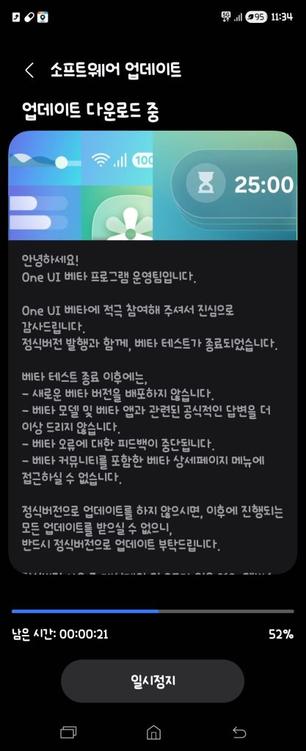
    Samsung shuts down the One UI 8 Beta program for Korea [Galaxy Z6]

    We are excited to announce that starting from today, One UI 8 Beta users in Korea can now download the One UI 8 update to their Galaxy Z Fold6 and Flip6 foldables as Samsung has finally released this version of One UI. Your Galaxy has now become more powerful as One UI 8 brings more powerful features.

    The firmware information states:

    • Galaxy Z Fold6: CYI7
    • Galaxy Z Flip6: CYI6

    To obtain the update, perform the following steps:

  • Open the Settings app
  • Navigate to Software Updates
  • Tap on Download and Install
  • Wait until you see One UI 8 at the top of the page, then tap on Download
  • Wait for the download to complete, then tap on Install
  • After you perform the above steps, your phone will be running One UI 8 based on Android 16, and you can enjoy its new features and with many improvements on place. This makes sure that your experience gets improved.

    If you still didn’t get the update for your device, wait for a few days or a few weeks, then check for updates again. If you still see “Your software is up to date,” this means that the update didn’t reach your region yet.

    Note that the update process may take 15 to 20 minutes, and this can vary from device to device. The download process may incur extra charges if you’re using the cellular network as the update size is around 5 GB, depending on the device, so we recommend downloading it through Wi-Fi. Never interrupt the update process in any way, or problems may occur. Make sure that your phone gets charged before you initiate the installation process.

    #Android #Android16 #AndroidB #AndroidBaklava #Flip6 #Fold6 #GalaxyZFlip6 #GalaxyZFold6 #news #oneUi #OneUI8 #OneUI80 #Samsung #SamsungGalaxyZFlip6 #SamsungGalaxyZFold6 #smartphone #Tech #Technology #ZFlip6 #ZFold6

    Samsung Fold 7 - Something Seems Wrong...

    https://tube.blueben.net/w/joyUUrtfVB2VzageZpoe9S

    Samsung Fold 7 - Something Seems Wrong...

    PeerTube
    https://www.gulfchannels.com/192253/ بعد الـS25 Ultra.. قريبًا هواتف سامسونج Fold6 و Flip6 تحمل شعار “صنع في مصر” #EG #Egypt #Flip6 #Fold6 #news #سامسونج #كومراضي #مصر