 Jeffy 🏳️⚧️🏳️🌈🇺🇦 ❤️🇱🇺
I'm looking for some suggestions on where to get started with drawing Core Graphics-like (or similar) primitives onto 3D objects (like SceneKit objects?) -- like painted a filled shape onto a spherical surface.
Any help would be appreciated.
I'm looking for some suggestions on where to get started with drawing Core Graphics-like (or similar) primitives onto 3D objects (like SceneKit objects?) -- like painted a filled shape onto a spherical surface.
Any help would be appreciated.
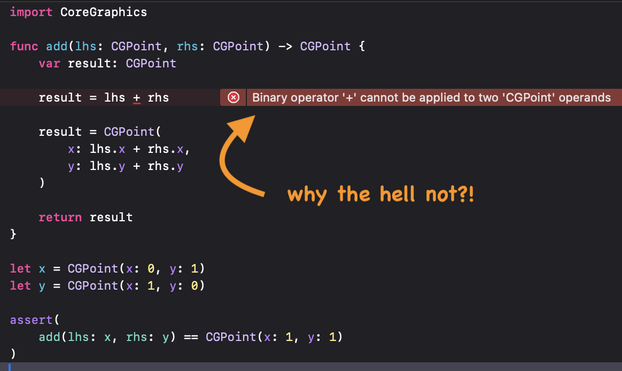
And to clarify the incomplete #Apple #Developer documentation:
Yes, you can load a ".icc" color profile data file into a CFDataRef and use that as a parameter.
Gosh, how much I love the excellent amazing brilliant #Apple #Developer documentation.
It looks nice, has lots of white space, elegant fonts, just...
NO CONTENT!
Hey, Apple, how about: WTF is that parameter? What format? How is it intended to be used? Can it be used to load a color profile from a custom ICC file? Or what???
So my QuickDraw viewer now parses some Deneba Canvas Pict comments, in particular the ones about colour matching. So I get the colours in CMYK, which is nice, but I also have a colour name, i.e. "PANTONE Process Magenta CVC" and no clue how to use this information under Swift/Core Graphics.
#quickdraw #retrocomputing #swift #CoreGraphics #computergraphics #pantone #colormatching
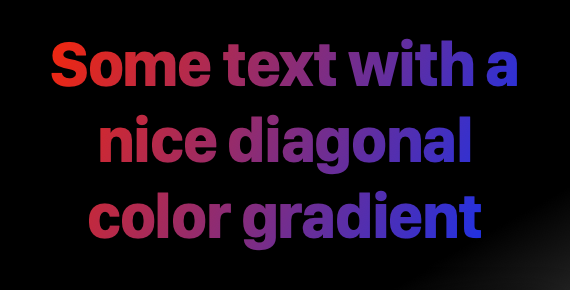
In #SwiftUI it is basically a one-liner.
Using #CoreText and #CoreGraphics directly, lots of lines of code are needed.
But it turns out really nice...
At this point, I’m almost tempted to just wrap all my UIViews so I can use them in #SwiftUI
The live preview is awesome, and I love it. Trying to get all my pieces to actually look right? Significantly more fiddly, though I appreciate that I’m also just inexperienced. I just get frustrated easily, I think.
I guess I also appreciate being able to dive deeper than the abstraction layer. I have UILabels that do #CoreGraphics things, and other such. There’s no way to replicate that with SwiftUI
 Chris Hanson
 ryan!
ryan! NMDoerner
 🔏 Matthias Wiesmann
 Christoph Göldner
 Katherine Bertelsen