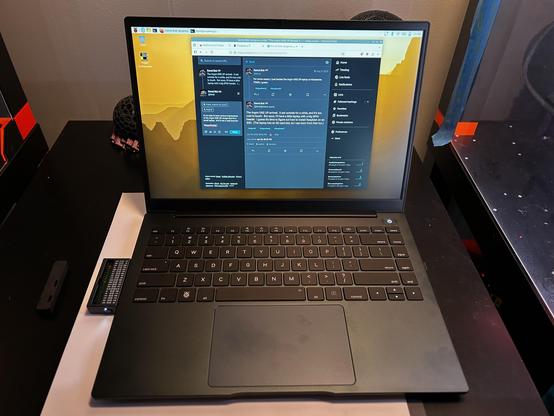
I switched my #ArgonOneUp to Ubuntu 26.04 (LTS?) yesterday. It still doesn't have suspend/resume, AFAICT. It seems to be a fine browsing/note taking laptop, though I'm still not loving the touchpad.

I'm thinking about installing VSCode on it and writing some code on it. It probably won't like that.

#RaspberryPi

RE: https://mastodon.social/@geerlingguy/116024284233213022

I agree with everything @geerlingguy says here, except that my ONE UP's touchpad is really stiff and hard to click. It might just be my unit; it might be I'm not familiar with non-Mac touchpads.

#ArgonOneUp

Well if anyone else has an #ArgonOneUp and wants to try out this janky (but functional) gnome battery indicator extension I wrote, have at it. Keep in mind I don't really know javascript and I also don't really know gnome. Still was fun to learn a bit though.

https://github.com/Drago245/Argon_OneUp_Gnome_Battery-Monitor

GitHub - Drago245/Argon_OneUp_Gnome_Battery-Monitor: Gnome extension to show battery information on the Argon One Up raspberry pi laptop

Gnome extension to show battery information on the Argon One Up raspberry pi laptop - Drago245/Argon_OneUp_Gnome_Battery-Monitor

GitHub

@yangmusa @castaway Found it.

Edit: I found the Wayland documentation that describes how the touchpad ("clickpad") currently works in Raspberry Pi OS Trixie. Right-click is done by clicking (not tapping) a small area in the corner of the pad.

https://wayland.freedesktop.org/libinput/doc/1.28.1/touchpads.html#touchpads-buttons-clickpads

#RaspberryPi #ArgonOneUp

Touchpads — libinput 1.28.1 documentation

It's to early to have serious impressions of the Argon ONE UP except that it's a small laptop. And I can post to Mastodon from it.

#ArgonOneUp

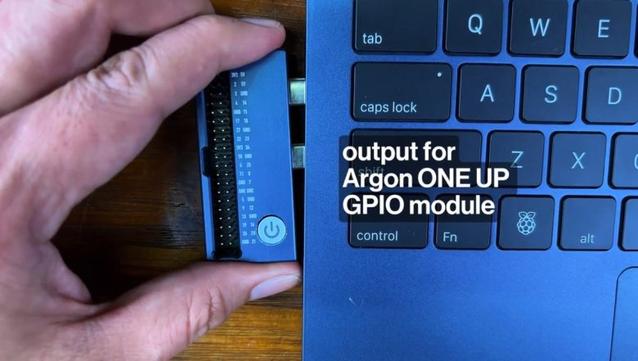
The Argon ONE UP arrived. It sat outside for a while, and it's too cold to touch. But soon, I'll have a little laptop with a big GPIO header. I guess it's time to figure out how to install Raspbian on an SSD. (The laptop has an SD card slot, so I can boot from that too.)

#Argon40 #ArgonOneUp #RaspberryPi

Argon ONE UP hits Kickstarter for $330 and up (Raspberry Pi CM5-powered laptop)

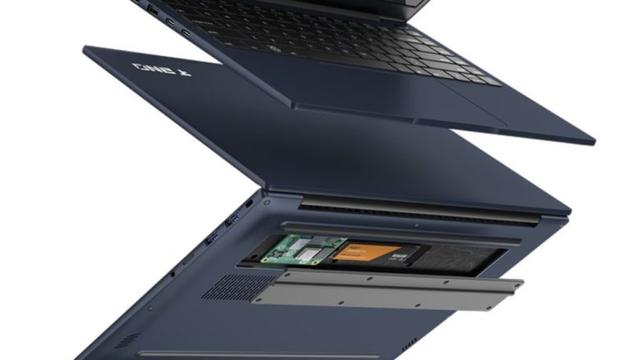
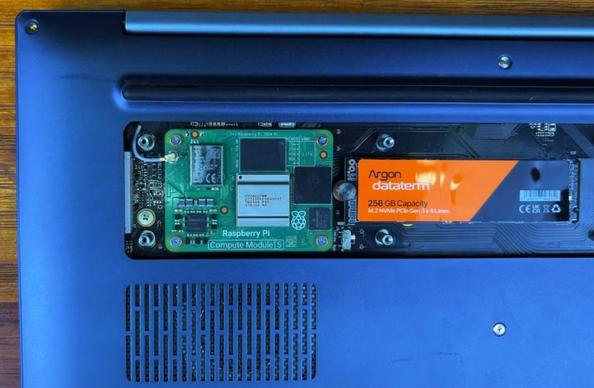
The Argon ONE UP is a laptop with a 14 inch, 1920 x 1200 pixel IPS LCD display, an aluminum body, backlit keyboard, and one thing that sets it apart from most other laptops: the Argon ONE UP is powered by a removable Raspberry Pi CM5 computer module.

Argon40 has been making Raspberry Pi accessories like cases for years, but this year the company is branching out with its first laptop shell. […]

#argonOneUp #argon40 #crowdfunding #laptopDock #laptopShell #raspberryPi #raspberryPiCm5

Read more: https://liliputing.com/argone-one-up-hits-kickstarter-for-330-and-up-raspberry-pi-cm5-powered-laptop/
For some reason, I just backed the Argon ONE UP laptop on Kickstarter. FOMO, I guess.

#ArgonOneUp #RaspberryPi

ArgonからRaspberry Pi CM5搭載のモジュール式ノートPC「Argon ONE UP」を発表!14型IPSディスプレイとM.2スロット搭載で高い拡張性

https://fed.brid.gy/r/https://daily-gadget.net/2025/07/22/post-90921/