#CC2.tv: #Computerclub2

Dateien, #Festplatten und #Cloud richtig verschlüsseln
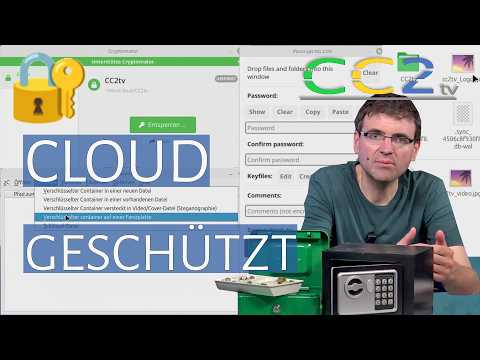
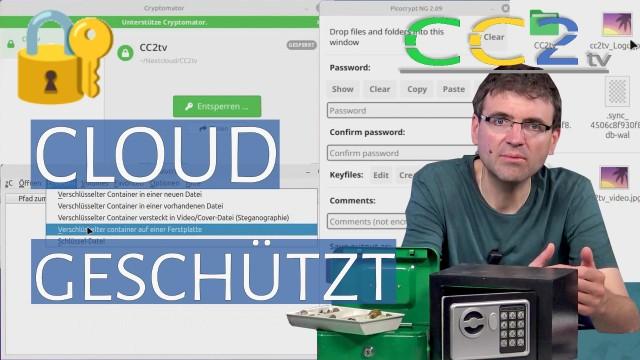
In diesem Video geht es um die praktische Verschlüsselung persönlicher Daten auf Computer, Smartphone und in der Cloud. Erklärt werden Standardlösungen wie #BitLocker und #Linux-Home-Verschlüsselung sowie ergänzende Werkzeuge wie #ZuluCrypt, #PicoCrypt #NG und #Cryptomator. Dabei wird gezeigt, welche Verfahren sich für lokale Dateien, externe Datenträger, #Backups und #Cloud-Speicher eignen.

https://cc2.tv/daten/20260606100000.php

#Verschlüsselung für #Alltag und #Cloud ( #CC2tv Folge 427 )

In diesem Video geht es um die praktische Verschlüsselung persönlicher Daten auf Computer, #Smartphone und in der #Cloud. Erklärt werden Standardlösungen wie #BitLocker und #Linux-Home-Verschlüsselung sowie ergänzende Werkzeuge wie #ZuluCrypt, #PicoCrypt #NG und #Cryptomator. Dabei wird gezeigt, welche Verfahren sich für lokale Dateien, externe Datenträger, Backups und Cloud-Speicher eignen.

@computerclubzwei

https://youtube.com/watch?v=ugU1HPRMBt0

Verschlüsselung für Alltag und Cloud (CC2tv Folge 427)

YouTube

Moin! Im heutigen Video geht es um die #Verschlüsselung persönlicher Daten auf Computer, Smartphone und in der Cloud. 🔐️

Erklärt werden Standardlösungen wie BitLocker und Linux-Home-Verschlüsselung.

Dann werden insbesondere Werkzeuge wie #ZuluCrypt, #PicoCrypt NG und #Cryptomator gezeigt und besprochen. Dabei wird gezeigt, welche Verfahren sich für lokale Dateien, externe Datenträger, Backups und Cloud-Speicher eignen.

Das Video gibt es wie gewohnt bei Youtube: https://youtu.be/ugU1HPRMBt0

Und testweise auch direkt auf unserer Website: https://cc2.tv/427.php
Wie bei uns üblich ohne viel Schnickschnack 😅️
#cc2tv #cc2

tried a thinking outta da box alternative strategy. though i absolutely do wanna have a working Arch DB for many reasons, my immediate need is to be able to use #veracrypt. so, asks self, can i find an acceptable alternative app to VC, which is available in my working Distroboxes of #DebianSid, #FedoraRawhide, & #openSUSETumbleweed? yep, there's #zulucrypt, which til now i'd entirely forgotten, & whose latest version is in FedoraRawhide. okey dokey, let's crack on with that!

{{i had already installed this in the DB a few minutes ago [no error msgs ensued], & now tried to manually launch it}} droppie@kdeLinux:/home/droppie$ zulucrypt bash: zulucrypt: command not found {{wtaf? maybe i only dreamed i'd installed it, so let's do it again}} droppie@kdeLinux:/home/droppie$ sudo dnf install zulucrypt Updating and loading repositories: Repositories loaded. Package "zulucrypt-7.1.0-3.fc43.x86_64" is already installed. Nothing to do. droppie@kdeLinux:/home/droppie$ {{wtaf? orright then, can i at least export it to the Host system, KDELinux?}} droppie@kdeLinux:/home/droppie$ distrobox-export -a zulucrypt Error: cannot find any desktop files. Error: trying to export a non-installed application. droppie@kdeLinux:/home/droppie$ {{wtaf? fuck fuck fucken fuck}}
i am getting really sick of this. overall i've been loving KDELinux, but this shit is
tiresome in extremis.

#DropbearPooterising #Linux #LinuxWomen #FOSS
​ ​​ ​#ArchLinux #KDEPlasma ​​ ​#KDELinux
#SparkyLinux ​#Kalpa  ​#Kinoite

(24/N) There are some best practices that will make it easier to answer threat modeling question #3, "What are you going to do about it?". These will help you protect a wide range of assets by taking care of your devices, so let's look at them first:

  • Encrypt data at rest
  • Bootstrap your workplace
  • Actively maintain your devices
  • Secure your devices
  • Prepare for repair
  • 1. Encrypt data at rest

    What can you achieve with intermediate knowledge, without fully descending into the rat hole?

    ⚠️ Caveat: this is best done when setting up #Linux on a new device. Modifying an existing installation on your own IMHO isn't advisable if you're not a seasoned user. If you still decide to venture into it, make SURE you have backed up all your assets, before following "howtos on the internet". You have been warned.

    Likening your device to a medieval city:

    1) Full-Disk Encryption (FDE) is like locking the "city gate". Most popular Linux distributions offer FDE during the installation process. FDE is also your last line of defense when your device gets stolen, or your disk fails and cannot be safely wiped before disposing of it. Use FDE. (Yes, technically, "Full" is not absolutely accurate. We'll leave it at that.)

    2) Within your "city", there will likely be at least two "houses": the home of the admin account, and your personal home. Using FDE alone, the "doors" of these homes won't have any locks of their own. Possibly not a big deal with respect to the administrative account, but admins being able to access any of your non-public assets, even when you're not logged in, is probably not what you want.

    While the specific steps depend on your preferred Linux distro, a "portable" solution is to create a separate, encrypted disk partition, and have it mounted as your user home directory, when you log in. That solution is based on cryptsetup and the pam_mount module, a nice tutorial example is:

    3) Within your "house", you may wish to have a locked "chest", e.g. for your #FYEO assets. There's essentially two options: a) a single, encrypted container file that acts as a "#vault" for your asset files; or b) an encrypted overlay file system that maintains an openly visible directory hosting your encrypted assets, including directory structures, in the background; and allows you to mount a decrypted counterpart, for working on your assets.

    a) A "vault", being a single file, is easy to copy and carry around, on arbitrary storage media, e.g. USB sticks. It doesn't reveal too much about its contents, but resizing it takes a little effort. Also, you can't "incrementally backup" content changes, just copy the whole, changed vault.

    A nice tutorial for creating and using a vault using plain, standard cryptsetup is https://opensource.com/article/21/4/linux-encryption by @seth . If you must have a GUI for creating and mounting vaults, look at #zuluCrypt https://mhogomchungu.github.io/zuluCrypt/ – IMHO the app is still in need of a little polish, though.

    b) An encrypted overlay file system allows for incrementally backing up changed assets, but exposes considerable metadata (rough file sizes, directory structures, modification dates).

    The most widely used package for this is probably #gocryptfs. Its "HowTo" is literally a one-pager: https://nuetzlich.net/gocryptfs/quickstart/

    Start of this thread:
    https://mastodon.de/@tuxwise/113503228291818865

    #ThreatModeling #4D

    LUKS Encryption for my Linux Mint user directory • Cobertos Blog

    I just setup a new OS and decided I would put /home/cobertos on a separate partition and that I should full disk encrypt it. In my last Linux Mint install, I ...

    Cobertos

    CryptoAdvent 2022: Live-Demonstration: Verschlüsselte Datenträger unter Linux

    https://tube.tchncs.de/w/5g74FPNn3foAWAWkXTttjM

    CryptoAdvent 2022: Live-Demonstration: Verschlüsselte Datenträger unter Linux

    PeerTube

    Pinephone: creating encrypted container volume hidden inside a normal looking video file on the #Pinephone! Tested on #Mobian/#Arch Linux for the Pinephone. In addition to #privacy, #encryptioncan protect file integrity
    #Steganography #ZuluCrypt #Cryptography #Linux #Security #Privacy #Pine64 #Infosec
    https://odysee.com/@RTP:9/pinephone-demo-create-a-hidden-encrypted:1

    via @RTP

    Pinephone Demo: Create A Hidden Encrypted Volume Inside A Video File Using ZuluCrypt On Linux

    Zulucrypt offers many encryption options and here we use Pinephone in our example to create a hidden with Steganography Encrypted Volume inside an existing video file of our choice. I show how to do t...

    Pinephone: creating encrypted container volume hidden inside a normal looking video file on the #Pinephone! Tested on #Mobian/#Arch Linux for the Pinephone. In addition to #privacy, #encryptioncan protect file integrity
    #Steganography #ZuluCrypt #Cryptography #Linux #Security #Privacy #Pine64 #Infosec
    https://youtu.be/87yg8peq3kw
    Pinephone/Linux Security: Create A Hidden Encrypted Volume Inside A Video File Using ZuluCrypt

    YouTube

    @reticuleena
    #VeraCrypt hat eine beknackte "benutze meinen Namen nicht" Lizenz und ist in (vermutlich) keiner Distribution zu finden.
    https://www.veracrypt.fr/code/VeraCrypt/tree/License.txt

    Die #cryptsetup #TCRYPT extension erlaubt Zugriff auf TrueCrypt und VeraCrypt devices (man 8 cryptsetup).

    #zuluCrypt und #zuluMount ist Frontend fürs ganze.

    VeraCrypt - Free Open source disk encryption with strong security for the Paranoid

    VeraCrypt is free open-source disk encryption software for Windows, Mac OS X and Linux. In case an attacker forces you to reveal the password, VeraCrypt provides plausible deniability. In contrast to file encryption, data encryption performed by VeraCrypt is real-time (on-the-fly), automatic, transparent, needs very little memory, and does not involve temporary unencrypted files.