hansakwast
Tools for Stream and Catchment Delineation with QGIS

Tools for Stream and Catchment Delineation with QGIS
Looking at the Stonehenge area with 
Multi-scale 'percent elevation range'.
Computed PER at 51, 17 and 7px radius, combined into R,G,B bands
Then applied a contrast stretch
Helps to highlight barrows and what I suspect are old field patterns?
Trying to take a look at ways to measure contrast and accessibility of maps.
Here, looking at OpenStreetMap tiles, and contrast
Used QGIS raster calculator to convert to greyscale (by luminance), then applied the whiteboxtools 'range filter' with a 3x3 kernel
Colourised with Rocket colour scale. Yellow and white show the highest contrast, black is areas of solid colour.
📹 Check out my final video of 2024! Learn about custom workflows for stream & catchment delineation in #QGIS with tools from #GRASS, #SAGA, #PCRaster & #WhiteboxTools.
🌍💡Discover the benefits of #OpenSource tools over proprietary software. #QGIS #GIS #Hydrology #QGISHydro
https://youtu.be/s57P3GZTOTA

Day 22 Two colours
Huascarán, Peru.
The slope lines were done using a flow accumulation raster (log scale) using #WhiteBoxTools, draped over mesh and with a threshold filter applied.
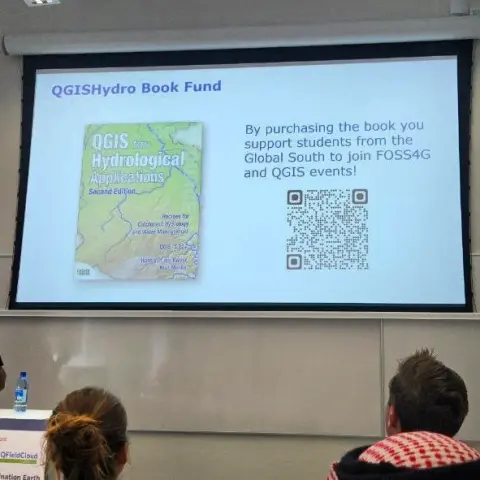
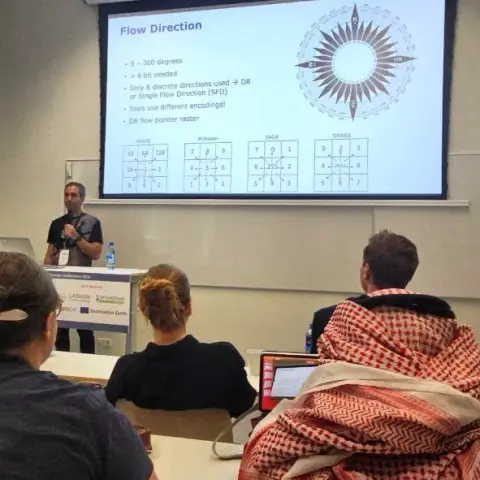


Hydrological analysis is a common task in environmental and geospatial applications. However, many users of QGIS encounter challenges when they want to perform stream and catchment delineation or morphometric analysis of streams and catchments using various processing provider plugins. These plugins, such as PCRaster, SAGA, GRASS and WhiteboxTools, offer different algorithms and methods for hydrological analysis, but they also require different installation procedures and have different limitations and assumptions. In this presentation, we will review the main features and drawbacks of these plugins, and provide practical tips and examples on how to use them effectively in QGIS. We will also compare the results of different algorithms and discuss the implications for hydrological analysis workflows. By the end of this presentation, you will have a better understanding of the available tools and techniques for stream and catchment delineation in QGIS, and how to choose the most suitable ones for your projects.
Edinburgh castle rooftops. Just keeping the apexes (?) and eaves, removing any flat or sloping areas.
Using #Qgis with #Whiteboxtools, rendered in blender.
 stevefaeembra
 Hans van der Kwast
 Hans van der Kwast