 S.Fynn

Recently arrived.
I need a watch. Haven't worn one in over 10 years because I'd just check my cellphone instead, and I normally just wear a leather wrist cuff bracelet in its place. But it's time for a change.
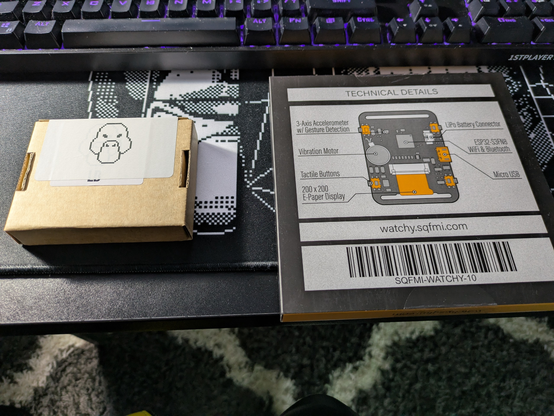
Recently arrived.
I need a watch. Haven't worn one in over 10 years because I'd just check my cellphone instead, and I normally just wear a leather wrist cuff bracelet in its place. But it's time for a change.
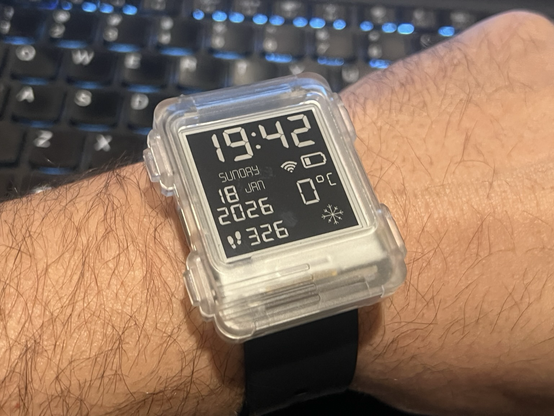
need a #linux #smartwatch...
https://friendica.world/display/84b6ef2b-6969-3630-cb5a-4f6424880820
#TramPilotVBZ #vbz #zurich
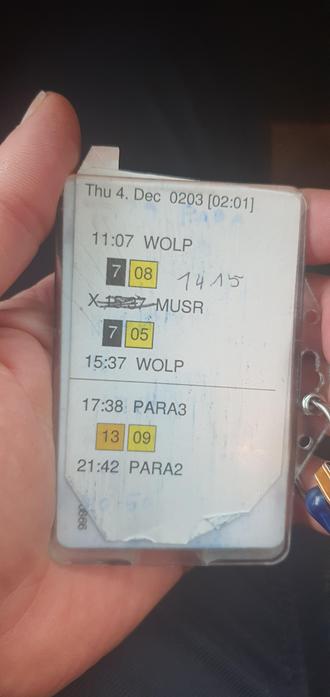
Nachdem meine #watchy 2.0 nicht mehr ans WLAN anschliessen will, bin ich zurück zu einer analogen Lösung.*
Allerdings zeigte sich schon am Tag 1 das Problem des "Telefonspiels": Weil die VBZ keine Hand bietet, ist der einzige Weg, die Daten in mein Universum zu bekommen das abtippen...🤭 ... bloss keine Fehler machen!
[*.pdf Kärtchen werden automatisch generiert yeah]
@sqfmi Update: I fixed it! 🎉
Not too shabby of a job either, if I dare say so myself.
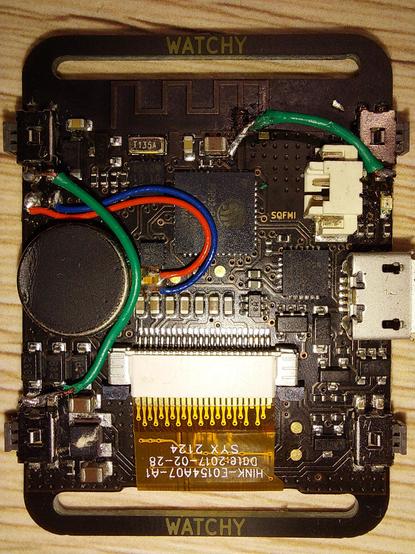
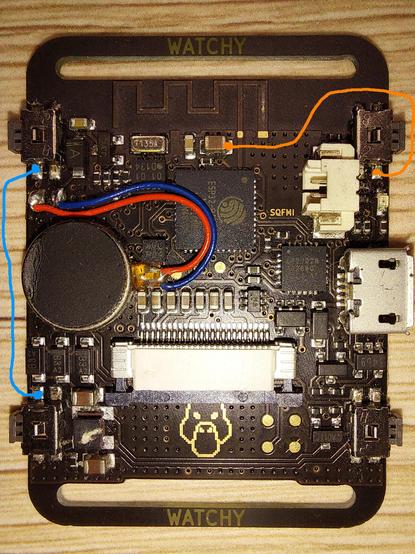
Thanks to the published CAD files, I figured out how to fix the buttons on my @sqfmi Watchy.
Some vias are corroded due to moisture, most likely from rain. In theory, all I have to do is solder two little jumper wires 🟠 🔵 without dislodging any other components. Those pads are 1 mm. 😬
Wish me luck. 🤞

A whimsical fuzzy clock
https://shkspr.mobi/blog/2023/07/a-whimsical-fuzzy-clock/
I'm sure I remembered there once being a clock app for Linux which was deliberately vague.
It would declare the time as "Nearly tea-time" or "A little after elevenses" or "Quite late" or "Gosh, that's early".
But I can find no evidence that it ever existed and am beginning to wonder if I dreamt it.
So I built it0.
First thing's first - there are a lot of existing fuzzy clocks. But they mostly say things like "afternoon" or "nearly 3 o'clock". There's even a Hobbit Time for Watchy. However, I wanted something a bit more vague and human than those.
Here's an example of what I mean:
if (hour >= 5 && hour < 7) { printf("Blimey! That's early.\n"); } else if (hour >= 7 && hour < 11) { printf("Good morning! Rise and shine!\n"); } else if (hour >= 11 && hour < 13) { printf("Goodness me! Elevenses!\n"); } else if (hour >= 13 && hour < 17) { printf("Afternoon tea time! Care for a cuppa?\n"); } else if (hour >= 17 && hour < 20) { printf("Evening is upon us. Time to unwind.\n"); } else if (hour >= 20 && hour < 23) { printf("Nighttime adventures await! Off we go!\n"); } else { printf("Bedtime beckons. Rest well, my friend.\n"); }And here they are rewritten as Shakespearean-style timestamps:
if (hour >= 5 && hour < 7) { printf("Good morrow! 'Tis the break of day.\n"); } else if (hour >= 7 && hour < 11) { printf("Hail, fair morn! Arise and be joyful.\n"); } else if (hour >= 11 && hour < 13) { printf("Goodness me! 'Tis the hour of elevenses!\n"); } else if (hour >= 13 && hour < 17) { printf("Afternoon doth approach! Wouldst thou like some tea?\n"); } else if (hour >= 17 && hour < 20) { printf("Evening doth draw nigh. 'Tis time to unwind.\n"); } else if (hour >= 20 && hour < 23) { printf("Nightfall is upon us. Adventure beckons!\n"); } else { printf("Bedtime doth approach. Rest well, good sir/madam.\n"); }And here we come to a central problem with any fuzzy system - repetitiveness. How to make it say something new every time it is called? I guess there are three main approaches:
I had some success with 1. I got the AI to spit out dozens of responses.
But they either need manually fitting into appropriate timeslots, or a bit more prompt-work to get the LLM to spit them out in the right order. Even with a few hundred, it's likely to get repetitive quickly. And, on an embedded system, are liable to take up a lot of memory.
Option 2 also has similar drawbacks. Even with a large amount of stock phrases, the structure and permutations will start to become noticeable. It's possible to reduce that with an enhanced semantic structure - but it becomes quite complex to automate.
Finally Option 3. Ah... It is computationally expensive (not to mention financially prohibitive) to call a network API every time we want to know the time. And on a battery-powered system, every time the WiFi has to wake is a dent in the longevity of the device.
My ultimate goal is to have this as a fuzzy-watchface for the Watchy eInk device.
At the moment, my plan is to use a mixture of 2 and 3.
If you've done something like this before, please let me know 😊
OK, I prompt-engineered my way to success ↩︎

I'm sure I remembered there once being a clock app for Linux which was deliberately vague. It would declare the time as "Nearly tea-time" or "A little after elevenses" or "Quite late" or "Gosh, that's early". But I can find no evidence that it ever existed and am beginning to wonder if I dreamt it. So I built it. First thing's first - there are a lot of existing fuzzy clocks. But they mostly…
 fufroom
 qkall
qkall mlerjen
 David Clubb
 Fell
Fell Logomancer
 Terence Eden’s Blog