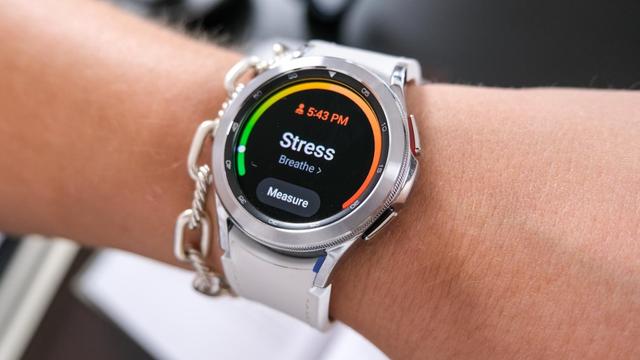
More Galaxy smartwatches to get One UI 8 Watch soon
One UI 8 Watch was officially released to this year’s smartwatches introduced to us back in July 2025 in the Galaxy Unpacked event. The Galaxy Watch8 and the Watch Ultra have both been provided the One UI 8 Watch software to enable users to use the new features, including the redesigned UI elements (inspired by One UI 7), the Now Bar, and the revamped application listing.
Moreover, the Galaxy Watch7 is still in the beta program, which was released on June 30th, until now, with the Galaxy Watch6 and Watch5 still waiting for their official release, if not for the Beta Program to open.
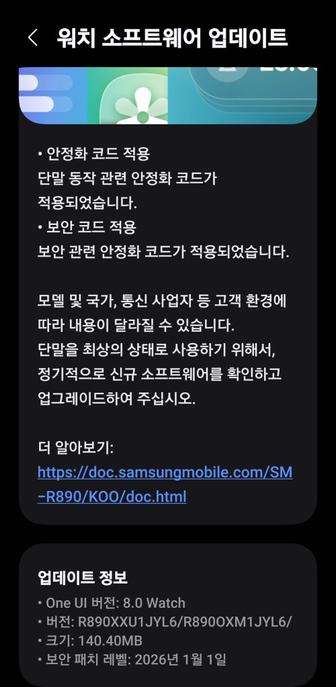
Nevertheless, we are getting closer and closer to the official One UI 8 release for both the smartphones and the smartwatches, with new features being on the way to the older Galaxy devices when the gradual rollout starts. The Galaxy Watch7 and Watch6 smartwatches are expected to get their One UI 8 Watch update on October 1st according to Güncel Miyiz, but this date may not be the day.
Since the One UI 8 Watch Beta program started, we had the following Beta versions released for the Galaxy Watch7:
- One UI 8 Watch Beta 1 (build ZYFE): June 30th, 2025
- One UI 8 Watch Beta 2 (build ZYH2): August 12th, 2025
- One UI 8 Watch Beta 3 (build ZYHA): August 26th, 2025
- One UI 8 Watch Beta 4 (build ZYI2): September 5th, 2025
- One UI 8 Watch Beta 5 (build ZYI4): September 12th, 2025
To recap, here are the new features that will make it to some of the older smartwatches, according to the changelogs:
One UI 8 Watch Upgrade
Get things done
Stay on top of important tasks with the Now bar
Check the information you need right now and start essential features straight from your watch face. Ongoing tasks will appear in the Now bar at the bottom of your watch face so you can check key information quickly.
Do more with double pinch
Just pinch your thumb and index finger together twice to scroll through notifications, control music, take pictures, and more. You can also customize what happens when you double pinch on the watch face, music controller, as well as alarm, calendar, and reminder alerts. Choose the actions you need most in each situation.
Mark reminders as important
Mark reminders as important by tapping the Star icon. Important reminders will appear at the top of your reminder list to make sure you notice them.
Get reminders at specific places
You can now set location-based reminders on your watch. For example, you can make your watch remind you to do the laundry when you arrive at home.
New charging effects
When your watch is charging, the new screen layout and animations make it easier to check the current battery level and remaining charging time.
Stay connected
Easily respond to notifications and alerts
Use gestures to quickly respond to notifications and alerts. When a notification appears, you can double pinch to view the details or send a reply. You can also shake your wrist to return to the watch face.
Enhanced notification view
Notifications on your watch are now easier to use with an attractive new design. Notifications from the same app are stacked vertically, allowing you to view more notifications with fewer swipes.
Smarter notification settings
It’s now easier to decide how to receive notifications from your phone on your watch. If you choose Smart device selection, notifications will appear on your phone only when you’re using it and on your watch when you’re not using your phone. If you choose Always show on both, notifications will always appear on both your phone and watch.
Upgrade your health
Bedtime guidance
Get to sleep at the right time so you wake up feeling refreshed. The new Bedtime guidance feature analyzes your sleep data and recommends the best time to go to sleep each night.
Mindfulness
Manage stress and anxiety in your daily life with the new Mindfulness feature in Samsung Health. You can keep track of your moods and emotions and practice breathing exercises to reduce stress.
Tailored to you
Find the perfect watch face
It’s now easier to find the watch face that’s right for you. Just choose a few keywords such as your preferred style, color, and information to show. The best matches will be suggested from our collection of more than 300 watch faces.
Recommended watch faces
Discover new watch faces that you might like. Watch faces with colors, style, or information similar to your current watch face will be recommended on the watch face selection screen.
Create your own tiles
Create your own custom tiles that show the information you need. You can even combine information from different apps into a single tile. You can include weather information, calendar events, reminders, and more.
Personalized Apps screen
Featured apps now appear at the top of your Apps screen to give you quick access to the apps you need the most. Apps will be featured based on how often you use them and other usage patterns. You can also view your apps as a list with names instead of only icons.
Choose calendars to show on your watch
You can now choose which calendars to show in the Calendar app on your watch. You can show all of the same calendars that are on your phone or customize to show only the calendars you need.
The following smartwatches are eligible to get the One UI 8 Watch update:
- Galaxy Watch Ultra (rolled out)
- Galaxy Watch7
- Galaxy Watch6
- Galaxy Watch5
- Galaxy Watch4
- Galaxy Watch FE
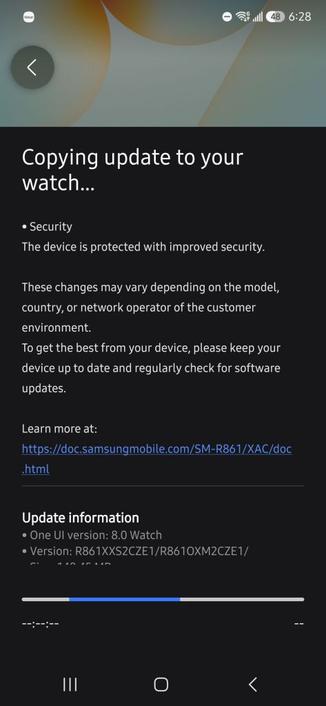
We are looking forward for future Galaxy Watch updates for the One UI 8 Watch update, which is expected to start its rollout soon.
#Android #GalaxyWatch4 #GalaxyWatch5 #GalaxyWatch6 #GalaxyWatch6Classic #GalaxyWatch7 #news #oneUi #OneUI8 #OneUI8Watch #OneUI80 #OneUI80Watch #Samsung #SamsungGalaxyWatch4 #SamsungGalaxyWatch5 #SamsungGalaxyWatch6 #SamsungGalaxyWatch6Classic #SamsungGalaxyWatch7 #Tech #Technology #update #Watch4 #Watch5 #Watch6 #Watch6Classic #Watch7
 Aptivi


 Lowyat.NET
 misryoum