Building Dynamic Toggletips Using Anchored Container Queries, by @dxnny.fun (@piccalil.li):

https://piccalil.li/blog/building-dynamic-toggletips-using-anchored-container-queries/

#css #anchorpositioning #containerqueries #toggles #tooltips

Building dynamic toggletips using anchored container queries

Anchored container queries are only available in Chrome 143 upwards right now, but here’s Daniel Schwarz to show you how to use progressive enhancement to build up to using that new capability in the context of position-aware toggle tips.


Piccalilli
Getting Started With The Popover API — Smashing Magazine

What happens if you rebuild a single tooltip using the browser’s native model without the aid of a library? The Popover API turns tooltips from something you simulate into something the browser actually understands. Opening and closing, keyboard interaction, Escape handling, and much of the accessibility now come from the platform itself, not from ad-hoc JavaScript.

Smashing Magazine
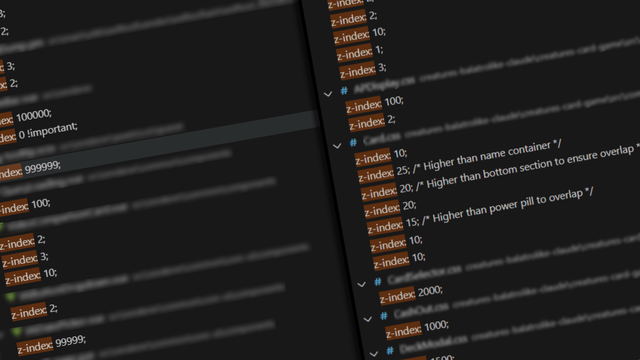
The Value of z-index | CSS-Tricks

How we look at the stacking order of our projects, how we choose z-index values, and more importantly, the implications of those choices.

CSS-Tricks

I stopped overpaying for a manual hydraulic pump that promised the moon.

Turns out the best manual hydraulic pump isn’t always the Enerpac model – a solid high‑pressure manual hydraulic pump wins. When buying a manual hydraulic pump, compare types, check price, consider the application, and skip flashy sales pitches. Follow a guide to choosing a hydraulic pump
https://artimantools.com/shop/category/pmp-hydrwlykh-dsty-11

#HydraulicPump #ManualPump #HighPressurePump #ToolTips #PumpGuide

قیمت و خرید انواع پمپ های هیدرولیک دستی || آرتیمان

تولید و فروش انواع پمپ هیدرولیک دستی با کیفیت و قیمت مناسب

نیروساز هیدرولیک آرتیمان

I spent an hour fighting a seized bolt until I found the nut splitter.

That cheap manual nut cutter turned my rusted nightmare into a quick split. Forget wrenches—use a heavy‑duty nut splitter or hydraulic nut splitter for emergency nut removal. One tool, zero damage. 🚀
https://artimantools.com/en/shop/category/nut-2

#NutSplitter #BoltRemoval #DIYTools #MechanicalRepair #ToolTips

Hydraulic Nut Splitter || Nirosaz Hydraulic Artiman

In situations where it is not possible to loosen or remove a nut using conventional methods, and cutting the nut is the only solution, this tool is used.

نیروساز هیدرولیک آرتیمان
Popover Context Menus with Anchor Positioning – Frontend Masters Blog

A context menu is like a tooltip in that it opens right next to the the thing that opened it. Here, we animate the opening and ensure it opens somewhere where it doesn't get cut off.

RE: https://layer8.space/@Sammy8806/115933604595220108

Just in case, you want your #Mastodon IMG ALT TXT MouseOver #tooltips back → THIS #GitHub Issue seems to be the target for your complaints! (Sammy doesn't process issues, you need to click-through to GitHub, btw. That's where the developers live.) 🖖

🧵 2/n i don't care HOW difficult it might be!

You need to "escape" things, strip HTML tags, do gymnastics?

DO IT! 🤬

Sacrificing #Tooltips #UI #UX ain't worth anything!

Make #tooltips render in a degraded state, if that's what it takes!

Even better idea: filter USER INPUT! 👍

Exclude/strip fancy #RichText formatting!

Tooltips, mouse-pointer-hover, #help texts were NEVER supposed to be #RichText!

You get line breaks, "\n\r", NewLine+CarriageReturn - the realm of text/plain! 🤓

#Mastodon

I DON'T like, that i'm NOT getting IMG ALT TXT #tooltips anymore!

Please reinstate the previous functionality, #Mastodon developers!

Mouse pointer hover (MouseOver) tool tips ARE a WELL-SEASONED and ESTABLISHED manner of conducting #UI / #UX things!

Please, do not abandon this #DesignPattern, just because your're a post-millennial, who wasn't taught the benefits of mouse pointer usage.

There ARE plenty of #mouse users, still!

DO NOT develop #webUI code for #TouchInput, only!

Tired of slow document editing?

Sometimes the fastest way to boost productivity is right under your cursor. With a simple hover, Tooltips in Collabora Online show you exactly what each button does — and, when available, the shortcut behind it.

That means less searching, fewer clicks, and an easier way to learn shortcuts naturally as you work.

Discover how they work and streamline your workflow!
🔗https://youtube.com/watch?v=2OAYRuQqcFc

#FeatureFriday #CollaboraOnline #Tooltips