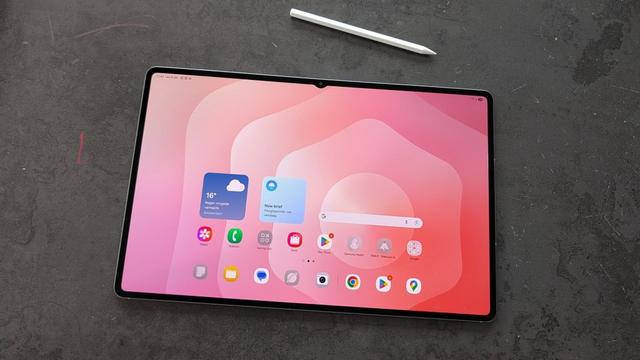
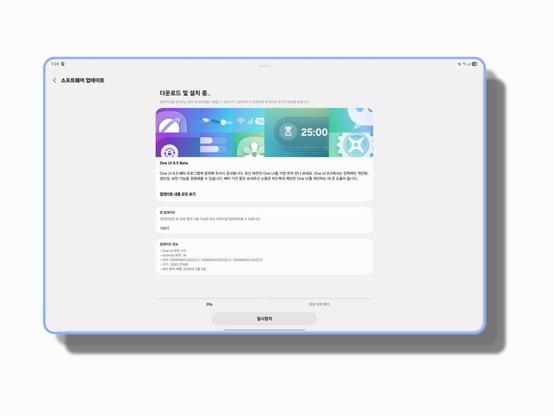
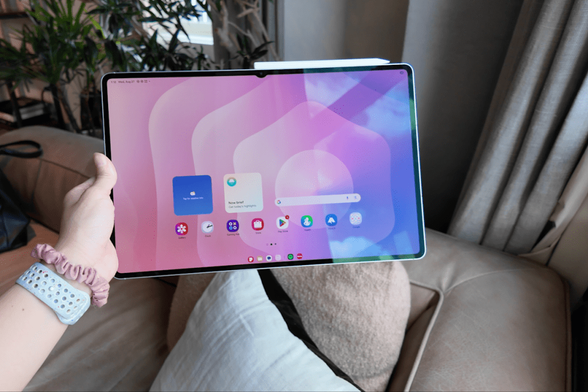
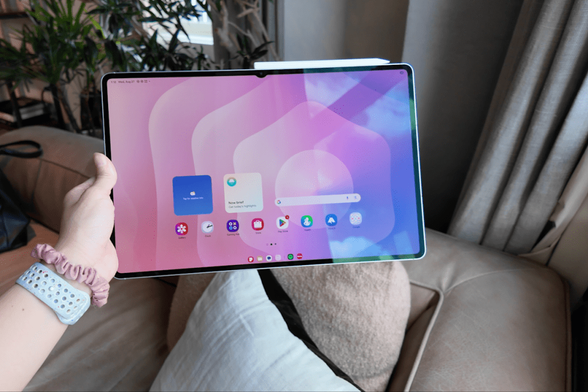
One UI 8.5 Beta Program for the Galaxy Tab S11 is now open!

One UI 8.5 has made a significant appearance, with new features, design improvements, and other improvements. We are very thrilled to announce that Samsung has recently opened the One UI 8.5 Beta Program for the Galaxy Tab S11 in the following countries:

  • Korea
  • United States of America
  • United Kingdom
  • India

This gives us a hint that the Beta Program is now open. Users should be able to try out One UI 8.5 in its earliest shape and form on their Galaxy Tab S11 devices.

Please note that Samsung might not have opened the Beta program in your country yet, even if your country is eligible for beta testing. In this case, you’ll have to wait for the beta banner.

To join the Beta Program, you must have the latest version of Samsung Members installed. You can get the latest version through either the Galaxy Store or the Play Store. Once done, you should be able to join the program if you have an eligible device.

#Android #Android16 #AndroidB #AndroidBaklava #GalaxyTabS11 #GalaxyTabS11Series #GalaxyTabS11Ultra #news #oneUi #OneUI8 #OneUI80 #OneUI85 #Samsung #SamsungGalaxyTabS11 #SamsungGalaxyTabS11Series #SamsungGalaxyTabS11Ultra #smartphone #TabS11 #TabS11Series #TabS11Ultra #Tech #update

Galaxy Tab S11, Tab S9, and Tab S8 Series receive February 2026 Security Patch globally

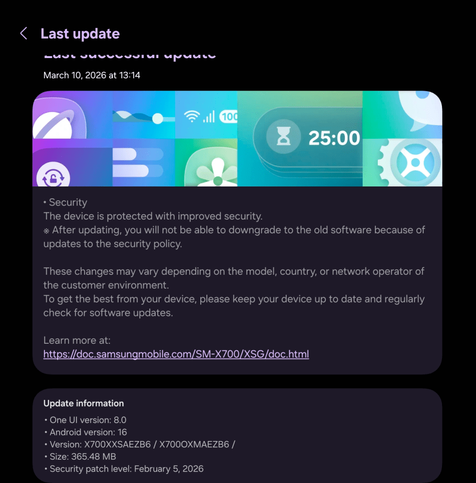
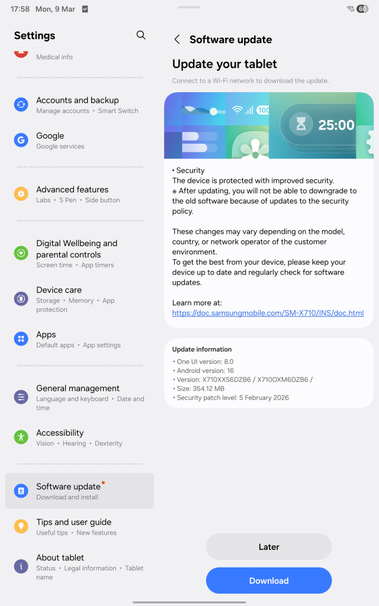
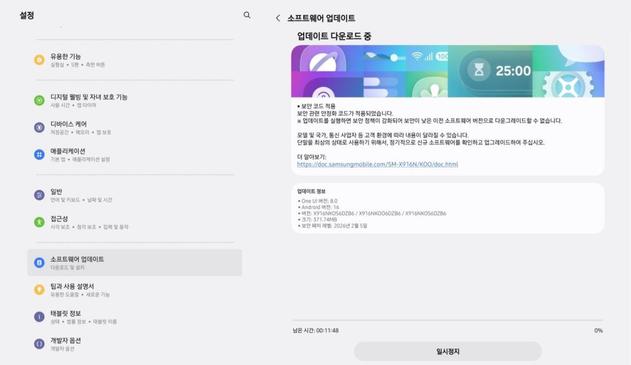
Samsung has continued distributing the February 2026 security patch to the Tab S11, Tab S9, and Tab S8 series, and is now available globally. This is built on top of One UI 8.0 that uses Android 16 as the base. This also increments the bootloader version so that reversing the update is no longer possible.

According to the latest data, we have found the following firmware versions released:

  • SM-X700: X700XXSAEZB6 [XSG, INU]
  • SM-X800: X800XXSAEZB6 [XSG, INU]
  • SM-X900: X900XXSAEZB6 [XSG, INU]
  • SM-X710: X710XXS6DZB6 [XSG, INS]
  • SM-X810: X810XXS6DZB6 [XSG, INS]
  • SM-X910: X910XXS6DZB6 [XSG, INS]
  • SM-X730: X730XXS5AZB8 [XSG]
  • SM-X930: X930XXS5AZB8 [XSG]

To obtain the update, follow these steps:

  • Open the Settings app
  • Navigate to Software update
  • Tap on Download and Install
  • You should be able to see the update information. Verify the version with your device model posted above.
  • Click on Download, let it download, and click on Install. Make sure that you download the update through Wi-Fi.
  • This security update should take 5 to 10 minutes maximum to install once your phone reboots. Make sure that you have the phone charged fully before initiating the update process to avoid interruptions. Back up your data to your PC, the cloud, or any other device in case the update went wrong. Don’t interrupt the update process, or you’ll experience problems later.

    #Android #Android16 #AndroidB #February #February2025 #GalaxyTabS11 #GalaxyTabS11Series #GalaxyTabS11Ultra #GalaxyTabS8 #GalaxyTabS8Ultra #GalaxyTabS9 #GalaxyTabS9Ultra #news #Patch #phone #PhonesTablets #Samsung #SamsungGalaxyTabS11 #SamsungGalaxyTabS11Series #SamsungGalaxyTabS11Ultra #SamsungGalaxyTabS8 #SamsungGalaxyTabS8Series #SamsungGalaxyTabS8Ultra #SamsungGalaxyTabS9 #SamsungGalaxyTabS9Series #SamsungGalaxyTabS9Ultra #security #smartphone #TabS11 #TabS11Series #TabS11Ultra #TabS8 #TabS8Series #TabS8Ultra #TabS9 #TabS9Series #TabS9Ultra #Tech #Technology #update

    Galaxy Tab S11, Tab S9, and Tab S8 Series receive February 2026 Security Patch

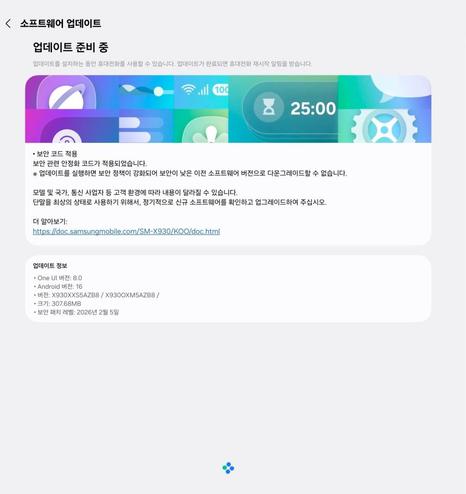
    Samsung has recently began distributing the February 2026 security patch to the Tab S11, Tab S9, and Tab S8 series. This is built on top of One UI 8.0 that uses Android 16 as the base. This also increments the bootloader version so that reversing the update is no longer possible.

    According to the latest data, we have found the following firmware versions released: (not all versions are available)

    • SM-X705N: X706NKOSAJZB6 [KOO]
    • SM-X805N: X806NKOSAJZB6 [KOO]
    • SM-X905N: X906NKOSAJZB6 [KOO]
    • SM-X700: X700XXSAEZB6 [KOO]
    • SM-X800: X800XXSAEZB6 [KOO]
    • SM-X900: X900XXSAEZB6 [KOO]
    • SM-X716N: X716NKOS6DZB6 [KOO]
    • SM-X816N: X816NKOS6DZB6 [KOO]
    • SM-X916N: X916NKOS6DZB6 [KOO]
    • SM-X710: X710XXS6DZB6 [KOO]
    • SM-X810: X810XXS6DZB6 [KOO]
    • SM-X910: X910XXS6DZB6 [KOO]
    • SM-X736N: X736NKOS5AZB8 [KOO]
    • SM-X936N: X936NKOS5AZB8 [KOO]
    • SM-X730: X730XXS5AZB8 [KOO]
    • SM-X930: X930XXS5AZB8 [KOO]

    To obtain the update, follow these steps:

  • Open the Settings app
  • Navigate to Software update
  • Tap on Download and Install
  • You should be able to see the update information. Verify the version with your device model posted above.
  • Click on Download, let it download, and click on Install. Make sure that you download the update through Wi-Fi.
  • This security update should take 5 to 10 minutes maximum to install once your phone reboots. Make sure that you have the phone charged fully before initiating the update process to avoid interruptions. Back up your data to your PC, the cloud, or any other device in case the update went wrong. Don’t interrupt the update process, or you’ll experience problems later.

    #Android #Android16 #AndroidB #February #February2025 #GalaxyTabS11 #GalaxyTabS11Series #GalaxyTabS11Ultra #GalaxyTabS8 #GalaxyTabS8Ultra #GalaxyTabS9 #GalaxyTabS9Ultra #news #Patch #phone #PhonesTablets #Samsung #SamsungGalaxyTabS11 #SamsungGalaxyTabS11Series #SamsungGalaxyTabS11Ultra #SamsungGalaxyTabS8 #SamsungGalaxyTabS8Series #SamsungGalaxyTabS8Ultra #SamsungGalaxyTabS9 #SamsungGalaxyTabS9Series #SamsungGalaxyTabS9Ultra #security #smartphone #TabS11 #TabS11Series #TabS11Ultra #TabS8 #TabS8Series #TabS8Ultra #TabS9 #TabS9Series #TabS9Ultra #Tech #Technology #update

    Samsung rolls out the first seamless update for the Galaxy Tab S11

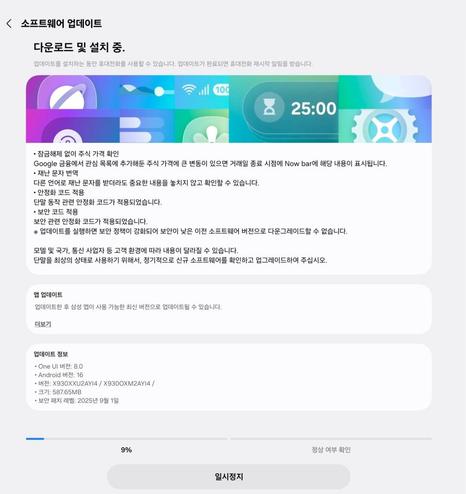
    Samsung has started rolling out the September 2025 patch for the Galaxy Tab S11 series that not only brings the September security patch, but also brings two new features: finance information in the Now Bar and disaster text translation. It also contains some bug fixes and general improvements to the system.

    Please note that the update might arrive later, depending on the country. Right now, this update is only available in Korea, but it should be available on other countries soon.

    We can now confirm that the Galaxy Tab S11 is updated with the seamless updates feature instead of the older recovery-based update method. Since the Galaxy Tab S10 used the older method to update the system, we can now say that the Galaxy Tab S11 is the first Samsung tablet that uses the seamless updates feature that was first introduced with the Galaxy A55 on 2024.

    The following firmware information is available:

    • SM-X730: X730XXU2AYI4 [KOO]
    • SM-X736N: X736NKOU2AYI4 [KOO]
    • SM-X930: X930XXU2AYI4 [KOO]
    • SM-X936N: X936NKOU2AYI4 [KOO]

    To update your tablet, follow these steps:

  • Go to Settings.
  • Navigate to Software update.
  • Tap Download and Install.
  • You should see the screen that look like the above picture. Press Update.
  • Let it update, then press Restart Now.
  • The update should take no more than 15 minutes to install. Never interrupt the update in any way, or problems may occur later. Make sure that you download the update from the Wi-Fi connection to avoid data fees.

    #Android #GalaxyTabS11 #GalaxyTabS11Ultra #news #oneUi #OneUI8 #OneUI80 #Samsung #SamsungGalaxyTabS11 #SamsungGalaxyTabS11Ultra #smartphone #TabS11 #TabS11Ultra #Tech #Technology #update

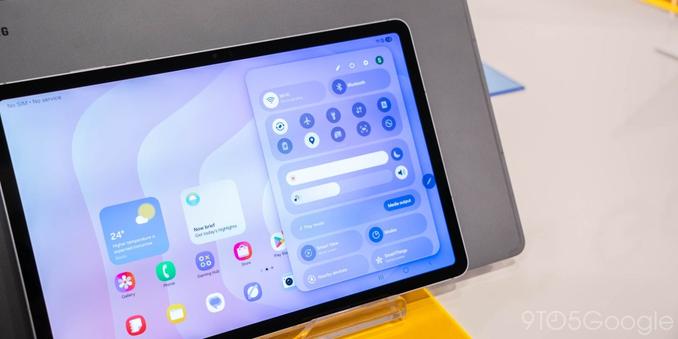
    One UI 8 fixes notification panel appearance for tablets!

    Samsung has recently released the Galaxy Tab S11 series today, and it looks like that One UI 8 brings a long-awaited fix for the notification panel that has been plaguing tablet users since One UI 6.

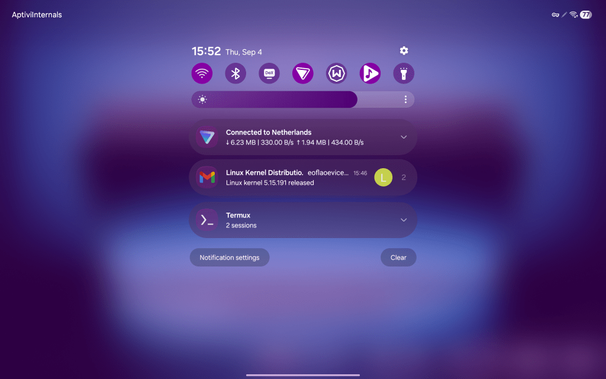
    Recently, a news report that 9to5Google made expressed their dissatisfaction about the current state of the notification panel, along with showcasing the notification panel for One UI 8 on tablets. You can refer to our current screenshot of the One UI 7 notification panel to see what we’re talking about.

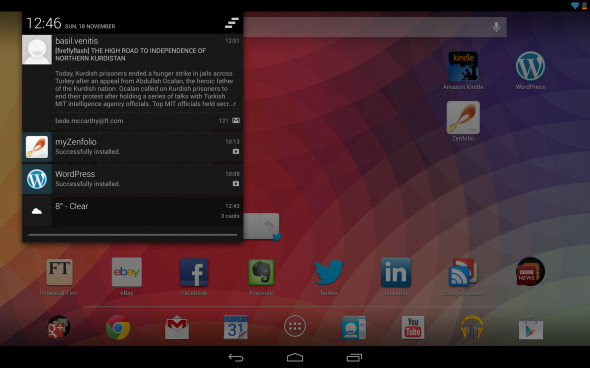
    As you can see, the notification panel consumes the entire screen, and it looks unoptimized for tablets. On Android 4.2 Jelly Bean, it took this into account perfectly.

    Now, it looks like that One UI 8 will bring the long-awaited fix for notification panels, which will greatly make your tablet’s notification panel look really like what they’re supposed to look like in tablets. Your notification panel will be a floating panel, similar to how the above picture talked about.

    The wasted space that One UI 7 brought has been eliminated by letting you see what’s behind the notification panel for increased productivity. This works very similarly to how Android 4.2 Jelly Bean handled this for tablets. However, the status bar icons and the carrier name (or the Wi-Fi AP name) stays at the top, just like One UI 7.

    One UI 8 will roll out to tablets starting from the Galaxy Tab S10 series in October, and this fix will be available for the Tab S10, S9, and S8.

    #Android #GalaxyTabS11 #GalaxyTabS11Ultra #news #oneUi #OneUI8 #OneUI80 #Samsung #SamsungGalaxyTabS11 #SamsungGalaxyTabS11Ultra #smartphone #TabS11 #TabS11Ultra #Tech #Technology #update

    Samsung releases the Galaxy Tab S11 Series

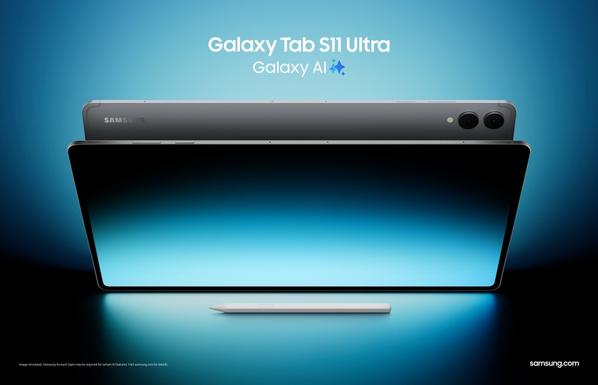
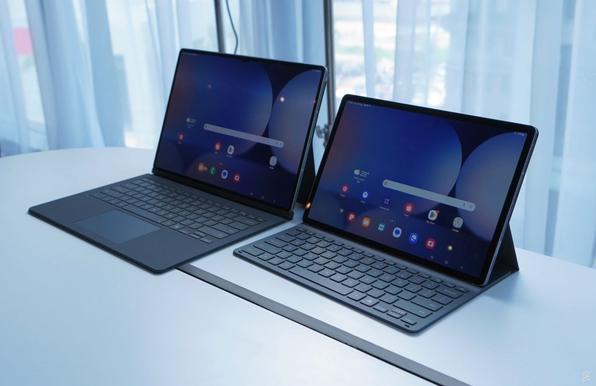
    Samsung has officially unveiled the Galaxy Tab S11 series during the Galaxy Event 2025 virtual presentation. This succeeds the Galaxy Tab S10 series that got released last year, and this year’s flagship tablets have become much more powerful! What made those tablets even more powerful is with Galaxy AI being stronger with brand new tools.

    Galaxy Tab S11 Ultra is the thinnest Galaxy Tab device to date, with the Galaxy Tab S11 Ultra being just 5.1 mm thin to make it a strong slim form factor tablet with multimodal capabilities powered by Galaxy AI. With Galaxy AI, tools like Writing Assist and Drawing Assist enhance your productivity and to perform tasks in a very short time.

    Galaxy Tab S11 series introduces the brand new S Pen that underwent a major redesign. Instead of a circular design like early S Pens, your S Pen has become a hexagonal Pen, similar to how pencils look like. The pen tip has a cone shape, with its durability increased to support increased tilt angles to enhance your productivity. Your drawings will look more beautiful once you draw with this S Pen.

    Galaxy Tab S11 series also introduces Circle to Search with Google. This tool allows you to not only circle on an object to search for more information regarding the object, but you can also translate text on your screen in real-time.

    Samsung DeX has been updated to increase your productivity, starting with Extended Mode that allows your DeX workspace to expand to two monitors for a seamless dual-screen setup. Multiple workspaces can be created to further organize your apps for a specific scope, such as a workspace for trip planning, another one for work, and so on. You can create up to four workspaces.

    For the first time in the Galaxy Tab S series, the Galaxy Tab S11 series now contains a 3nm processor that got enhanced to perform tasks more quickly than before. More responsive AI features, smoother multitasking, and faster processing have become a trait in the Galaxy Tab S11 series, with improvements up to 33% in NPU (Natural Processing Unit), 24% in CPU, and 27% in GPU.

    Galaxy Tab S11 Ultra features a 5.1mm thinness with a tiny bezel of 5.2mm that allows your tablet to have more screen real estate without compromising the portability. The whole Galaxy Tab S11 series will feature a 1600 nit peak brightness in the Dynamic AMOLED 2X display to guarantee vivid displays indoors and outdoors.

    Galaxy Tab S11 series has become the first Galaxy tablet that features One UI 8 based on Android 16. One UI 8 rollout will be expanded to phones starting September (Galaxy S25) and to tablets starting October (Galaxy Tab S10).

    The tablet series is priced at $859 for the base model and $1,199 for the Ultra model in two colors: Silver and Gray. You can purchase the Ultra and the Base model.

    Learn more

    #Android #Android16 #AndroidB #AndroidBaklava #GalaxyTabS11 #GalaxyTabS11Ultra #news #oneUi #Samsung #SamsungGalaxyTabS11 #SamsungGalaxyTabS11Ultra #smartphone #TabS11 #TabS11Ultra #Tech #Technology #update

    Samsung sends invites for the Galaxy Event 2025 on September 4th

    Samsung has begun sending invitations to the virtual Galaxy Event that will be held on the 4th of September. This event is, according to the official newsroom article, an opportunity to “discover a more seamless mobile experience across a wider range of devices.” They also teased the fact that the new flagship tablet and a new member of the Galaxy S25 family will be announced during the event.

    This event sets how the next evolution of Galaxy sets a new standard for effortless productivity. This points to new device releases, such as the rumored Galaxy S25 FE and the Galaxy Tab S11 series. For press conferences and exhibition booths, you can also join Samusung at IFA 2025.

    The event will be held virtually live at 9:30 AM GMT (11:30 AM CEST, 12:30 PM EST, 3:00 PM IST) and will be available in the official Samsung website and in their YouTube channel. You can see the invitation below.

    https://youtu.be/WF3XOJN4nKY

    This is in conjunction with the September 5th release of the Galaxy Tab S10 Lite and the Galaxy Buds3 Fan Edition (FE).

    We are thrilled to announce this event, and we will be watching the event with you there!

    #Android #Android16 #GalaxyTabS11 #GalaxyTabS11Ultra #news #oneUi #OneUI8 #OneUI80 #Samsung #SamsungGalaxyTabS11 #SamsungGalaxyTabS11Ultra #smartphone #TabS11 #TabS11Ultra #Tech #Technology #update

    Samsung Galaxy Tab S11 will be released soon!

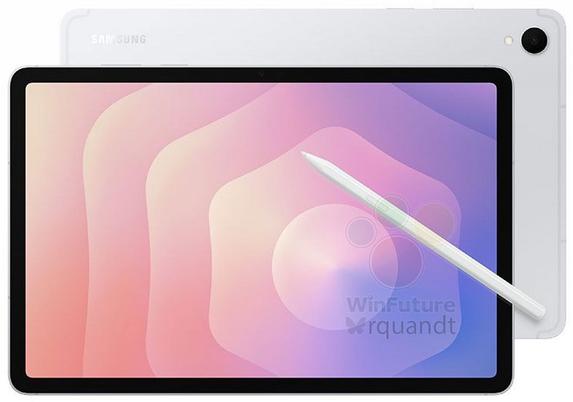
    Samsung is ready to release the Galaxy Tab S11 series, the flagship successor to the Galaxy Tab S10 series last year that brought the MediaTek Dimensity SoC. The Galaxy Tab S11 will be even more powerful with the newer MediaTek Dimensity 9400 SoC.

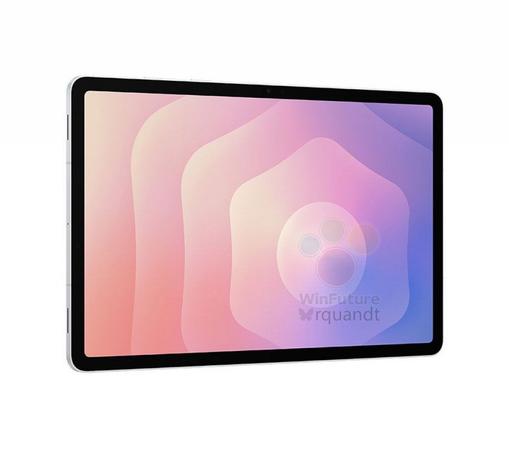
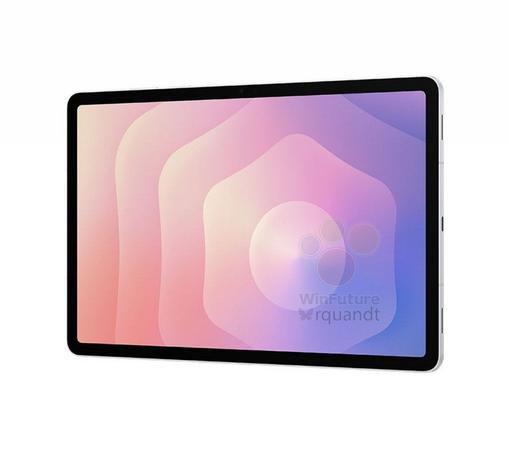
    The leaked images of the Galaxy Tab S11 made their way to the internet thanks to a German news outlet, WinFuture. You can see them below:

    The specifications can be found in the same WinFuture article, where you can see the full details of the Galaxy Tab S11 and its Ultra sibling, alongside with the Galaxy Tab S10 Lite.

    Galaxy Tab S11 will run Android 16 with One UI 8.0, which means that you’ll get to have the latest Android experience with optimizations tailored for tablets. Also, the software update schedule for the new Galaxy flagships tablets will be on a quarterly basis, just like the Galaxy Tab S10, S9, and S8.

    We’ll inform you when the tablet gets officially released by Samsung.

    #Android #GalaxyTabS11 #GalaxyTabS11Ultra #news #oneUi #Samsung #SamsungGalaxyTabS11 #SamsungGalaxyTabS11Ultra #smartphone #TabS11 #TabS11Ultra #Tech #Technology #update

    #Samsung plant die #GalaxyTabS11-Serie mit #MediaTek Dimensity 9400 und #5G-Support. #TabS11Ultra bietet ein 14,6-Zoll-#AMOLED-Display und bis zu 16 GB RAM. Preise starten bei 899 bzw. 1339 Euro. #Tablets https://winfuture.de/news,152799.html?utm_source=Mastodon&utm_medium=ManualStatus&utm_campaign=SocialMedia
    Samsung Galaxy Tab S11-Serie & Tab S10 Lite: Leak liefert alle Details

    Samsung steht kurz vor der Einführung von gleich drei neuen Tablets. Ein umfangreicher Leak liefert jetzt die technischen Daten zum Samsung Galaxy Tab S11, Galaxy Tab S11 Ultra sowie dem Galaxy Tab S10 Lite. Bilder lassen noch immer auf sich warten.

    WinFuture.de