 NERDS.xyz – Real Tech News for Real Nerds [Unofficial]
StarTech.com USB4 dock brings driverless dual displays to Mac, Windows, and Linux
https://fed.brid.gy/r/https://nerds.xyz/2026/04/startech-usb4-dock-driverless-dual-display/
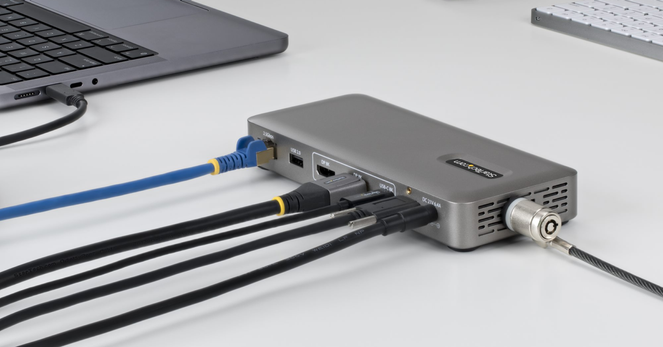
StarTech.com USB4 dock brings driverless dual displays to Mac, Windows, and Linux
https://fed.brid.gy/r/https://nerds.xyz/2026/04/startech-usb4-dock-driverless-dual-display/
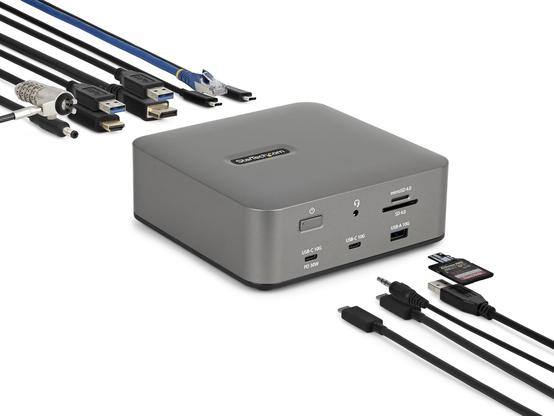
StarTech.com’s Thunderbolt 5 Docking Station turns your laptop into a makeshift desktop
https://fed.brid.gy/r/https://nerds.xyz/2026/01/startech-thunderbolt-5-dock/
If after updating to MacOS 26 #Tahoe your Mac no longer offers you resolutions higher than 1920x1080 and mis-identifies your display as ITE-something on your #StarTech USB-C to HDMI 4K60p adapter, ensure you are using a sufficiently rated HDMI cable; if you use a 4K KVM switch like Aten, check *all* HDMI cables between the Mac and the 4K display accordingly.
After replacing hitherto working HDMI cables with #HDMI21 cables, my ASUS ProArt display is correctly identified and offers 4K60p again.
Anyone here with a #StarTech #USB2HDCAPM #USB3HDCAP who could test on #Linux? I tried to fix the driver build for recent kernels:
https://github.com/mmuman/hdcapm/tree/linux-6-fixes
cf. https://github.com/stoth68000/hdcapm/issues/2
It probably needs a lot more work to be usable though.
I'm not saying #Amazon shipped my company 4 #counterfeit #StarTech usb-serial hubs (at $400 each), but I *will* say that all four hubs having the same exact serial number on their stickers is highly suspect.
And only 1 of them worked.
SUSS AF NGL
My First Server Rack!


If you travel a lot and use public charging stations, our StarTech.com 1m Secure USB-C to USB-A 2.0 Cable review looks at a cable that only provides power charging capabilities to keep your data safe at public charging stations.
 Andy
Andy Michael Hartle
 mmu_man
 ErikBussink
 ShawnT 🔧🐀
 Krafting
 🇨🇦 Jason Bouwmeester 🍁
 Damian Tometzki