Bryan King
The $5,000 Text: How to Spot a “Package Delivery” Scam Before You Click.
2,534 words, 13 minutes read time.
The Anatomy of a $5,000 Digital Shakedown
The notification vibrates against your thigh with the same rhythmic insistence as a legitimate update from a tech giant, and in that split second, the trap is set. We live in an era of instant gratification and logistical transparency where the expectation of a cardboard box arriving at our doorstep has become a baseline psychological state. Scammers understand this better than you do, and they have weaponized the supply chain to turn your smartphone into a liability. A “Package Delivery” scam is not some low-effort prank executed by a bored teenager in a basement; it is a high-consequence, precision-engineered social engineering operation designed to exploit the cognitive friction between your digital life and your physical reality. When you receive a text claiming your “shipment is on hold due to an incomplete address,” you aren’t just looking at a message; you are looking at the entry point of a sophisticated redirect chain that aims to liquidate your checking account before the screen even times out.
Analyzing the mechanics of these attacks reveals a terrifyingly efficient conversion funnel that begins with the “Failed Delivery” hook. This specific lure is chosen because it creates immediate, low-level anxiety that demands a resolution, bypassing the logical filters we usually apply to suspicious emails. Unlike a random “you won a lottery” text which triggers immediate skepticism, the package delivery notification feels plausible because, in 2026, everyone is always waiting for something. This sense of urgency is the fuel for the fire, pushing the target to act before they think. The goal is to move the user from the secure environment of their encrypted messaging app to a controlled, malicious web environment where the predator dictates the rules of engagement. By the time you realize the URL looks slightly “off,” the site has already fingerprinting your browser, logged your IP address, and presented you with a pixel-perfect imitation of a major carrier’s tracking portal.
The Velocity of Vulnerability: Why Smishing is More Lethal than Email Phishing
The hard reality that most men fail to grasp until their identity is compromised is that the mobile device is a far more dangerous environment than the desktop. We have been trained for decades to look for red flags in emails—checking the sender’s full address, hovering over links, and noting poor grammar—but that defensive muscle memory disappears when we are holding a five-inch piece of glass. There is a documented “Mobile Trust Gap” where users are statistically much more likely to click a link sent via SMS (smishing) than one sent via email. This is partly due to the intimacy of the medium; text messaging is traditionally reserved for family, friends, and trusted services, leading to a lowered guard. Furthermore, the UI of mobile browsers often hides the very indicators we need to stay safe, such as the full URL path, making it nearly impossible to distinguish a legitimate domain from a “typosquatted” imitation at a glance.
Beyond the psychological comfort of the medium, the sheer velocity of a smishing attack makes it a superior weapon for the modern criminal. In a traditional phishing campaign, an email might sit in a spam folder or be filtered out by enterprise-grade gateways before it ever reaches the human eye. In contrast, an SMS bypasses most traditional security stacks and lands directly in the user’s pocket, often accompanied by a haptic buzz that triggers a compulsive “check” response. Industry data from the Verizon Data Breach Investigations Report suggests that the click-through rate on mobile-based social engineering is significantly higher than its desktop counterparts. This is not because the targets are unintelligent; it is because the environment is optimized for rapid, impulsive interaction. When you are walking through a parking lot or sitting in a meeting, you aren’t performing a forensic analysis of a link—you are trying to clear a notification, and that split-second lapse is all a threat actor needs to initiate a $5,000 drawdown.
Deconstructing the Payload: From a 160-Character Text to a Drained Bank Account
The journey from a simple SMS notification to a catastrophic financial loss is a masterclass in psychological manipulation and technical misdirection. Once a target clicks that “Update Address” or “Pay Redelivery Fee” link, they are rarely sent directly to a data-harvesting form; instead, they are bounced through a series of rapid redirects designed to bypass automated security scanners and “sandboxes” used by mobile OS providers. These intermediate hops serve as a filtering mechanism to ensure the visitor is a live human on a mobile device rather than a security bot trying to index the site for a blacklist. Once the environment is confirmed as “clean” for the attacker, the victim lands on a high-fidelity clone of a USPS, FedEx, or DHL tracking page. This isn’t a low-budget imitation; these sites use stolen CSS and JavaScript directly from the official sources to ensure every button, font, and logo looks authentic. The trap begins with a request for a “nominal” redelivery fee, usually between $1.50 and $3.00, a move calculated to lower your defensive threshold.
The brilliance of asking for a two-dollar fee is that it feels too small to be a “scam” to the uninitiated, yet it is the primary vector for the entire theft. By entering your credit card information to pay this pittance, you aren’t just losing two dollars; you are handing over a full profile of your financial identity. The malicious form is scripted to capture your Name, Address, Phone Number, Card Number, Expiration Date, and—most critically—the CVV code in real-time. In many advanced “Package Delivery” kits, this data is exfiltrated via a Telegram bot or an API call to a Command and Control (C2) server the moment you hit “Submit.” While you are waiting for a fake loading circle to finish “processing” your payment, the attacker is already using your credentials to make high-value purchases or, worse, attempting to add your card to a digital wallet like Apple Pay or Google Pay. This transition from a “shipping issue” to a full-scale takeover of your financial rails happens in seconds, often before you’ve even locked your phone screen.
The Infrastructure of Deceit: Bulletproof Hosting and SMS Gateways
To understand why your phone is being bombarded with these messages, you have to look at the industrial-scale infrastructure supporting the modern cybercriminal. These campaigns are no longer manual; they are powered by “Scam-as-a-Service” platforms available on the dark web for a monthly subscription. A threat actor doesn’t need to know how to code a fake website or manage a database; they simply buy a “kit” that includes the pre-designed landing pages, the redirect logic, and the automated exfiltration scripts. To deliver the “payload”—the initial text message—they utilize SMS gateways and “SIM farms” located in jurisdictions with lax telecommunications oversight. These gateways allow a single attacker to blast out tens of thousands of messages per hour using “spoofed” or rotating sender IDs, making it nearly impossible for carriers to block the source of the attack in real-time. By the time a carrier identifies a malicious number, the attacker has already cycled through five more.
The technical backbone of these operations is further reinforced by the use of “bulletproof” hosting providers—services that explicitly ignore DMCA takedown notices and law enforcement inquiries. These hosts allow the phishing pages to stay online just long enough to harvest a few hundred victims before the domain is burned and the operation moves to a new URL. This “fast-flux” approach to infrastructure means that by the time you report a link as a scam, it has likely already been decommissioned and replaced by another nearly identical site. This cat-and-mouse game is a core component of the business model. The attackers leverage automation to scale their reach while minimizing their operational costs, ensuring that even a 0.1% “success rate” on a million sent texts results in a massive payday. Analyzing the traffic patterns of these gateways reveals a relentless, 24/7 bombardment aimed at the global supply chain, turning the simple act of receiving a package into a high-stakes defensive operation for every smartphone user.
Hardening the Human Firewall: Tactical Indicators of a Delivery Scam
Recognizing a package delivery scam requires more than just a gut feeling; it requires a disciplined, analytical approach to every notification that hits your lock screen. The first and most glaring indicator is the “Urgency Engine,” a psychological trigger designed to make you bypass your logical filters by claiming a package will be “returned to sender” or “destroyed” if action isn’t taken within a few hours. Legitimate logistics giants like UPS or FedEx do not operate with this level of theatrical desperation; they leave door tags or update your tracking portal with a “Delivery Exception” that stays valid for days. Furthermore, you must scrutinize the source of the message with extreme prejudice, looking specifically for “Long Codes”—standard ten-digit phone numbers—rather than the five- or six-digit “Short Codes” typically used by major corporations for automated alerts. If a random 10-digit number from a different area code is texting you about a “package issue,” the probability of it being a malicious actor is effectively 100%.
The second layer of defense involves a forensic look at the URL itself, which is where most men fail the test because they don’t look past the first few characters. Scammers frequently use URL shorteners like Bitly or TinyURL to mask the true destination of the link, or they employ “Typosquatting” where the domain looks nearly identical to the real thing—think “https://www.google.com/search?q=fedx-delivery.com” or “https://www.google.com/search?q=usps-update-parcel.com.” A legitimate tracking link will always be hosted on the primary corporate domain of the carrier, and any deviation from that structure is a definitive red flag that should result in an immediate block and delete. You should also be hyper-aware of the “Redelivery Fee” trap; no major carrier will ever text you out of the blue demanding a credit card payment of two dollars to complete a delivery that has already been shipped. These organizations handle billing through the sender or through established, logged-in customer accounts, never through an unauthenticated SMS link that asks for your CVV code on a whim.
The Technical Counter-Strike: How to Kill the Attack Surface
Stopping these attacks requires moving beyond the passive advice of “don’t click” and adopting a proactive, technical posture that hardens your mobile environment against intrusion. The most effective move you can make is to implement DNS-level filtering on your device, using services like NextDNS or Cloudflare’s 1.1.1.1 (with Warp) to block known malicious domains before your browser even attempts to resolve them. By layering a protective DNS over your cellular and Wi-Fi connections, you create a digital “tripwire” that can automatically kill the redirect chain of a smishing link, rendering the attacker’s payload useless even if you accidentally tap the screen. Additionally, you should dive into your mobile OS settings—whether iOS or Android—and enable “Filter Unknown Senders,” which shunts messages from non-contacts into a separate folder, effectively de-prioritizing the “Urgency Engine” and giving you the mental space to evaluate the message without the pressure of a notification badge.
Furthermore, we need to address the systemic weakness of SMS-based Multi-Factor Authentication (MFA), which is often the ultimate goal of the “Package Delivery” scammer. If a threat actor manages to harvest your PII and card details, their next step is often a “SIM Swap” or an attempt to intercept the one-time password (OTP) sent to your phone to authorize a large transaction. To kill this attack vector, you must migrate every sensitive account—banking, email, and logistics—away from SMS MFA and onto hardware security keys like a YubiKey or, at the very least, an authenticator app like Aegis or Raivo. By removing your phone number as a “trusted” factor for identity verification, you neuter the effectiveness of the entire smishing ecosystem. When your security doesn’t rely on a 160-character plain-text message, the $5,000 text becomes nothing more than a minor annoyance that you can delete with the clinical indifference of a man who has already won the battle.
Conclusion: Vigilance as a Lifestyle
The digital landscape is not a playground; it is a persistent conflict zone where your personal data is the primary currency and your momentary distraction is the enemy’s greatest asset. The “$5,000 Text” is merely a symptom of a much larger, more aggressive shift in how organized crime operates in the twenty-first century. These attackers are betting on your fatigue, your busyness, and your inherent trust in the logistical systems that keep your life running. By deconstructing the “Package Delivery” scam, we see that it relies entirely on a sequence of exploited trust: trust in the SMS medium, trust in the brand of the carrier, and trust in the urgency of the notification. Breaking that chain requires a fundamental shift in your digital posture, moving from a “trust but verify” mindset to a hard “Zero Trust” model where every unsolicited communication is treated as a hostile probe until proven otherwise.
Maintaining this level of defensive depth isn’t about living in fear; it’s about operating with the clinical precision of someone who understands the stakes. You now have the technical blueprint to identify the redirect chains, the infrastructure of deceit, and the tactical indicators that separate a legitimate service alert from a sophisticated financial shakedown. The most powerful tool in your arsenal isn’t a piece of software—it is the disciplined refusal to be hurried into a mistake. When that next “failed delivery” text vibrates in your pocket, you won’t react with the frantic impulse of a victim. You will look at the long-code sender, the obfuscated URL, and the absurd demand for a two-dollar fee, and you will recognize it for exactly what it is: a desperate, automated attempt to breach your perimeter. You delete the message, you block the sender, and you move on with your day, having successfully defended your sovereignty in a world that is constantly trying to subvert it.
Call to Action
Don’t wait for the next buzz in your pocket to start caring about your digital perimeter. The reality is that these threat actors are evolving faster than your mobile carrier’s spam filters, and the only thing standing between your bank account and a total liquidation is your own disciplined response. Take five minutes right now to audit your most sensitive accounts: kill the SMS-based multi-factor authentication, move your security to a dedicated hardware key or an authenticator app, and stop clicking links that you didn’t explicitly go looking for. If you found this breakdown useful, share it with someone who might be one “Package Pending” text away from a financial disaster, and subscribe to stay updated on the latest technical deep dives into the modern threat landscape. Your security is your responsibility—own it.
SUPPORTSUBSCRIBECONTACT MED. Bryan King
Sources
- FCC: Robotexts and Smishing Fact Sheet
- Center for Internet Security: The Rise of Smishing
- Verizon 2024 Data Breach Investigations Report (DBIR)
- CISA: Avoiding Social Engineering and Phishing Attacks
- Proofpoint: Understanding the Smishing Threat Landscape
- NIST: Behavioral Cybersecurity and Social Engineering Logic
- FTC Data Spotlight: Top Text Scams and Consumer Loss
- MITRE ATT&CK: Phishing for Information (T1598)
- FBI IC3: Smishing and Vishing Alert
- Kaspersky Resource Center: The Mechanics of SMS Phishing
- Lookout: Why Mobile is the New Frontier for Phishing
- Krebs on Security: Investigating SMS Scams
- Cloudflare Learning: The Technical Backend of Smishing
Disclaimer:
The views and opinions expressed in this post are solely those of the author. The information provided is based on personal research, experience, and understanding of the subject matter at the time of writing. Readers should consult relevant experts or authorities for specific guidance related to their unique situations.
#automatedPhishing #bankAccountProtection #bulletproofHosting #clickThroughRates #Cloudflare1111 #credentialHarvesting #CVVHarvesting #cyberAttackerInfrastructure #cyberDefense #cybercrimeTactics #cybersecurityForMen #cybersecurityStrategy #deliveryFailureText #digitalIdentityTheft #DigitalPerimeter #DNSFiltering #fakeTrackingLink #FedExPhishing #financialFraud #hardwareSecurityKeys #humanFirewall #identityProtection #maliciousURL #MFASecurity #mobileForensics #mobileOSHardening #mobileSecurity #mobileThreatLandscape #mobileTrustGap #multiFactorAuthentication #NextDNS #onlineSafety #PackageDeliveryScam #parcelScam #phishingIndicators #phishingKits #phishingLink #PIITheft #redeliveryFeeScam #redirectChain #riskMitigation #scamAsAService #shippingFraud #SIMSwapping #smishingAttacks #smishingDefense #smishingProtection #SMSGateways #SMSPhishing #SMSSecurity #socialEngineering #textMessageScam #threatActorTactics #typosquatting #UPSDeliveryScam #urlShorteners #USPSScamText #YubiKey #zeroTrustMobile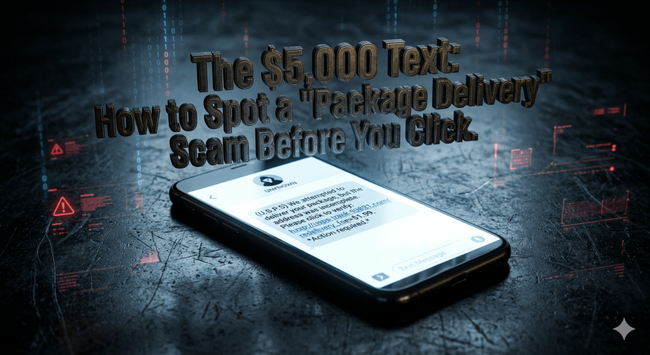
 The DefendOps Diaries


 ITSEC News
 Samuel Vermeulen