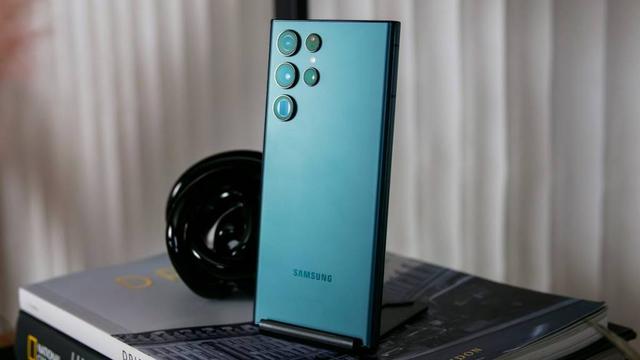
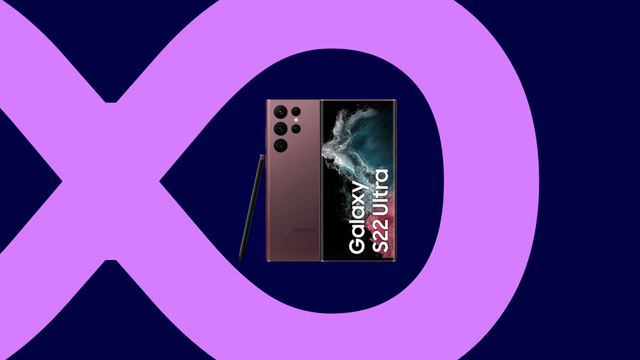
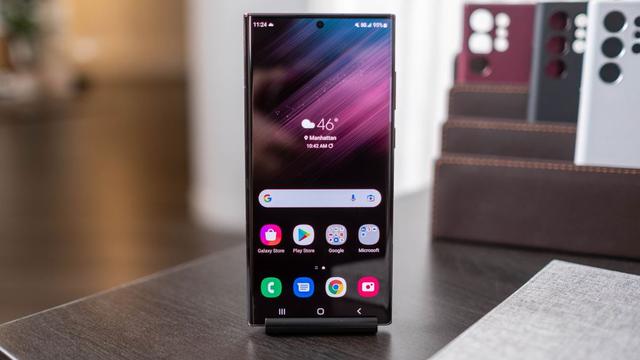
Samsung Galaxy S22 gets the One UI 8 update again!

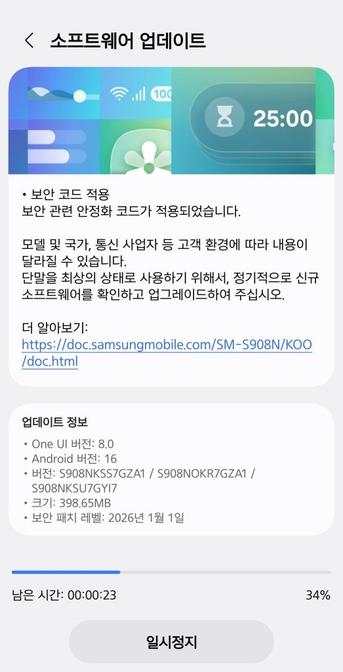
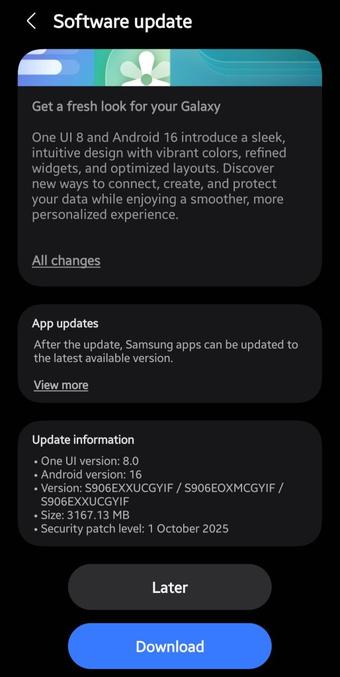
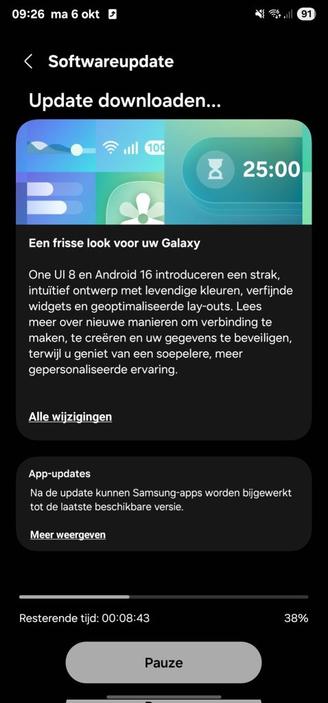
We are excited to announce that starting from today, users can now download the One UI 8 update to their Galaxy S22 smartphones in Europe and in India as Samsung has finally released this exciting version of One UI. This happened after a brief rollout pause. Your Galaxy has now become more powerful as One UI 8 brings more powerful features.

The firmware information states:

  • Galaxy S22: GYI7 [EUX], GYIF [INS]
  • Galaxy S22+: GYI7 [EUX], GYIF [INS]
  • Galaxy S22 Ultra: GYI7 [EUX], GYIF [INS]

To obtain the update, perform the following steps:

  • Open the Settings app
  • Navigate to Software Updates
  • Tap on Download and Install
  • Wait until you see One UI 8 at the top of the page, then tap on Download
  • Wait for the download to complete, then tap on Install
  • After you perform the above steps, your phone will be running One UI 8 based on Android 16, and you can enjoy its new features and with many improvements on place. This makes sure that your experience gets improved.

    If you still didn’t get the update for your device, wait for a few days or a few weeks, then check for updates again. If you still see “Your software is up to date,” this means that the update didn’t reach your region yet.

    Note that the update process may take 15 to 20 minutes, and this can vary from device to device. The download process may incur extra charges if you’re using the cellular network as the update size is around 5 GB, depending on the device, so we recommend downloading it through Wi-Fi. Never interrupt the update process in any way, or problems may occur. Make sure that your phone gets charged before you initiate the installation process.

    #Android #Android16 #AndroidB #AndroidBaklava #GalaxyS22 #GalaxyS22Ultra #news #oneUi #OneUI8 #OneUI80 #S22 #S22Ultra #Samsung #SamsungGalaxyS22 #SamsungGalaxyS22Ultra #smartphone #Tech #Technology #update
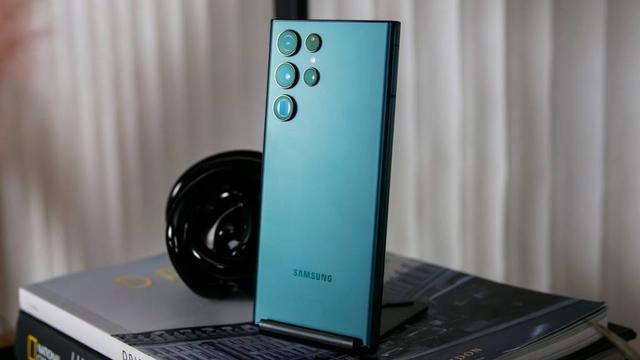

    Samsung pauses the One UI 8 rollout for the Galaxy S22

    The update has been resumed for the Galaxy S22 with the same build numbers. You can now download the update.

    Earlier, Samsung has pushed the One UI 8 update to the Galaxy S22 in Europe and in India last week as build GYI7 and GYIF, respectively, on October 6th. Now, the company has removed the update from the official OTA servers and reverted it to FYI2 and FYI3, which are the last security update builds for One UI 7.

    According to a reliable tipster, Akhilesh Kumar, the company has officially pulled the update from the servers. This means that anyone in Europe and India who didn’t update to One UI 8 yet will not be able to do so at this current moment. This is a huge disappointment, considering that the One UI 8 rollout went smoothly, starting from the Galaxy S25, with only one occurrence of the rollout pause for the Z Fold SE.

    https://twitter.com/Koram_Akhilesh/status/1977923444613497162

    This means that Samsung may have found issues with the initial One UI 8 build severe enough (release critical) that the company decided to pause the rollout. There is no date as to when the revised build will be released. The same build that was pulled wasn’t released in Korea.

    Additionally, a new testing build has been spotted to upgrade your device’s security once the revised build is up with build S901BXXSJGYJ1, but we can’t guarantee that GYJ1 is the final revised build.

    The global rollout should resume for all devices, while some other devices like the Galaxy Tab S8 are still waiting for the update. As for the Galaxy S22, we will let you know once Samsung pushes a revised build.

    #Android #GalaxyS22 #GalaxyS22Ultra #news #oneUi #OneUI8 #OneUI80 #S22 #S22Ultra #Samsung #SamsungGalaxyS22 #SamsungGalaxyS22Ultra #smartphone #Tech #Technology #update

    Samsung Galaxy S22 gets the One UI 8 update!

    We are excited to announce that starting from today, users can now download the One UI 8 update to their Galaxy S22 smartphones as Samsung has finally released this exciting version of One UI. Your Galaxy has now become more powerful as One UI 8 brings more powerful features.

    Due to the Chuseok 2025 holidays, Korean users are currently unable to download the One UI 8.0 update to their Galaxy S22 devices. The wider rollout is expected to start soon for other countries.

    The firmware information states:

    • Galaxy S22: GYI7 [EUX]
    • Galaxy S22+: GYI7 [EUX]
    • Galaxy S22 Ultra: GYI7 [EUX]

    To obtain the update, perform the following steps:

  • Open the Settings app
  • Navigate to Software Updates
  • Tap on Download and Install
  • Wait until you see One UI 8 at the top of the page, then tap on Download
  • Wait for the download to complete, then tap on Install
  • After you perform the above steps, your phone will be running One UI 8 based on Android 16, and you can enjoy its new features and with many improvements on place. This makes sure that your experience gets improved.

    If you still didn’t get the update for your device, wait for a few days or a few weeks, then check for updates again. If you still see “Your software is up to date,” this means that the update didn’t reach your region yet.

    Note that the update process may take 15 to 20 minutes, and this can vary from device to device. The download process may incur extra charges if you’re using the cellular network as the update size is around 5 GB, depending on the device, so we recommend downloading it through Wi-Fi. Never interrupt the update process in any way, or problems may occur. Make sure that your phone gets charged before you initiate the installation process.

    #Android #Android16 #AndroidB #AndroidBaklava #GalaxyS22 #GalaxyS22Ultra #news #oneUi #OneUI8 #OneUI80 #S22 #S22Ultra #Samsung #SamsungGalaxyS22 #SamsungGalaxyS22Ultra #smartphone #Tech #Technology #update

    anybody have experience with the #cat #s22 flip phone? thinking of picking one up...

    #tech #android

    Neulich habe ich mein #samsung #S22 Auf #Android15 under #OneUI7 upgedatet. Seitdem ist der Stromverbrauch derart gestiegen, dass ich ohne Nachladen nicht mehr über den Tag komme.
    Geht es jemandem ähnlich?
    Ospiti in giardino #s22 5g #nature #funghi #casa #sorpresa
    Die Stadt #Kamenz feiert in diesem Jahr 800-jähriges Jubiläum. Die Mitglieder von #S22 bringen sich voll ein. Durch gute Beziehungen zur Stadtverwaltung konnten sie einen schönen Bungalow für ihren Auftritt ausstatten. Pressevertreter sagten sich auch schon an.

    Samsung Galaxy S22 gets the One UI 7 update in Europe!

    We are excited to announce that starting from today, users can now download the One UI 7 update to their Galaxy S22 smartphones in Europe as Samsung has finally released this exciting version of One UI. Your Galaxy has now become more powerful, amazing, and gorgeous as One UI 7 brings more powerful features and a redesigned appearance consisting of a simple, impactful, and emotive design.

    The firmware information states:

    You can see the overview of what One UI 7 brings in the above linked article at the bottom section. Meanwhile, you can see a two-minute video trailer for One UI 7 highlighting its biggest features here.

    https://youtu.be/P4AEIu3V6F4

    To obtain the update, perform the following steps:

  • Open the Settings app
  • Navigate to Software Updates
  • Tap on Download and Install
  • Wait until you see One UI 7 at the top of the page, then tap on Download
  • Wait for the download to complete, then tap on Install
  • After you perform the above steps, your phone will be running One UI 7 based on Android 15, and you can enjoy its new features and with many improvements on place. This makes sure that your experience gets improved.

    If you still didn’t get the update for your device, wait for a few days or a few weeks, then check for updates again. If you still see “Your software is up to date,” this means that the update didn’t reach your region yet.

    Note that the update process may take 15 to 20 minutes, and this can vary from device to device. The download process may incur extra charges if you’re using the cellular network as the update size is around 5 GB, depending on the device, so we recommend downloading it through Wi-Fi. Never interrupt the update process in any way, or problems may occur. Make sure that your phone gets charged before you initiate the installation process.

    #Android #Android15 #AndroidV #GalaxyS22 #GalaxyS22Ultra #news #oneUi #OneUI7 #OneUI70 #S22 #S22Ultra #Samsung #SamsungGalaxyS22 #SamsungGalaxyS22Ultra #smartphone #Tech #Technology #update

    The Champions Burger.

    Estuvimos el fin de semana pasado degustando hamburguesas. Si aún no has ido, todavía estás a tiempo.

    #thechampionburger #burguer #food #castellon #photography #samsung #s22 #lightroom

    Exclusive: Samsung Galaxy S22 gets the One UI 7 update in the USA!

    We are excited to announce that starting from today, users can now download the One UI 7 update to their Galaxy S22 smartphones in the USA for some locked carrier models. You should be able to get the update soon. Your Galaxy has now become more powerful, amazing, and gorgeous as One UI 7 brings more powerful features and a redesigned appearance consisting of a simple, impactful, and emotive design.

    UPDATE: You can now update your unlocked USA phone to One UI 7 under the FYDB build!

    The firmware information states:

    • Galaxy S22: FYDB
    • Galaxy S22+: FYDB
    • Galaxy S22 Ultra: FYDB

    You can see the overview of what One UI 7 brings in the above linked article at the bottom section. Meanwhile, you can see a two-minute video trailer for One UI 7 highlighting its biggest features here.

    https://youtu.be/P4AEIu3V6F4

    To obtain the update, perform the following steps:

  • Open the Settings app
  • Navigate to Software Updates
  • Tap on Download and Install
  • Wait until you see One UI 7 at the top of the page, then tap on Download
  • Wait for the download to complete, then tap on Install
  • After you perform the above steps, your phone will be running One UI 7 based on Android 15, and you can enjoy its new features and with many improvements on place. This makes sure that your experience gets improved.

    If you still didn’t get the update for your device, wait for a few days or a few weeks, then check for updates again. If you still see “Your software is up to date,” this means that the update didn’t reach your region yet.

    Note that the update process may take 15 to 20 minutes, and this can vary from device to device. The download process may incur extra charges if you’re using the cellular network as the update size is around 5 GB, depending on the device, so we recommend downloading it through Wi-Fi. Never interrupt the update process in any way, or problems may occur. Make sure that your phone gets charged before you initiate the installation process.

    #Android #Android15 #AndroidV #GalaxyS22 #GalaxyS22Ultra #news #oneUi #OneUI7 #OneUI70 #S22 #S22Ultra #Samsung #SamsungGalaxyS22 #SamsungGalaxyS22Ultra #smartphone #Tech #Technology #update

    One UI 7 | A true AI companion | Samsung

    YouTube