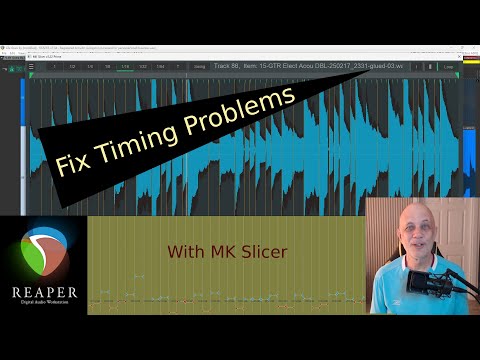
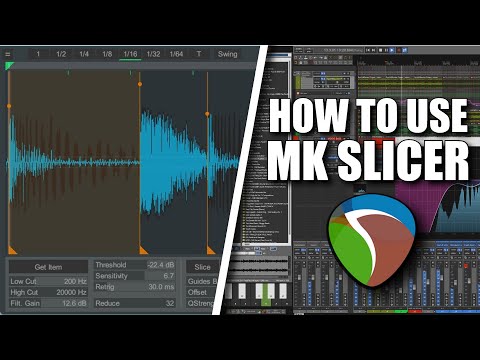
Correcting Timing in #REAPER with MK Slicer - (Easy Audio Quantize Tutorial)

Want to tighten up audio timing in REAPER without losing feel?
https://www.youtube.com/watch?v=pZZQM-Dj76s

#ReaperFriends#ReaperTips #ReaperDAW #DAWHacks #MusicProduction #DAW #Cockos #MKSlicer #Quantize #Transients #Tutorial #Linux #macOS #Windows #LinuxAudio #ActionsList

Fix Timing Problems In REAPER, with MK Slicer

YouTube

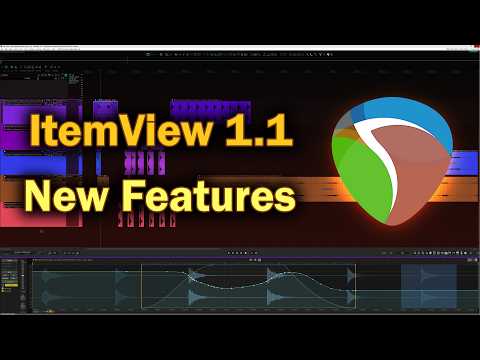
#ItemView v1.1 update - Ableton-Style Clip View for REAPER (Free Script)

New version of ItemView #Reaper script is now live. You can update to latest version in Reaper via Extensions - #ReaPack - Synchronize packages.

The latest version brings a lot of new features and quality of life improvements.
https://www.youtube.com/watch?v=dwPfb7a7dQk

#ReaperFriends#ReaperTips #ReaperDAW #DAWHacks #MusicProduction #DAW #REAPER #LinuxAudio #FX #Plugins #Linux #macOS #Windows #ItemView #ReaperScript #Ableton

ItemView v1.1 update - Ableton-Style Clip View for REAPER (Free Script)

YouTube

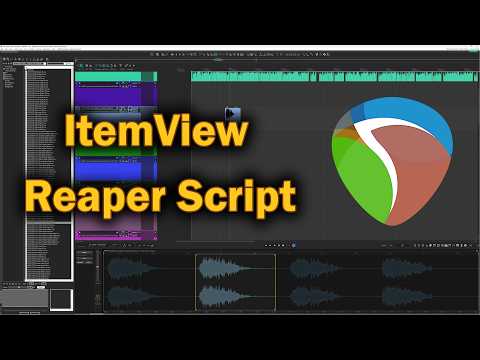
#ItemView - Ableton-Style Clip View for REAPER (Free Script)

ItemView brings Ableton-style clip editing to #REAPER. See the full source waveform, drag markers, adjust pitch and gain, and warp audio from one dockable window.

Update: the script now have new features not present in this video
https://www.youtube.com/watch?v=4e8prRZkuoQ

#ReaperFriends#ReaperTips #ReaperDAW #DAWHacks #MusicProduction #DAW #REAPER #LinuxAudio #FX #Plugins #Linux #macOS #Ableton #Windows #ItemView #ReaperScript

ItemView - Ableton-Style Clip View for REAPER (Free Script)

YouTube
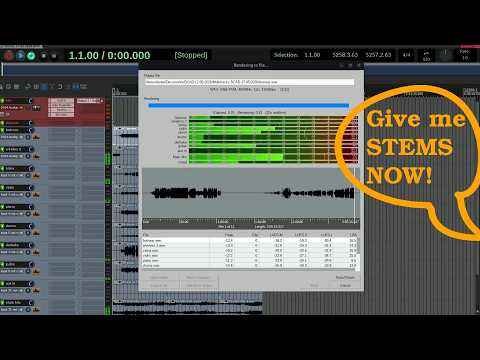
Super FAST multitrack export in Reaper

YouTube
Man, ich mag mein Reverb-Plugin wirklich. #VST3 #Linux #Renoise #Reaper #Clap

How To Use MK Slicer in #Reaper

This video demonstrates how to use MK Slicer to cut and slice audio, convert audio to MIDI, play slices on a MIDI keyboard, and more. It’s a powerful tool for Reaper DAW and should definitely be part of your Reaper toolkit.
https://www.youtube.com/watch?v=oa-81nimeb8

#ReaperFriends#ReaperTips #ReaperDAW #DAWHacks #MusicProduction #DAW #Cockos #MKSlicer #SliceAudio #REAPERtoolkit

How To Use MK Slicer in Reaper?🤯

YouTube
Was doing some grinding in #P3R and thought it would be fun to try beating the #reaper.  After a long AF battle with only the main character and the dog left (the other characters ran away), I secured a victory and went up 15 levels, 82 to 97, and maxed the dog out at 99.

The goal was not to gain that many levels; I was really just going for the trophy. Welp, this is probably gonna make the last third of the game too easy.

@COMPU73E will it be too easy now?

#JRPG #Persona3Reloaded

I can test this, but I wonder if anybody already knows the answer.

Let's say I have a #REAPER project that I want to render to both FLAC and MP3. Is it faster to render to FLAC within REAPER, and then convert the FLAC to MP3 with another tool?

Or even to render to WAV within REAPER, and then convert the WAV to FLAC and MP3 separately?

I ask because I'm assuming that a render in REAPER comes with certain overheads (e.g. from active plug-ins on tracks) that other tools don't have to deal with when converting between formats. But I could be completely wrong on this.

I just posted this to the Blind and Fine subreddit. I wrote about it earlier, but this is much simpler and focused more on a specific program and an alternative.

Let me start by saying that I am far more familiar and comfortable with analogue audio equipment than digital. My extent of digital recording is using Virtual Recorder to record mp3s and MPCHC to play them, or using a portable recorder like the Milestone 112 ACE or the Olympus DM-720-770. So most of these terms are new to me. That said, to make a very long story short, I have a personal project in which I am attempting to make some acoustic recordings sound like early electric ones. Basically, less tinny and a bit clearer. Obviously I'm not expecting 2026 quality, but 1926 or early 1930's would be nice. I first thought this needed to be done with frequency restoration, since acoustic media, be it disks or cylinders, always fail to record certain ones. But I found that the very few programs designed for this are inaccessible with NVDA. Then, I learned that I can simply use an equalizer and an exciter and/or saturator to do essentially the same thing. I decided to try Reaper. I installed it, along with the Osara and SWS. I was able to load a file and get into the equalizer to change the numbers in the bands as a low and high shelf (this most likely equates to bass and treble). But it seems that the volume is set to 0, because even when loading a file for the first time, when I hit space, it doesn't play. I can't find the volume controls either. When I hit tab and shift+tab, there are numbers, but none appear to be volume. Can anyone help me? Is there a much simpler program that I can use? If not, can anyone recommend an analogue setup for me? It doesn't need to be new at all, just affordable (under $200). I don't need to worry about accessibility there, since it would all be knobs and sliders.

#accessibility #AcousticRecordings #analog #analogue #blind #digital #FrequencyRestoration #music #NVDA #phonographs #Reaper #recordings #records #restoration #sound #technology

Now playing: Reaper 💖💜💕💞😍
#Reaper

#SoapGirls