It's surreal: From what I have tested, the *only* way to decide what documents a #paperless user can see, is who the owner of a document is or who can view it. First, there is no UI to see who the owner or viewer of a document is, you can just search for documents of a specific owner. Then, you can assign an owner to selected documents - a document can just have *one* owner. Conclusion: It's impossible to share certain documents with/between non-superusers. 🤷
First road bump with #paperless for me today. The permission system is weird. It seems impossible to make a user that can just view documents with a certain tag or from a certain correspondent. Apparently one needs to manually (or automatically on document addition) add that user as "owner". And paperless doesn't seem to have a link sharing system for *multiple* documents or a specific search. Only for individual documents. Meh. 🫤
Ugh. I‘ve been debugging my #Paperless install for ages. Most files would remain in queue forever, without any errors in the logs. Manually adding the files again took multiple approaches for the files to finally be processed. Turns out, Paperless doesn‘t like to share a #Redis service. So starting a second Redis docker container on my #Unraid server solely for Paperless finally solved the issue. The joys of #selfhosting 😖
Nutzt hier jemand Paperless AI? Wenn ja welchen AI Provider nutzt ihr? ChatGPT oder habt ihr lokal noch Ollama laufen? #paperless #paperlessngx #paperlessai #homelab #selfhosting
SCHEISSE!!! massenänderung auf alle statt nur 2 Dokumente angewendet in #Paperless. Korrespondenten und Dokuemnttypen kaputt FUCK WARUM GIBTS DA KEINE WARNUNG!!??
Daniel Quinn & Jonas Winkler released #Paperless-ngx version 2.20.11. https://docs.paperless-ngx.com/
Home - Paperless-ngx

Documentation for the Paperless-ngx document management system software.

Puh, finally got around updating my #Paperless-ngx instance from v2.17.1 to v20.20.11 (which entailed upgrading #PostgreSQL from 13 to 18).
Hat tip to @solariz (via https://chaos.social/@solariz/115118541583987806) for making me aware of the issue _before_ I ran into it (and for their pretty good write-up; see toot).
Did sweat a little, ngl; but it worked out fine in the end. Whew!
.:M:G:. (@[email protected])

Recently after coming home upgraded my docker stuff and found my paperless-ngx not coming up anymore. Turns out one should sometimes follow the DB release updates :) Some notes on the recovery: https://solariz.de/posts/25/paperless-broken-after-upgrade-postgress/

chaos.social

Wenn #Paperless-ngx Dokumente aus dem Consume-Ordner verarbeitet, erfolgt keine automatische Zuweisung eines Besitzers. Dies kann ein Problem darstellen, wenn mehrere User die Instanz nutzen.
Der Artikel zeigt euch, wie ihr das elegant mit einem Arbeitsablauf im #DMS lösen könnt.

👉 https://decatec.de/home-server/quicktipp-paperless-ngx-dokumenten-aus-dem-consume-ordner-einen-besitzer-zuweisen/

QuickTipp: Paperless-ngx - Dokumenten aus dem Consume-Ordner einen Besitzer zuweisen » DecaTec

Automatische Zuweisung von Besitzern für Dokumente aus dem Consume-Ordner von Paperless-ngx. Der Artikel zeigt einen passenden Arbeitsablauf.

DecaTec
Transforme sua Empresa em Paperless com Alfresco! Digitalize e gerencie documentos de forma eficiente, promovendo a sustentabilidade. Saiba mais: https://linuxsolutions.com.br/paperless-com-alfresco/?utm_source=dlvr.it&utm_medium=mastodon #Paperless #Alfresco #Sustentabilidade
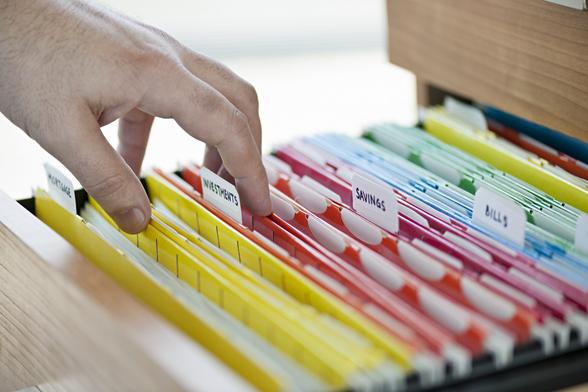
Paperless com Alfresco: Como a Gestão Eletrônica de Documentos Pode Revolucionar a Organização de Arquivos

Uma das principais soluções no mundo corporativo é a adesão ao sistema de nuvem privada.

Linux Solutions | Especializada em Soluções Linux para Empresas
Tip of the day: Scanning documents is a much needed function for many people, but you might not have a scanner available. If you have an iPhone or iPad connected to the same Apple Account as your Mac, you can use it to scan directly into #DEVONthink’s Global Inbox. We show you how. #ios #paperless #pkm #productivity #tipoftheday https://www.devontechnologies.com/blog/20240716-iphone-ipad-mac-scanner