#weeklyreview 20/2026
Summary
Movie, rage quitting Evernote and a plant bazar in the village
Berlin in the 1980s
Last week I watched “Christiane F. – Wir Kinder vom Bahnhof Zoo” for the first time with kiddo. I roughly knew the story but had never seen the actual movie.
First thing that I noticed was how clean Berlin streets seemed to be. The movie is supposed to be a documentary about the dire situation of drug addicted kids in the 1970s in West-Berlin. So one would expect to see disgusting dirt and filth. And of course there was that when the kids take their drugs in the public toilets and all that. But even these looked cleaner than we you see today in public bathrooms and the street.
Overall I liked the movie. The cast and make-up is really good. The dialogues are very dry though. I can’t tell whether people in West-Berlin would have really talked like that. But it didn’t felt natural at all to me. Nevertheless great movie with great soundtrack and appearance by David Bowie himself.
Evernote enshittification
I was an early on user of Evernote, the note taking app that started in 2008 and allowed to synchronise notes across devices as well as richt content notes.
I had a paid account for decades and poured all my scanned documents and notes into it. I stayed with the company because the tool just worked, and thought I’d understand their business model to be around for a long time. Because that’s what you want for an document archive and 2nd brain, right?
I don’t know about the exact economics but apparently the base of paying users wasn’t big enough to sustain the company. Or to make enough profit for the owners. They eventually sold to the infamous Bending Spoons company. An Italian company that started buying former famous internet stars like Evernote, Vimeo and Komoot. Quickly firing all the staff just to run the service centrally with their own team and tweak the commercialisation.
That of course was a shitty move, but I thought at least it’s not a US big tech. Apparently that has changed as well. Last time I opened Evernote desktop I was presented with a big announcement that the service is now fulfilled by Bending Spoons US. In addition they are again raising the prices for the yearly subscription from around 90 EUR to around 135 EUR. For me that’s the final straw to eventually move away.
For years I was also primarily pumping all my scanned documents into my self-hosted Paperless NGX instance. This services my primary purpose of a searchable document archive. My written notes currently live in Joplin which I also sync via my own webdav server.
Still I needed to find a way to backup my Evernote data and eventually import the old data into Paperless. Since Paperless only stores Documents in PDF format I had to find a way to turn Evernote rich notes into a PDF. Most of my notes were PDF documents anyway. Some were richt text notes with images embedded.
Of course I ended up vibe coding a Python script which consumes the Evernote export files, renders them as PDF and uploads them to Paperless. This seems to work quite well. For notes that contain PDF documents I append the PDF to the Evernote note (which might contain additional text beside the PDF document in the note). Now my trusty Paperless is churning through the thousands of old notes and I’ll cancel my Evernote subscription. Let’s see what will happen to the account of the subscription is not prolonged…
Plant bazar
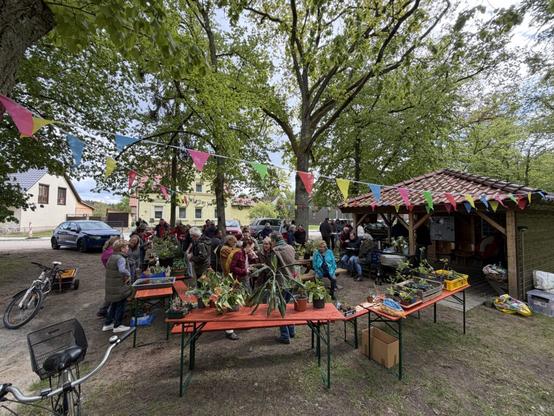
On Saturday we had our annual plant bazar in the village. That was again a huge success. More than 50 people turned up to share and swap their seedling and other plants. We provided coffee, tea and some people chipped in with self-made cakes.
I was really surprised to see that many people showing up from our village but also from the villages around ours. We hit a nerve with the plant bazar apparently. Of course we’re in the countryside and agriculture or rather garden cultures seems to be the literal common ground 🙂
#bazar #enEN #evernote #paperlessNGX #plants #Uckermark #weekly #weeklyreview utzer
utzer Herbert Hertramph
 Marcus Jaschen
 qbi
qbi Volker Stolz🏳️🌈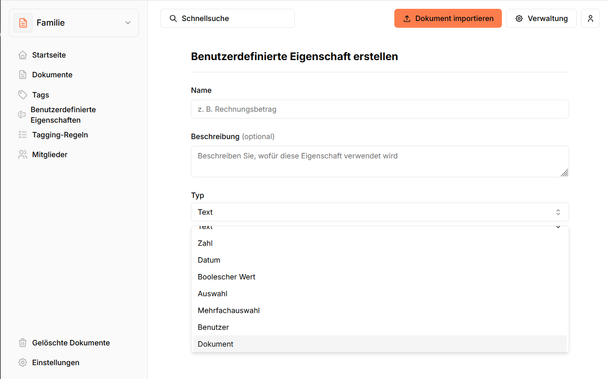
 Lex
Lex
 AtomicAlliance
 Uckermark MacGyver
 Falko
Falko