 Zorz Studios
How to get your #photography displayed at galleries: https://zorz.it/MsTdF
#MichelleBird #gallery #PhotographyBusiness #marketing #PhotographyMarketing #PhotographyCareers #portfolio #SoloExhibition
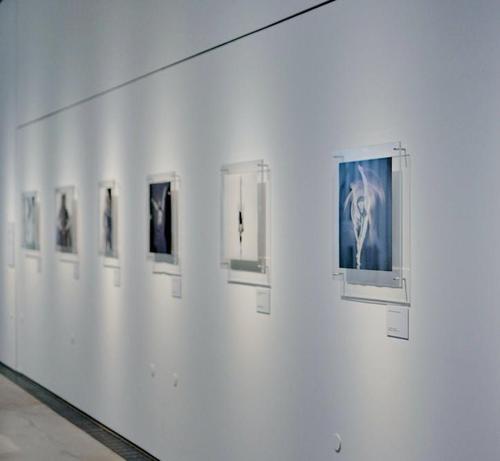

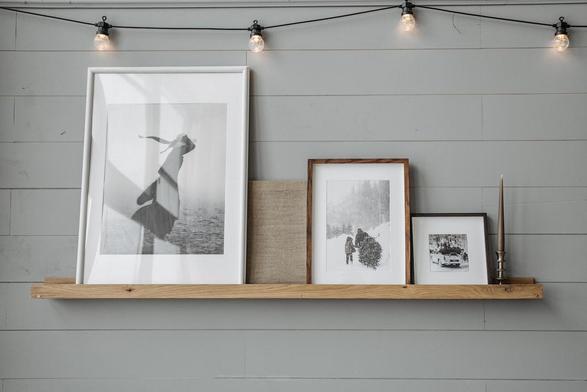
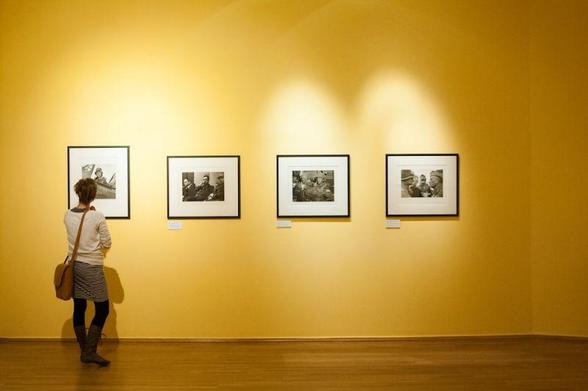
How to get your #photography displayed at galleries: https://zorz.it/MsTdF
#MichelleBird #gallery #PhotographyBusiness #marketing #PhotographyMarketing #PhotographyCareers #portfolio #SoloExhibition
How to Diversify Your Crypto Portfolio
Cryptocurrency investing offers tremendous potential for returns, but also carries significant risk. The old investing wisdom "don't put all your eggs in one basket" applies to crypto perhaps more than any other asset class. A well-diversified crypto portfolio can capture upside potential while protecting against catastrophic losses when individual projects fail or markets crash. This guide reveals practical strategies for building a diversified cryptocurrency portfolio that balances risk […]https://coindropz.wordpress.com/2026/03/20/how-to-diversify-your-crypto-portfolio/

#Business #Approaches
Hire me, hire my AI agents · “I bring my agent team to every client pitch.” https://ilo.im/16b9qf
_____
#AI #Portfolio #Jobs #Design #ProductDesign #UxDesign #UiDesign #WebDesign #Development #WebDev
In eigener Sache: Wer baut mir meine
neue Webseite (WordPress) ?
Darf natürlich auch mit einer Alternative zu WordPress erstellt werden. Hab aber auch davon null Plan. 🙈 Soll eine Foto-Portfolio-Seite werden.
Sie ist rein Privat und als Rentner kann ich auch nicht viel Geld dafür ausgeben.
Es wäre nett wenn ihr diesen Beitrag teilen würdet, vielen Dank.
https://swquadrat.de/2026/03/16/in-eigener-sache-wer-baut-mir-meine-neue-webseite-wordpress/

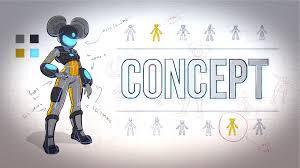
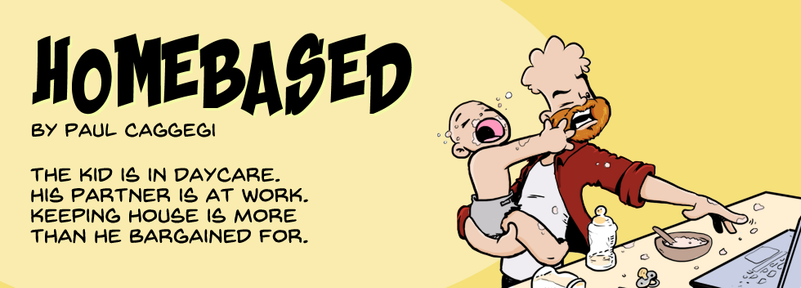
Incidental Design work and promotional assets Thumbnails, social media banners, and blog artwork – incidental graphic design work was all part of the gig
#blender3d #cgcookie #work #portfolio #greasepencil
https://paulcaggegi.com/blog/incidental-design-work-and-promotional-assets/
This Portfolio Presentation Layout Does the Selling Before You Say a Word
Most portfolios fail before a client even reads them. The problem isn’t the work — it’s the container the work lives in. A weak portfolio presentation layout buries strong projects under cluttered slides, inconsistent typography, and layouts that fight for attention instead of building trust. E-Type’s InDesign template fixes all of that in one clean, decisive package.
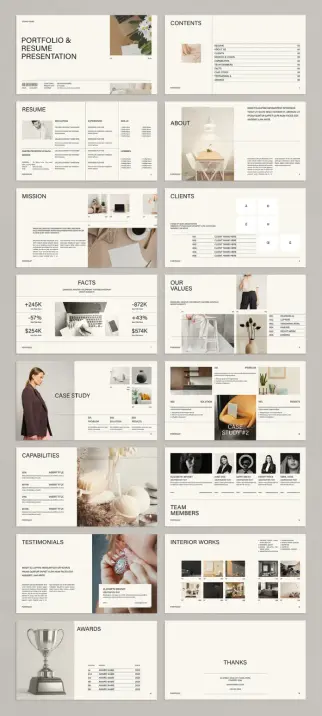
This is a 16-slide portfolio presentation layout designed for Adobe InDesign at 1920 × 1080 px. It covers every section a designer, creative studio, or agency could realistically need — from resume to case studies to team members to awards. Furthermore, every slide operates as part of a deliberate visual system rather than a collection of disconnected pages. The result feels editorial. It reads like a design publication, not a pitch deck. That distinction matters more than most creatives realize.
You can download the layout from Adobe StockPlease note that this template requires Adobe InDesign installed on your computer. Whether you use Mac or PC, the latest version is available on the Adobe Creative Cloud website—take a look here.
Clean Resume Portfolio Presentation Layout by E-Type for Adobe InDesign You can download the layout from Adobe StockWhat Should a Portfolio Presentation Layout Actually Do for You?
A portfolio presentation layout carries three jobs simultaneously. First, it organizes information so clients don’t have to work hard to follow your story. Second, it signals your taste before anyone reads a single line of copy. Third, it creates a credibility arc — a structured progression that builds confidence slide by slide.
E-Type’s template handles all three. The opening slide introduces the studio or individual with bold editorial typography and a clean image block. The table of contents follows immediately, giving viewers a mental map of everything ahead. That sequencing isn’t accidental — it’s strategic.
Call this principle Credential Sequencing: the deliberate ordering of competency signals within a portfolio to maximize perceived authority at each stage of the viewer’s attention span. This template executes Credential Sequencing precisely, moving from identity to context to proof to team to recognition.
The Design Language Behind This InDesign Template
E-Type built this template around a palette of warm neutrals — cream, warm white, light stone — punctuated by black typography and natural-toned photography. The aesthetic sits at the intersection of Scandinavian editorial design and contemporary studio branding. It feels expensive without trying too hard.
The layout consistently uses a two-column or two-panel grid. One side carries text or data; the other side holds an image or a graphic element. That grid creates what you could call Visual Gravity — the principle that a well-structured slide pulls the viewer’s eye through the content in a single, predictable motion rather than letting it drift.
Notice how the “Facts” slide uses large typographic numbers to anchor attention before supporting stats fill in below. Notice how the “Case Study” slides split the Problem, Solution, and Results into distinct visual zones. Each of these micro-decisions reduces cognitive friction and keeps the viewer engaged.
Typography as a Hierarchy Tool
The template leans on a clean sans-serif system throughout. Headlines are large and authoritative. Body copy sits small and disciplined. Subheadings bridge the two with a measured step down in weight and size. This creates a clear Content-to-Canvas Ratio — the balance between live text and open space that determines whether a slide breathes or suffocates.
Too many portfolio layouts cram every slide with content to prove value. This template does the opposite. It trusts whitespace to do the editorial work. Consequently, each slide feels considered rather than desperate.
A Portfolio Presentation Layout Built for Screen — Not Print
The 1920 × 1080 px format is a deliberate choice, not a default. This portfolio presentation layout lives on screens — shared via PDF, presented on monitors, or embedded in client portals. Standard print dimensions would shrink typography and compress images when displayed digitally. The widescreen format prevents that entirely.
Additionally, InDesign supports interactive effects within exported PDFs. You can add hyperlinks, page transitions, and animated elements to this template after customization. That means your final portfolio can function as a lightweight interactive experience rather than a static document. For clients reviewing work on a screen, that difference in experience is significant.
What the 16 Slides Cover
The template organizes its slides into a logical narrative arc. Here’s how the sequence breaks down:
That’s a complete professional narrative from introduction to invitation. Moreover, every section works independently, so you can remove slides that don’t apply to your practice without disrupting the visual system.
How to Customize This Portfolio Presentation Layout in InDesign
Customization is straightforward. All text and images in the preview are placeholder content — nothing is locked or proprietary. You open the file, replace the text with your own copy, drop your images into the placeholder frames, and adjust any colors to match your brand identity.
InDesign’s paragraph and character styles handle typography consistency automatically. Change the primary font in the style panel and the update propagates across every slide simultaneously. That saves hours compared to manually updating type on 16 individual pages.
For color, InDesign’s Swatches panel lets you replace the template’s neutral palette with your own brand colors in a few clicks. If your studio runs a dark color identity, this warm-neutral base still adapts cleanly because the layout logic doesn’t depend on specific tones — only on contrast relationships between text, image, and space.
Adding Interactive Effects
InDesign’s interactive features extend this template’s potential significantly. You can apply page transition effects when exporting as an interactive PDF and add hyperlinks to project names, websites, or email addresses. Furthermore, you can even embed video thumbnails that link to external reels or case study films.
Therefore, this portfolio presentation layout functions as a jumping-off point for an experience, not just a document. Clients who engage with an interactive portfolio spend more time with the work. That additional time correlates directly with higher recall and stronger decision confidence.
Why Editorial Restraint Is a Competitive Advantage
Here’s a design opinion worth defending: most portfolio presentation layouts try too hard. They use gradient backgrounds, overlapping image masks, and decorative elements that distract from the work itself. The result looks busy and reads as insecure.
E-Type’s template takes the opposite position. The restraint signals confidence. It says the work can stand on its own merits without visual noise propping it up. For design professionals, that message lands harder than any flashy slide effect.
This connects to what I’d call the Visual Trust Score — an unscientific but reliable measure of how quickly a layout establishes credibility with a first-time viewer. Clean layouts with strong typographic hierarchy, consistent spacing, and honest photography tend to score high. Overdesigned layouts score low regardless of the quality of work they contain.
E-Type’s template was clearly built with a high Visual Trust Score as the primary objective. Every design decision reinforces that goal.
Who Needs This Portfolio Presentation Layout Most
This template serves a wide range of creative professionals. Graphic designers use it to present brand identity projects. Interior designers use the portfolio gallery and case study slides to document spatial work. Architects, photographers, and creative directors adapt it for pitching to agencies or individual clients. Freelancers use the resume slide to combine credentials and project work in one document.
Furthermore, creative studios use it as a new business deck — leading with the Mission and Values slides, moving through Case Studies and Capabilities, and closing with Testimonials and Awards. That sequence maps directly onto how agency selection decisions typically unfold in client conversations.
This is a versatile portfolio presentation layout, but its versatility never reads as generic. The visual system holds its character regardless of how you populate it.
Adobe Stock and the Value of Professional InDesign Templates
E-Type publishes through Adobe Stock, which means the template integrates directly into existing Creative Cloud workflows. If you hold an Adobe Stock subscription, licensing the template costs nothing additional. You download it, open it in InDesign, and start editing immediately.
That frictionless access matters. A portfolio presentation layout that requires workarounds, format conversions, or separate software installations introduces friction at exactly the wrong moment — when a client deadline is close and focus needs to stay on content, not logistics.
You can download the layout from Adobe StockAdobe InDesign remains the professional standard for layout design precisely because it handles text, image, and page architecture with a depth that presentation tools like PowerPoint or Keynote cannot match. For anyone serious about how their portfolio presentation looks at the level of craft, InDesign is the right environment.
Frequently Asked Questions
What is the file format of this portfolio presentation layout?
The template is an Adobe InDesign file. You open and edit it directly in InDesign. You can then export the finished presentation as a PDF, interactive PDF, or image sequence for sharing digitally.
What dimensions does this InDesign presentation template use?
E-Type designed this portfolio presentation layout at 1920 × 1080 px — standard widescreen dimensions optimized for screen display, digital sharing, and monitor presentations.
How many slides does the template include?
The template includes 16 fully predesigned pages, covering sections such as a cover, resume, about, mission, clients, facts, case studies, capabilities, team members, testimonials, portfolio gallery, awards, and a closing contact slide.
Can I customize the fonts and colors?
Yes, fully. InDesign’s paragraph styles and color swatches let you update typography and brand colors across all 16 slides simultaneously. You can swap the warm neutral palette for any color system you prefer.
Are the images in the preview included with the template?
No. All images in the preview serve as placeholders only. You replace them with your own photography, project visuals, or licensed stock imagery after purchasing the template.
Can I add interactive effects to this portfolio presentation layout?
Yes. InDesign supports interactive PDF export with page transitions, hyperlinks, and embedded media. You can add these effects after customizing the base template content.
What version of Adobe InDesign do I need?
E-Type designed this template using current InDesign standards. Adobe recommends using a recent Creative Cloud version of InDesign to ensure full compatibility with all fonts, styles, and layout features included in the file.
Is this template suitable for both freelancers and agencies?
Yes. The 16-slide structure covers individual resume and portfolio presentation needs as well as full agency new business decks. You can remove or reorder slides to match your specific presentation context without disrupting the visual system.
Where can I find and license this template?
This portfolio presentation layout by E-Type is available through Adobe Stock. You can access it directly via your Creative Cloud account if you hold an active Adobe Stock subscription.
Check out other highly recommended graphic design templates and fully customizable layouts for creative professionals here on WE AND THE COLOR.
#AdobeInDesign #design #graphicDesign #InDesignTemplate #portfolio #presentation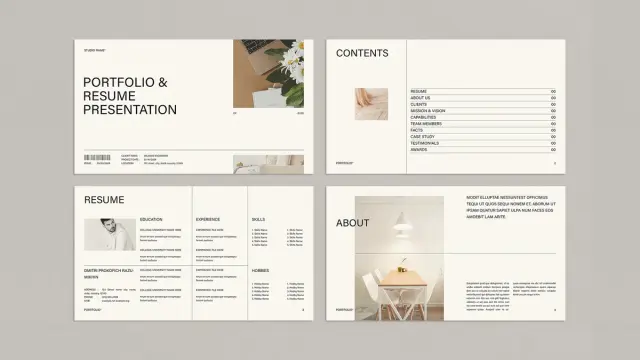
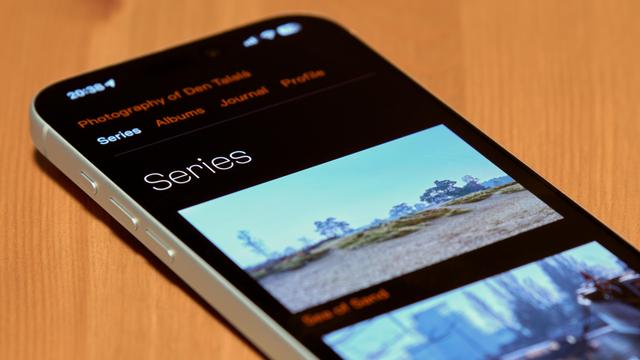
Photographing screens is absolutely cursed work. White-balance and expose the screen and its surroundings separately, remove all the dust particles and smudges, ensure unnecessary user interface elements don't show unexpectedly…
This is another shot of my newly launched website open on iPhone I made for a blog post:
https://talala.photo/journal/website-launch
 Coin Dropz
 Mahara Portfolio Platform
 Inautilo
 Holger
 Air and Nothingness Press
 Claudio Pires
 Paul Orlando Caggegi
 WE AND THE COLOR
 Den Talalá