WTR (@wtry1102)

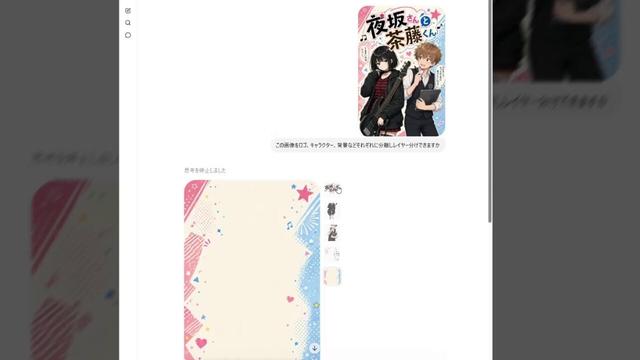
GPT-Image2로 생성한 이미지에서 객체나 로고를 분리할 수 있다는 활용법을 공유했다. 분리 결과는 완전한 투명 배경은 아니지만, Microsoft Designer에서 배경 제거 후 Clip Studio에서 레이어처럼 다룰 수 있어 이미지 편집 워크플로에 유용하다.

https://x.com/wtry1102/status/2048379951540523267

#gptimage2 #microsoftdesigner #clipstudio #imagegeneration #editing

WTR (@wtry1102) on X

GPT-Image2って生成画像を分離できるんだな。 分離された画像やロゴは疑似透過だけど MicrosoftDesignerに画像送って背景除去かければ 透過画像になってクリスタで レイヤー扱いできるようになって便利。

X (formerly Twitter)

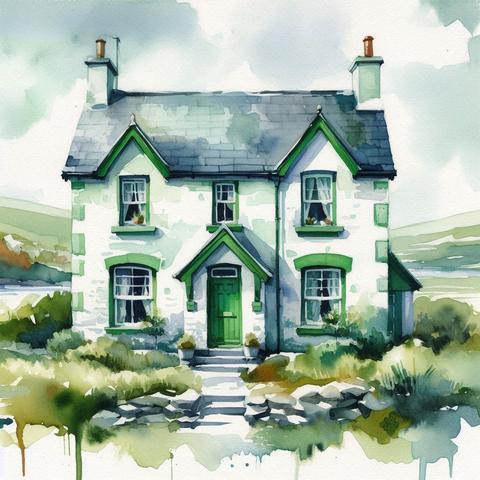
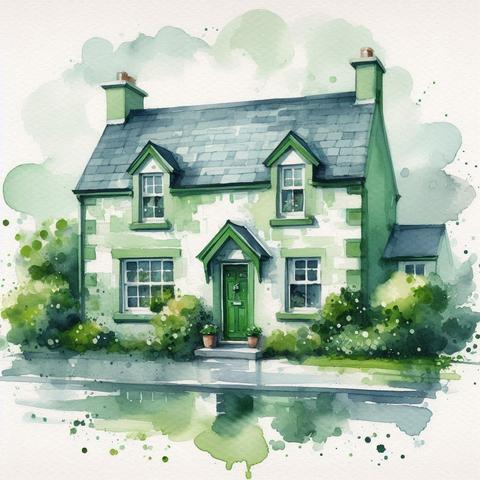
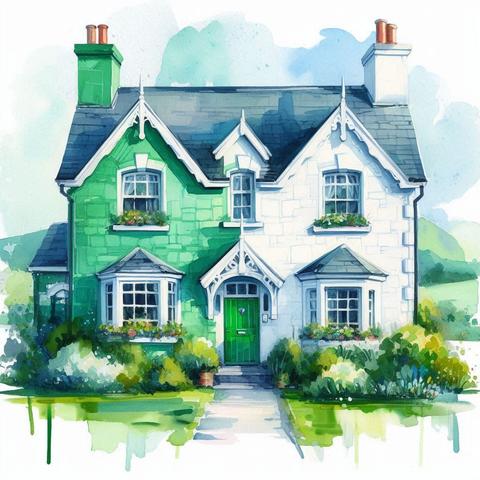
🌿🏛️ Having a blast playing with Microsoft Designer's GenAI! 😄 Check out these four watercolor-style images of a big Irish house I created with this prompt:

"A big Irish house in a soft, watercolor style. It should have green and white colors with flecks of paint and watercolor paint blending together. The door splits the color of the house, on the left in green, on the right in white. There’s a subtle change in colors using the impasto technique with gouache paint. There should be a clear wash to the watercolor paint with minor texture of the watercolor paper." 🎨

👉 Can you guess the topic of my next blog post on Intranet from the Trenches?

🤔 Hint: It’s about a Microsoft 365 feature that’s been catching admins off guard! Drop your guesses in the comments and let’s see who gets it right! 🚀

Share this with your #M365 crew to spread the word. 💬 What’s your go-to Microsoft 365 tool right now? Let’s chat below! 👇

#m365 #microsoft365 #MVPBuzz #SharePoint #SharePointEmbedded #MicrosoftDesigner #GenAI

New blog post this Tuesday! 🩺 Can you guess the topic from these four Designer images? 👀 Swipe to see a doctor checking documents—what’s this about for Microsoft 365? 🤔

💡 Challenge: Comment your guess! Hint: it’s a tool to keep your workplace ready for changes (like SharePoint Alerts retiring). Bonus if you name a feature to check! 😎

🔗 Find out Tuesday, June 17, via my bio link. Let’s prep your M365! 🚀

#M365 #Microsoft365 #MVPBuzz #SharePointOnline #MicrosoftDesigner

“Oh, bear! You're exaggerating how close the #AI collapse is!"

Oh?

Did you know that #MicrosoftDesigner no longer hands out fifteen free credits per day, and now caps you to about the same PER MONTH? If you want more, you must pay.

Hello, Mr. Camel's Nose. Kindly enter this tent…

💜 Lieblings-Tipps 2024: Sticker erstellen mit KI - Individuelle Aufkleber für Deine Schüler*innen
https://www.malter365.de/designer/sticker/

#FediLZ #Lehrer #Schule #LernenmitKI #MicrosoftEDU #MicrosoftDesigner

Sticker erstellen mit KI: Individuelle Aufkleber für Schüler*innen

Eigene Aufkleber für Schule und Unterricht erstellen ➤ Tipps und Anleitung für Microsoft Designer ✓ generiert mit KI ✓ individuelle Motive

Malter365.de

 Buonasera 🙂

Esistono #IA etiche e #PrivacyFriendly che evitano di salvare dati, conversazioni ecc. ecc. ? 🤔

🇬🇧 Good evening 🙂

Are there ethical and #PrivacyFriendly #AIs that avoid saving data, conversations, etc. etc. ? 🤔

#chatgpt #openai #opensource #claudeai #intelligenzaartificiale #artificialintelligence #perplexityai #Writesonic #midjourney #MicrosoftDesigner #StabilityAI #suno #udio #heygen

Microsoft Designer has come a long way in a short time. Learn ways to leverage this AI-powered tool for personal or business projects.

#MicrosoftDesigner #MicrosoftTips https://www.microsoft.com/en-us/microsoft-365/blog/2024/07/17/new-ways-to-get-creative-with-microsoft-designer-powered-by-ai/

New ways to get creative with Microsoft Designer, powered by AI | Microsoft 365 Blog

Every creative process begins with an idea—and that idea starts with you. Today we’re announcing that the Microsoft Designer app is now generally available with a personal Microsoft account, with new features that help you create and edit like never before.

Microsoft 365 Blog
Vygeneroval jsem se v #AI. Výsledek celkem slušný. Použil jsem #MicrosoftDesigner využívající #DallE + AI rozšíření obrázků v #Xiaomi14Ultra. 😀
Home Assistant Version 2024.10.2 installiert
Mit etwas Verspätung bin ich heute dann dazu gekommen, dass ich die aktuelle Version von Home Assistant auf meinem RaspberryPi installiere.
https://ostermeier.net/wordpress/2024/10/home-assistant-version-2024-10-2-installiert/
#SmartHome #HomeAssistant #MicrosoftDesigner #RaspberryPi #SmartHome
ostermeier.net - Home Assistant Version 2024.10.2 installiert

Mit etwas Verspätung bin ich heute dann dazu gekommen, dass ich die aktuelle Version von Home Assistant auf meinem RaspberryPi installiere.

ostermeier.net