👋 Hey Mastodon!

Clicker turns your iPhone into a wireless presentation remote for Keynote and PowerPoint — direct Bluetooth connection, no Wi-Fi needed, no dongles, no hardware.

One-time purchase. Privacy-first. Built in Swift.

getclicker.app

#MacApps #iOSApp #IndieApp #Keynote #PowerPoint #Productivity #Presentation

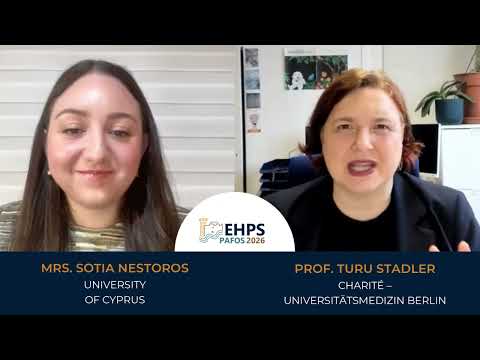
Prof. Turu Stadler shares her perspective in this interview with Sotia Nestoros, highlighting how evidence-based insights can translate into meaningful, real-world health outcomes.

Watch the full interview here: https://www.youtube.com/watch?v=zG2WdKOo23o

#ehps2026 #keynote #cyprus

Meet the Keynotes | Prof Gertraud (Turu) Stadler - Part 2

YouTube

Wie lassen sich #Medien souverän in Jugendarbeit & Schule nutzen?

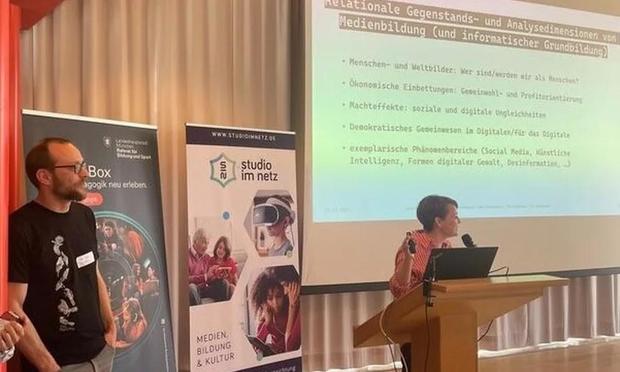
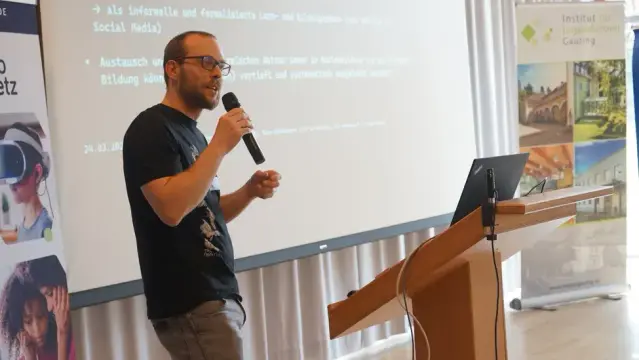
👉Mit dieser Frage befasste sich das 26. #GautingerInternettreffen, bei dem Nina Grünberger zusammen mit Pia (TU Darmstadt) & Valentin Dander (GMK) die #Keynote "Gemeinsam? Selbst? Bestimmt?“ hielt.

🔎 Sie beschäftigten sich dabei mit Fragen zur #Selbstbestimmung von Einzelsubjekten in der Postdigitalität & zum gemeinschaftlichen Mitgestalten von bestehenden digitalen Strukturen.

Fotos: SIN - Studio im Netz, CC BY-SA 4.0

🥳 Der April bringt neues Leben auf den #Campus – und viele spannende Einblicke. Mit dem Start der #Vorlesungszeit und der Begrüßung unserer #Erstsemester beginnt nämlich ein neues #Semester voller Begegnungen, Austausch und Perspektiven.

💡Neben dem regulären Studienbetrieb bietet der April auch inhaltlich einiges:
👉 Lehrende und Studierende stellen etwa den neuen Fokus des Master #Lebensweltorientiert|e #Gesundheitsförderung vor.
👉 Es starten gleich zwei #Weiterbildung|en: „Zukunft lernen im non-formalen Bildungsbereich“ sowie „Partizipation und Kinderrechte in Kindertageseinrichtungen“.
👉 Beim HSE-Terrassengespräch nehmen wir - in einem bewusst lockeren Ambiente - die #Beratungsrolle von #Lehrkräfte|n in den Blick.

🗓 Ein besonderes Highlight findet am Mittwoch, 29. April statt: Beim 4. #bildungspolitisch|en Gespräch sprechen u.a. Bodo Ramelow und Eva Winkler über Vertrauen, Zweifel und demokratische Erfahrungen in #Schule und #Hochschule. Nach den #Keynote|s bietet die offene #Fishbowl die Möglichkeit, sich einzubringen und gemeinsam mit Ramelow, Winkler sowie Expert:innen aus der #PHHeidelberg über „#Demokratie - #Vertrauen als Auftrag?“ zu diskutieren. ❗️ Anmeldung nicht vergessen!

🔗 Alle Events und aktuelle Informationen unter https://www.ph-heidelberg.de/hochschule/aktuelles/veranstaltungen.html

Veranstaltungen

Pädagogische Hochschule Heidelberg

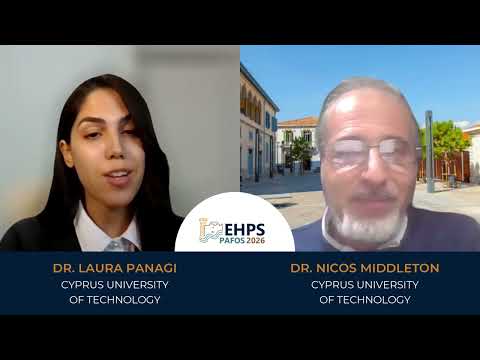
Dr. Nicos Middleton joins Dr Laura Panagi in this insightful keynote interview, exploring how research can move beyond theory and drive meaningful, real-world impact across Europe and beyond.

🎥 https://youtube.com/watch?v=CSD08M4PBhc

Be part of the discussion at EHPS 2026.

#ehps2026 #keynote #cyprus

Meet the Keynote | Dr. Nicos Middleton - Part 2

YouTube
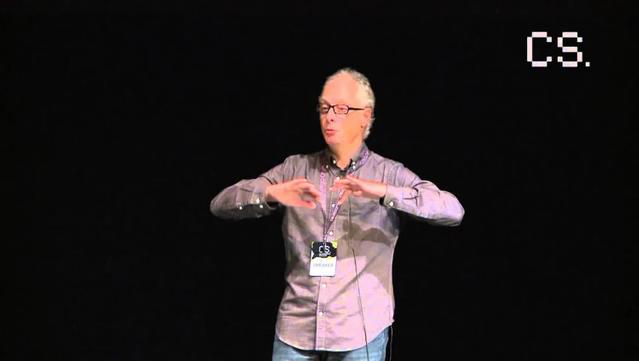
Brilliant, provocative keynote by Pieter Hintjens: How Conway's Law is eating your job? A must-watch for devs, architects and managers — sharp insights on how org structure shapes code and careers. Clear, witty, and still relevant from Coding Serbia 2015. #ConwaysLaw #PieterHintjens #SoftwareArchitecture #OrgDesign #DevOps #SystemsThinking #Coding #Keynote #English
https://peertube.magicstone.dev/videos/watch/22d76050-129d-4c9f-a589-c31ce34992ca
Pieter Hintjens - How Conway's Law is eating your job?, Opening Keynote at Coding Serbia 2015

PeerTube

WWDC 2026 już 8 czerwca. Apple zaprasza deweloperów z całego świata

Apple oficjalnie potwierdziło datę jednej z najważniejszych konferencji technologicznych roku. Worldwide Developers Conference 2026 odbędzie się w tygodniu rozpoczynającym się 8 czerwca i – jak co roku – przyciągnie uwagę milionów deweloperów oraz fanów ekosystemu Apple.

Hybrydowa formuła i powrót do Apple Park

Apple kontynuuje sprawdzoną formułę wydarzenia. WWDC 2026 będzie dostępne przede wszystkim online i bezpłatnie dla wszystkich zainteresowanych, ale firma zapowiedziała również specjalne wydarzenie stacjonarne w Apple Park.

To właśnie tam wybrani deweloperzy i studenci będą mogli obejrzeć keynote na żywo, spotkać się z inżynierami Apple oraz wziąć udział w ekskluzywnych sesjach i warsztatach. Tego typu spotkania stały się już tradycją po pandemicznej przerwie i są dziś jednym z najbardziej pożądanych elementów WWDC.

Nowości w systemach i technologii

Choć Apple nie zdradza jeszcze szczegółów, WWDC tradycyjnie jest miejscem prezentacji nowych wersji systemów operacyjnych. Możemy spodziewać się zapowiedzi kolejnych odsłon iOS 27, macOS 27, iPadOS 27, watchOS 27, tvOS 27 oraz visionOS 27.

To także moment, w którym firma pokazuje kierunek rozwoju swoich platform i narzędzi dla deweloperów. Wiele wskazuje na to, że dominować w tym roku będą tematy dotyczące sztucznej inteligencji, prywatności i integracji między urządzeniami.

Tysiące sesji i kontakt z inżynierami

WWDC to nie tylko keynote otwierający konferencję. Apple przygotowuje setki sesji technicznych, laboratoriów oraz konsultacji 1:1 z inżynierami. Dla twórców aplikacji to unikalna okazja, by lepiej zrozumieć platformy Apple i zoptymalizować swoje produkty.

Uczestnicy będą mogli korzystać z materiałów wideo, dokumentacji oraz narzędzi dostępnych przez cały tydzień wydarzenia, co czyni WWDC jednym z najbardziej kompleksowych wydarzeń edukacyjnych w branży. Konferencję będzie można śledzić przez aplikację Apple Developer, www, oraz kanał YouTube.

Swift Student Challenge powraca

Apple ponownie organizuje także Swift Student Challenge – konkurs skierowany do młodych programistów i studentów. To inicjatywa, która ma na celu wspieranie nowego pokolenia deweloperów i promowanie nauki programowania w języku Swift.

Zwycięzcy nie tylko zdobywają uznanie, ale często otrzymują również zaproszenia na wydarzenia specjalne organizowane przez Apple. Wyniki konkursu zostaną ogłoszone już 26 marca.

Czego możemy się spodziewać?

Choć WWDC skupia się głównie na oprogramowaniu, nie można wykluczyć niespodzianek sprzętowych. W przeszłości Apple wykorzystywało tę scenę do prezentacji nowych Maców czy przełomowych technologii, takich jak Apple Silicon.

WWDC 2026 zapowiada się więc jako kolejny kluczowy moment dla całego ekosystemu Apple – zarówno dla deweloperów, jak i użytkowników końcowych. Początek czerwca ponownie stanie się centrum technologicznego świata, a Apple pokaże, w jakim kierunku zmierza jego platforma w nadchodzących miesiącach.

#AppleWWDC2026 #iOS27 #iPadOS27 #keynote #konferencja #macOS27 #tvOS27 #watchOS27 #WWDC2026

RE: https://mathstodon.xyz/@juandesant/116278849554634283

Today I (re-)Learned how to remove a pain that I have been having for many years, but now that I asked to the Fediverse, I (re-)found the answer… much as I was imagining it in the last paragraph (so, thanks for being a virtual rubber duck!):

1. Go to System Settings
2. Search for Keyboard shortcuts
3. Click on any of the two results: one pops up the Spotlight keyboard shortcuts, the other pops up the Modifier Keys section.
4. Click on App Shortcuts entry in the sidebar of the pop up
5. Click on the + sign, and in the popup, select Keynote.app in the Applications popup, type Webpage as the menu item name, and then type Command-K (⌘K) on the Keyboard shortcut field.
6. (Just to make sure that I still can use a shortcut for the Slide one, and not just delete it) Click on the + sign, and in the popup, select Keynote.app in the Applications popup (it defaults to All Applications every time), type Slide as the menu item name, and then type Command-Shift-K (⌘⇧K) on the Keyboard shortcut field.

That's it! I can now use ⌘K on Keynote, and just paste the link that I already had in the Keyboard for it… whereas previously that changed the text being displayed in the slide, while linking it to the next slide, which was definitely not what I wanted.

#TIL #TodayILearned #Keynote #KeyboardShortcuts #FediAsk #Fedi #FediResolved

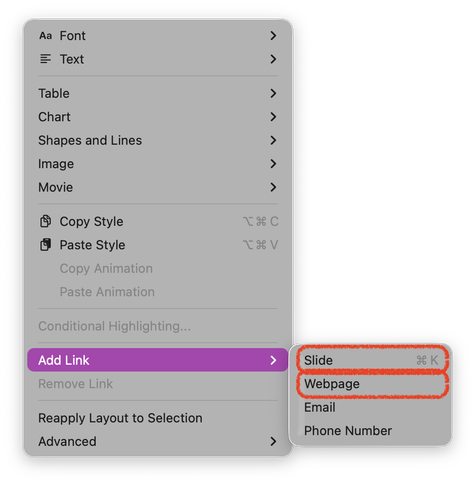
Dear Fedimind, is there a way to change the default kind of link created by Keynote when pressing Command-K (Add link)? By default it goes to create a link to a different slide, which is a useful capability, but not what I want 95% of the time…

I imagine that I could remove Command-K from the Add Link ▶︎ Slide and add it to the Add Link ▶︎ Webpage via the Settings app…

#FediAsk #Keynote