 Lily Cohen
Okay we appear to back to fully normal now. That was a rough one!
Apologies to homestead.social and pix.lgbt folks for the downtime! Will be gathering my thoughts and post a post-incident report as a reply to this post soon.
Okay we appear to back to fully normal now. That was a rough one!
Apologies to homestead.social and pix.lgbt folks for the downtime! Will be gathering my thoughts and post a post-incident report as a reply to this post soon.
@SuzannePeet There are two ways to interact with content from homestead.social:
Option 1: Follow Users from Your Current Account
You can follow users on homestead.social directly from your mastodon.social account. Here’s how:
1. Find the User’s Profile: Search for the user’s full handle (e.g., @life) using the search bar on mastodon.social.
2. Follow: Once on their profile, click the “Follow” button.
This allows you to see their posts in your home feed without creating a new account.
Option 2: Create an Account on homestead.social and Migrate Your Mastodon Account
If you’d prefer to join homestead.social directly, you can create a new account and migrate your existing followers.
Here’s the process:
1. Create a New Account: Go to homestead.social and sign up for a new account.
2. Export Your Follow List from mastodon.social:
• On mastodon.social, go to Settings > Import and Export > Data Export.
• Download your “Following list” as a CSV file.
3. Import Your Follow List to homestead.social:
• On homestead.social, go to Preferences > Import and Export > Import.
• Upload the CSV file you downloaded and select “Following list” as the type.
• Click “Upload” to import your follows.
4. Set Up Account Redirection (Optional but recommended):
• On homestead.social, go to Settings > Account > Account Settings
• In the “Moving from a different account“ section, enter your old mastodon.social account handle.
• On mastodon.social, go to Settings > Account > Account Settings
• In the “Move to a different account” section, enter your new homestead.social account handle.
• This will migrate followers to your new account.
5. Post a new #introduction on your new homestead.social account and pin it to your profile (Optional but recommended)
Please note that while your follows and followers can be migrated to your new account, your posts and other data won’t be transferred.
If you have any questions feel free to ask. ☺️
Sad to hear about the impending shutdown of #BotsInSpace!
#HomesteadSocial would love to be the new home for any bots with the primary subject matter being relevant to #Homesteading, #Gardening, #Farming, #Permaculture, #OffGrid, #Sustainability, #SolarPunk, #ClimateCrisis, #Goats, #Chickens, #Cows, #Horses, etc
https://botsin.space/@muffinista/113392588900840218
I am excited to announce that https://homestead.social is officially open for signups! If you're passionate about sustainable living, getting back to the land, or exploring self-sufficiency, this is the place for you. 👩🌾 🚜
Whether you’re an experienced hand at homesteading or just starting out, our community is here to support you with tips, advice, and camaraderie. We’ve got spaces for every kind of homesteader—permaculture enthusiasts, animal keepers, off-grid dreamers, DIY lovers, and everyone in between.
So come on in, find your new homestead family, and let's grow together. From gardening and DIY projects to the joys of farm life and everything in between, we can’t wait to see what you bring to the community!
#HomesteadSocial #Homestead #Homesteading #OffGrid #Permaculture #Gardening #Sustainability #SolarPunk
Hello Fediverse!
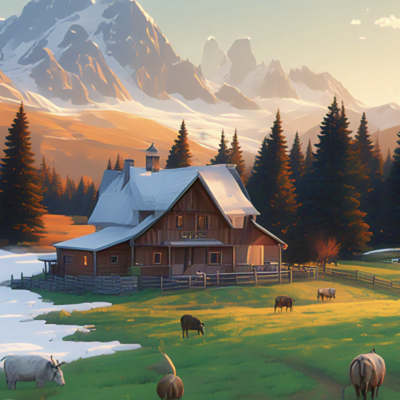
This is 'Life on the Homestead', an account dedicated to featuring content related to homesteading, farming, gardening, off-grid living, and more ran by the homestead.social team (honestly it's really just @lily for now but hey)
Give us a follow!
#Introduction #Homestead #Homesteading #Farm #Farming #Garden #Gardening #Cows #Chickens #Ducks #Goats #Bees #ClimateAction #OffGrid #HomesteadSocial #HomesteadDotSocial

 Life on the Homestead