Is Pinterest Your Untapped Goldmine for Graphic Design Inspiration?
You’re a graphic designer? So, your days are a whirlwind of briefs, client feedback, color codes, and font choices. Coffee is probably a close friend. And somewhere, amidst all that beautiful chaos, is the constant, nagging need for fresh ideas. That spark. That elusive inspiration. It’s the fuel for everything you create, right? Without it, the engine stalls. We’ve all been there, staring at a blank screen, feeling the pressure mount. Where do you turn when the well feels dry? Do you scroll endlessly through the usual design blogs? Maybe you dust off old art history books? Perhaps you take a walk, hoping nature will whisper a solution. These are all valid paths. But what about that platform you might associate more with recipes or DIY home decor? Yes, let’s talk about Pinterest.
Seriously, Pinterest. You might be thinking, “Isn’t that just for planning weddings or finding kitchen hacks?” Many creatives initially dismiss it. They see it as purely recreational, maybe even a bit… superficial for serious design work. But what if that perception is holding you back? What if Pinterest, used strategically, could become one of the most powerful tools in your professional creative arsenal? It’s more than just pretty pictures; it’s a vast, visually indexed library of concepts, styles, and solutions just waiting to be explored. Think about it: a platform built entirely around visual discovery. Doesn’t that sound tailor-made for someone who communicates visually for a living? Check out our WE AND THE COLOR Pinterest account, for example. It’s the perfect source for your daily creative inspiration. The potential is huge. It’s time to look beyond the surface and consider how Pinterest can genuinely elevate your graphic design process, pushing your creativity in exciting new directions. This isn’t about mindless scrolling. This is about targeted, professional visual research. Let’s explore how you can harness the true power of Pinterest for top-tier graphic design inspiration.
Why Pinterest Works So Well for Visual Professionals
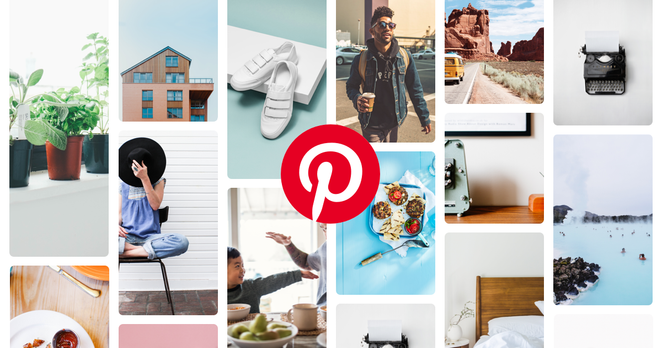
First off, the very nature of Pinterest makes it incredibly intuitive for designers. It’s visual-first. Unlike text-heavy blogs or complex portfolio sites, Pinterest presents information primarily through images. You get an instant hit of visual data – colour palettes, layouts, typography styles, illustration techniques – all at a glance. This rapid visual processing aligns perfectly with how designers think and work.
Furthermore, Pinterest acts like a massive, interconnected mood board. Remember creating physical mood boards? Cutting out magazine clippings, fabric swatches, photos? Pinterest digitizes and scales that process infinitely. Its algorithm is designed to show you related content. Found a logo style you like? Click on it, and Pinterest instantly suggests dozens of similar pins. This “visual rabbit hole” can be incredibly productive when you’re exploring a specific aesthetic or trying to break out of a creative rut. The sheer volume and diversity of content are staggering. You can find everything from obscure vintage posters to cutting-edge web design trends, all in one place.
Setting Up Your Professional Pinterest Presence
Okay, so you’re intrigued. How do you actually use Pinterest professionally? It starts with treating it like a professional tool. This might mean creating a separate profile dedicated to your design work or meticulously curating your existing one.
Optimize Your Profile:
Use your real name or studio name. Write a clear bio stating you’re a graphic designer and what your specialties are. Think about relevant keywords someone might use to find a designer like you. This helps Pinterest understand who you are and what content to show you.
Create Strategic Boards:
Don’t just create one giant “Design Inspiration” board. Get specific! Consider boards like:
- “Minimalist Logo Design”
- “Typography Pairings”
- “Web UI Layouts”
- “Bold Color Palettes”
- “Packaging Design Ideas”
- “Editorial Design Inspiration”
- “Brand Identity Systems”
Think about your common project types or areas you want to grow in. The more organized your boards, the easier it is to find relevant inspiration later. Remember, these are your working files, your digital sketchbooks for ideas. Using Pinterest effectively means being organised.
Follow the Right People:
Seek out design studios, well-known designers, art directors, design publications, and even museums. Following curated feeds exposes you to high-quality, relevant content. Don’t just follow anyone; be selective. Quality over quantity is key here.
Mastering the Art of the Pinterest Search
Simply typing “graphic design” into the Pinterest search bar is just scratching the surface. To unlock its real power, you need to search strategically.
Use Specific Keywords:
Think like a designer. Instead of “cool logos,” try “geometric negative space logos” or “luxury brand typography.” Instead of “website design,” search for “brutalist web design” or “SaaS landing page UI.” The more specific your query, the more targeted and useful the results will be. Combine terms: “vintage illustration style poster,” “art deco pattern design,” “modern corporate brochure layout.”
Explore Related Pins:
This is where the magic happens. When you find a pin that resonates, click on it. Then, scroll down. Pinterest will show you visually similar pins and pins that others saved, along with the one you liked. This is an amazing way to discover unexpected connections and broaden your visual vocabulary.
Leverage Visual Search (Pinterest Lens):
See something inspiring in the real world or on another website? Use the Pinterest Lens tool (the little camera icon in the search bar) to upload or take a photo. Pinterest will analyze the image and find similar visuals on its platform. It’s fantastic for identifying fonts, finding similar colour schemes, or exploring styles based on a single image. This makes Pinterest a powerful tool even when you start your inspiration journey offline.
Curating Inspiration: Beyond Just Pinning on Pinterest
Having thousands of pins is useless if they’re not organised or contextualized. Effective curation is crucial for turning Pinterest into a productive tool rather than a time sink.
Organize with Board Sections:
Within a broader board (e.g., “Brand Identity Systems”), you can create sections like “Logos,” “Color Palettes,” “Typography,” “Brand Guidelines.” This adds another layer of organization, making it much easier to retrieve specific types of inspiration when you need them for a project.
Add Notes to Your Pins:
Why did you save that specific pin? Was it the colour combination? The font pairing? The grid structure? Use the notes feature to jot down your thoughts. “Love the kerning here,” or “Interesting use of whitespace,” or “Could this texture work for Project X?” This transforms passive pinning into active analysis and makes your boards far more valuable when you revisit them. Future you will thank you!
Regularly Refine Your Boards:
Your taste evolves, trends shift. Periodically review your Pinterest boards. Delete pins that no longer resonate. Reorganize sections. Ensure your boards reflect your current interests and project needs. Treat it like tending a garden; it requires occasional maintenance to stay healthy and useful.
Navigating Potential Pinterest Pitfalls
While Pinterest is powerful, it’s not without its potential downsides if used carelessly. Awareness is key.
Inspiration, Not Imitation:
This is the golden rule. Pinterest should spark your own ideas, not provide templates to copy directly. See a great layout? Analyze why it works (balance, hierarchy, flow) and apply those principles in your own unique way. See a cool colour palette? Adapt it, tweak it, make it relevant to your specific project brief. Always filter inspiration through your own creative lens and the project’s specific requirements.
Avoiding Overload and Paralysis:
The sheer volume of content on Pinterest can be overwhelming. It’s easy to fall down a rabbit hole and spend hours scrolling without a clear goal. Set time limits for your inspiration gathering. Go in with a specific question or need. “I need ideas for displaying testimonials on a webpage,” or “I’m looking for interesting ways to use duotones.” Focused searching prevents aimless browsing.
Staying True to the Brief:
Your Pinterest boards might be full of trendy, experimental designs. That’s great for personal development! However, always remember the client and the brief. The inspiration you gather must ultimately serve the project’s goals and resonate with the target audience. Don’t force a trend if it doesn’t fit.
Pinterest as a Community and Learning Hub
Pinterest isn’t just a repository of static images; it’s also a place to connect and learn.
Follow Influential Accounts:
Many design blogs, magazines, agencies, and educators maintain active Pinterest profiles, sharing curated work, insights, and resources. Following these can keep you updated on trends and expose you to high-quality design thinking.
For instance, our own WE AND THE COLOR Pinterest account is a great resource. With over 152k followers, it’s become a go-to hub for creative professionals globally. We carefully curate boards covering various design disciplines. Our Graphic Design and Templates boards are particularly popular, offering a huge range of carefully selected, high-quality inspiration covering logos, branding, layouts, posters, and much more. Following accounts like ours provides a steady stream of professional-level inspiration directly into your feed.
Discover Tutorials and Processes:
Beyond finished pieces, designers sometimes share process work, tutorials, or behind-the-scenes glimpses on Pinterest. You might find pins linking to articles about design theory, video tutorials on software techniques, or infographics explaining design principles. It can be an unexpected educational resource.
Integrating Pinterest Into Your Design Workflow
So, how do you make Pinterest a practical part of your day-to-day design process?
Digital Mood Boarding:
Use your curated Pinterest boards as the foundation for project-specific mood boards. You can create a secret board for each new project and start pinning relevant visuals. Use board sections to categorize elements like “Competitor Analysis,” “Target Audience Style,” “Potential Color Directions,” etc.
Client Collaboration (Use with Care):
You can share specific, curated Pinterest boards with clients to help align on visual direction early in a project. However, be cautious. Ensure the client understands these are inspirations, not final designs, to manage expectations. Clearly explain why you selected certain pins (mood, colour, style, not literal execution).
Breaking Creative Blocks:
Feeling stuck? Spend 15-20 minutes purposefully browsing Pinterest with a specific problem in mind. Look for solutions in unrelated fields. How does architecture solve spatial problems? How does fashion photography use colour? Cross-pollination of ideas found on Pinterest can often break a deadlock.
Your Turn: Rethink Your Pinterest Strategy
Ultimately, Pinterest is a tool. Its effectiveness depends entirely on how you wield it. Used thoughtlessly, it’s a distraction. Used strategically, professionally, and mindfully, it’s an incredible asset for any graphic designer seeking fresh, relevant, and diverse creative inspiration. It helps you visualise possibilities, organise ideas, stay current with trends, and connect with a global creative community.
So, the next time you’re hunting for inspiration, give Pinterest a serious, focused try. Set up those specific boards. Use precise search terms. Analyze why you like a pin. Follow curated accounts like WE AND THE COLOR. Integrate it thoughtfully into your workflow. You might just find that this visually rich platform becomes your indispensable partner in crafting stunning, effective design work. Ready to unlock that potential? Your next great idea might just be a pin away on Pinterest.
Are you hungry for more? If so, feel free to find other trending graphic design topics on WE AND THE COLOR.
Subscribe to our newsletter!
[newsletter_form type=”minimal”]
#creativeInspiration #graphicDesign #graphicDesignInspiration #inspiration #pinterest
 keadamander
 Textures & Backgrounds Store
 WE AND THE COLOR
 Financia
 Alpesa Media