 Emily
Emily#FamilyTreeMaker is so much better on Windows than on Mac. Who knew?
Did my monthly backup today and #FTM got stuck and stopped on an image in my media file. The image - a marriage record - was unattached to anyone because I had deleted the couple. I had to manually delete the image from Finder to get FTM to back up the database. (I’m on a Mac.) Is this a new behavior in FTM? I’ve used it for years and deleted tons of things and never had to hunt for unattached files. #FamilyTreeMaker #Genealogy
 Roland zu Dortmund e.V.
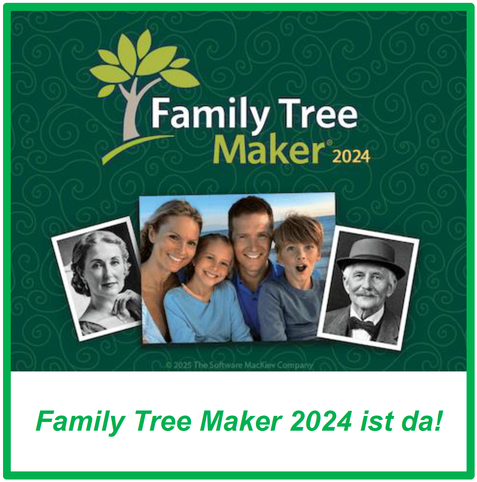
Family Tree Maker 2024 (US) ist da!
Hat sich das lange Warten gelohnt?
MacKiev hat heute (11.05.2025) die neue US-amerikanische Version der Genealogiesoftware Family Tree Maker herausgebracht. Bereits für 2024 angekündigt, hatte sich die Veröffentlichung immer wieder verschoben. Nun ist es da: FTM 2024. Wir haben einen ersten, schnellen Blick darauf geworfen.
Hier weiterlesen:
https://www.roland-dortmund.de/2025/05/11/family-tree-maker-2024-us-ist-da/
#Genealogie #Genealogy #Ahnenforschung #Familienforschung #FTM2024 #FamilyTreeMaker

Family Tree Maker 2024 (US) ist da!
MacKiev hat heute (11.05.2025) die neue US-amerikanische Version der Genealogiesoftware Family Tree Maker herausgebracht. Bereits für 2024 angekündigt, hatte sich die Veröffentlichung immer wieder verschoben. Nun ist es da: FTM 2024. Wir haben einen ersten, schnellen Blick darauf geworfen.
 johnsmith111
Six Easy Tips for Making Family Tree
https://familytreemakerhelp.com/making-family-tree/
Making Family Tree is a great activity for us as well as our children. Sometimes we get something new facts about our family which are funny. Apart from this, it creates interest to the children to know more about family.
#MakingFamilyTree #creatingfamilytree #Creatingafamilytree #familytree #Familytreemaker #familytreemakersupport #howtomakeafamilytree #simplestepsformakingfamilytree

How to Convert a Family Tree Maker File?
https://familytreemakerhelp.com/convert-family-tree-maker-file/
In this blog, we will learn how to convert a family tree maker file from the old version to the new version. You will be guided with the right methods to accomplish the same here. You will successfully complete the process.
#familytreemakerfileconverter #Familytreemaker #familytreefileconvert #convertfamilytreefile #convertafamilytreefile #oldversiontonewversion

 Genealogy Software
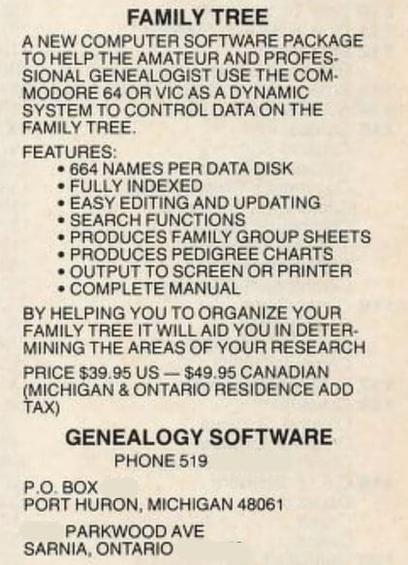
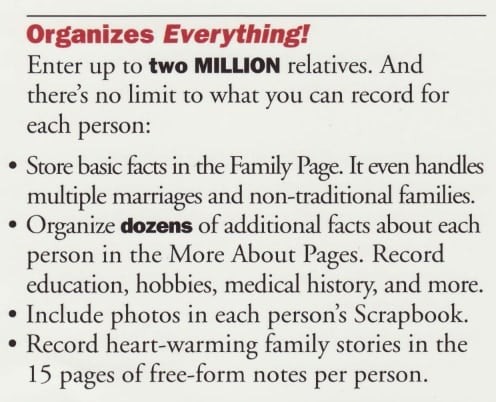
#ThrowbackThursday - in the span of 1984-1994, #genealogy programs went from hundreds of records limited by computer RAM/floppy sizes to millions of records. This example - 664 names per floppy, to 2 million names ( #FamilyTreeMaker )
https://genealogysoftware.net/throwback-thursday/throwback-thursday-a-decade-of-change/

My nearly-friday #throwbackthursday - a look back at Family Tree Maker v1 #genealogysoftware and what exactly came in the box (and a big box it was). Things were different in the #DOS days.
https://genealogysoftware.net/throwback-thursday/throwback-thursday-family-tree-maker-1-01/
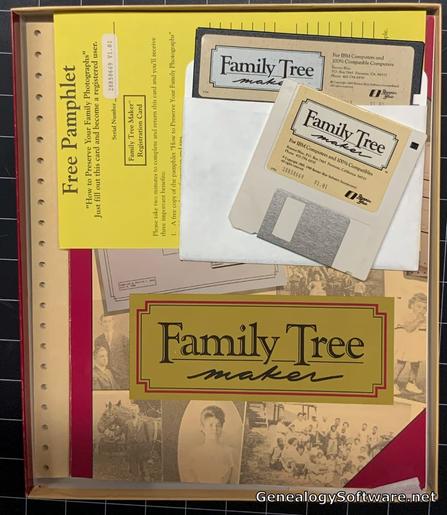
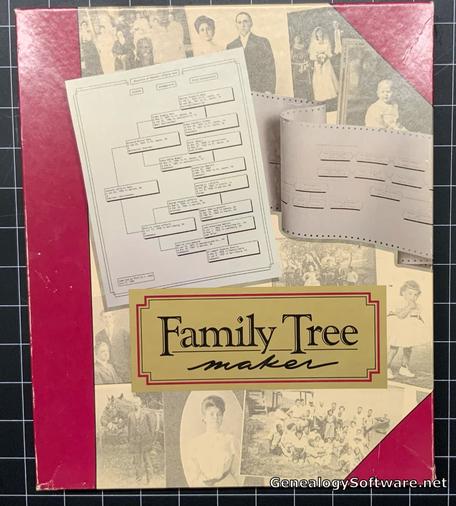

If your #genealogy software is #familytreemaker and you are looking to upgrade to Family Tree Maker 2024, you have a few days left for the upgrade pricing - #MacKiev sent out an email yesterday:
Maybe the release is near?

Family Tree Maker 2024 - Pre-Order Pricing Ending, Expanded Mobile Apps, Release Soon? | GenealogySoftware.net
Yesterday afternoon, I received an email from MacKiev concerning a Family Tree Maker 2024 upgrade deal and what seems to be an imminent release of FTM 2024, with more details than previous emails.
For genealogists who use Family Tree Maker, there are a couple of FTM meetups hosted by genealogy/family history societies in October, one in Australia (with a MacKiev staff member) and one in Oregon. If you know of more, FTM or otherwise, contact me!
Hopefully more info about #FamilyTreeMaker 2024 (or its release) will come out soon.
https://genealogysoftware.net/event/family-tree-maker-meetings-in-october/
 Matt
MattNewspapers.com is owned by the same folks as Ancestry.com. As such, there is integration between the two sites. The way that citations and sources for Newspapers.com are generated through this process end up looking like a bit of a mess, in my humble opinion, within Family Tree Maker.
I’ve recently started a project to clean up several dozen citations from Newspapers.com clippings within the two big family trees that I maintain: mine and my husband’s. It’s a lot of work, but it’s going to be worth it in the end.
Why?
I’m motivated by the following concerns.
- Many citations have JPEGs linked to them. These are problematic because they lack context if they lose their link to their source.
- Many citations have PDFs linked to them, which were downloaded from Newspapers.com, but they’re from many years ago and often don’t look as good as newer PDFs available to download.
- Within FTM, each clipping shows up as its own source, with only one citation. There isn’t necessarily anything wrong with this, as it allows someone to locate the original clipping, but I would prefer to do it differently.
Update Process
The solution to my media problems is to simply replace old media with new PDFs. These not only solve the context problem with images, but also looks better than the old PDFs from years ago (bigger images, for one). This also fixes a lot of naming discrepancies, and other minor details.
Here’s the basic process that I’m following to prepare each clipping.
- I use the URL from the source in FTM to view the clipping. Sometimes the URLs are broken, and I have to relocate the clipping.
- If I used Newspaper.com’s AI-generated clipping, I go ahead and create my own. I want to be able to find these again in the My Clippings tab.
- If necessary, I update the name of the clipping and tweak the borders.
- After downloading the PDF version, I run it through an OCR process. I do this because the text around the image is searchable already, but not the text within the image itself. This ensures that the entire document is OCR’d and searchable.
At this point, most everything is done within Family Tree Maker, while editing individual source citations.
- In the Source tab, I remove the “Source Title” from the citation. This effectively unlinks the citation from the source. It will be found in the “[unlinked]” section when sorting sources by title.
- I update the “Citation Detail” section with the citation provided by Newspapers.com. (I capture this by clicking “Source Citation” while viewing the clipping in a web browser, and copying the genealogy style.)
- I update the “Web Address” field with the currently URL of the clipping.
- Uncheck “Citation Text” and “Web Address” in the “Including in Reference Note” section.
- In the Media tab, I add the new PDF that I recently exported and OCR’d.
- I then unlink the old media from everything, and remove it entirely from the tree. I don’t need that anymore, as I have a much better copy now attached, but I still need to go and remove the actual file from the media folder.
- In DEVONthink, I index all media files in Family Tree Maker, and I make sure and replicate the new PDF to its appropriate family-named group in my database.
- Lastly, I make sure that the clipping on Newspapers.com has been tagged appropriately to note that it’s been added to both Family Tree Maker and DEVONthink.
When this is all done, I will have nice, clean citations linked to proper PDFs that are fully OCR’d. The PDFs will retain their context, in case they’re separate from the citation.
Let me know if you have any thoughts or questions.
https://netmonkey.net/2024/07/07/cleaning-up-newspapers-com-citations/