 secbro42
☢ UNAUTHORIZED ACCESS IMMINENT: Critical Vulnerability in Cisco Catalyst SD-WAN Controllers Exposes Admin Privileges to Rem
#CVE202620182 #CiscoVulnerability #CyberAttackPrevention #NetworkSecurity #SDWANCVE #cve #cybersecurity #iso27001
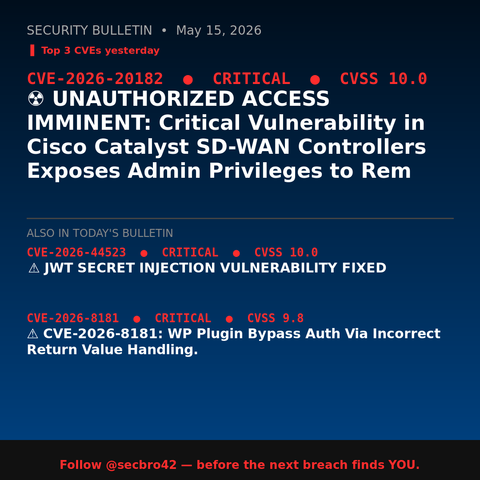
☢ UNAUTHORIZED ACCESS IMMINENT: Critical Vulnerability in Cisco Catalyst SD-WAN Controllers Exposes Admin Privileges to Rem
#CVE202620182 #CiscoVulnerability #CyberAttackPrevention #NetworkSecurity #SDWANCVE #cve #cybersecurity #iso27001
Steganography: The Art of Hiding Malware Right Under Your Nose
1,732 words, 9 minutes read time.
Steganography: Cryptography historyAbout six years ago — back before COVID turned everything upside down — I was deep-diving into Microsoft’s Power Platform, that sprawling suite of tools designed to help businesses build apps and automate workflows with ease. During that exploration, I uncovered a pretty fascinating vulnerability. It wasn’t a simple “click and exploit” kind of hole, but with the right conditions and a bit of clever maneuvering, I found a way to modify and execute code on SharePoint as another user entirely.
What made that experience so gripping wasn’t just the technical challenge. It was the realization that sometimes, it’s not the loud, flashy malware that gets you. It’s the subtle, elegant gaps in logic — the quiet backdoors that let attackers slip in unnoticed.
That’s exactly why exploits like steganography catch my attention. This ancient art of hiding secret messages in plain sight has evolved for the digital age. Instead of ink and paper, attackers now tuck malicious code inside everyday files — images, wallpapers, documents — right under your nose. No alarms, no obvious signs, just malware chilling quietly where you’d least expect it.
So today, let’s dive into how hackers pull off these sneaky attacks, why they’re so hard to spot, and most importantly, how you can keep your systems safe without losing your mind. Because in cybersecurity, staying curious and prepared is the best defense — and sometimes the coolest part of the job.
So, what the heck is steganography anyway?
Let’s get nerdy for a sec. Steganography is basically the art of sneaking secret data inside something that looks normal. The word comes from Greek roots meaning “covered writing.” Long before computers, people were hiding tiny messages in wax tablets, tattooing them on slaves’ scalps (gross but effective), or writing invisible ink love letters that only appeared under heat.
Fast forward to the digital era. Today, steganography usually means tucking malicious code inside innocent-looking files—like JPEGs, PNGs, MP3s, or even PDFs.
Unlike encryption, which screams, “Hey, I’m hiding something!” (even if the contents are scrambled), steganography tries to avoid suspicion altogether. It’s more like slipping a fake grocery list to your buddy that actually details your plan to raid the cookie jar after midnight. To everyone else? Just another boring shopping note.
How do hackers pull off this cyber-magic?
Now, let’s break down the trick that’s got the hacking world buzzing. Cybercriminals often use something called LSB (Least Significant Bit) steganography. In layman’s terms, they tweak the smallest bits of image data that our eyes can’t perceive.
Think of an image as a giant spreadsheet of pixel colors—millions of tiny red, green, and blue (RGB) values. Adjust the last bit of that RGB data from a 1 to a 0? The human eye won’t notice. But a decoding script sure will.
John Hammond, an absolute wizard in the cybersecurity content space (and whose awesome YouTube video inspired this whole breakdown—watch it here), recently showed how malware could be buried inside a normal desktop wallpaper. His demo: a slick “innocent” image hides encrypted shellcode. When decoded and executed, it pops open a malicious process. Pretty elegant—and terrifying.
According to Kaspersky, hackers love this because it lets them “pass malicious content off as harmless data, thus bypassing traditional detection systems.” Imagine your favorite wrench suddenly refusing to fit a bolt—not because the bolt changed, but because it was secretly swapped for a malicious clone with the same measurements. That’s the cybersecurity equivalent here.
Why do cyber crooks even bother with this?
Simple. Traditional antivirus programs look for suspicious behaviors or known malware signatures. They don’t always scrutinize the actual pixel guts of an image file. So by hiding malware in a .png or .bmp, attackers can slip right past gatekeepers.
CSO Online points out that steganography has surged because it avoids raising alarms. It’s “like smuggling something through customs in your shoe—if the scanner’s not tuned to look inside footwear, you’re golden.”
This technique is also devilishly flexible. It works over social media, email attachments, file shares, cloud drives. Basically anywhere you can upload and download pictures, the door is open. In one nasty example, the XWorm remote access Trojan stashed its payload inside images to sneak past email defenses—The Hacker News did a great write-up on it.
How can you protect yourself (without swearing off wallpapers forever)?
Alright, here’s where we get practical. First, don’t panic. I still use cool wallpapers every day. But I also keep my wits about me.
For most casual users, the biggest risks come from downloading images off sketchy sites, pirated software bundles, shady Discord servers, or random email attachments. If it looks too good to be true—like “Free RTX 4090 Wallpapers EXCLUSIVE!!” hosted on some rando .ru domain—it probably is.
Basic cyber hygiene is your first line of defense. Keep your OS and all software up to date so known vulnerabilities get patched. Use a reputable antivirus or endpoint security suite. Many modern tools do more than scan executables—they watch for suspicious memory activity, rogue scripts, or weird outbound connections. That helps catch malware even if it tries to wriggle out of a hidden image and run.
Want to level up? If you’re more of a power user, consider using image sanitization tools. These can strip out metadata, convert images into formats that don’t retain hidden stego data, or even rebuild the file entirely. Think of it as pressure-washing your wallpaper before hanging it on your wall.
You could also isolate downloads in a sandbox or virtual machine first. That way, if something does try to execute, it’s trapped in a safe bubble—like a zoo enclosure for digital tigers.
What about the hardcore detection stuff?
If you’re deep into cybersecurity—maybe running your own labs or defending an organization—then tools like Content Disarm and Reconstruction (CDR) come in handy. These essentially break down and rebuild incoming files to strip any hidden nasties, while still delivering a usable document or image.
Network monitoring is also key. Tools that inspect data flows (IDS/IPS) might pick up weird encrypted blobs inside image files being exfiltrated from your network—like catching a burglar not because they broke the window, but because they’re awkwardly tiptoeing through your backyard with your TV under their arm.
There are also steganalysis tools that look for statistical anomalies in images—basically forensic microscopes that can spot tiny pixel irregularities. Not foolproof, but every extra layer helps.
That wallpaper exploit demo: what John Hammond uncovered in the wild
Circling back to John Hammond’s excellent video — this wasn’t just a fun lab experiment or hypothetical scenario. John was actually analyzing a real-world malware sample found in the wild, where attackers had hidden malicious data inside an innocent-looking wallpaper image.
His breakdown showed how threat actors stuffed encoded configuration data into the pixels of the image. Later, the malware retrieved that image, parsed it, and used the extracted data to help build out its next-stage payload. It’s a smart way to stay under the radar: most antivirus tools don’t scan the pixel data of a wallpaper for hidden instructions meant to control malware.
Watching John reverse-engineer this is equal parts fascinating and alarming. It’s like seeing a locksmith show you exactly how burglars might pick the lock on your front door — suddenly, that “harmless” image file looks a whole lot more suspicious.
If you want to see the full demo (and trust me, it’s worth it), check out John Hammond’s YouTube video here. It’s a top-notch real-world example of why cybersecurity folks always say: trust, but verify — even when it comes to pretty wallpapers.
The big takeaway: Don’t be the low-hanging fruit
Hackers are opportunists. Sure, there are advanced state-level APTs who might specifically target you, but most crooks are after easy marks. Keep your systems patched, be suspicious of unexpected downloads, and monitor your network for weird behavior.
Also, if you’re running a business, invest in employee training. Phishing is still the #1 way malware gets through—someone on the sales team double-clicks “Invoice_OMG.png” from an unknown sender, and boom, you’re on the nightly news. Not a great look.
Want to geek out more?
If you’re hungry for the gritty technicals, you can explore guides on how steganography works, plus defenses and detection, from sites like Imperva, Fortra, and SentinelOne. There’s no shortage of reading, and trust me, it’s a rabbit hole worth diving into.
Also, huge hat tip again to John Hammond. Check out his full video breakdown here on YouTube. It’s like a magician revealing exactly how the trick works—super insightful and definitely worth the watch.
Wrap-up: Stay sharp, stay curious
So that’s the skinny on steganography, the sneaky malware tactic hiding right under your nose—literally on your desktop background. The next time you download a killer wallpaper or any random file, pause for a heartbeat and think, “Could this be more than it seems?”
Want more juicy cybersecurity deep dives, fresh threat breakdowns, and the occasional bad hacker joke? Subscribe to our newsletter below. Or drop a comment and tell me your wildest malware encounter—I’d love to hear your story. If you’re wrestling with a weird security problem, feel free to reach out directly. Always happy to talk shop.
Stay safe out there—and hey, keep your wallpapers awesome (just maybe run ‘em through a sanity check first).
D. Bryan King
Sources
Disclaimer:
The views and opinions expressed in this post are solely those of the author. The information provided is based on personal research, experience, and understanding of the subject matter at the time of writing. Readers should consult relevant experts or authorities for specific guidance related to their unique situations.
Related Posts
Rate this:
#1 #advancedPersistentThreats #codeExecutionExploit #cyberAttackMitigation #cyberAttackTechniques #cyberDefenseStrategies #cyberIntrusionMethods #cyberRiskManagement #cyberThreatIntelligence #cyberThreatPrevention #cyberattackAwareness #cyberattackExamples #cyberattackPrevention #cybercrimeDefense #cybersecurityAwareness #cybersecurityBestPractices #cybersecurityEducation #CybersecurityTips #digitalForensics #digitalSteganography #EndpointSecurity #exploitDetection #hackerTactics #hackerTricks #hiddenMalware #hidingMalwareInImages #imageSteganography #informationSecurity #maliciousPayloadHiding #malwareAnalysis #malwareCommunicationHiding #malwareDeliveryMethods #malwareDetection #malwareEvasion #malwareHidingMethods #malwareHidingTechniques #malwareInWallpapers #malwareObfuscation #malwarePayloadEmbedding #malwarePayloadExtraction #malwarePayloadLoading #malwarePayloads #malwarePreventionStrategies #malwareStealthTechniques #networkSecurity #PowerPlatformVulnerability #realWorldExploits #SharePointExploit #stealthMalware #steganographicMalware #steganographyMalware #threatActorTechniques #threatHunting #wallpaperMalware

The Hidden Dangers of Cybercrime-as-a-Service: Protect Yourself Now!
1,404 words, 7 minutes read time.
In today’s digital age, the internet offers convenience and connectivity like never before. However, with this digital transformation comes an alarming rise in cybercrime, particularly the evolving phenomenon of Cybercrime-as-a-Service (CaaS). Just as legitimate businesses have embraced subscription-based models, so too have cybercriminals. They now offer sophisticated tools and services that allow virtually anyone—regardless of technical expertise—to commit serious crimes online. Whether you’re an individual or a business, understanding the dangers of CaaS is essential for your digital safety. This document will explore what CaaS is, why it’s growing at such an alarming rate, and most importantly, how you can protect yourself against these threats.
Understanding Cybercrime-as-a-Service (CaaS)
At its core, Cybercrime-as-a-Service (CaaS) is exactly what it sounds like: a marketplace where cybercriminals sell or rent tools, malware, and expertise to other criminals, enabling them to launch cyberattacks. In many cases, these services are remarkably easy to access. You don’t need to be a hacker or have any advanced knowledge of cybercrime to take advantage of CaaS—just a willingness to pay for the tools or services offered.
Cybercrime-as-a-Service has become an extremely lucrative industry because it allows criminals to specialize in one area of cybercrime, while outsourcing other aspects to others. For example, one group might specialize in developing malicious software like ransomware, while another group might focus on distributing it to a larger audience. Some services even offer “affiliates”—individuals who can promote malware to a larger user base in exchange for a cut of the profits, creating an ecosystem that thrives on the exploitation of others.
In many ways, CaaS mirrors legitimate business models. Subscriptions can range from paying for a one-time malware tool, to long-term rentals, or even access to a fully managed attack service. And just like with any other business, CaaS providers offer customer support to help “clients” successfully launch their cyberattacks.
According to Field Effect, “The rise of Cybercrime-as-a-Service has made it easier for virtually anyone to engage in cybercrime, even if they lack the skills traditionally needed to carry out such attacks.” This has not only increased the frequency of cyberattacks but also democratized access to cybercrime, allowing individuals from all walks of life to participate.
The Escalating Threat Landscape
The expansion of Cybercrime-as-a-Service has contributed to a dramatic increase in cyberattacks around the world. In fact, cybersecurity firm Varonis reports that the average cost of a data breach in 2024 was $4.88 million. These breaches can occur at any scale, from small businesses to massive multinational corporations, and have severe financial consequences.
Additionally, the increasing sophistication of CaaS has led to more targeted and destructive attacks. Ransomware attacks, for example, which are often enabled by CaaS, have evolved from simple, disruptive events into highly organized, devastating campaigns. One notorious example is the 2020 attack on the healthcare sector, which saw multiple hospitals and health providers held hostage by ransomware groups. This attack exemplified how cybercrime-as-a-service can be used to disrupt essential services, putting lives at risk.
The rise of CaaS has also resulted in an alarming increase in attacks on critical infrastructure. According to Thales Group, “Cybercrime-as-a-Service is being used to target everything from energy grids to financial institutions, making it a real concern for national security.”
The increased availability of these cybercrime tools has lowered the entry barrier for aspiring criminals, resulting in a broader range of cyberattacks. Today, these attacks are not limited to large organizations. In fact, small and medium-sized businesses are often seen as low-hanging fruit by cybercriminals using CaaS tools.
Real-World Impacts of Cybercrime-as-a-Service
As mentioned earlier, the financial impact of cyberattacks facilitated by CaaS is staggering. The Cybersecurity Ventures report suggests that global cybercrime costs will reach $10.5 trillion annually by 2025. These costs include direct financial losses from theft and fraud, as well as the broader economic impact of disrupted services, data breaches, and reputation damage. Organizations across sectors are feeling the strain of increased cybercrime activities, and they are struggling to keep up with evolving threats.
The healthcare industry, in particular, has been a primary target. According to a report by NordLayer, “The healthcare sector has witnessed a significant uptick in cyberattacks, primarily driven by the accessibility of CaaS tools.” Ransomware attacks targeting health providers not only result in huge financial losses but can also cause life-threatening delays in treatment for patients.
But it’s not just large organizations that are impacted. Individuals are equally at risk. Phishing attacks, identity theft, and data breaches are just a few of the ways cybercriminals take advantage of unsuspecting users. With the help of CaaS, cybercriminals can easily harvest sensitive information from individuals, sell it on the dark web, or use it for further criminal activities.
For instance, tools that allow hackers to impersonate legitimate institutions or create fake login pages are commonly offered as services. These tools make it difficult for even the most cautious individuals to discern what is real from what is fake. The result is an increasing number of people falling victim to online fraud, with often devastating consequences.
How to Protect Yourself from Cybercrime-as-a-Service
Understanding the threats posed by Cybercrime-as-a-Service is only half the battle. Protecting yourself from these dangers requires vigilance, awareness, and the implementation of robust cybersecurity measures.
One of the most basic yet effective steps you can take is ensuring that your online passwords are strong and unique. The use of multi-factor authentication (MFA) is another critical layer of defense, which makes it significantly harder for cybercriminals to gain unauthorized access to your accounts, even if they have obtained your password.
Additionally, regular software updates are essential. Keeping your operating system and applications up to date ensures that security vulnerabilities are patched, making it much more difficult for malware to infiltrate your system. According to CISA, “Failure to regularly update software creates a prime opportunity for cybercriminals to exploit vulnerabilities.”
In terms of specific measures, it’s vital to become aware of the various forms of social engineering and phishing attacks commonly used by cybercriminals. Many individuals are lured into clicking on malicious links or downloading harmful attachments through cleverly disguised emails or social media messages. Learning to spot these threats can save you from becoming another victim of CaaS-enabled attacks.
Staying informed is another key aspect of defense. Cybercrime is an ever-evolving threat, and so is the CaaS landscape. Keeping up to date with emerging threats will help you stay ahead of cybercriminals. Resources like Kaspersky and KnowBe4 offer regular updates on the latest cybersecurity trends and provide valuable insights on how to protect your personal and professional data.
Conclusion
Cybercrime-as-a-Service is a rapidly growing threat that has made cybercrime more accessible than ever before. From ransomware to data breaches, the impact of CaaS on individuals, businesses, and even entire industries is far-reaching and increasingly dangerous. However, by understanding these threats and taking proactive steps to protect yourself—such as using strong passwords, enabling multi-factor authentication, and staying informed about emerging cybersecurity risks—you can safeguard your personal and business data from malicious actors.
In conclusion, while Cybercrime-as-a-Service presents significant challenges, the good news is that we can fight back. With the right knowledge and tools, everyone has the power to reduce the risk of falling victim to cybercriminals. Stay vigilant, stay informed, and most importantly, take action today to protect your digital life.
Join the conversation! What are your thoughts on the growing threat of CaaS? Share your experiences or tips for staying safe online by leaving a comment below. And don’t forget to subscribe to our newsletter for more cybersecurity insights and tips!
D. Bryan King
Sources
Disclaimer:
The views and opinions expressed in this post are solely those of the author. The information provided is based on personal research, experience, and understanding of the subject matter at the time of writing. Readers should consult relevant experts or authorities for specific guidance related to their unique situations.
Related Posts
#AIAndCybersecurity #attackPrevention #CaaS #CaaSExplained #CaaSMarket #CaaSTools #cyberThreats #cyberattackPrevention #cybercrime #cybercrimeAsAService #cybercrimePrevention #cybercrimePreventionTips #cybercrimeResources #cybercrimeStatistics #cybercrimeTools #cybersecurityAwareness #cybersecurityBestPractices #cybersecurityForBusinesses #cybersecurityForIndividuals #cybersecurityNews #cybersecuritySolutions #cybersecurityStrategy #cybersecurityThreats #cybersecurityThreats2024 #cybersecurityTrends #DarkWeb #dataBreachStatistics #dataBreaches #dataProtection #digitalProtection #digitalSecurity #hackerTools #identityTheft #internetPrivacy #internetSafety #maliciousSoftware #malwareAsAService #multiFactorAuthentication #onlineFraud #onlineFraudPrevention #onlineSecurityThreats #onlineSecurityTips #personalCybersecurity #phishingAttacks #phishingPrevention #protectYourAccounts #protectYourBusinessOnline #protectYourData #protectYourselfOnline #ransomware #ransomwareAttacks #risingCybercrime #secureBrowsing #secureYourDevices

Are you confident your business is protected from cyber threats? If not, it's time to take action. Let us help you safeguard your business with our robust cloud security solutions.
Visit www.exaful.com
🚨 Has your company faced a cyberattack or are you concerned about potential threats? Stay one step ahead with our latest insights on computer viruses. Protect your business now! 🛡️ #CyberSecurity #VirusProtection #StaySafeOnline #ProtectYourBusiness #MalwareAwareness #DataSecurity #CyberAttackPrevention #InfoSec #BusinessSafety #TechDefense
https://www.topnichedigitalmarketing.com/what-is-a-computer-virus/

 Bryan King
 exaful
 topnichedigitalmarketing
 Illuminati Press Office