🚀 Tired of losing your progress on long web forms? Our new Chrome Extension automatically saves your input locally and restores it when you refresh the page. Built with privacy in mind, it works seamlessly across all websites without server-side integration. Perfect for online applications, admin dashboards, and more! 📝✨

Have you ever lost form data unexpectedly?

#WebForms #ChromeExtension #UserExperience #AutoSave #PrivacyFirst

Tired of losing your progress on long web forms? Check out our new Chrome Extension that auto-saves your input locally! It works across all sites, remembers your data even after refreshes, and keeps everything private. Simply type, and it takes care of the rest. No complex setup or sensitive data storage involved—just an easy way to enhance your form-filling experience! Have you ever lost data while filling out a form? #WebDevelopment #ChromeExtension #AutoSave #UserExperience #PrivacyFirst

#memes #doggo #programmerhumor #windows #crashing #autosave

I always have task manager open

Lilbits: TypePad is shutting down, more companies pause US shipments, and Corsair launches a 14.5 inch, 2560 x 720 display

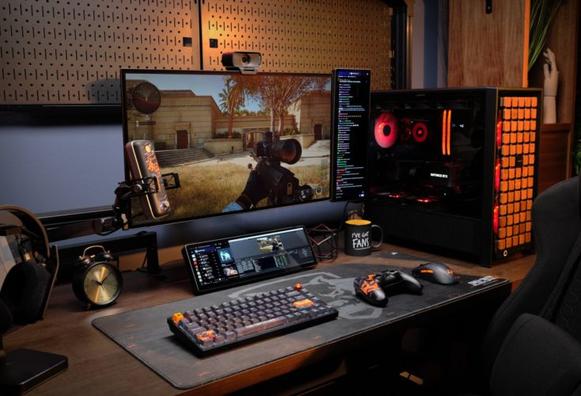
Corsair’s Xeneon Edge 14.5″ LCD touchscreen display is an ultrawide second screen for your PC that lets you view system information at a glance thanks to Corsair’s iCUE software that lets you place widgets for CPU temperature, media playback, and online information from a specific URL.

The display should be available soon for $250, which makes it considerably more expensive than  other 14.5 […]

#autosave #blogging #corsair #corsairXeneonEdge #deMinimis #galaxyTabS10Lite #gazelle #lilbits #linuxLaptop #microsoft #olimex #onedrive #samsungGalaxyTabS10Lite #system76 #system76Gazelle #typepad #windows #word

Read more: https://liliputing.com/lilbits-typepad-is-shutting-down-more-companies-pause-us-shipments-and-corsair-launches-a-14-5-inch-2560-x-720-display/

Microsoft rüstet #Word mit einer erweiterten #AutoSave-Funktion aus, die künftig nicht mehr auf #OneDrive beschränkt ist. Nutzer können bald jeden #Cloud-Speicherdienst wählen. Bald folgen PowerPoint & Excel. https://winfuture.de/news,153229.html?utm_source=Mastodon&utm_medium=ManualStatus&utm_campaign=SocialMedia
Microsoft Word erhält neue Cloud-Speicherung - Auto-Save, wo man will

Microsoft will seine Textbearbeitung Word in Kürze mit einer neuen, erweiterten Funktion zum automatischen Speichern von Dateien in der Cloud ausrüsten. Aktuell wird das Feature noch getestet. Es dürfte einen der größten Mängel von Word beheben.

WinFuture.de

🚨 #OneDrive News: Microsoft verabschiedet 2 alte GPOs
🛠️ EnableHoldTheFile & EnableAllOcsiClients entfallen bis Mai 2025
✔️ Konfliktlösung = nutzergeführt
📌 Mehr lesen: https://bit.ly/3EsbQ3l

#M365 #ITAdmin #Gruppenrichtlinie #Office365 #Autosave

OneDrive-Richtlinien-Update: Microsoft setzt EnableHoldTheFile und EnableAllOcsiClients GPOs außer Kraft

Microsoft setzt seinen Vorstoß in Richtung einer optimierten, cloudbasierten Zusammenarbeit fort, indem es zwei veraltete OneDrive-Gruppenrichtlinien abschafft: EnableHoldTheFile und EnableAllOcsiC…

Hans Brender's Blog

🚨 #OneDrive News: Microsoft retires 2 legacy GPOs
🛠️ EnableHoldTheFile & EnableAllOcsiClients deprecated by May 2025
✔️ Conflict handling = user-driven
🛠️ Read more: https://bit.ly/3EnnkVK

#M365 #ITAdmin #GroupPolicy #Office365 #AutoSave

OneDrive Policy Update: Microsoft Retires EnableHoldTheFile and EnableAllOcsiClients GPOs

Microsoft is continuing its push toward streamlined, cloud-first collaboration by retiring two legacy OneDrive group policies: EnableHoldTheFile and EnableAllOcsiClients. These changes, set to begi…

Hans Brender's Blog

@eff Because I don't want anyone to go to the page i found the tip from I'll just repeat the tip here.

How to enable the #autosave feature of #gedit, the default text editor used in #GNOME, a desktop environment for #GNU/Linux?

Open terminal and give the following commands:

$ gsettings set org.gnome.gedit.preferences.editor auto-save true

Adjust the autosave time interval:

$ gsettings set org.gnome.gedit.preferences.editor auto-save-interval n

... where n is the desired time in minutes.

Enjoy your life even after your GNOME desktop has frozen and you have lost your changes due to violent reboot. :P