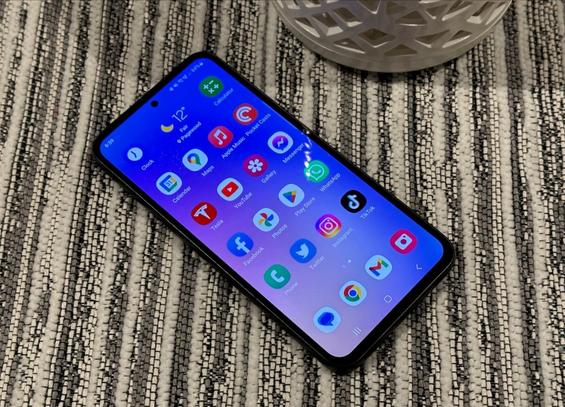
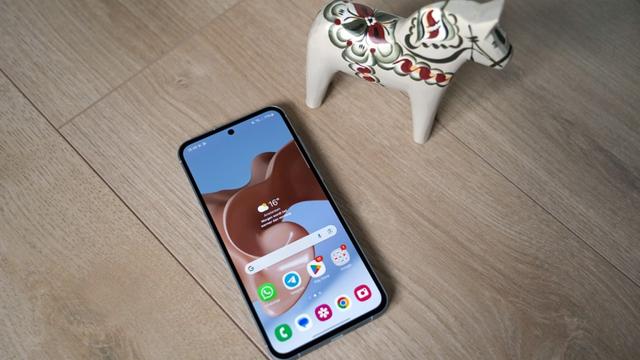
Samsung releases the May 2026 security patch for the Galaxy A55 and A54 series

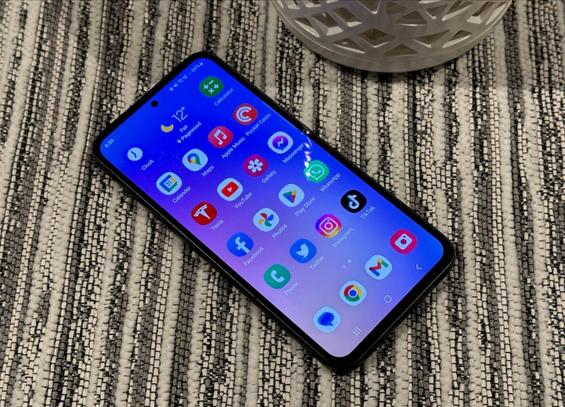
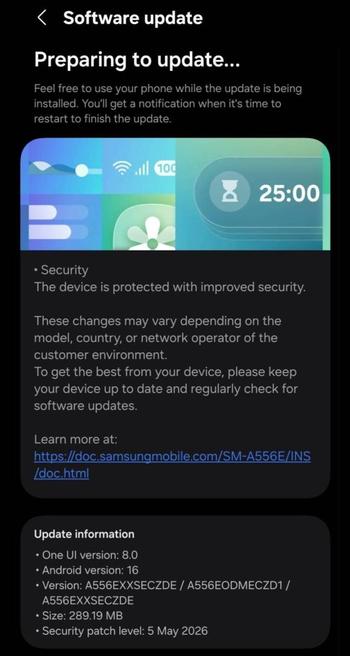
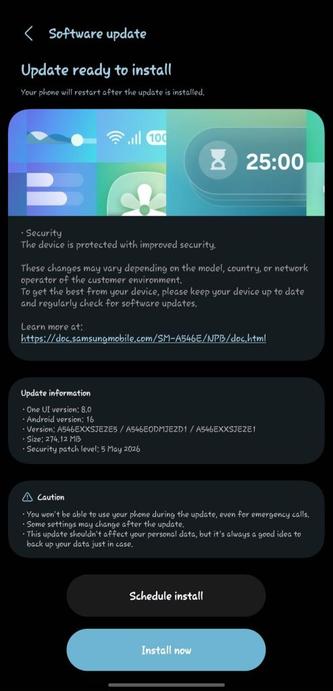
Samsung have released the May 2026 security patch for the majority of Galaxy users worldwide. As per their rollout schedule for security updates, Samsung have released the patch to the Galaxy A55 and the A54 users, built on top of One UI 8.0.

This security update was released before the rollout of One UI 8.5 for those devices starts. This makes sure that you’ll have a flawless experience of installing One UI 8.5 once it gets rolled out to your device.

The following firmware information is found:

  • SM-A556E: A556EXXSECZDE [INS]
  • SM-A556B: A556BXXSECZDE [EUX]
  • SM-A546E: A546EXXSJEZE5 [INS, NPB]

To update your Galaxy to this security update, follow these steps:

  • Open Settings, and navigate to System Update
  • Tap on Check for Updates
  • Press Download and Install
  • Wait until the download and the installation is complete, then press Reboot Now
  • Wait until the phone reboots successfully
  • Make sure that you’re connected to a stable and fast Wi-Fi network to avoid high mobile data fees. Never interrupt the update in any way, or problems could occur later. Make sure that you apply all available updates once you update your phone for maximum stability. An update might take 5 to 10 minutes to apply, depending on the device and the type of the update being applied.

    If you’re seeing “Your software is up to date,” this means that the update hasn’t reached your device yet. Keep checking for updates, as Samsung rolls it out gradually to all devices from country to country, usually starting from Korea.

    #A54 #A545G #A55 #A555G #Android #Android16 #AndroidB #AndroidBaklava #GalaxyA54 #GalaxyA545G #GalaxyA55 #GalaxyA555G #news #oneUi #OneUI8 #OneUI80 #Samsung #SamsungGalaxyA54 #SamsungGalaxyA545G #SamsungGalaxyA55 #SamsungGalaxyA555G #smartphone #Tech #Technology #update
    One UI 8.5 Beta Program for the Galaxy A54 is now open!

    One UI 8.5 has made a significant appearance, with new features, design improvements, and other improvements. We are very thrilled to announce that Samsung has recently opened the One UI 8.5 Beta Program for the Galaxy A54 in the following countries:

    This gives us a hint that the Beta Program is now open. Users should be able to try out One UI 8.5 in its earliest shape and form on their Galaxy A54 devices.

    Please note that Samsung might not have opened the Beta program in your country yet, even if your country is eligible for beta testing. In this case, you’ll have to wait for the beta banner.

    To join the Beta Program, you must have the latest version of Samsung Members installed. You can get the latest version through either the Galaxy Store or the Play Store. Once done, you should be able to join the program if you have an eligible device, like below:

    #A54 #Android #Android16 #AndroidB #AndroidBaklava #GalaxyA54 #news #oneUi #OneUI8 #OneUI80 #OneUI85 #Samsung #SamsungGalaxyA54 #smartphone #Tech #Technology #update
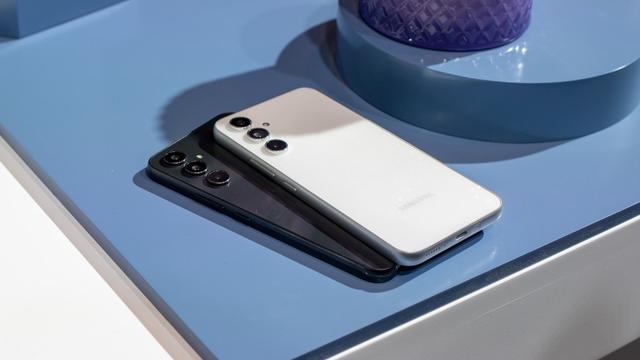
    Ist das eigentlich normal, dass im Bild unten „Werbung“ für Samsung steht.
    Ist das per Default an?

    #Samsung #A54

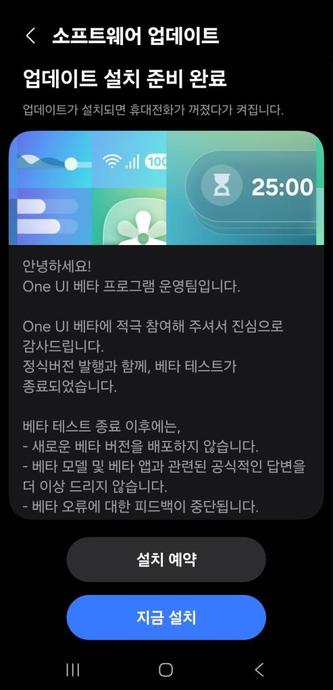
    Samsung shuts down the One UI 8 Beta program for Korea [Galaxy A54]

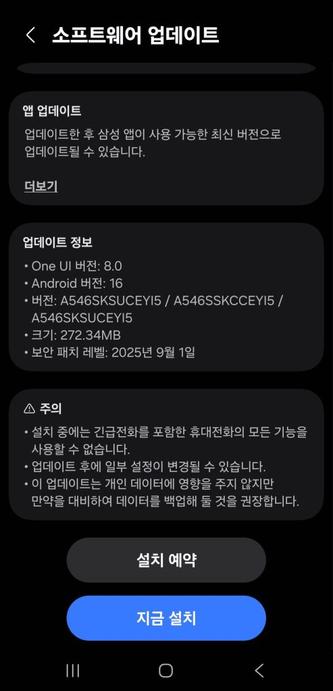
    We are excited to announce that starting from today, One UI 8 Beta and non-Beta users in Korea can now download the One UI 8 update to their Galaxy A54 smartphones as Samsung has finally released this version of One UI. Your Galaxy has now become more powerful as One UI 8 brings more powerful features.

    The firmware information states:

    • Galaxy A54: EYI5

    To obtain the update, perform the following steps:

  • Open the Settings app
  • Navigate to Software Updates
  • Tap on Download and Install
  • Wait until you see One UI 8 at the top of the page, then tap on Download
  • Wait for the download to complete, then tap on Install
  • After you perform the above steps, your phone will be running One UI 8 based on Android 16, and you can enjoy its new features and with many improvements on place. This makes sure that your experience gets improved.

    If you still didn’t get the update for your device, wait for a few days or a few weeks, then check for updates again. If you still see “Your software is up to date,” this means that the update didn’t reach your region yet.

    Note that the update process may take 15 to 20 minutes, and this can vary from device to device. The download process may incur extra charges if you’re using the cellular network as the update size is around 5 GB, depending on the device, so we recommend downloading it through Wi-Fi. Never interrupt the update process in any way, or problems may occur. Make sure that your phone gets charged before you initiate the installation process.

    #A54 #A545G #Android #Android16 #AndroidB #AndroidBaklava #GalaxyA54 #GalaxyA545G #news #oneUi #OneUI8 #OneUI80 #Samsung #SamsungGalaxyA54 #SamsungGalaxyA545G #smartphone #Tech #Technology

    One UI 8 Beta 2 is out [Galaxy A54]!

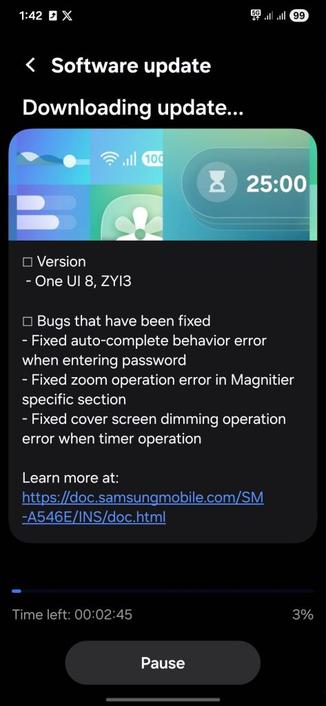
    One UI 8 has made a significant appearance, with new features and other improvements. We are very thrilled to announce that Samsung has released the second beta version of One UI 8 (build ZYI3) that has the following changes:

    • Bugs that have been fixed
      • Fixed auto-complete behavior error when entering password
      • Fixed zoom operation error in Magnifier specific section
      • Fixed cover screen dimming operation error when timer operation
    • Many other improvements

    Samsung has started the official rollout for the Galaxy S25 starting from Korea on September 15th, 2025.

    #A54 #A545G #Android #Android16 #AndroidB #AndroidBaklava #GalaxyA54 #GalaxyA545G #news #oneUi #OneUI8 #OneUI80 #OneUI85 #Samsung #SamsungGalaxyA54 #SamsungGalaxyA545G #smartphone #Tech #Technology #update
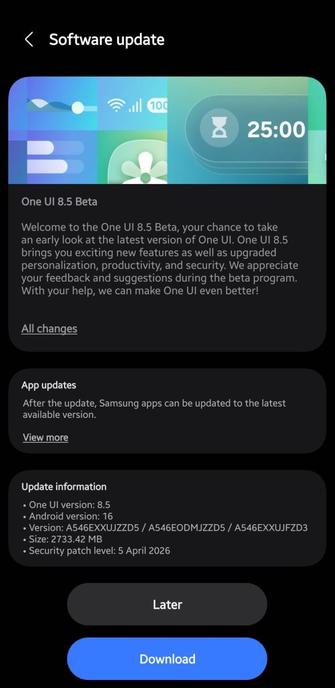
    One UI 8 Beta Program is now open for the Galaxy A54 series!

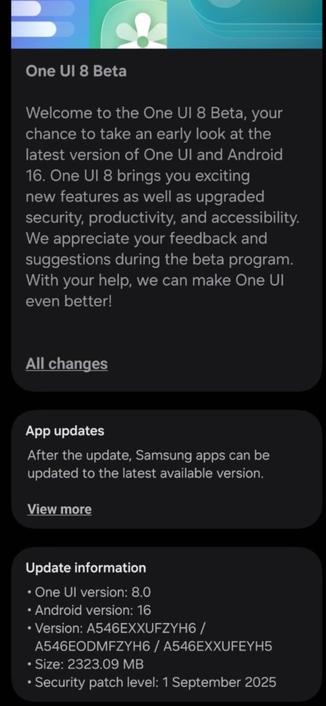
    One UI 8 has made a significant appearance, with new features and other improvements. We are very thrilled to announce that Samsung has recently opened the One UI 8 Beta Program for the Galaxy A55 series in the following countries:

    • Korea
    • India

    This gives us a hint that the Beta Program is now open. Users should be able to try out One UI 8 in its earliest shape and form on their Galaxy A54 device. You can identify the update with ZYH6.

    To join the Beta Program, you must have the latest version of Samsung Members installed. You can get the latest version through either the Galaxy Store or the Play Store. Once done, you should be able to join the program if you have an eligible device.

    #A54 #A545G #Android #Android16 #AndroidB #AndroidBaklava #GalaxyA54 #GalaxyA545G #news #oneUi #OneUI8 #OneUI80 #OneUI85 #SamsungGalaxyA54 #SamsungGalaxyA545G #smartphone #Tech #Technology #update
    🚨⚠️ Flight #A54-043 (#PILATUS PC-21) is squawking emergency (7700)! ✈️

    Track the flight here: https://globe.airplanes.live/?icao=7cfa02

    #Aviation #ADSB #Emergency

    Globe - Watch Airplanes Live

    Globe - Watch Airplanes Live

    A veces la paz de la noche también me desata la creatividad, fotos en algún paseo dirección a quien sabe donde.
    #artfotografydvc #fotografiadestock #fotografiacallejera #fotografianocturna #fotografiaconeltelefono #samsung #a54 #fotograforubi #fotografobarcelona

    🚨⚠️ Flight #A54-048 (#PILATUS PC-21) is squawking emergency (7700)! ✈️

    Track the flight here: https://globe.airplanes.live/?icao=7cfa07

    #Aviation #ADSB #Emergency

    Globe - Watch Airplanes Live

    Globe - Watch Airplanes Live