Workaround to set a favicon separate from the site logo in #WordPress block themes:
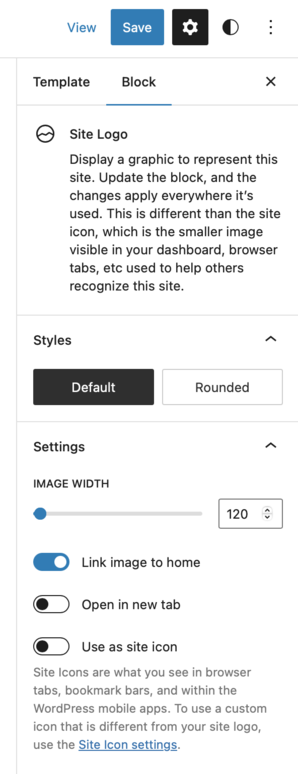
Add square site logo via the site editor. Make sure "Use as site icon" is toggled on. Save. Save.
Replace site logo to be shown in the header. Make sure "Use as site icon" is OFF. Save.
Now make sure "Icon" is NOT checked before saving the Header template part.
Make sure it is checked off every time you update the Header template part.
^ This is ridiculous, right?
So just click the "Site icon settings" 😂