JGStew

@jgstew
45 Followers
115 Following
32 Posts
Systems Administrator, Software Developer, BigFix Expert. I work on automating automation.
mostly on Threads these days.
Threadshttps://www.threads.net/@jgstew
GitHubhttps://github.com/jgstew
LinkedInhttps://www.linkedin.com/in/jgstew/
Homepagehttps://www.jgstew.com/
@atpfm @marcoarment you can either automatically or manually create a “release” in the private github repo that would have the built and signed binary attached to the release. Then that can trigger github actions that do the actual rollout to the minis from there. You can have a github action target all of the Mac minis for the install but only do a maximum of 2 in parallel or however many you want in parallel to have a rollout that is fast but not instant if you want.

RE: https://mastodon.social/@jgstew/116258633922146879

@atpfm @marcoarment follow up from next episode. I would recommend looking into using Apple Business MDM for backup control and management. Something free that lets you do just a bit more is helpful, even if it is to just reestablish your existing automation. But I think GitHub actions would actually be ideal for rolling out new versions of the Overcast transcription software. It can smoke test it on 2 random Mac minis then deploy it to the rest if that succeeds whenever you create a “release”.

@caseyliss have you been to TBT El Gallo? A friend of mine says best food (tacos) in Richmond, VA.
@atpfm @marcoarment it sounds like you have already solved this problem, but you could actually use github actions as a job queue and use it to orchestrate the actual transcription process as well using a dispatch mechanism, but I'm not sure that is worth doing unless your current process is in need of reworking in some major way.
@atpfm @marcoarment Regarding your mac mini servers. If you create a private github repo, you can add all your mac minis as self hosted github action runners to the repo. Self hosted runners are free for unlimited use. You can then use github actions to orchestrate your minis, including cloning the repo to them and running scripts you keep in the repo to do the work. You can run actions many ways, including on a schedule for maintenance tasks. I do have a ton of experience doing this in my job.
@caseyliss you have to go through Apple support page and eventually can get to chat after selecting the product and issue. There is also a support iOS app. https://getsupport.apple.com/products
@caseyliss whenever I have issues with AirPods or beats and I have AppleCare I go online and I contact AppleCare chat and I convinced them that they need replaced and I ask for Advanced replacement they put a hold on my credit card and send me replacements and I send back my existing ones it generally takes one day.
@atpfm Also, if for some reason the WallDog drywall anchors were to fail, which I think has only happened once in 10 years, they basically leave you with a hole perfectly sized for many other types of drywall anchors. @marcoarment
@atpfm feedback on drywall anchors. I am a massive fan of Hillman "WallDog" drywall anchor screws. I can't think of a time that they have failed me and they are basically a normal screw with extra wide threads. They work equally well in studs as drywall, which is nice for consistency. Strongly recommended. #askatp https://www.amazon.com/Powers-Fastening-Innovations-02316-Wall-Dog/dp/B00ITG648O
Amazon.com

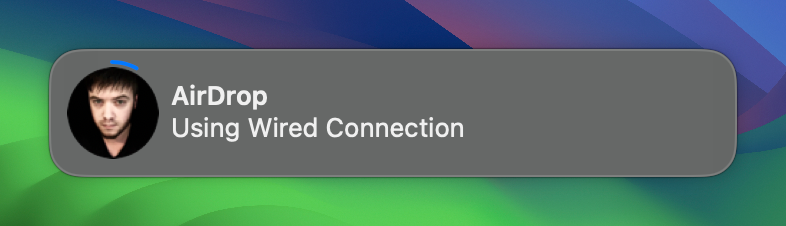
TIL if you have your iPhone plugged into your Mac and you do an AirDrop transfer, it can actually use the wired connection, so for iPhone 15 Pro/Max if you use a really good USB-C cable, you can transfer several gigabytes over AirDrop really quickly. Just used this to transfer some videos from the Blackmagic Cam app. WireDrop? 😅