
@iTechno

1 Followers
56 Following
42 Posts

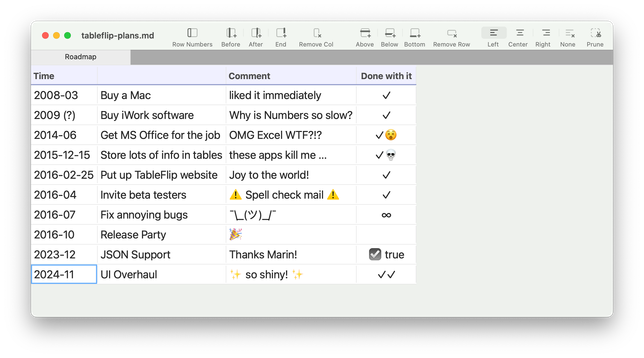
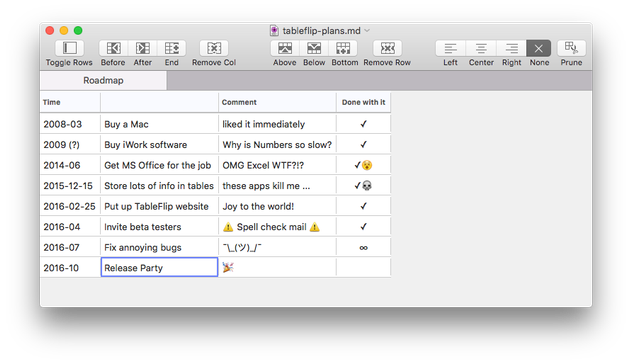
Today is release day for TableFlip v1.7! 🎉

It's mostly a maintenance release, but one that overhauls the UI, and adds new toolbar icons by Janik Baumgartner.

If TableFlip was a human, it also would be 8 years old already. Wow!

Release Notes:
https://tableflipapp.com/release-notes/

Get it here:
https://tableflipapp.com/
Release Notes • TableFlip - Simple Table Editor for Mac

Editing tables need not be a pain. Make it fast and a joy with TableFlip.

Just discovered the fantastic product #quichebrowser from @quicheindustries. It‘s build for poweruser and designlovers as well. A great review from @macstories give a very good overview about it - https://dsh.re/9da75 - give it a try and support the development with a subscription or a tip
Quiche Browser Is a Beautiful and Modular Web Browser for iOS

As part of my ongoing experiment with third-party web browsers for the iPhone, I recently stumbled upon a new indie browser for iOS, which I was instantly drawn to thanks to its adorable name. Quiche Browser is a beautiful browser developed by Greg de J that focuses on UI modularity and small quality-of-life enhancements. The

Opener now supports opening links in the Quiche browser by @quicheindustries! https://apps.apple.com/app/id1668363952
‎Quiche: Internet Web Browser

‎THE MOST CUSTOMIZABLE BROWSER Create your perfect browsing experience, from feature-packed toolbars to minimalist designs that maximize webpage space. • Personalize the toolbar by selecting the buttons you use most frequently. Optimize button placement and order for easy one-handed navigation, or i…

App Store
@quicheindustries Hi Greg, the longer I use the #QuicheBrowser and the #QuicheReader, the more impressed I am with the performance, design, customisation options and minimalism approach as well. Great job👍👍👍

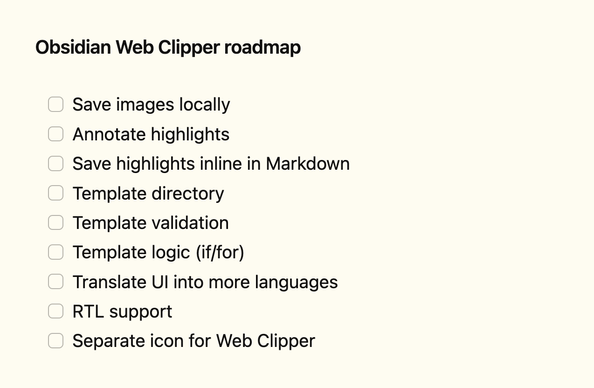
Here's what I'm working on next for #Obsidian Web Clipper.

Shameless ask — if you've been enjoying the extension, give it a review wherever you downloaded it. It really keeps me going 💜

Save the web.

Obsidian Web Clipper is our new extension that helps you highlight and capture the web in your favorite browser.

Web Clipper makes it easy to shape Obsidian into a recipe book, a personal movie database, a travel planner, or read-it-later inbox.

Web Clipper is available for all major browsers on desktop and mobile, including Firefox, Safari, Chrome, Brave, Arc, Orion, and many more. It’s also open source under the MIT license.

https://obsidian.md/blog/save-the-web/

Save the web

Highlight and capture web pages in your favorite browser with the new Obsidian Web Clipper extension.

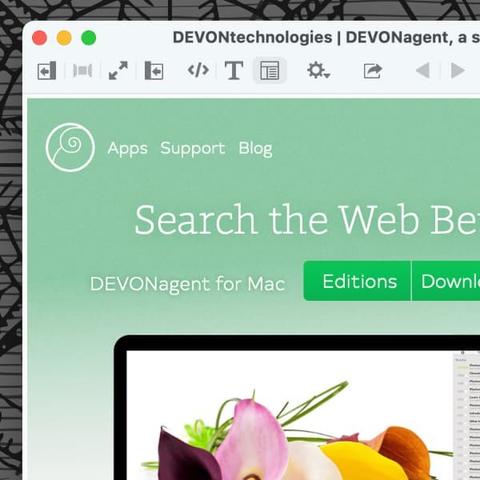
Tip of the day: Our intelligent search assistant #DEVONagent can be used for all kinds of searches on the web, searching several search engines simultaneously for the best results. But besides searching, #DEVONagent also has a built-in web browser. And while it doesn’t support browser extensions, it does have some nice tricks up its sleeve. Here are a few. #productivity #research #tipoftheday #websearch https://www.devontechnologies.com/blog/20221206-devonagent-browsing
DEVONtechnologies | How to Use DEVONagent's Browser

DEVONtechnologies develops DEVONthink, DEVONagent, and other Mac and iOS apps for document and information management and web research.

DEVONtechnologies
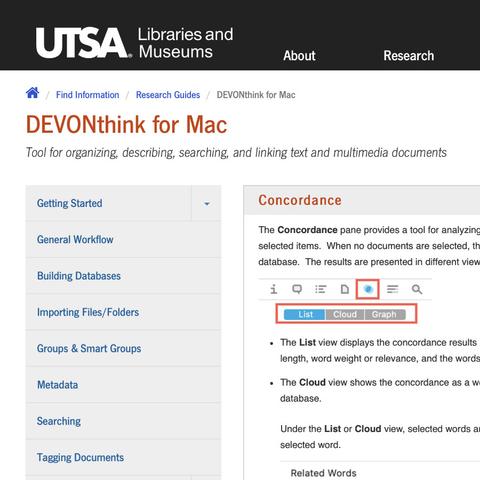
The University of Texas at San Antonio has put together a handy research guide for DEVONthink. It covers the basics and some advanced features that are especially useful for students — or just for anyone who wants to work more efficiently with DEVONthink. #devonthink #academics #students #educators #course #tutorial https://buff.ly/3UGlnsq
DEVONtechnologies | The UTSA explains DEVONthink

DEVONtechnologies develops DEVONthink, DEVONagent, and other Mac and iOS apps for document and information management and web research.

DEVONtechnologies
Add to running lists with ease using Drafts, Apple Notes and Shortcuts - New ScreenCastsOnline tutorial just published - Tip - Working with Lists in Shortcuts - https://screencastsonline.com/mac/show/1410/ - View as part of your free trial membership
Free Video Tutorial: Tip - Working with Lists in Shortcuts - Apple Mac, iPad & iPhone Tutorials from ScreenCastsOnline

This is an Apple Mac, iPad or iPhone Video Tutorial from ScreenCastsOnline: As part of his quest to get better with the Shortcuts application, as well as collect his thoughts more efficiently while on the move, Lee has implemented a workflow that uses Drafts, his text entry application of choice, to add information to a selection of lists in Apple Notes. This is made possible by the Shortcuts application which connects these two apps. In this video, you learn how Lee created the shortcut, with Drafts playing a key role. He also shares a second shortcut that allows you to view any list in Apple Notes. That can be quite useful when you are on mobile and wish to quickly get to your information without searching through your notes. The latest version of Drafts requires: - iOS or iPadOS 15.6 or newer - watchOS 8.5 or newer - macOS 11.5 or newer

It matters to know who said what. It mattered in the past, it matters now, and it might matter even more in the future sauce of human- and machine-generated words.

Stay in control of Apple’s AI Writing Tools with iA Writer's Authorship.

https://ia.net/writer/support/editor/authorship?tab=mac

Authorship – iA

Highlight the text you craft yourself and keep track of your sources, artificial or natural. With Authorship you're in control.

iA