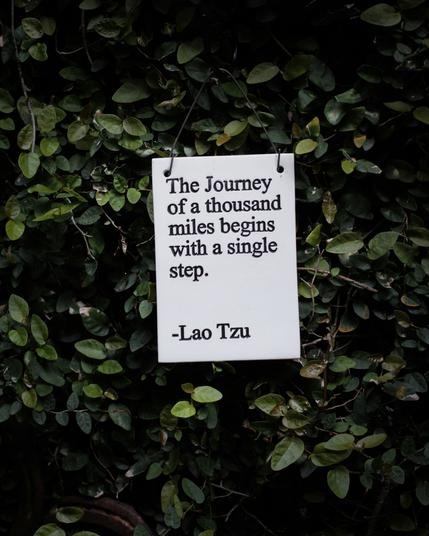
Neat post on using Drafts as a quote library: https://blog.warrenweb.net/using-drafts-as-a-quote-library/
| Website | https://getdrafts.com/ |
| User Guide | https://docs.getdrafts.com/ |

| Website | https://getdrafts.com/ |
| User Guide | https://docs.getdrafts.com/ |
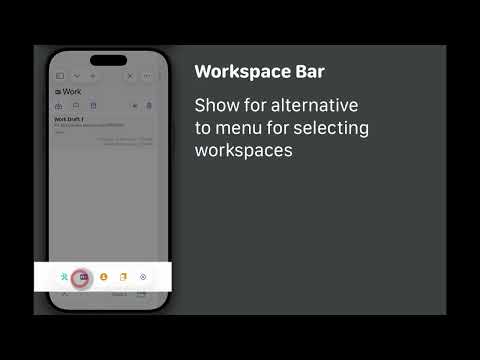
TIP: Prefer an alternative to menus for quickly accessing your workspaces? Enable the workspace bar (requires iOS 26) - back by popular demand in Drafts 51!
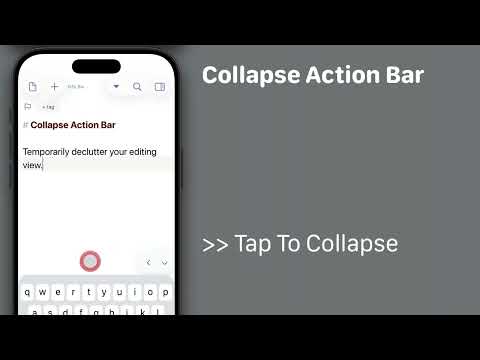
Starting with Drafts 51, it is possible to temporarily collapse the Action Bar (buttons above keyboard) on iOS 26 to reduce distractions while editing.
To do so:
* Long-press the downward arrow button to the right of the Action Bar for options menu.
* Tap the `>>` to collapse the bar to a minimal size.
* When done, use the `<` to re-expand the bar.
Drafts 51 is out! Editor performance improvements, return of the Workspace/Action Group bars, Action Bar improvements.
Details: https://forums.getdrafts.com/t/drafts-51-is-out-editor-performance-action-bar-improvements/16586

Any combination of two of the below work great together. All three do not:
* Drafts
* iOS 26.4 beta
* The "Reduce Transparency" accessibility feature
If you use Drafts and Reduce Transparency, maybe hold off on the iOS beta, or you will get blank text in the editor.
If you have installed the iOS beta, turn off Reduce Transparency to workaround.
Apple Folks: FB22153022
FYI: The official Drafts Model Context Protocol server is now available in the Claude Extension Directory, for easy installation and updates.
If you want to be able to query your Drafts library from the Claude app on your Mac, this is for you!
Details: https://forums.getdrafts.com/t/drafts-mcp-server-for-claude-ai-integration/16507/3?u=agiletortoise

@jjlsetter Not sure what is in your Shortcut. The control does two things, creates a draft and opens it in the app...so your shortcut would need to do that as well. So a "Create Draft" action, followed by an "Open Draft" action that opened the draft created in the previous step.
Or you could use an Open URL action that opens “drafts://create”, which would be the same thing.