5 Followers
3 Following
20 Posts

My friend shares with me interesting things he has discovered or created. Some of it is new to him, so he’s not very good at it, but I don't mind.

✍🏻 If you see a mistake, an error or a typo, feel free to correct me!

My friend Andrewhttps://mastodon.online/@alsorew

Revisiting #typograf for #KateEditor. It’s actually a lot easier than I made it before. So, install typograf-cli

npm install typograf-cli -g

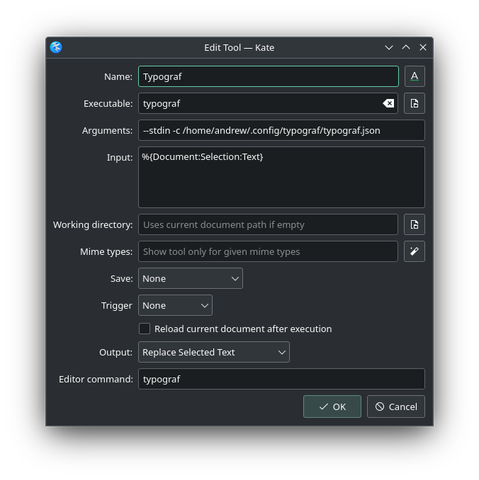
In Kate, add External Tool.

Name: Typograf (or anything)
Executable: typograf (with `-g` installation flag, it should be in your $PATH)
Arguments: --stdin -c /home/andrew/.config/typograf/typograf.json
Input: %{Document:Selection:Text}
Working directory: empty
Mime types: empty
Save: none
Trigger: none
Output: Replace selected text
Editor command: typograf

`-c` is for a settings file if you want to change the default behavior. It really wants a full path for some reason, so no `~/`.

You can customize these to process the entire document, for example. But I just add a keyboard shortcut, and it does the magic on a selected text.

---

Bonus, in #micro you can add

"Alt-y": "command:textfilter typograf --stdin -c /home/andrew/.config/typograf/typograf.json",

to `.config/micro/bindings.json` for the same result.

---
https://github.com/typograf/typograf-cli

GitHub - typograf/typograf-cli: Командный интерфейс для Типографа

Командный интерфейс для Типографа. Contribute to typograf/typograf-cli development by creating an account on GitHub.

GitHub

Idea for a very simple icon for Nintendo Switch. Tried to come up with icons for other devices in the same style, but there is not enough resolution for that (would love to be proven wrong!). For example, Xbox Series X|S is just a black or white box 🤷

#NintendoSwitch #Icon #LowPoly #WIP

With libnotify you can send notifications from your console (so basically from anywhere). But what wasn’t obvious to me was how to make them behave like other “real” notifications, i.e. appear in the KDE notification widget. Answer is, you need to add parameter -h "string:desktop-entry:org.kde.konsole". For example, you can create a notification with text “It’s done!”, title “Backup”, icon for warning and normal urgency like this:

notify-send "It's done" -a Backup -i dialog-warning -u normal -h "string:desktop-entry:org.kde.konsole"

https://gitlab.gnome.org/GNOME/libnotify

#KDE #notifications #libnotify

GNOME / libnotify · GitLab

Welcome to GNOME GitLab

GitLab

I finally figured out how to make gestures with my Logitech mouse in Solaar. First, you have to set a key to Mouse Gestures. Any button will do, but it has to be set to it, not Diverted. Then, in the Rule Editor, you make a rule with Condition set to Mouse Gesture, choose one of the 8 movements, and then add the desired action below it. If you delete the gesture, then it would work on that button press. So you can have 9 actions (8 movements + click) like this.

This helped: https://pwr-solaar.github.io/Solaar/rules

Still have no idea how to do the thumbwheel. 😕

#Solaar #Logitech #Logi

Rule Processing of HID++ Notifications

Linux Device Manager for Logitech Unifying Receivers and Devices.

Solaar

I am still trying to get my head around some of the features of #nushell. The best thing seems to be the ability to get data from one program and use it in another.

For example, “netsh” on Windows gives a bunch of information, then we just extract (“parse” and “get”) the IP from it and put it into the #hugo server command, so it will be available over the Wi-Fi.

“lanURL” just adds “http://” to the IP, so it is clickable for more convenience.

def HugoServer [?] {
let LanIP = netsh interface ip show address "Ethernet" | parse -r '(\d+\.\d+\.\d+\.\d+)' | get capture0.0
let LanURL = [ 'http://', $LanIP ] | str join
hugo server --bind $LanIP --baseURL $LanURL
}

Fate/Fudge 🎲Dice Roller in Nushell

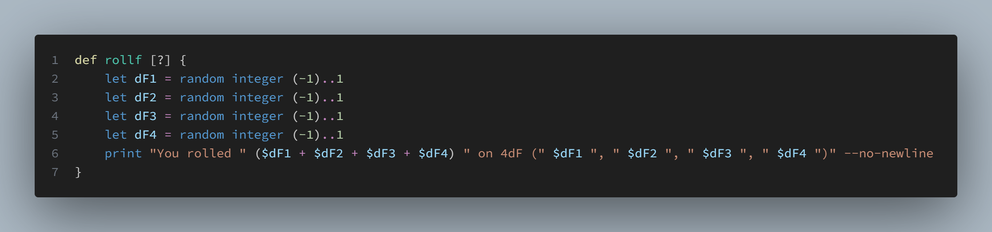
def rollf [?] {
let dF1 = random integer (-1)..1
let dF2 = random integer (-1)..1
let dF3 = random integer (-1)..1
let dF4 = random integer (-1)..1
print "You rolled " ($dF1 + $dF2 + $dF3 + $dF4) " on 4dF (" $dF1 ", " $dF2 ", " $dF3 ", " $dF4 ")" --no-newline
}

> rollf
> You rolled -1 on 4dF (-1, -1, 1, 0)

#FateCore #FudgeDice #tRPG #Nushell

Sometimes @alsorew does silly things for no reason.

Fate/Fudge 🎲Dice Roller in Powershell

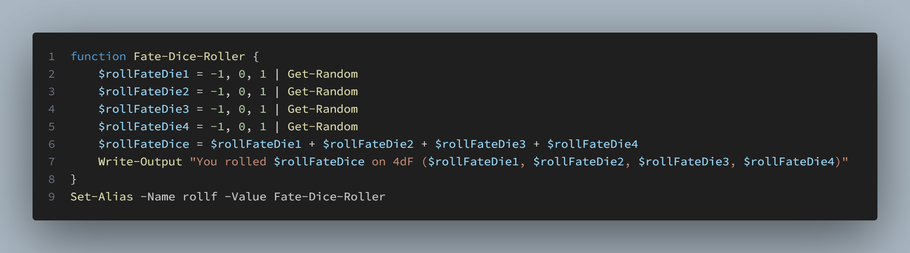
function Fate-Dice-Roller {
$rollFateDie1 = -1, 0, 1 | Get-Random
$rollFateDie2 = -1, 0, 1 | Get-Random
$rollFateDie3 = -1, 0, 1 | Get-Random
$rollFateDie4 = -1, 0, 1 | Get-Random
$rollFateDice = $rollFateDie1 + $rollFateDie2 + $rollFateDie3 + $rollFateDie4
Write-Output "You rolled $rollFateDice on 4dF ($rollFateDie1, $rollFateDie2, $rollFateDie3, $rollFateDie4)"
}
Set-Alias -Name rollf -Value Fate-Dice-Roller

> rollf
> You rolled -1 on 4dF (0, 0, 0, -1)

#FateCore #FudgeDice #tRPG #PowerShell