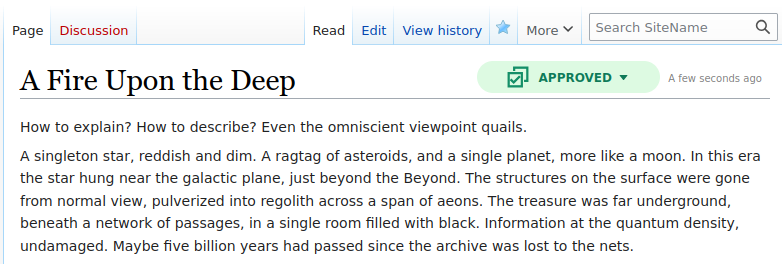
Page Approvals is now available for MediaWiki 1.45

Professional #MediaWiki services, including hosting and development
Run by @jeroen and @karsten_h
Also #Wikibase, #SemanticMediaWiki, #OpenData, #OpenSource, #KnowledgeManagement #LinkedOpenData #Wikidata #KnowledgeGraphs
| MediaWiki Hosting | https://www.pro.wiki |
| MediaWiki Services | https://professional.wiki |
| https://twitter.com/ProWikis | |
| YouTube | https://www.youtube.com/@ProfessionalWiki |
Page Approvals is now available for MediaWiki 1.45
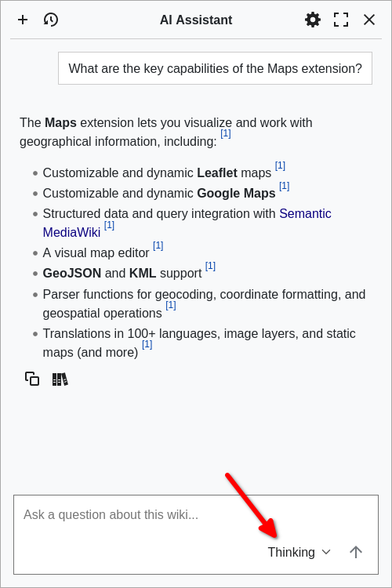
Choose how long your wiki chatbot thinks before answering.
One of several recent enhancements to our AI Assistant for #MediaWiki
Discover what it can do for you via https://professional.wiki/en/mediawiki-ai-assistant
Did you know that you can use "slash commands" in MediaWiki?
Increase your productivity by getting this new feature via our free and #OpenSource Slash Commands #MediaWiki extension.
Get started via https://www.pro.wiki/news/Slash-Commands-MediaWiki
Enhance your Wikibase with extensions!
Check out our curated list of top 16 most useful #Wikibase extensions: https://professional.wiki/en/articles/wikibase-extensions
These extensions provide better search, data display, quality controls, export, media support, and integrations.
What #MediaWiki extensions do you use with Wikibase? Let us know in a comment.

What are the top #MediaWiki extensions in 2025?
It can be tough to find the extensions you need among the thousands of options. Our curated list of most useful extensions is here to help you.
https://www.pro.wiki/articles/best-mediawiki-extensions
All these extensions are #OpenSource and useful for many use cases, from internal #KnowledgeManagement to public #KnowledgeBase.

Our popular responsive #MediaWiki theme Chameleon now supports MediaWiki 1.44
Chameleon tops our list of best MediaWiki themes: https://www.pro.wiki/articles/best-mediawiki-skins
See the recent enhancements at https://github.com/ProfessionalWiki/chameleon/blob/master/docs/release-notes.md

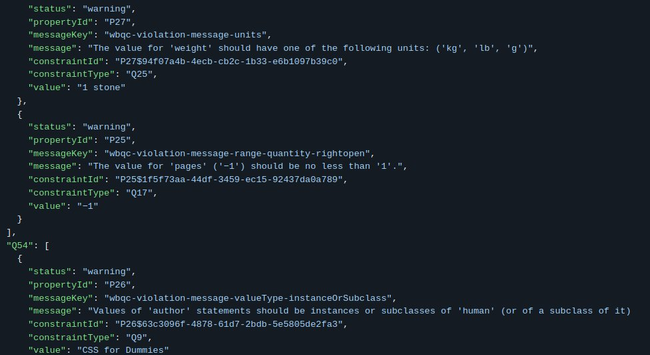
We created a script to export #Wikibase constraint violations. Get it via https://github.com/ProfessionalWiki/WikibaseConstraintViolationsExport
Thanks to Clair Kronk at Mount Sinai for funding this new #OpenSource Wikibase tool.
Maps 11 for #MediaWiki is now available!
This version brings a security enhancement, so be sure to upgrade. It is compatible with MediaWiki 1.35 up to MediaWiki 1.43.
Maps allows embedding dynamic maps into your wiki using #Leaflet or #GoogleMaps. It also provides various geospatial tools and integrates with #SemanticMediaWiki. It is entirely #OpenSource and perfect for #OpenData projects.
https://github.com/ProfessionalWiki/Maps?tab=readme-ov-file#maps

Fifth place goes to Vector
Or rather, to "Vector 2022", the modernized version of the Vector theme, which has been used on Wikipedia for over a decade.
This new version of the classic #MediaWiki theme improved responsiveness, dark mode support, a collapsible sidebar, and more.

Fourth place goes to Timeless
Timeless features a left sidebar for navigation and a right sidebar with links to tools.
It comes bundled with #MediaWiki, so can be enabled with a single line of configuration. Naturally, it is also available on pro.wiki as the default theme for new wikis.


