There's about 14 hours left on the FlippedNormals Character sculpting bundle over on Humble for those still wanting to snag it.
#CharacterDesign #art #sculpting #3d #3dsculpting #tutorials #arteducation
| Site | https://www.kitsandcrayons.com/ |
| Youtube | https://www.youtube.com/@KitsandCrayons |
| Furaffinity | https://www.furaffinity.net/user/kitsandcrayons |
There's about 14 hours left on the FlippedNormals Character sculpting bundle over on Humble for those still wanting to snag it.
#CharacterDesign #art #sculpting #3d #3dsculpting #tutorials #arteducation
If someone here on fedi has advice or suggestions about this we'd greatly appreciate the input.
We've been looking at Hugo/some open source wiki tools/etc
For the most part we don't really host the actual content. We want to be able to help connect people to the creators actually making the stuff they want, so it's mostly categorizing links to posts elsewhere with a small bit of descriptive text.
We're wanting to automate the workflow some, ideally making it a XML/CSV/etc file that we can parse with a script or something rather than having to manually edit the site every time we want to add more stuff people have sent us.
https://cubhub.social/@KitsandCrayons/113491473437805220
#webdev #development #help #opensource #askfedi #techhelp #foss
Site Status: We've paused work on the site as we rethink our platforms and what technology we use. We've received so much material that when combined with the content we find ourselves, make continuing in the way we have so far unmaintainable in the long term. Please bear with us as we work on it.
Linux Clip Studio Paint install workaround write-up incoming shortly, this works for up to 3.0 with the modern launcher, including login.
(Will post below with instructional pictures as soon as I have them all finished)
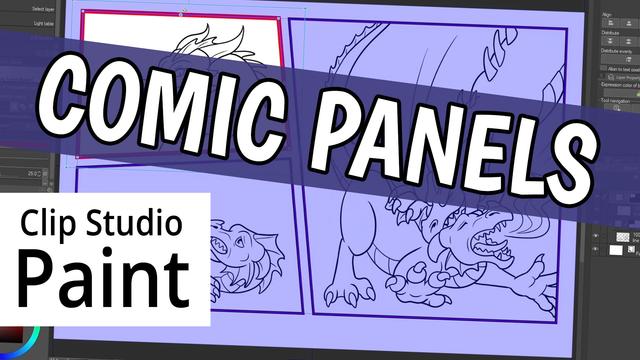
My next Clip Studio Paint tutorial is up. This one covers all the comic paneling features in the program - and believe me, there's a lot of them!
https://www.youtube.com/watch?v=2AWwvWyWEeE
#ClipStudio #ClipStudioPaint #tutorial #comic #HowTo #CSPTutorial #ClipStudioTutorial #ComicPaneling #frames #borders

New Clip Studio Paint tutorial up, kind of a follow-up to my last one about comic panels. This one covers speech balloons (and of course you can use them whether or not you're using panels!)

My newest tutorial is up, showing how to use the Symmetrical Ruler in Clip Studio Paint to draw an object with rotational symmetry, like this pinwheel.

Last tutorial, I showed how to create a pinwheel in Clip Studio Paint with rotational symmetry. Now, let's animate it!
Animating a 360 degree spin with keyframes is simple, but there's a couple issues you might run into that I'll show you how to fix.
https://www.youtube.com/watch?v=Y3gvESfDGU8
#CSP #tutorial #ClipStudioPaint #animation #animate #ClipStudioTutorial #ClipStudioPaintTutorial #ClipStudioPaintAnimation

Site Status: We've paused work on the site as we rethink our platforms and what technology we use. We've received so much material that when combined with the content we find ourselves, make continuing in the way we have so far unmaintainable in the long term.
Please bear with us as we work on it.
We're now on BSKY as well if you'd like to keep up with us over there, give us a follow over at https://bsky.app/profile/kitsandcrayons.com
Ribbon brushes in #ClipStudioPaint are really cool, but sometimes they do weird things like this - so I made a tutorial about how to get them working right, and how to make your own!
https://www.youtube.com/watch?v=MPbO42oVs8w
#CSPTutorial #DigitalArtTutorial #Brushes #DigitalBrushes #Tutorial #ArtTutorial #ClipStudioTutorial #Ribbon #RibbonBrush #CSPBrushes #ClipStudioBrushes #ClipStudioPaintTutorial


 dlweedoart
 MsRedNebula