Starting my journey with MPM solver.
Also teaching Unreal Engine at Fukuoka, Japan.
| Job1 | Game Developer |
| Job2 | 3D Artist |
| Job3 | UE5 Teacher |
| Website | hideori.com |
| Job1 | Game Developer |
| Job2 | 3D Artist |
| Job3 | UE5 Teacher |

| Website | hideori.com |
Starting my journey with MPM solver.
New blog post about my game, Hotch Potch House🥳
https://hotchpotchhouse.com/en/2026/02/12/hotch-potch-house-blog-jan-2026-en/
The main topic is switching my AI logic to State Tree.
This filthy cute creature is the result.
2026年1月合併号をアップしました🥳
State TreeとかカメラコリジョンとかEpicMegagrantsとかとか。
https://hotchpotchhouse.com/ja/2026/02/12/hotch-potch-house-blog-jan-2026-jp/
30 seconds of MegaPlants trees looking great.
MegaPlants is amazing!
Looking great and unbelievably performant.
Also worth mentioning that this experimental feature actually works on Mac💯
You can use this to match the color in Substance Painter and UE5... _φ(・_・
https://bleleux.gumroad.com/l/lHiVg
Medium post by the creator:
https://medium.com/@alexandrealvesdb/how-to-match-substance-painter-viewport-with-ue5-2b022a624515

January 2022: I'm a little late on this, but as of version 7.4(November 2021), Substance Painter includes OCIO support and these LUTs are no longer necessary going forward.Painter 7.4 comes with an ACES sRGB output in the default Substance config or you can use the more complex ACES config from the AMPAS Github if needed. ACES as a tonemapping function for the viewport was also added in 7.4.1(December 2021) for the non-color managed workflows. This is essentially how the LUTs worked and all you need when texturing for Unreal, Unity, etc. For VFX artists, I highly recommend looking into OCIO so you can set up the specific transforms for your particular workflow.Thank you to everyone that's downloaded (and donated!!!) over the last 4 years :') July 2021: Updated the download to include a text file containing the MIT license. Two LUTs in .EXR format for Substance Painter(v2.5+) containing the ACES RRT and sRGB ODT to match other renderers more closely. Both LUTs assume a sRGB working space and have no impact on the materials or textures- they are limited to Painter's viewport only.In order to use them correctly, Painter's Log tonemapper must be enabled. Activate Post Effects and Tone Mapping, restore defaults, and set the Function to Log, then assign the Color Profile.ACES_Standard_Log contains the default RRT and ODT and should resemble viewers using reference ACES(full and approximated) as the tonemapping operator, such as Unity and Toolbag. ACES_UE4_Log is designed specifically with UE4 in mind and includes a similar modification on top of the standard RRT that's present in UE4*. Thanks to the always helpful ACESCentral community and the numerous discussions on the topic. See additional images here: artstation.com/artwork/mrqd8*Newer versions of UE4 contain additional transforms enabled by default that are not in these LUTs. For accurate comparisons between UE4 and Painter, set Blue Correction and Expand Gamut to 0.0 in the camera or Post-Process Volume > Color Grading > Misc.
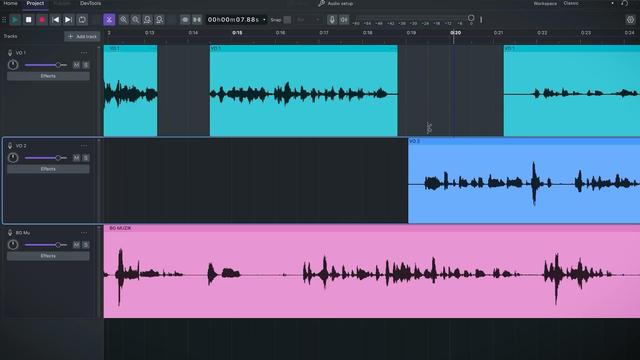
Speaking of open source, I'm also excited Audacity 4.0 is coming next year with a massive UI refactoring.
I'll miss the 90s UI🥲
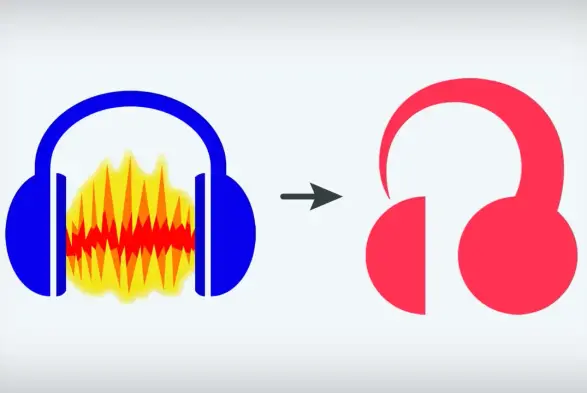
Oh, and the new controversial logo...
Found this amazing open source 2D software called Graphite and immediately started donating!
Node system, good UI, written in Rust... it's even got a decent logo!
What more could you ask for in a 2D software🤷♂️