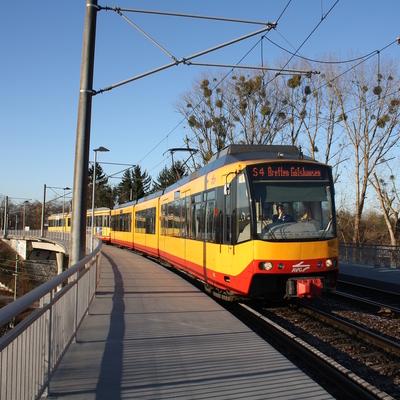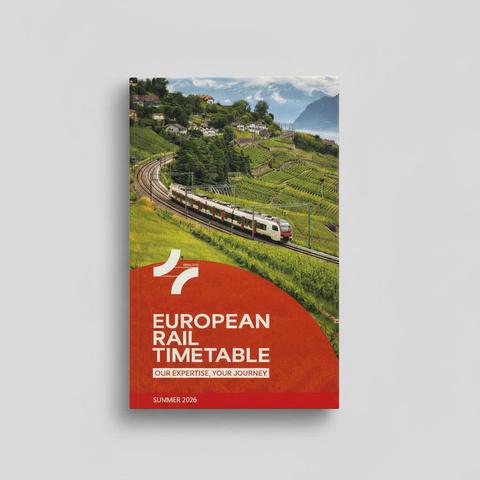
I’m vaguely looking at putting some #railway #timetables onto paper to have a backup during a trip I’m planning this summer, where I expect both power and coverage to be sparse.

I’m guessing that Fedi is the right place to ask this: Is there a guide to timetable layout best practices out there? Preferably in English? Or some sort of standard?

Most of my online searching seems to bring up information on how to schedule #trains, rather than how to present the schedule to users.
Following up on this, I found some advice based on surveys done by the London Transport Users Committee in 2002.

Sadly, it references existing timetables of the time, without providing samples. But some interesting nuggets can be extracted from it.

https://www.londontravelwatch.org.uk/wp-content/uploads/2021/02/Times_tables_-_Making_sense_of_when_and_where_trains_run_March_2002.pdf

@moof I don’t know about “best” practices but this software turns Google Transit Feed Specification into an Amtrak-style timetable PDF

https://github.com/neroden/timetable_kit

GitHub - neroden/timetable_kit: A Python toolkit for generating human-readable timetables from GTFS data; uses PANDAS and gtfs_kit

A Python toolkit for generating human-readable timetables from GTFS data; uses PANDAS and gtfs_kit - neroden/timetable_kit

GitHub
@petes_bread_eqn_xls This looks very interesting. Whilst it’s not exactly what I’m after, I want to dive deeper through the code as it likely does a lot of what I am going to need.
@moof @petes_bread_eqn_xls Be aware that's designed for American "hardly any trains" schedules - but the font choice notes are an insightful read, if waaaaaay more opinionated than actual European examples in the wild
@moof it used to be possible to get all the Deutsche Bahn timetables as pdf's, which you could presumably mimic for other countries.
@moof it would be interesting to see if you turn anything up. My feel is that things tend to be cultural/historical dependent on where you are so determining what is definitively best will be tricky. Trying to get used to horizontal timetables after using vertical for "a lifetime" for instance, is a big hurdle.

@moof I wouldn't say there's a guide per se, or if there was, it's lost among reports from timetable conferences from decades ago.

I wouldn't say it takes much to make a workable design, and some things may depend on your particular needs, but we could talk about this some more (might be a good excuse to finally mockup something of my own, too)

@HaTetsu @moof I still want to make an interactive timetable – basically a classic timetable table that lets you hide parts you don’t care about.

@partim @HaTetsu Colour me interested.

I have a specific set of timetables in mind for the moment, but I have a larger project to try and create some for all of Spain as I clean up the GTFS data I can get hold of.

@moof @HaTetsu Making tooling for this will be the interesting part. I suspect you will end up having to do some manual cleanup to not end up with something like the Trenitalia timetable book. Streamlining that process will be paramount.

@partim @moof @HaTetsu If you want to have a look at
https://www.faspule.de/faspule/web

I don't Have a manual yet and it's all in German. You load a GTFS to to "Abfahrtstafel" (departure Board), select a reference trip create a timetable template out of it. Then you could edit this

And in "Fahrplantabelle-Export" you can export on that timetable template to put it in
https://www.faspule.de/faspule/scv

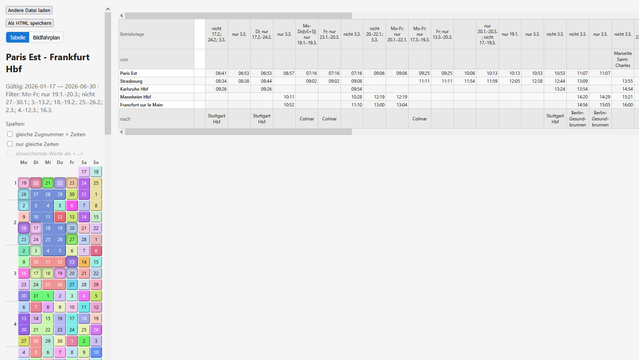
But the basic goal is to explicitly generate an interactive document, so the user can filter the operating days as they like.

Everything works locally in your browser nothing is uploaded to the server.

And it's considered in prototype stage, so dont be too harsh on me please.

FaspuleWeb

GTFS-ZIP importieren und Rohdaten lokal im Browser betrachten.

@besuka @moof @HaTetsu This is so very cool!

I couldn’t figure out how to add trips to a template, though?

@partim @moof @HaTetsu oh, you don't have to. It collects all trips based on the lines you filter.

If you say "Negativliste" and leave the filter empty than it's equivalent to no filter, so all trips that match the station pattern will get included

@besuka @moof @HaTetsu Ah! Now the fan spins up when I export. Maybe make the negativliste the default? I completely missed that part of the configuration.
@partim @moof That's what @besuka is working on :P
Björn (@[email protected])

Attached: 1 image Gibt es Meinungen zu der farbigen Tabelle links um in einem Interaktiven Kursbuch die gewünschten Verkehrstage auszuwählen? Demo: http://www.faspule.de/faspule/scv/Paris-Frankfurt.html

Zug.Network
@besuka @HaTetsu @moof Cool! I have been toying with recreating the look of classic metal type German timetables with CSS which was quite successful. The only thing that would be hard to automate is the vertical route description for long distance trains.
@partim @besuka @moof Yeah, most modern options have been using a footnote, although CHAPS did manage it somehow in their solution
Summer 2026 – Printed Edition

@hector @moof that looks like what used to be called the Cook's timetable.